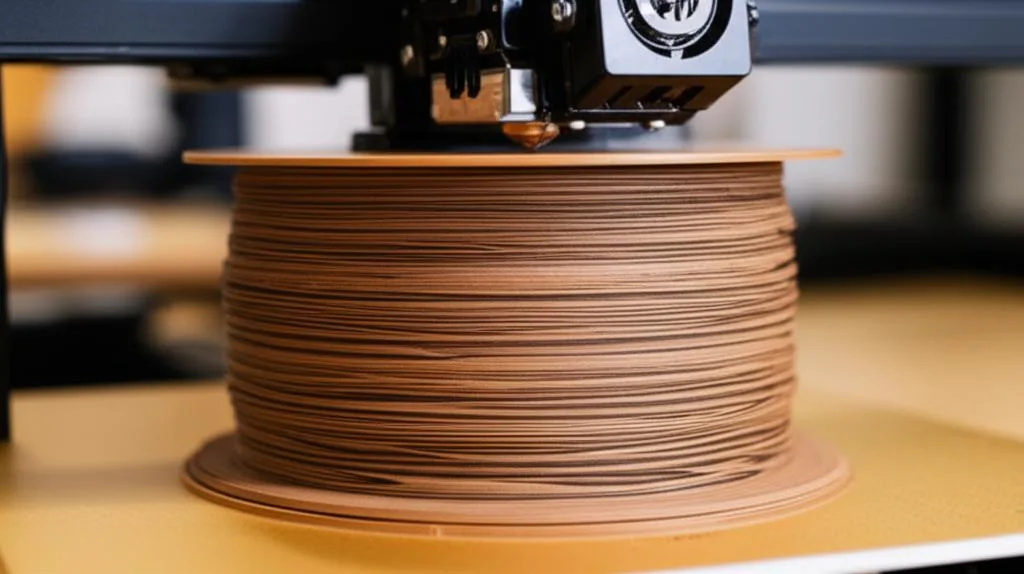
Wood filament (often sold as “woodfill”) is usually PLA mixed with fine wood particles or fibers, so prints look, feel and even smell somewhat like wood. Print it much like PLA. Manufacturers give nozzle temperatures between about 190 and 220 °C and bed temperatures around 50–60 °C. Use a 0.6 mm nozzle unless the maker says 0.4 mm is fine, and dry the spool if it has been open for a while. A hardened nozzle is not required; clogging is the real risk, not wear.
Brands differ more than the name suggests. Some contain real wood, one popular “wood” filament contains none, and the recommended nozzle size ranges from 0.4 to 0.6 mm. Below are the settings from colorFabb, Prusament, Polymaker and Bambu Lab data sheets, then clogging, stringing, drying, and sanding and staining the finished part. All sources are linked at the end.
The consumer toolchanger 3D printer: the SnapSwap 4-toolhead system swaps heads in 5 seconds for true multi-color and multi-material printing, with smart calibration and auto filament loading.
- 4 toolheads · 5 s swap
- Up to 500 mm/s · 20,000 mm/s²
- 270 mm cube build volume
- Multi-color & multi-material

Wood filament settings in short
- Fit a 0.6 mm nozzle (brass is fine) or check whether your brand is rated for 0.4 mm. Never use 0.2 mm.
- Clean the nozzle before loading, especially after a higher-temperature material.
- Start in the middle of the maker’s nozzle range (around 200 °C for most brands) and fine-tune with a temperature tower.
- Bed at 50–60 °C on smooth PEI or glass; use a separation layer such as glue stick if the maker asks for one.
- Part cooling on, moderate speed, layer height 0.2 mm or more.
- Tune retraction for stringing; wood filaments tend to string more than plain PLA.
- Sand, stain and seal like wood, but keep the part away from heat. It softens at PLA temperatures.
What is in wood filament
There are two kinds on the market, and they behave differently in the nozzle:
- Wood-filled. A PLA base with real wood particles. colorFabb woodFill is PLA/PHA with fine pinewood fibers; colorFabb notes that color can vary slightly between batches because of the wood. Prusament Woodfill uses wood from wood-manufacturing waste. These look and feel the most like wood, and the particles are what cause clogs.
- Wood-look foamed PLA. Polymaker PolyWood contains no wood powder. It is foamed PLA with a density of 0.8 g/cm³, close to real wood, and Polymaker says this removes the risk of nozzle clogs.
Both are weaker than the PLA they are based on. Prusa notes that wood-filled filaments usually have worse mechanical resistance and layer adhesion than unmodified versions, and calls them brittle. Use them for decorative parts, not brackets that carry load.
Wood filament temperature and settings by brand
| Filament | Nozzle | Bed | Speed | Maker’s notes |
|---|---|---|---|---|
| colorFabb woodFill | 195–220 °C | 50–60 °C | 40–100 mm/s | Flow may need raising by 0–10% |
| Prusament Woodfill | 195 ± 10 °C | 60 ± 10 °C | Not stated | Prints with a standard 0.4 mm brass nozzle; not on textured sheets; use a separation layer on smooth PEI |
| Polymaker PolyWood | 190–210 °C | 25–60 °C | 30–50 mm/s | Fan on; 0.2 mm layers; glass with glue, BuildTak or painter’s tape |
| Bambu Lab PLA Wood (Bambu printers) | 190–240 °C (±10) | 45–65 °C on textured PEI | Not stated | 0.4 mm and larger nozzles compatible; 0.2 mm not compatible; hardened steel not required |
For wood composites in general, Prusa gives 190–270 °C at the nozzle and 60–100 °C on the bed, depending on the filament type, and says a smooth PEI sheet gives the best adhesion. The wide range is why the spool’s own label matters more than any generic “wood PLA” profile. A temperature tower narrows it down for your printer in one print.
Nozzle size and avoiding clogs
Wood particles do not wear a nozzle much, but they can pile up in it. Prusa recommends a nozzle of at least 0.6 mm and a 0.2 mm layer height for wood-filled filaments to prevent clogging. Prusament Woodfill is the exception Prusa itself names: its particles are fine enough for a standard 0.4 mm brass nozzle, while most wood filaments need 0.6 mm or more for the best results. Bambu Lab rates its PLA Wood for 0.4 mm and larger, but not 0.2 mm.
On hardness, Prusa reserves the hardened steel requirement for metal-filled composites, and Bambu Lab’s filament table marks hardened steel as not required for PLA Wood. A brass nozzle is fine. A nozzle that has already been worn by carbon fiber is not: wear makes clogs and surface problems more likely, so check it first (see worn nozzle signs).
- Start with a clean nozzle. Polymaker recommends cleaning the nozzle when you change material to prevent a partial clog. A cold pull is the quickest way.
- Stay inside the maker’s temperature range. Going far above it to “help flow” gives the wood more time to darken and stick inside the hot nozzle. That is a general caution, not a published limit.
- Do not leave the filament parked in a hot nozzle for long pauses. Unload it or let the hotend cool.
- If it clogs anyway, treat it like any partial clog: see how to unclog a nozzle.
Stringing, retraction and cooling
Polymaker warns that PolyWood can string more than regular PLA and recommends adjusting retraction and increasing travel speed. None of the data sheets above give retraction values, so start from your printer’s PLA profile and tune from there. The PLA stringing and retraction guide covers the procedure. Go easy on long retractions with wood-filled filament: pulling soft, particle-laden plastic far back into the hotend can contribute to clogs.
Cooling works as it does for PLA. Polymaker specifies the part cooling fan on. If walls look matte and grainy with gaps, colorFabb’s suggestion of raising flow by up to 10% is worth trying before changing temperature.
Drying and storing wood filament
- Check your brand. Prusa says Prusament Woodfill does not have to be dried before printing. Polymaker lists 70 °C for 8 hours for PolyWood, and recommends sealed storage because moisture lowers print quality and mechanical properties.
- Signs it is wet: popping or hissing at the nozzle, more stringing than usual, rough patches. Dry at the maker’s temperature and store the spool sealed with desiccant.
- Watch the feed path. Wood filament is brittle. Prusa does not recommend it for its MMU multi-material unit, and Bambu Lab lists PLA Wood as compatible with the AMS but not recommended for the AMS lite. Avoid tight bends between spool and extruder.
Sanding, staining and finishing wood prints
Finishing is where wood filament pays off. Prusa says Prusament Woodfill can be sanded and stained just like real wood, and that wood-filled filaments in general take stain for a weathered look. Polymaker recommends wet sanding PolyWood for a smoother surface.
- Sand through a normal grit progression, coarse to fine. Keep the paper moving and use light pressure: friction heat softens PLA. Wet sanding helps with that. Grit choices and technique are in the sanding guide.
- Clean off the dust and let the part dry fully if you wet-sanded.
- Test the stain on an offcut or a test print from the same spool. How much color it takes depends on the brand and the wood content. Apply thin coats and wipe off the excess.
- Seal with a clear coat or varnish if the part will be handled. Check that the product suits plastic, and test it on the offcut too.
Remember that it is still PLA underneath. colorFabb gives woodFill a glass transition temperature of 55 °C and Polymaker gives PolyWood a Vicat softening temperature of 60 °C, so a car dashboard in summer can deform it. Polymaker also points out the upside: PolyWood can be reshaped after dipping in water above 70 °C and hardens again in its new shape.
Common wood filament mistakes
- Using a generic “wood” profile. Temperatures across brands range from about 190 to 240 °C. Use the spool’s own label.
- Printing fine detail with a 0.4 mm or smaller nozzle when the filament is not rated for it. A 0.2 mm nozzle is a clog waiting to happen.
- Buying a hardened nozzle just for wood. It is not required; the money is better spent on a 0.6 mm brass nozzle.
- Expecting PLA strength. Wood-filled parts are more brittle and weaker between layers.
- Printing on a textured sheet when the maker advises against it. Prusa says not to use its textured sheet for Prusament Woodfill, and to use a separation layer on smooth PEI, where adhesion is very strong.
Frequently asked questions
Do I need a hardened steel nozzle for wood filament?
No. Prusa requires hardened steel only for metal-filled composites, and Bambu Lab marks it as not required for PLA Wood. Wood particles are more of a clogging risk than a wear risk, so nozzle size matters more than nozzle material.
Can I print wood filament with a 0.4 mm nozzle?
Depends on the brand. Prusament Woodfill and Bambu Lab PLA Wood are rated for 0.4 mm, but Prusa recommends at least 0.6 mm for wood-filled filaments in general to prevent clogging. Never use a 0.2 mm nozzle.
What temperature should I print wood filament at?
Use the range on your spool. colorFabb woodFill is 195–220 °C, Prusament Woodfill 195 ± 10 °C and Polymaker PolyWood 190–210 °C. Start in the middle and use a temperature tower to find the best value for your printer.
Can you sand and stain wood filament prints?
Yes. Prusa says wood-filled filaments can be sanded and stained like real wood, and Polymaker recommends wet sanding PolyWood. Test the stain on an offcut first, since results vary by brand.