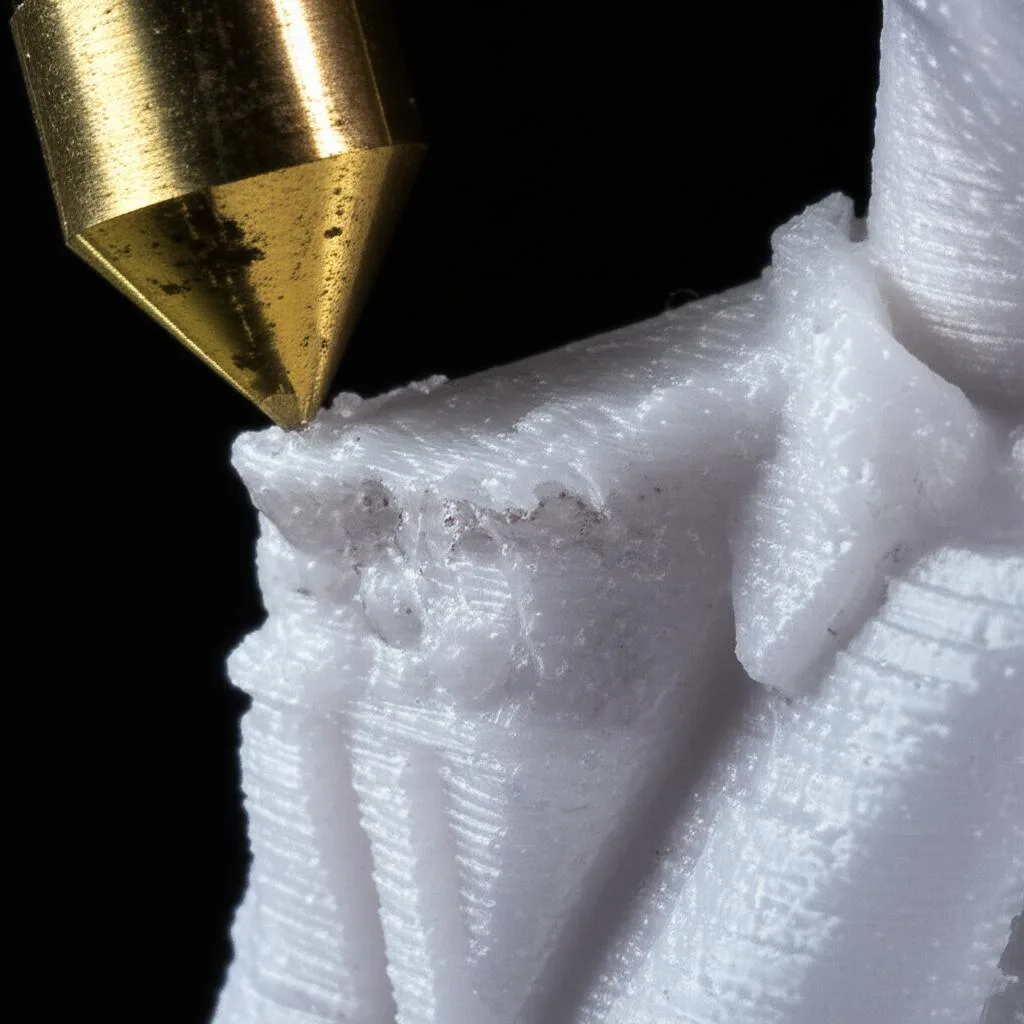
A worn nozzle is one whose tip has been ground down by the filament: the flat face around the hole gets smaller and rounder, the nozzle gets shorter, and the hole itself can grow or lose its round shape. It happens mostly to brass nozzles that print abrasive filaments. Carbon fiber, glass fiber and metal-filled filaments are the main culprits. E3D found a new 0.4 mm brass nozzle heavily worn after only 250 g of a carbon fiber filament. Plain PLA, PETG and ABS wear brass very slowly.
To check a nozzle, look at the tip under magnification and compare it with a new one. Then rule out the causes that look the same: a partial clog, bad flow calibration or a wrong Z-offset. This guide covers the print symptoms in order of how early they show up, how to inspect the nozzle, which filaments actually wear brass, and what to fit instead. It draws on E3D’s and CNC Kitchen’s wear tests plus Prusa and Bambu Lab documentation, all linked at the end.
The consumer toolchanger 3D printer: the SnapSwap 4-toolhead system swaps heads in 5 seconds for true multi-color and multi-material printing, with smart calibration and auto filament loading.
- 4 toolheads · 5 s swap
- Up to 500 mm/s · 20,000 mm/s²
- 270 mm cube build volume
- Multi-color & multi-material

Is my nozzle worn? Quick check
- Think back: has this nozzle printed carbon fiber, glass fiber or metal-filled filament? If not, wear is unlikely to be your problem.
- Look for the early signs: a first layer that gets more squashed over time, extra stringing, weaker overhangs, softer fine detail.
- Heat the nozzle, wipe it clean, let it cool, and look at the tip with a loupe or a phone macro lens.
- Compare it with a new nozzle of the same model: a rounded tip, a smaller flat face or an oval hole means wear.
- If the tip looks fine, check for a partial clog and recheck flow before blaming the nozzle.
- If it is worn, replace it, and fit a hardened nozzle if you keep printing abrasive filaments.
How nozzle wear happens
Hard particles in the filament rub against the inside of the nozzle and against the tip, where the plastic leaves the hole and is pressed onto the layer below. Brass is soft enough for those particles to cut into it. E3D cut open brass nozzles after its test with colorFabb XT-CF20 and found deep ridges and grooves inside. The tip was rounded into a dome, the nozzle was shorter, and the hole had grown into an oval.
CNC Kitchen’s independent test (a blog, but a well-documented one) found the same pattern with a different emphasis. After 360 g of the same carbon fiber PETG, the tip of a brass nozzle was badly worn, but the hole diameter had barely grown. The practical point: the first thing to go is usually the tip, not the hole. That is why wear often looks like a first-layer or surface problem before it looks like an extrusion problem.
Worn nozzle symptoms in your prints
None of these signs proves wear on its own; each has more common causes. What points to the nozzle is the combination: symptoms that came on gradually after abrasive filament, on every model, with settings that used to work.
| Symptom | Why a worn nozzle causes it | Rule this out first |
|---|---|---|
| First layer gets thicker or more squashed over weeks, with no change to Z-offset | The tip wears shorter, so the nozzle sits higher than the printer thinks (seen in CNC Kitchen’s test) | Z-offset or probe drift; redo first-layer calibration |
| More stringing and oozing than before | A rounded, larger opening holds less back during travel moves | Wet filament, too high a temperature, retraction settings |
| Overhangs and small details getting worse | The flat face that presses and shapes each line is smaller and rounder | Part cooling, temperature, speed |
| Holes or gaps in walls and top layers | Uneven flow through a damaged bore; lines no longer merge | Partial clog, under-extrusion, flow rate |
| Rough, scarred top surfaces | A damaged tip drags through the fresh plastic | Over-extrusion, Z-hop, too low a nozzle |
| Lines wider than the nozzle size, soft edges | The hole has grown or turned oval | Wrong nozzle size set in the slicer, flow too high |
CNC Kitchen also noted that print quality holds up for a while and then drops quickly once wear reaches the inner taper of the nozzle. So do not wait for obvious failures before checking.
How to inspect a nozzle for wear
You do not need a microscope. You need a clean nozzle, good light, magnification and something to compare it with.
- Clean the outside. Heat the nozzle to printing temperature and wipe off the plastic with a brass brush or a cloth, away from the heater wires. Residue on the tip hides the edge you want to see.
- Look at the tip in place or remove it. A loupe or a phone macro lens is usually enough. On V6-style hotends, removing the nozzle means a hot swap; follow the nozzle change procedure so it seals again afterwards.
- Check the flat face. A new nozzle has a crisp flat ring around the hole with a sharp outer edge. CNC Kitchen’s advice is to check the tip first for missing material and rounded edges.
- Check the hole. It should be round and centred. An oval or off-centre hole, or a hole that looks bigger than a new one of the same size, means wear.
- Compare side by side. Put a new nozzle of the same model next to it and photograph both at the same magnification. A shorter nozzle with a domed tip shows up clearly in a side view.
- Optional: take an imprint of the inside. CNC Kitchen used a cold pull to capture the bore: heat to 180 °C, feed PLA, let it cool below 40 °C, then pull hard at 65 °C. The plug shows the inner shape and surface. A normal cold pull at the usual temperatures also shows whether the inside is just dirty.
If the tip looks clean and sharp but the print problems remain, the nozzle is probably not the cause. The usual suspects, in order: a partial clog, an out-of-date flow rate calibration, and first layer calibration for the squish problems.
Which filaments wear a brass nozzle
The answer depends on the filler: what it is, how hard it is and how big the particles are. Manufacturers do not fully agree on the borderline cases, so this table shows what each source says.
| Filament | Wear on brass | What the sources say |
|---|---|---|
| Carbon fiber (PLA-CF, PETG-CF, PA-CF) | High | E3D: heavy wear after 250 g. Bambu Lab: do not use brass or stainless steel; use hardened steel. |
| Glass fiber (PETG-GF, PA-GF, ABS-GF) | High | Bambu Lab lists it with carbon fiber as requiring hardened steel. |
| Metal-filled (bronze, brass, steel fill) | High | Prusa lists Bronzefill and Brassfill among the filaments that wear brass very quickly. |
| Glow-in-the-dark | Varies by brand | Prusa and Bambu Lab class it as abrasive. CNC Kitchen measured no change in hole size after 330 g of one brand and suspects particle size and shape matter. |
| Particle-filled PLA (marble, sparkle) | Treat as abrasive | Bambu Lab groups them with fiber-filled filaments for its hardened steel rule. |
| Wood-filled | Low; clogging is the bigger issue | Bambu Lab’s nozzle page lists wood under hardened steel, but its filament table marks hardened steel as not required for PLA Wood. |
| PLA, PETG, ABS, ASA, TPU | Very low | Bambu Lab: hardened steel not required. |
Stainless steel is not a fix for abrasives. E3D puts its wear rate at roughly 30% of brass, which is better but still wear, and Bambu Lab tells users not to print carbon or glass fiber with stainless steel or brass.
Hardened nozzle options for abrasive filaments
The fix for wear is a harder nozzle, not more maintenance. In E3D’s test, a hardened steel nozzle showed no visible wear after 2.5 kg of carbon and glass-filled filaments, ten times the amount that ruined the brass one.
- Hardened steel. The standard choice. Steel conducts heat less well than brass, and Prusa says you may need to raise the hotend temperature by about 5 °C with its hardened nozzle. Treat that as a starting point and confirm with a temperature test.
- Coated hardened steel (for example E3D ObXidian). Hardened steel with a coating meant to limit plastic sticking to the tip. Bambu Lab sells it as a high-flow hotend for the X1 and P1 series.
- Tungsten carbide. Bambu Lab rates its carbide nozzle at HRA 90 and 350 °C. It says the nozzle keeps its round, accurate shape and wears significantly less than hardened steel, even after many kilograms of filament. It only fits the printers Bambu Lab lists.
For abrasive filaments Bambu Lab recommends a 0.6 mm hardened steel nozzle as the first choice, because a bigger hole clogs less. It warns against 0.2 mm nozzles entirely. Fibers also wear the extruder gears and feed path, not just the nozzle; the full setup is in carbon fiber printer hardware.
When to replace a worn nozzle
There is no fixed interval that holds for every printer and material, and none of the sources above gives one. Use the condition of the tip and the list of materials the nozzle has printed:
- Replace now if the tip is visibly rounded or the hole is oval, or if a brass or stainless nozzle has printed a spool or more of carbon or glass fiber filament.
- Inspect regularly if you print abrasive filaments with a hardened nozzle. Hardened steel wears far more slowly, not never.
- Keep a spare of the exact nozzle model. A side-by-side comparison with a new nozzle is the fastest way to judge wear, and it lets you swap straight away.
- After a swap, redo the Z-offset or first-layer calibration: a new nozzle is longer than the worn one it replaces.
Common mistakes when diagnosing nozzle wear
- Blaming wear on a nozzle that has only seen PLA. A clog, wet filament or calibration drift is far more likely. Check those first.
- Raising flow to hide the problem. If you keep needing more flow for solid top layers, find out why. Wear usually shows up at the tip first, not as a steady need for more flow.
- Fitting another brass nozzle and going back to carbon fiber. You will be back where you started after a few hundred grams.
- Judging the tip while it is dirty. A ring of burnt plastic can hide a rounded edge or make a good tip look damaged.
- Skipping first-layer calibration after the swap. The worn nozzle was shorter; the new one will scrape or squash the first layer if you keep the old offset.
Frequently asked questions
How do I know if my 3D printer nozzle is worn out?
Clean the tip and look at it under magnification next to a new nozzle of the same model. A worn nozzle has a rounded, domed tip, a smaller flat face, and sometimes an oval or larger hole. In prints, early signs include a first layer that gets more squashed over time, extra stringing and softer detail.
Does PLA wear out a brass nozzle?
Plain PLA, PETG and ABS cause very little wear, and Bambu Lab lists hardened steel as not required for them. Filled PLAs are a different story: carbon fiber, metal and some glow-in-the-dark or sparkle PLAs are abrasive. Check what is in the filament, not just the base plastic.
How long does a brass nozzle last with carbon fiber filament?
Not long. In E3D’s test a new 0.4 mm brass nozzle was significantly worn after 250 g of a carbon fiber filament, and CNC Kitchen saw heavy tip wear after 360 g. Use a hardened steel or tungsten carbide nozzle for carbon fiber.
Can a worn nozzle be repaired or cleaned?
No. Cleaning removes plastic and residue, but wear is missing metal, so a cold pull or needle cannot restore the tip or the hole. Replace the nozzle and recalibrate the first layer afterwards.