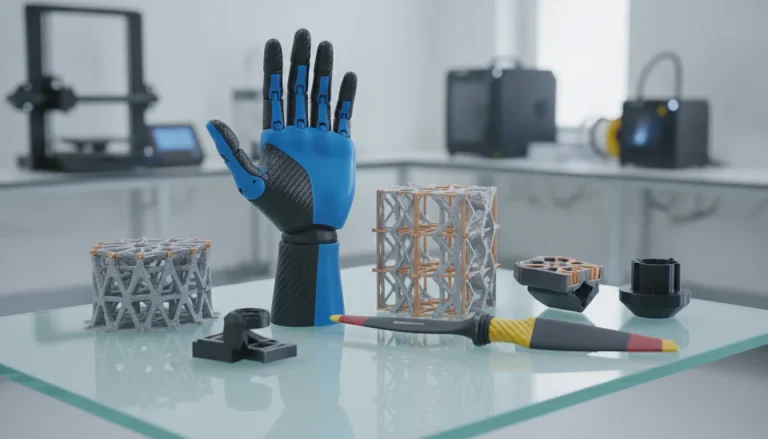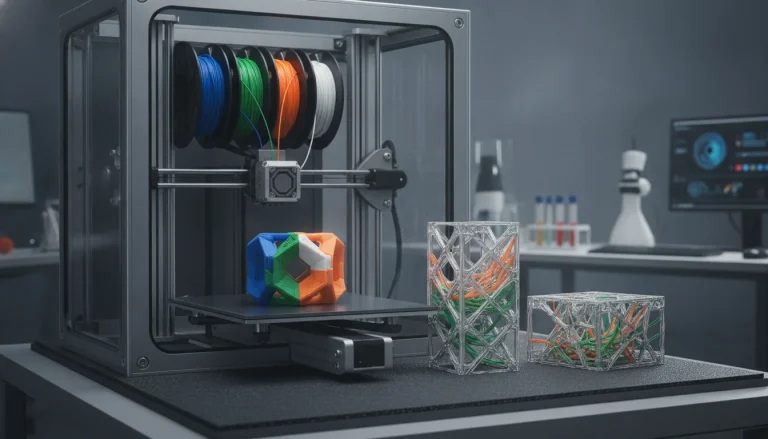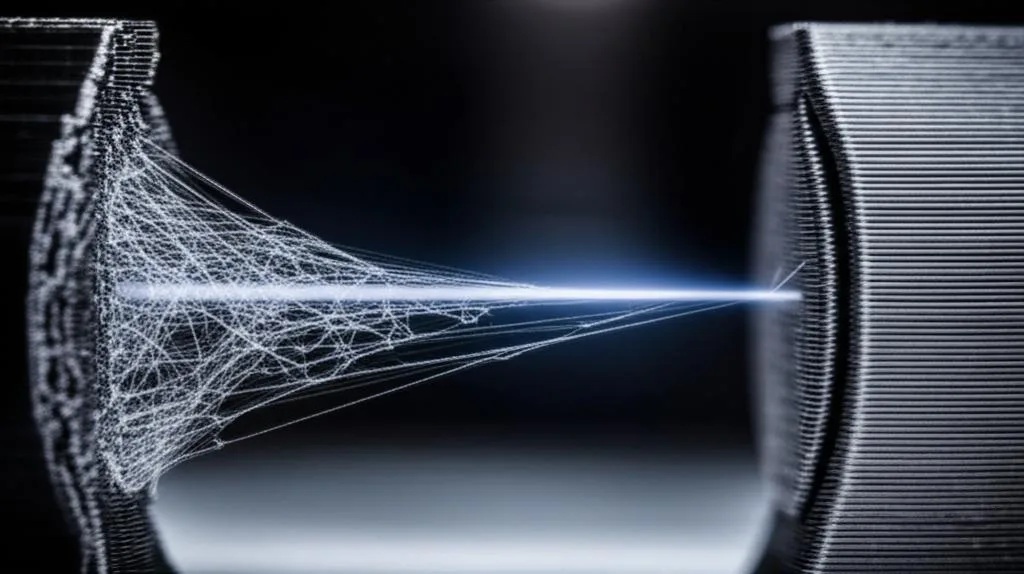
Few things are as frustrating in 3D printing as pulling an otherwise perfect print off the bed, only to find it riddled with fine, wispy strands of plastic – a phenomenon universally known as PLA stringing. This common printing defect can turn a crisp, clean model into a furry mess, requiring tedious post-processing or, worse, rendering the print unusable. While many factors contribute to poor 3D print quality, stringing often boils down to a fundamental issue: molten plastic oozing from the nozzle during non-printing movements. Fortunately, with a methodical approach and a keen understanding of your slicer’s retraction settings, you can virtually eliminate this problem and achieve the pristine results you desire. This comprehensive guide will walk you through the process, empowering you to troubleshoot and fine-tune your printer for string-free success.
Understanding the root cause of stringing
Every model we design and test gets uploaded as a free STL – browse the full profile on MakerWorld.
Before diving into solutions, it’s crucial to grasp why stringing occurs. Essentially, it happens when the nozzle travels from one point to another without printing, and tiny amounts of molten filament continue to escape. Think of it like a leaky faucet: even when turned off, a few drops might still escape. In 3D printing, this ‘leakage’ solidifies into unwanted strings between printed parts or across open spaces.
Several factors can exacerbate this issue:
- Excessive heat: Higher temperatures make PLA more fluid, increasing its tendency to ooze.
- Filament moisture: Wet filament can boil inside the hotend, causing pressure build-up and uncontrolled oozing.
- Incorrect retraction settings: The printer isn’t effectively pulling back the filament to relieve pressure in the nozzle.
- Fast travel speeds: Rapid movements give less time for plastic to solidify, potentially stretching out thin strands.
- Nozzle condition: A worn or dirty nozzle can also contribute to oozing.
While all these play a role, retraction settings are often the most impactful and controllable variable in combating stringing, forming the cornerstone of effective filament troubleshooting.
The core solution: retraction settings
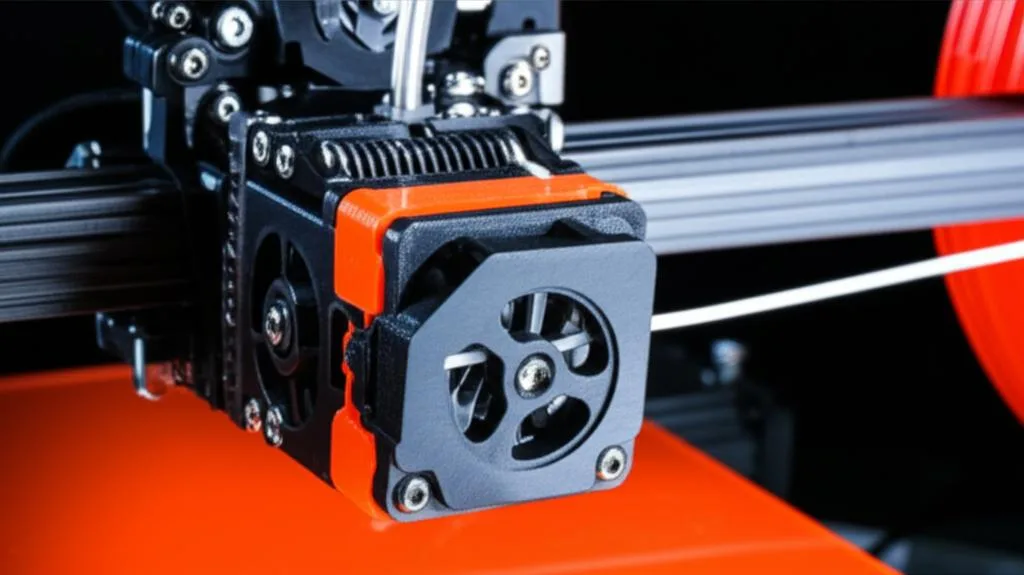
Retraction is a critical feature in 3D printing designed specifically to combat stringing and oozing. When enabled, your printer’s extruder motor briefly reverses, pulling the filament back a small distance into the hotend before the print head moves to a new location. This action relieves pressure within the nozzle, preventing molten plastic from oozing out during travel moves. Once the nozzle reaches its new printing position, the filament is pushed back down, and printing resumes.
Properly configured retraction settings are a delicate balance. Too little retraction, and you’ll get stringing. Too much, and you risk other issues like clogs, under-extrusion at the start of new lines, or even grinding the filament. The goal is to find the ‘sweet spot’ that effectively stops oozing without introducing new problems.
Key retraction parameters
Your slicer software (e.g., Cura, PrusaSlicer, Simplify3D) will offer several parameters related to retraction. The two most fundamental are:
Retraction Distance (or Length): This determines how far the filament is pulled back. It’s measured in millimeters (mm). A longer distance typically means more pressure relief, but also more wear on the filament and potentially longer retraction cycles.
- Bowden setup: Printers with a Bowden tube (where the extruder motor is separate from the hotend) generally require longer retraction distances (e.g., 4-8mm) due to the compressibility of the filament within the long tube.
- Direct Drive setup: Printers with a direct drive extruder (where the motor is directly above the hotend) require much shorter distances (e.g., 0.5-2mm) because there’s less space for the filament to compress.
Retraction Speed: This dictates how quickly the filament is pulled back and pushed forward. It’s measured in millimeters per second (mm/s). A faster speed can be more effective at preventing oozing but can also lead to issues if too high.
- Too fast: Can cause the filament to snap, grind, or jam in the nozzle, leading to clogs or under-extrusion.
- Too slow: May not relieve pressure quickly enough, allowing oozing to occur before the nozzle moves.
Step-by-step guide to perfecting retraction settings
Optimizing your retraction settings is an iterative process that requires patience and systematic testing. Here’s a detailed workflow to help you achieve string-free prints:
Step 1: foundational checks and preparation
Before you even touch retraction settings, ensure your printer is in good working order and your filament is ready. Many stringing issues are exacerbated by underlying problems.
Calibrate your E-steps
Your extruder’s E-steps (steps per millimeter) must be accurately calibrated to ensure it’s extruding the correct amount of filament. If your extruder is pushing out too much plastic, it will naturally lead to more oozing and stringing. This is a one-time calibration, but crucial for consistent extrusion.
- Process: Heat your hotend to printing temperature, mark your filament 120mm above the extruder entry point, then command your printer to extrude 100mm of filament. Measure the remaining filament. If it’s not exactly 20mm, adjust your E-steps in your firmware or slicer.
Dry your PLA filament
Moisture is a significant culprit for poor 3D print quality, including stringing. Wet PLA can cause steam bubbles to form in the hotend, leading to erratic extrusion and increased oozing. Even new filament can sometimes be slightly damp.
- How to dry: Use a dedicated filament dryer, a food dehydrator, or even your oven at a very low temperature (e.g., 40-50°C for several hours).
- Storage: Store filament in airtight containers with desiccant packets when not in use.
Perform a temperature tower test
Print temperature has a direct impact on filament viscosity and, consequently, stringing. PLA typically prints between 180°C and 220°C. Printing too hot will make the plastic more fluid and prone to oozing, regardless of your retraction settings.
- Process: Download or create a temperature tower model. This model prints several sections, each at a different temperature. Observe which temperature range yields the best surface finish, layer adhesion, and, crucially, the least stringing.
- Goal: Identify the lowest possible temperature that still provides good layer adhesion and flow. This will be your starting point for further tests.
Step 2: fine-tuning retraction distance
Once your foundational checks are complete and you have an optimal print temperature, it’s time to tackle retraction. Start by focusing on retraction distance.
Print a retraction tower
A retraction tower is a specialized test print designed to evaluate various retraction distances on different sections of the model. This allows you to visually compare results.
- Setup: Find a retraction tower model online (e.g., on Thingiverse) or use your slicer’s built-in calibration tools. Configure your slicer to change the retraction distance at specific layer heights (e.g., increasing by 0.5mm every 5-10mm of height).
- Starting points:
- Bowden: Start around 4mm and go up to 8mm or 10mm.
- Direct Drive: Start around 0.5mm and go up to 2mm or 3mm.
- Retraction Speed: Keep your retraction speed at a moderate, consistent value for this test (e.g., 40-60 mm/s) to isolate the effect of distance.
- Analysis: Examine the printed tower. Identify the section with the least amount of stringing. This will be your optimal retraction distance.
Understanding the extremes
- Too little retraction distance: Visible strings will be abundant, as the pressure isn’t sufficiently relieved.
- Too much retraction distance: While it might eliminate stringing, it can introduce other problems:
- Heat creep/clogging: The filament is pulled too far into the colder parts of the hotend, solidifying and causing blockages.
- Under-extrusion: The filament might not be pushed back down completely or quickly enough, leading to gaps or thin spots at the start of new lines.
- Filament grinding: The extruder gears repeatedly pulling and pushing the filament in the same spot can wear it down, leading to inconsistent extrusion.
Step 3: optimizing retraction speed
Once you’ve found a good retraction distance, it’s time to fine-tune the speed. Retraction speed is just as critical as distance in preventing oozing.
Print another retraction tower (for speed)
Similar to the distance test, you’ll use a retraction tower, but this time you’ll vary the retraction speed while keeping your newly found optimal retraction distance constant.
- Setup: Configure your slicer to change the retraction speed at different layer heights (e.g., increasing by 5-10 mm/s every 5-10mm of height).
- Starting points: Start around 20-30 mm/s and go up to 80-100 mm/s. Some printers can handle even higher speeds, but proceed with caution.
- Analysis: Observe which speed setting minimizes stringing.
Understanding the extremes for speed
- Too slow retraction speed: The filament is pulled back too leisurely, allowing molten plastic to ooze out before the pressure is sufficiently relieved. This results in thin, wispy strings.
- Too fast retraction speed: This can lead to:
- Filament snapping: The rapid pull can break brittle filament, especially if it’s moist or old.
- Grinding: The extruder gears might strip the filament, losing grip and causing under-extrusion.
- Motor skipping: The extruder motor might struggle to keep up, leading to missed steps and inconsistent retraction.
- Clogging: Rapid pressure changes can sometimes contribute to clogs if the molten plastic doesn’t flow smoothly.
The ideal retraction speed is usually a balance: fast enough to prevent oozing, but not so fast that it causes mechanical issues or filament damage.
Step 4: explore advanced retraction settings
Most slicers offer additional settings that can further refine your stringing prevention.
Retraction extra prime amount (or wipe/coast)
- Retraction Extra Prime Amount: Some slicers (e.g., PrusaSlicer) allow you to specify an “extra prime amount” – a tiny bit of filament pushed back out after retraction before printing resumes. This helps counteract any under-extrusion caused by retraction and ensures a strong start to the new line. If you’re seeing small gaps or weak spots at the start of new perimeters after optimizing retraction, experiment with a very small positive value (e.g., 0.05-0.1mm³).
- Coasting (Cura): This feature stops extrusion slightly before the end of a line. The remaining pressure in the nozzle then “coasts” the last bit of plastic out, reducing pressure before a travel move. This can be highly effective against stringing but needs careful tuning to avoid gaps in your print. Start with a small volume (e.g., 0.064 mm³) and adjust.
- Wipe (Simplify3D, PrusaSlicer): This makes the nozzle move a small distance (e.g., 0.2-0.4mm) while still extruding at the very end of a perimeter, effectively “wiping” off any excess plastic before retraction. This helps clean the nozzle tip and reduces oozing.
Minimum travel before retraction
This setting specifies the minimum distance the nozzle must travel before a retraction is performed. If the travel distance is shorter than this value, the printer will not retract. This can reduce unnecessary retractions on very short moves, which can save time and reduce wear on the filament and extruder motor. However, setting it too high can lead to stringing on short, frequent travel moves.
- Recommendation: Start with a value around 1-2mm. If you still see stringing on short moves, reduce it. If you notice excessive retraction noise or wear, increase it slightly.
Combing mode (Cura) / avoid crossing perimeters (PrusaSlicer)
These settings dictate how the nozzle moves during travel. Instead of lifting and retracting, the slicer tries to keep the nozzle within the boundaries of the printed part, moving over already printed areas. This can significantly reduce the number of retractions, thereby reducing the chances of stringing. However, it can sometimes leave faint travel lines or “scars” on the top surface of your print.
- Options: Experiment with different combing modes (e.g., “Not in Skin” or “Within Infill” in Cura) to find a balance between stringing reduction and surface finish.
- Impact: While it reduces retractions, it doesn’t solve the underlying oozing issue. If you still have stringing with combing enabled, your retraction settings still need work.
Beyond retraction: other factors influencing stringing
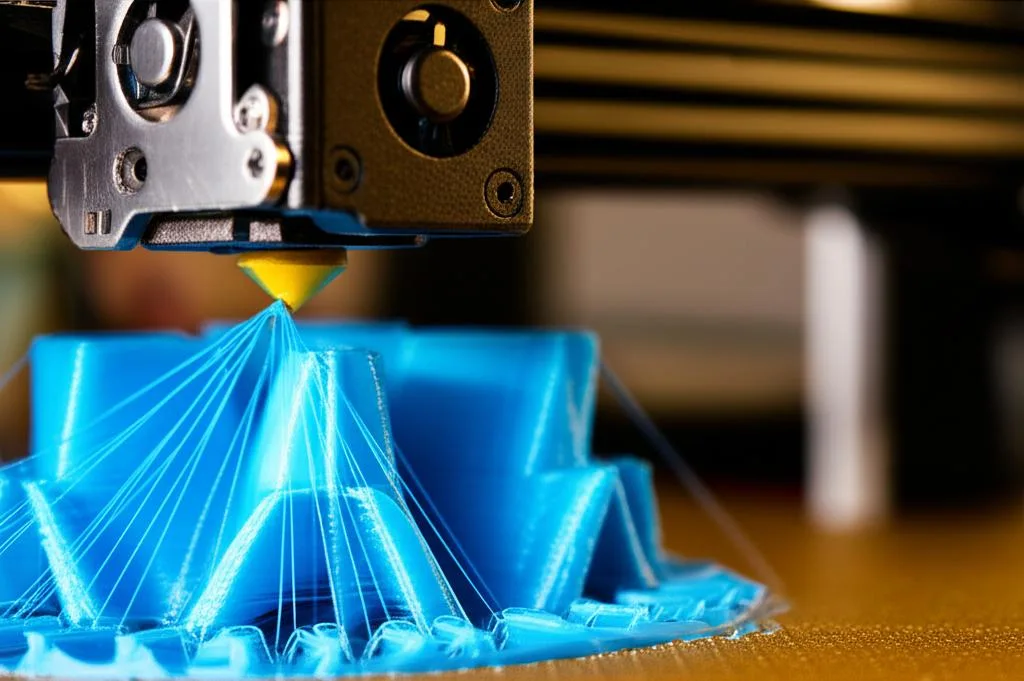
While perfecting retraction settings is paramount, other variables can significantly impact PLA stringing. If you’ve meticulously tuned retraction and still see strings, look at these additional factors.
Print temperature
As mentioned earlier, temperature is a major player. Even slight deviations can make a big difference.
- Lower is often better: For PLA, try to print at the lowest temperature that still allows for good layer adhesion and smooth extrusion. If your temperature tower showed stringing at higher temps, stick to the lower end of the acceptable range.
- Filament specific: Remember that optimal temperatures vary between filament brands and even colors. Always check the manufacturer’s recommendations and fine-tune from there.
Print speed
Speed affects how much time molten plastic has to ooze.
- Travel speed: This is the speed at which the nozzle moves when not extruding. Increasing travel speed (e.g., 150-250 mm/s) gives less time for plastic to ooze, effectively “stretching” any potential string thin enough to break.
- Print speed: While not directly related to travel, overall print speed can influence the hotend’s thermal stability. If you’re printing too fast, the hotend might struggle to maintain a consistent temperature, leading to inconsistent oozing.
Cooling
Sufficient part cooling is crucial for PLA. Rapid cooling helps solidify the extruded plastic quickly, preventing it from stretching into strings.
- Fan speed: Ensure your part cooling fan is running at 100% after the first few layers.
- Fan shroud: Check that your fan shroud directs airflow effectively around the nozzle tip and onto the freshly extruded plastic. An inefficient shroud can lead to uneven cooling and more stringing.
Filament quality and storage
Not all PLA is created equal, and how you store it matters immensely.
- Moisture absorption: PLA is hygroscopic, meaning it absorbs moisture from the air. Wet filament causes steam bubbles in the hotend, leading to erratic extrusion, poor layer adhesion, and significant stringing. Always dry your filament if you suspect moisture.
- Filament quality: Cheap or low-quality filament can have inconsistent diameters, additives that increase oozing, or simply be more prone to absorbing moisture. Investing in good quality filament often pays off in fewer headaches.
- Proper storage: Store filament in sealed bags or containers with desiccant packets to prevent moisture absorption.
Nozzle issues
A worn or partially clogged nozzle can also contribute to stringing.
- Worn nozzle: Over time, the nozzle orifice can wear, becoming larger or irregularly shaped. This can lead to less precise extrusion and more oozing. Replace brass nozzles periodically.
- Partial clog: A partial clog can cause inconsistent pressure build-up and release, leading to erratic oozing and stringing. Perform a cold pull or use a cleaning needle to clear any blockages.
Printer maintenance
A well-maintained printer performs better across the board.
- Tight belts: Loose belts can lead to ghosting and inaccuracies, which, while not directly causing stringing, indicate a lack of precision that can exacerbate other print quality issues.
- Clean hotend: Ensure there’s no plastic residue on the outside of your hotend or nozzle. This can char and then deposit onto your prints as blobs or strings.
- Bowden tube integrity: For Bowden setups, ensure the tube is securely seated against the nozzle in the hotend. Gaps can lead to filament catching and inconsistent retraction. Replace worn Bowden tubes.
Troubleshooting workflow for persistent stringing
If you’ve tried everything and PLA stringing still plagues your prints, follow this structured troubleshooting workflow:
- Re-check basics:
- Is your filament dry? (Always start here if unsure)
- Are your E-steps calibrated?
- Is your hotend temperature optimized with a temperature tower?
- Focus on retraction distance:
- Using a retraction tower, systematically test retraction distances (e.g., 0.5mm increments).
- Identify the best distance for your setup (Bowden vs. Direct Drive).
- Optimize retraction speed:
- With the optimal distance locked in, use another retraction tower to test speeds (e.g., 5-10 mm/s increments).
- Find the fastest speed that doesn’t cause grinding or clogs.
- Adjust advanced settings:
- Experiment with Coasting/Wipe, Retraction Extra Prime Amount, and Minimum Travel Before Retraction.
- Consider Combing Mode if surface finish isn’t critical.
- Address other factors:
- Increase travel speed.
- Ensure 100% part cooling after initial layers.
- Inspect and potentially replace your nozzle.
- Check for Bowden tube gaps or wear.
- One change at a time: The golden rule of troubleshooting is to change only one setting at a time and then print a test model. This allows you to isolate the effect of each adjustment.
Conclusion
Eliminating PLA stringing is a rite of passage for many 3D printing enthusiasts. While it can be a source of immense frustration, it’s also an opportunity to deepen your understanding of your printer and slicer settings. By systematically working through your print temperature, retraction settings (distance and speed), and other influencing factors, you can achieve remarkable improvements in your 3D print quality. Remember that every printer, filament, and environment is slightly different, so what works for one setup might need tweaking for another. Embrace the process of iterative testing, make small, deliberate changes, and soon you’ll be producing clean, string-free prints that truly showcase the potential of your 3D printer. Happy printing!
Frequently asked questions
What retraction distance should I start with for my printer type?
Start with 4mm for a Bowden setup (extruder separate from hotend) and 0.5mm for a direct drive setup (motor above hotend). These are safe starting points because Bowden tubes compress more filament length, requiring longer retraction, while direct drive has minimal distance to pull back.
Can stringing be caused by wet filament even after tuning retraction?
Yes, wet PLA is a common hidden cause of stringing because moisture turns to steam in the hotend, causing erratic pressure that forces plastic out of the nozzle unpredictably. If retraction tuning alone doesn’t fix stringing, dry your filament at 40-50°C for several hours and store it in an airtight container with desiccant.
What should I do if increasing retraction distance makes stringing worse?
Stop increasing distance immediately and check for signs of heat creep or a partial clog, as excessive retraction can pull molten filament into the cold zone where it solidifies. Reset to your previous best distance, then instead try lowering print temperature by 5-10°C or increasing retraction speed, since those adjustments reduce oozing without causing blockages.