First decide which kind of clog you have. If some plastic still comes out but it is thin, patchy or curls back up towards the nozzle, it is a partial clog: heat the nozzle to about 250–260 °C for PLA (280 °C after PETG, ABS or ASA), push fresh filament through, clear the tip with a thin needle if your nozzle allows it, and finish with a cold pull. If nothing comes out and you cannot push filament through the hot nozzle by hand, it is a full clog: force the plug out from above, pull it out with pliers, or take the hotend apart.
Before any of that, spend two minutes ruling out the extruder and PTFE tube, because a slipping gear looks just like a blocked nozzle. The temperatures and steps below come from the Prusa Knowledge Base, the Bambu Lab Wiki and E3D’s nozzle documentation, linked at the end. Where the manufacturers disagree, we say so.
The consumer toolchanger 3D printer: the SnapSwap 4-toolhead system swaps heads in 5 seconds for true multi-color and multi-material printing, with smart calibration and auto filament loading.
- 4 toolheads · 5 s swap
- Up to 500 mm/s · 20,000 mm/s²
- 270 mm cube build volume
- Multi-color & multi-material
Unclogging a nozzle: the short version
- Heat the nozzle and try to extrude. Note whether you get a thin, curling strand or nothing at all.
- Check that the extruder gear grips and moves the filament, and that the PTFE tube is not the blockage.
- Partial clog: raise the temperature (260 °C for PLA, 280 °C for PETG, ABS or ASA in Prusa’s guide), wait 2 minutes and push new filament through.
- Still curling? Clear the tip with a 0.3–0.35 mm needle, only 1–2 cm deep and only if your nozzle type allows it.
- Full clog: push the plug down from above with a rigid wire, or remove the hotend and clear it off the printer.
- Finish with a cold pull to remove what is left. If none of this restores flow, replace the nozzle.
Partial or full clog? Read the symptoms
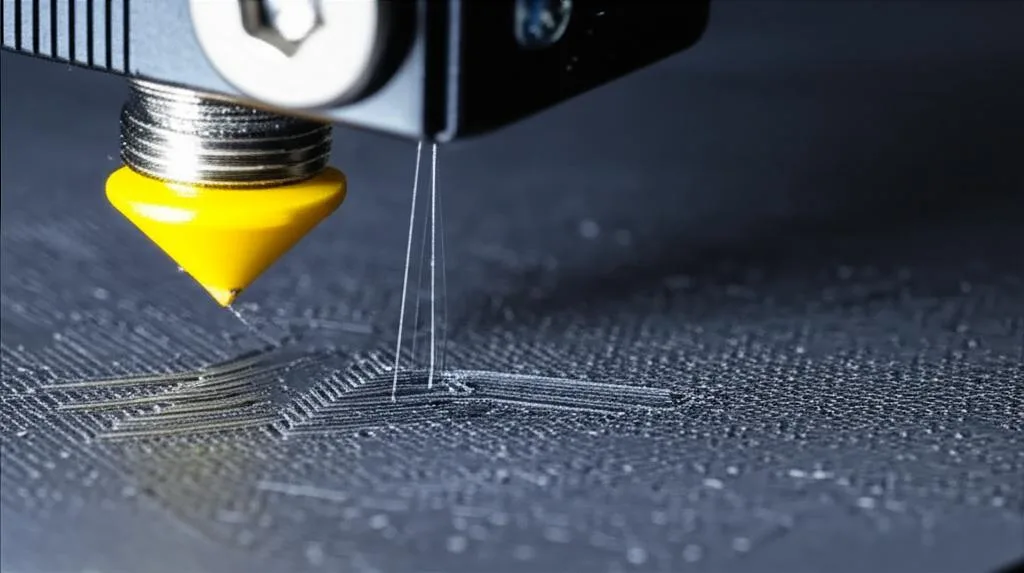
Prusa lists the early signs as inconsistent extrusion, thin lines that don’t stick to the sheet, and filament that curls and sticks to the nozzle. Bambu Lab uses the same test: a healthy nozzle extrudes a straight strand, a partially clogged one curls. It adds that a partial clog can spoil Flow Dynamics (K value) calibration, because nozzle pressure keeps changing.
| What you see or hear | Most likely | Try first |
|---|---|---|
| Thin, gappy lines; strand curls up when you extrude manually | Partial clog at the nozzle tip | Hot push at a higher temperature, then needle and cold pull |
| Specks of old colour or dark bits in the print | Residue or burnt material inside the nozzle | Cold pull, repeated until the tip comes out clean |
| Extrusion fades or stops while printing PLA in a closed enclosure | Heat creep: filament softening and swelling above the melt zone | Clear the plug, then open the enclosure or lower chamber heat |
| No plastic at all; filament cannot be pushed by hand at 260–280 °C | Full clog in the nozzle or heat break | Force it out from above, pliers, or remove the hotend |
| Loud clicking from the extruder (Prusa’s Nextruder guide) | Nozzle clog or a deformed nozzle | Hot push test, then clear the clog |
| Light clicking, filament moves easily by hand | Extruder gear or gearbox problem, not the nozzle | Clean and check the extruder |
Rule out the extruder and PTFE tube first
Prusa points out that a clogged hotend is not always a clogged nozzle: filament can also jam in the PTFE tube, so a new nozzle alone won’t always fix it. Bambu Lab’s method for locating the blockage on the X1 works on most printers:
- Heat the nozzle to the normal printing temperature and try to extrude a little. If nothing comes out, or it comes out with difficulty, there is a clog somewhere.
- Cut the filament above the hotend and remove the hotend (or, on other printers, disconnect the tube or open the idler). Push a piece of filament through the hotend by hand. If it passes freely, the hotend is not the problem.
- Then test the extruder with the extrude and retract controls. If it cannot feed and pull back filament normally, the clog is in the extruder.
While you are there, clear ground filament from the drive gear teeth; Prusa uses a toothpick, needle or brass brush. If the gear is chewing the filament rather than the nozzle being blocked, see our guide to extruder grinding and clicking.
Unclogging temperatures by material
Clearing a clog needs more heat than printing. Use your printer maker’s value if there is one, and never exceed the rating of your nozzle and hotend (E3D rates its brass V6 nozzles at 300 °C).
| Situation | Nozzle temperature | Source |
|---|---|---|
| Clog after PLA (Prusa MK3 family, MK4, CORE One) | 260 °C, wait 2 minutes | Prusa |
| Clog after PETG, ABS or ASA (Prusa) | 280 °C, wait 2 minutes | Prusa |
| Needle unclogging on Bambu Lab X1/P1 with PLA, PETG, TPU or ABS | 250 °C; higher for filaments that print hotter | Bambu Lab |
| Residue from PAHT-CF, PET-CF, PPA or PPS before switching to PLA, PETG or TPU | Purge at 250–300 °C, then keep extruding while cooling to 220–240 °C | Bambu Lab |
| Pulling a stuck piece out with pliers (Prusa CORE One, MK4) | 280 °C | Prusa |
Step-by-step: clearing a partial clog
- Get access. Raise the print head or lower the bed so you can reach the nozzle. Disable filament autoload if your printer has it, and unload the filament.
- Heat up. Set the unclogging temperature from the table above and wait 2 minutes after it is reached, so the whole melt zone is at temperature.
- Hot push. Open the idler or remove the fitting above the extruder and push fresh PLA in by hand. Prusa uses a 40 cm piece. Keep pushing until the strand comes out straight and even.
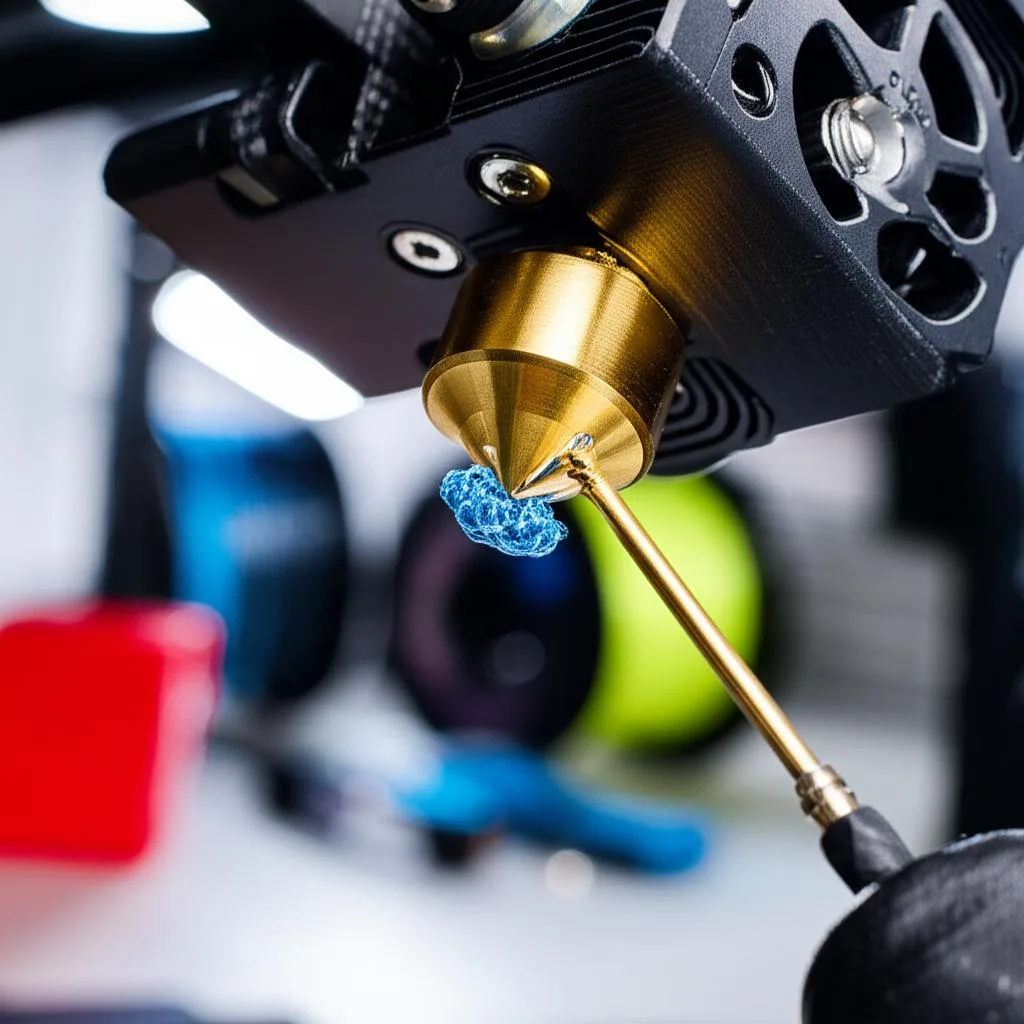
- Clear the tip. If the strand still curls, insert a thin needle into the nozzle from below, move it in and out a few times, then extrude again. Prusa uses a 0.3–0.35 mm acupuncture needle inserted 1–2 cm. Bambu Lab warns not to push the pin too far, because it can push molten filament higher and create a harder clog.
- Check the flow. Extrude from the menu. A straight, uncurled strand means the tip is clear.
- Cold pull. Bambu Lab strongly recommends a cold pull after every cleaning procedure. It removes the residue that the needle loosened. Follow our cold pull guide for the temperatures and technique.
Needle or no needle?
Here the documentation disagrees. Prusa and Bambu Lab both use a needle, with limits: not on Prusa high-flow nozzles, and not on Bambu Lab 0.2 mm nozzles. E3D lists the needle as non-recommended for all its V6 nozzles and prefers cold pulls, warm pulls and nylon cleaning filament. If your nozzle maker advises against it, go straight to the hot push and cold pull.
Step-by-step: clearing a full clog
Work through these in order and stop as soon as filament flows again. Wear heat-resistant gloves: Bambu Lab warns that molten filament can drip on your fingers, and every method here involves a nozzle at 250 °C or more.
- Force it out from above. Prusa’s MK3-family method: unload, move the extruder 10–15 cm up, heat to 260 °C (PLA) or 280 °C (PETG/ABS) and wait 2 minutes. Try the needle from below first. If that fails, insert a straight, rigid metal wire, about 1.5 mm thick and 100 mm long, into the hotend from the top and push the plug down and out of the nozzle. Be careful not to damage the extruder gears or the PTFE tube. Then load PLA, which pushes out what is left.
- Pull it out with pliers. If a short piece of filament is visible at the top of the hotend, heat to 280 °C and slowly pull it upwards with needle-nose pliers, bit by bit, then do a cold pull (Prusa CORE One and MK4 guide).
- Filament stuck in the PTFE tube. Remove the hotend, preheat to the same temperatures and pull the filament out with pliers. Replace the PTFE tube if it is damaged and make sure it sits firmly with no play.
- Heat creep plug in a one-piece hotend. For X1/P1 hotends, Bambu Lab removes the hotend, heats a 1.5 mm hex key with a lighter for 10–15 seconds, pushes it into the filament from the top of the heatsink and lets it cool for about 30 seconds. It then heats the nozzle tip (sock removed) for about 20 seconds and slowly pulls the key out with the plug. No butane torch, and no longer heating.
- Clean the removed nozzle. On V6-style hotends, unscrew the nozzle (see how to change a nozzle hot). Prusa either heats it with a heat gun and pulls the plastic out with pliers, or soaks it for hours or overnight: acetone for ABS, tetrahydrofuran or ethyl acetate for PLA. These solvents are flammable, so work in a ventilated space away from heat sources.
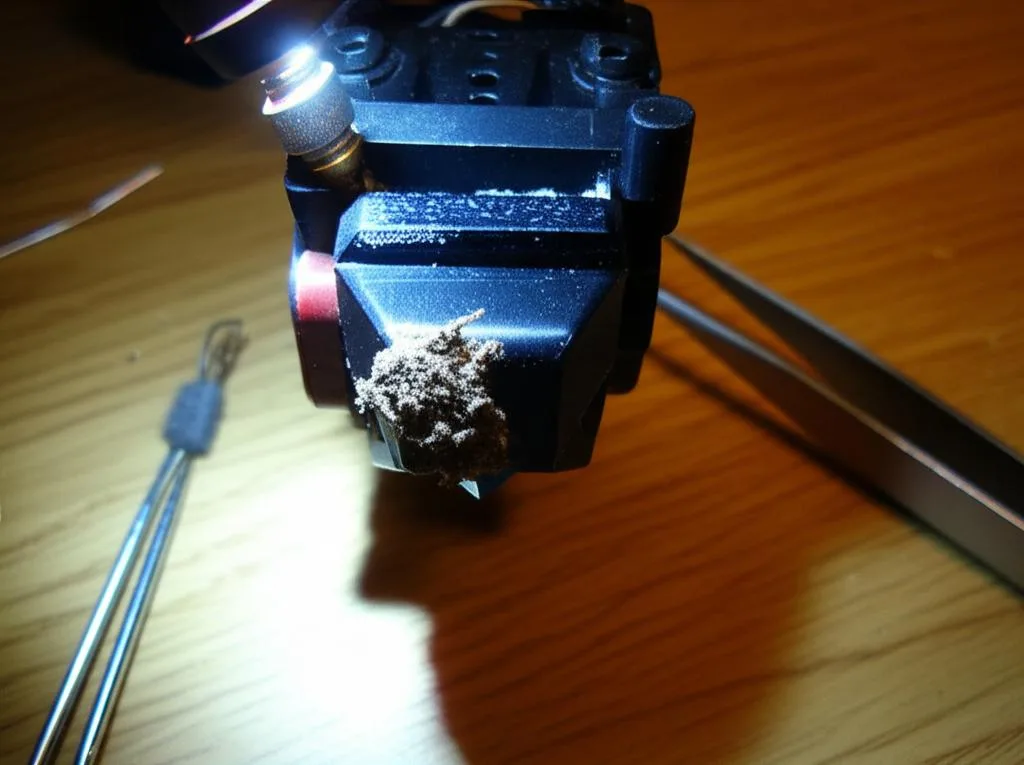
For a full clean of a hotend that is coated in plastic like the one above, see how to clean a 3D printer hotend safely. After taking a Prusa hotend apart, Prusa asks for a full XYZ calibration followed by first-layer calibration; after only a nozzle change, first-layer calibration is enough.
When to replace the nozzle instead
In Prusa’s CORE One and MK4 guide, if pushing new filament at 260–280 °C does not restore flow, a nozzle replacement is likely needed. Prusa also suggests replacing a nozzle that is old or heavily used rather than cleaning it again, and no amount of cleaning fixes a tip bent in a crash. Our nozzle replacement guide covers hot tightening, torque and Bambu Lab’s cold hotend swap.
Why nozzles clog and how to prevent it
| Cause (Bambu Lab, Prusa) | Prevention |
|---|---|
| Heat creep: low glass-transition filaments such as PLA softening in a warm enclosure | Open the door or remove the top cover for PLA and PETG; lower the bed temperature where possible. Prusa says a fully closed enclosure with PLA causes heat creep. |
| Filament diameter too large or inconsistent | Use filament within 1.75 ± 0.03 mm; measure a suspect spool with calipers |
| Particles in carbon fibre, glow-in-the-dark or glitter filaments | Regular cleaning and cold pulls; Bambu Lab advises against 0.2 mm nozzles for CF/GF filaments (see carbon vs glass fibre filament) |
| Leftover high-temperature material after switching to PLA or TPU | Purge hot (250–300 °C), then extrude while cooling to 220–240 °C |
| Wet filament swelling or forming steam bubbles | Store in a sealed box with desiccant; dry hygroscopic materials like PA and PC before printing |
| Printing too cold or too fast for the plastic to melt | Check the nozzle temperature; slow down or raise the temperature slightly |
| Many short prints with repeated heat-up and cool-down | Combine small jobs into one print where possible |
Bambu Lab recommends a cold pull at least once a month, especially when you switch between filament types. If extrusion is weak but none of the clog tests above fail, the cause is probably elsewhere; the under-extrusion guide covers flow, E-steps and slicer causes.
Common unclogging mistakes
- Replacing the nozzle when the PTFE tube or extruder is the problem. Check where the blockage is before buying parts.
- Pushing the needle too deep. Bambu Lab warns this pushes molten filament higher and makes the clog harder to remove.
- Using a torch on a nozzle. E3D advises against blow torches, and Bambu Lab limits its lighter method to about 20 seconds with an ordinary lighter.
- Skipping the cold pull. Bambu Lab recommends one after every cleaning procedure to remove loosened residue.
- Fixing the clog but not the cause. If PLA keeps jamming in a closed enclosure, it will happen again on the next long print.
Frequently asked questions
How do I know if my 3D printer nozzle is clogged?
Heat the nozzle and extrude a little from the printer’s menu. A strand that curls up, comes out thin, or is accompanied by clicking from the extruder suggests a partial clog; no plastic at all suggests a full clog. If filament slides through the hot nozzle easily by hand but the extruder cannot feed it, the problem is the extruder, not the nozzle.
What temperature should I use to unclog a nozzle?
Prusa uses 260 °C after PLA and 280 °C after PETG, ABS or ASA, and waits 2 minutes before pushing filament through. Bambu Lab uses 250 °C for PLA, PETG, TPU and ABS on the X1 and P1. Stay below the maximum rating of your nozzle and hotend.
Can I unclog a nozzle without taking it off?
Usually, yes. Partial clogs normally clear with a hot push, a needle through the tip where the nozzle maker allows it, and a cold pull. A full clog that you cannot push through from above, or filament stuck in the PTFE tube, needs the hotend or nozzle removed.
Is it safe to use a needle to clean a 3D printer nozzle?
Prusa uses a 0.3–0.35 mm needle inserted 1–2 cm, and Bambu Lab uses the pin supplied with the printer, but neither applies it to every nozzle type. E3D advises against needles for its V6 nozzles. If your nozzle maker says no, use a cold pull or nylon cleaning filament instead.
Sources
- Prusa Knowledge Base: Clogged nozzle/hotend (MK3.5/S, MK3S+, MK2.5S)
- Prusa Knowledge Base: Clogged nozzle (CORE One, XL, MK4/S, MK3.9/S)
- Bambu Lab Wiki: Nozzle/hotend unclogging procedure for X1/P1
- Bambu Lab Wiki: How to avoid nozzle clogs
- E3D Classics Support: V6 Nozzle (materials and cleaning guide)