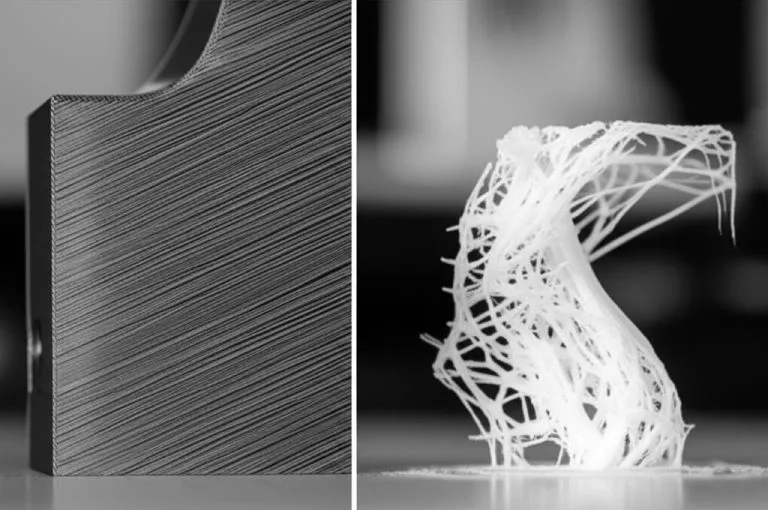
A 3D print splits between layers when the new layer doesn’t fuse enough with the one below, or when cooling stress pulls the layers apart. The fixes Prusa and Bambu Lab list: raise the nozzle temperature in 5 °C steps, turn the part cooling fan down, print slower, dry the filament, and check for under-extrusion or a partial clog. For ABS, ASA, PC and nylon, also keep the printer closed and raise the bed 5–10 °C, as Bambu Lab recommends.
Even with perfect settings, parts are weaker across the layers than along them. In Bambu Lab’s data sheets, PETG HF reaches 34 MPa tensile strength along the layers and 23 MPa across them, and PLA Basic loses about half its impact strength in the layer direction. So the last fix is often orientation: turn the part so the load doesn’t pull layers apart. This guide covers each cause, with a diagnosis table and manufacturer data.
The consumer toolchanger 3D printer: the SnapSwap 4-toolhead system swaps heads in 5 seconds for true multi-color and multi-material printing, with smart calibration and auto filament loading.
- 4 toolheads · 5 s swap
- Up to 500 mm/s · 20,000 mm/s²
- 270 mm cube build volume
- Multi-color & multi-material

Fixing weak layers: quick order of checks
- Confirm it is a split (clean crack) and not a missing layer from a clog.
- Dry the filament if you hear popping or see bubbles.
- Raise the nozzle temperature by 5 °C and reprint a small test.
- Lower the maximum part cooling fan speed, especially for PETG, ABS, ASA, PC and nylon.
- Slow down the wall speeds.
- For high-temperature filaments: close the enclosure and raise the bed 5–10 °C.
- Check flow and add walls if the part is thin.
- Reorient the part so the main load runs along the layers.
How much weaker 3D prints are across the layers
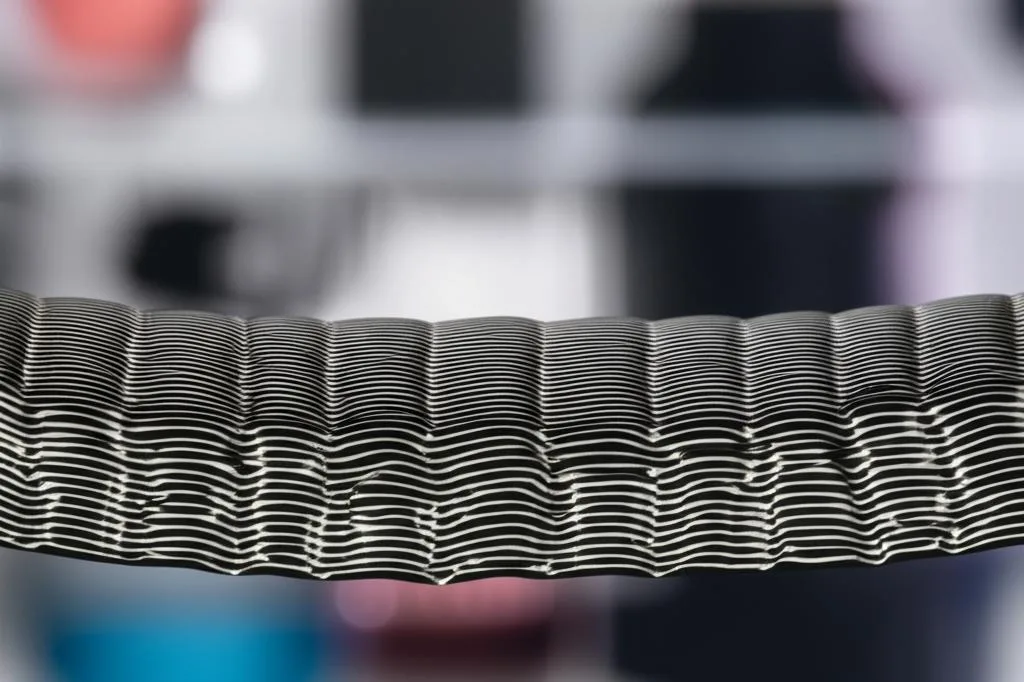
Filament makers that publish X-Y and Z values show the gap directly. X-Y means the test bar was printed flat, so the load runs along the layers. Z means it was printed standing up, so the load pulls layers apart.
| Filament (data sheet) | Tensile X-Y | Tensile Z | Impact X-Y | Impact Z |
|---|---|---|---|---|
| Bambu Lab PLA Basic | 35 ± 4 MPa | 31 ± 3 MPa | 26.6 kJ/m² | 13.8 kJ/m² |
| Bambu Lab PETG HF | 34 ± 4 MPa | 23 ± 4 MPa | 31.5 kJ/m² | 10.6 kJ/m² |
| Bambu Lab ABS | 33 ± 3 MPa | 28 ± 2 MPa | 39.3 kJ/m² | 7.4 kJ/m² |
| Bambu Lab PC | 62 ± 2 MPa | 56 ± 2 MPa | 34.8 kJ/m² | 9.0 kJ/m² |
| Bambu Lab PA6-CF | 102 ± 7 MPa | 48 ± 6 MPa | 40.3 kJ/m² | 15.5 kJ/m² |
| eSUN ePA nylon | 43.6 MPa | 41.5 MPa | 75.9 kJ/m² (Izod) | 4.4 kJ/m² (Izod) |
Two patterns stand out. Tensile strength across layers is often not far behind, but impact strength drops sharply: to about a fifth for Bambu Lab ABS and to under a tenth for eSUN ePA. The carbon-fiber nylon loses the most in tension: Bambu Lab’s PA6-CF keeps less than half its strength across layers. These are best-case numbers. Bambu Lab printed its bars at 100% infill and annealed and dried them before testing (see the PETG HF and PLA Basic data sheets for the conditions). Test methods also differ between brands, so compare the ratio, not the absolute values.
Split layers or missing layers? Diagnose first
Prusa describes the difference: cracked layers show clean cuts, often with a slight upward bend or warp at the edges. Bambu Lab points out that a slight nozzle clog can stop extrusion for part of a layer and look similar to cracking. Before changing temperatures, check which one you have.
| What you see | Likely cause | Fix |
|---|---|---|
| Clean horizontal crack, edges bent slightly up, often on tall walls | Cooling stress greater than layer bond | Less fan, warmer chamber, bed 5–10 °C hotter, nozzle 5 °C hotter |
| Layers peel apart easily by hand, surface looks normal | Nozzle too cold for the speed, or too much cooling | Raise the nozzle temperature in 5 °C steps, slow down, reduce the fan |
| Gap or thin band at one height, rest of the part fine | Partial clog or feeding problem | Clean the nozzle with a cold pull, check the filament path |
| Popping at the nozzle, bubbles, rough or porous walls | Wet filament | Dry the filament and print from a dry box |
| Thin walls, gaps between lines, weak everywhere | Under-extrusion | Check flow (extrusion multiplier) and the extruder |
| Small parts weak, large parts on the same plate fine | Long time between layers on each small part | Print several small parts one at a time (by object) |
| Part fine in testing, fails in use along a layer line | Load pulling layers apart | Reorient the part |
Nozzle temperature and layer bonding
Layers bond when the new line is hot enough to melt into the one below. Prusa says PLA can crack and separate when printed too cold. It gives 195–220 °C as the typical range, depending on the brand, and recommends raising the temperature in 5 °C increments until layer adhesion is good. Stay inside the range printed on your spool, and use a temperature tower to find where strength and surface quality balance.
Temperature and speed work together. Bambu Lab’s fix for cracks between layers is to increase the nozzle temperature or reduce the print speed, which gives the extruded plastic more time to bond with the layer below. As an example for ABS on its printers, it suggests slowing inner walls to 150 mm/s and outer walls to 100 mm/s. On a slower printer your speeds will already be lower; the direction of the change is what matters.
Part cooling fan and layer time
Prusa states that layer separation is mostly caused by wrong temperatures and/or too much cooling, from the print fan or from the surrounding air. Bambu Lab suggests checking the fan speed in the sliced preview: if walls are printed at 60% fan, lower the maximum fan speed.
- Know when your slicer ramps the fan up. In PrusaSlicer, the maximum fan speed is used whenever the estimated layer time is below the “Slow down if layer print time is below” threshold, and print speed is scaled down to stretch the layer to that time. Small, fast layers therefore get the most cooling.
- Material matters. Prusa recommends turning the fan off completely for ABS. Bambu Lab’s data sheets list 0–60% fan for PETG HF and PC, while the PLA Basic sheet simply says to turn the fan on.
- Print several small parts one at a time. Bambu Lab notes that the longer a single layer takes, the lower the layer adhesion on small models, because the previous layer has already cooled. For a plate of small parts it suggests printing by object instead of by layer, or splitting them across plates.
Layer height, nozzle size and speed
Manufacturer guides say little about layer height and Z strength, so the best evidence comes from research. A 2021 study in Polymers (Striemann et al.) printed carbon-fiber nylon on an Ultimaker 2+ with a 0.4 mm nozzle and 0.5 mm line width. Parts at 0.2 mm layers had higher strength across layers than at 0.3 mm; in shear, 11.1 MPa against 7.4 MPa. The authors linked this to more internal voids at the higher layer height. The tests were at high strain rates and on one material, so treat it as a direction, not a rule. Our reading: layers that are thick relative to the line width can bond less well.
Nozzle size is the other lever. Polymaker notes for PolyLite PC that a larger diameter nozzle helps with layer adhesion. Bambu Lab also recommends a 0.6 mm nozzle for its carbon-fiber filaments, though its stated reason is lower clog risk. A bigger nozzle pushes more plastic per second, so check that your hotend can keep up at the chosen speed.
Wet filament and weak layers
Bambu Lab explains the mechanism: moisture in the filament vaporizes in the hot nozzle, the melt expands and extrudes erratically, and bubbles form. The result is stringing, oozing, holes, rough surfaces and reduced strength. At typical indoor humidity of around 55%, freshly dried filament can absorb enough moisture to affect print quality within 2–12 hours, depending on the material.
How much it matters depends on the plastic. Prusa notes that PLA doesn’t change its properties much when it takes up humidity, while polyamide is affected quite significantly. For highly hygroscopic materials (nylon, polypropylene, PVA, BVOH) Prusa recommends storing them dry or drying before every print. If you print nylon, our guide to printing nylon without warping or delamination lists the drying values per brand.
Enclosure and bed temperature for ABS, ASA, PC and nylon
High-temperature filaments shrink more as they cool, so the layer bond has more stress to resist. Bambu Lab lists ABS, ASA, PC, PET-CF and PA-CF as the materials where interlayer cracking is common. Its fixes: reduce the fan, raise the bed temperature by 5–10 °C, and on printers with active chamber heating raise the chamber by 5 °C. Prusa says ABS is highly susceptible to layer separation when any cold air blows on the print before it has cooled, and is best printed in an enclosed chamber.
For large parts, Prusa suggests replacing ABS with PETG, which has similar advantages but not the same tendency to crack and delaminate. Material-specific settings are in our guides to printing ABS without warping, printing polycarbonate and PETG settings.
Flow, clogs, walls and infill
- Flow. Prusa suggests increasing the extrusion multiplier (flow rate) in 5% increments when layers separate, because more material creates a stronger bond. Calibrate it rather than guessing, since too much flow causes blobs and dimensional errors.
- Partial clogs. Bambu Lab lists nozzle clogging as a cause of weak or missing layers and recommends cold pull maintenance. Our cold pull guide gives the temperatures.
- Walls and infill. For thin or weakly supported areas, Bambu Lab suggests more walls or higher infill. For warp-prone filaments it recommends staying at or below 6 walls and 50% infill, because more solid plastic shrinks more.
Orient parts around the weak direction
Prusa compares FFF prints to wood: they are stronger in one direction than another, so structural parts should be oriented for strength. Bambu Lab recommends working out the main direction of force before printing and choosing the orientation to match. In practice, a hook, bracket or lever that bends in use should have its layers running along its length, not stacked across the bending point. Our guide to model orientation for strength shows examples.
Common layer adhesion mistakes
- Changing five settings at once. Change one, print a small test, then move on.
- Using PLA cooling on everything. Too much cooling is one of the two main causes of layer separation that Prusa names, and ABS, PETG and PC want far less fan than PLA.
- Treating a clog as a temperature problem. A single weak band at one height usually points to extrusion, not bonding.
- Filling a plate with small parts printed by layer. Each part cools between its own layers.
- Expecting settings to fix orientation. Even the best-case data sheet values are lower across layers, especially for impact.
Frequently asked questions
Why are my 3D prints splitting between layers?
Usually because the new layer is too cold to fuse with the previous one or cools too fast. Prusa names wrong temperatures and too much cooling as the main causes. Raise the nozzle temperature in 5 °C steps, reduce the fan, slow down, and dry the filament if it pops or bubbles.
Does higher nozzle temperature improve layer adhesion?
Yes, within the filament’s rated range. Prusa recommends raising it in 5 °C increments until layers bond, and Bambu Lab lists a higher nozzle temperature as a fix for interlayer cracking. Stay within the range printed on the spool; if that isn’t enough, reduce the fan and slow down.
Does layer height affect layer strength?
It can. In one study on carbon-fiber nylon, 0.2 mm layers bonded more strongly than 0.3 mm layers with a 0.4 mm nozzle, and the thicker layers had more voids. Filament manufacturers don’t publish layer height data, so treat thinner layers as something to test rather than a guaranteed fix.
Can wet filament cause weak layers?
Yes. Bambu Lab explains that moisture turns to vapor in the nozzle and causes bubbles, holes and reduced strength. Nylon is affected much more than PLA, according to Prusa. Signs include popping at the nozzle and rough or porous walls.
Sources
- Prusa Knowledge Base: Layer separation and splitting
- Bambu Lab Wiki: Model interlayer cracking
- Bambu Lab Wiki: Filament drying recommendations
- Prusa Knowledge Base: PrusaSlicer cooling settings
- Striemann et al. (2021), Interlayer bonding capability of additively manufactured polymer structures, Polymers