Flexible resins cure into rubber-like parts rated on the Shore A hardness scale: the lower the number, the softer the part. Formlabs’ Flexible 50A (formerly Elastic 50A) is meant for parts normally made in silicone, and its Flexible 80A simulates rubber or TPU. They print on the same kinds of resin printers as standard resin, but they need thicker walls, more supports, short washes and a full post-cure. Formlabs recommends at least 0.6 mm for supported walls and 0.8 mm for unsupported walls in both resins, and includes a water-submerged step when post-curing both.
Post-curing makes a large difference. On Formlabs’ data sheet, Elastic 50A goes from 40A to 50A, and its tear strength from 8.9 to 19.1 kN/m, between the green (uncured) and post-cured state. On hobby LCD printers the biggest challenge is viscosity: Siraya Tech lists 8,000 cPs at 25 °C for its Rebound 55A and recommends printing it at 25–35 °C with slower lifts and longer waits after each lift. This guide collects those manufacturer figures into design rules, print settings, wash and cure steps, and a troubleshooting table.
The consumer toolchanger 3D printer: the SnapSwap 4-toolhead system swaps heads in 5 seconds for true multi-color and multi-material printing, with smart calibration and auto filament loading.
- 4 toolheads · 5 s swap
- Up to 500 mm/s · 20,000 mm/s²
- 270 mm cube build volume
- Multi-color & multi-material

Flexible resin printing in eight steps
- Pick the hardness from the data sheet: around 50A for soft, silicone-like parts, 70–80A for gaskets, seals and grips.
- Design walls of 0.6–0.8 mm or more, holes of at least 0.8 mm and at least 1 mm between separate parts.
- Warm the resin and the room: 25–35 °C for very viscous resins such as Rebound 55A, never below 20 °C.
- Load the resin maker’s profile for your printer, then slow the lift and add a wait of at least 3 seconds after retraction.
- Use more supports than for rigid resin, keep them short and braced, and keep large cross-sections near the build plate.
- Wash only as long as the manufacturer says. Flexible resins absorb solvent.
- Dry the part completely, then post-cure following the resin’s instructions, often with the part under water.
- Test the finished part for tackiness and flex before trusting it in use.
Shore hardness and data sheet values for flexible resins
Shore A hardness (ASTM D2240) measures how far a standard indenter sinks into the material. It tells you how soft a part feels, not how far it stretches or how well it resists tearing, so read it together with elongation at break and tear strength. All values below are for post-cured parts and come from the manufacturers’ own documents:
| Resin | Shore hardness | Elongation at break | Tear strength | Maker’s intended use |
|---|---|---|---|---|
| Formlabs Flexible 50A (formerly Elastic 50A V2) | 50A | 160% | 12.3 kN/m | Parts normally produced in silicone, wearables, medical models |
| Formlabs Flexible 80A V2 | 83A | 230% | 28 kN/m | Seals, gaskets, grips, parts that must rebound quickly |
| Formlabs Flexible 80A V1 | 80A | 120% | 24 kN/m | Handles, grips, overmoulds, cushioning |
| Siraya Tech Rebound 55A | 55A | 170% | Not listed | Shock-absorbing, compression parts |
| Siraya Tech Tenacious Flex Black | 70A | 140% | Not listed | O-rings, gaskets, flexible functional parts |
Compare values within one manufacturer only. Test methods, specimens and cure settings differ between companies, and even between versions: Formlabs’ older Elastic 50A V1 data sheet lists 19.1 kN/m tear strength, while its current page lists 12.3 kN/m for Flexible 50A. Geometry matters as much as the material. As Formlabs puts it for Flexible 80A V2, a thicker part is more impact resistant but less bendable. If you need a tough part that bends a little rather than a truly rubbery one, our comparison of standard vs tough resin may point you to a better material.
Wall thickness, holes and clearances for flexible parts
Formlabs publishes identical design limits for Flexible 50A and Flexible 80A V2. They can serve as a starting point for other flexible resins, but check your own resin maker’s guidance first:
| Feature | Formlabs guideline |
|---|---|
| Supported wall thickness | Minimum 0.4 mm, recommended 0.6 mm |
| Unsupported wall thickness | Minimum 0.6 mm, recommended 0.8 mm |
| Shallow angles | Minimum 19°, recommended 45° |
| Horizontal span or bridge | Maximum 0.6 mm |
| Vertical wire diameter | 0.3 mm to 1.5 mm |
| Clearance between adjacent parts | Minimum 1.0 mm |
| Hole diameter | Minimum 0.8 mm |
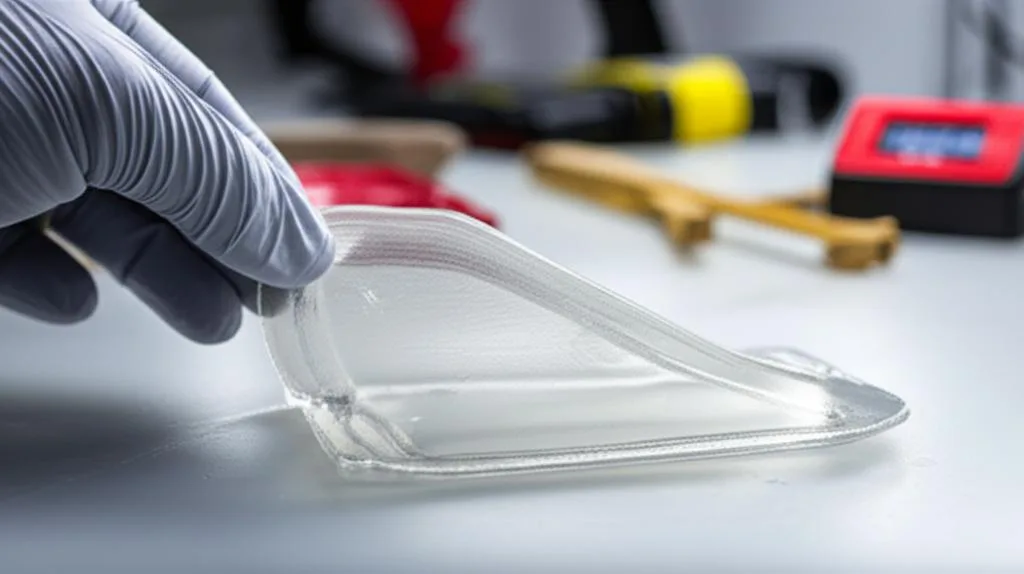
Note the clearance figure. Moving or interlocking flexible parts need at least 1 mm between them. Formlabs also states that Flexible 80A V2 is not suited to very fine features or thin walls, and advises against orienting Flexible 50A parts with merging features, where two sections print separately and then join higher up.
Exposure and print settings on LCD printers
None of the manufacturer documents used here give a general rule that flexible resins need longer or shorter exposure than standard resin. On Formlabs printers you select the resin in PreForm and use Formlabs’ settings; on open LCD and DLP printers, start from the resin maker’s profile for your exact printer model. Many flexible resins are also very thick: Formlabs describes Flexible 80A V2 as a high-viscosity resin, and Siraya lists 8,000 cPs for Rebound 55A. Viscosity changes the rest of the settings. Siraya Tech’s advice for its thick resins:
- Warm it. Warming resin to around 25–30 °C lowers viscosity. Rebound 55A should be printed at 25–35 °C and not below 20 °C; a vat heater is more effective than an air heater.
- Slow the lift and lengthen it. Thick resin needs time to flow back under the plate. Increase the wait after retraction (light-off delay) to at least 3 seconds, and 5 seconds or more for very viscous resins.
- Start with a thin pour. Pour just enough to cover the first layers, spread it with a silicone spatula, let bubbles rise for 5–10 minutes, then top up once the first layer has started. Otherwise the plate may not reach its zero position, and some printers report a false levelling or resin warning.
- Bottom exposure. If there is no profile for your printer, Siraya suggests starting the bottom layers at seven times the normal exposure and running small test prints.
- Do not shake unpigmented resin. Siraya says Rebound 55A contains no settling pigment, so shaking only adds bubbles.
Once the resin prints reliably, fine-tune the normal layer exposure with a test model, as described in our exposure time calibration guide.
Supports for soft resin parts
Soft supports bend under the peel force of each layer, so a support layout that works for rigid resin can let a flexible part drift. The manufacturer guidance:
- Formlabs says Flexible 50A needs more support than its other resins. Increase support density for parts with large cross-sections, and orient the part so those sections sit close to the build platform.
- Avoid long unconnected supports. Formlabs warns that isolated supports more than 20 mm long may cause failures; add supports or bracing between them.
- Expect slight distortion of the supports themselves. Formlabs describes it as normal for Flexible 50A.
- For thick resins, Siraya recommends thicker but fewer supports rather than thin, dense ones, which trap resin and let it pool around the supports.
A soft part stretches when you pull on a support, so cutting supports off is generally easier than snapping them. Our resin support removal guide covers tools and technique.
Washing flexible resin without soaking the part
Cured flexible resin absorbs solvent. In Formlabs’ 24-hour immersion test, a post-cured Elastic 50A cube gained 13.3% in size and 25.6% in weight in isopropyl alcohol (IPA), and a Flexible 80A V1 cube gained 11.7% in weight. Formlabs tested post-cured parts, but the practical lesson is the same: keep wash times short and dry parts completely before curing. For Elastic 50A V1, Formlabs warns that washing too long may degrade parts.
| Resin | Recommended wash | Notes from the manufacturer |
|---|---|---|
| Formlabs Elastic 50A V1 | 10 min + 10 min in fresh solvent | Avoid washing longer than 20 minutes in total, as this may degrade parts |
| Formlabs Flexible 50A | 20 min or until clean | Surface may feel slightly sticky after washing |
| Formlabs Flexible 80A V1 | 10 min + 10 min | Second wash preferably in fresh solvent |
| Formlabs Flexible 80A V2 | 5 min + 5 min | Not compatible with Formlabs Resin Washing Solution |
| Siraya Tech Rebound 55A | Drain 10 min, then 10 min in used solvent + 10 min ultrasonic in fresh solvent | 95% or stronger IPA or ethanol; blow dry immediately |
| Siraya Tech Tenacious Flex Black | 2–3 min of brushing in ethanol or IPA | Dry and repeat if the surface is still sticky |
Formlabs times are for its Form Wash, which agitates the solvent and lifts the part out on time. In a manual wash, time it just as strictly. Rebound 55A also needs a heat treatment before post-curing: at least 60 minutes, ideally 90, at 50 °C in a food dehydrator or a convection oven with good temperature control. Siraya says the black part turns more opaque as the absorbed solvent evaporates. For the general wash and cure workflow, see our resin washing and curing guide.
Post-curing flexible resin: settings and effects
| Resin | Post-cure | How |
|---|---|---|
| Formlabs Elastic 50A V1 | 20 min at 60 °C | Form Cure V1 |
| Formlabs Flexible 50A | 30 min at 70 °C | Fully submerged in room-temperature water in a glass container of at least 500 mL, no air bubbles on the part |
| Formlabs Flexible 80A V1 | 10 min at 60 °C | Form Cure V1 |
| Formlabs Flexible 80A V2 | Cycle 1: 5 min, no heat. Cycle 2: 30 min at 70 °C | First cycle submerged in water in a UV-transparent container, second in air once the part is dry |
| Siraya Tech Rebound 55A | About 15–20 min | 395–405 nm curing station, turn the part every 5 minutes, after heat treatment |
| Siraya Tech Tenacious Flex Black | About 10 min for small parts, up to 25 min for large or thick ones | 395–405 nm light; curing under water increases curing efficiency |
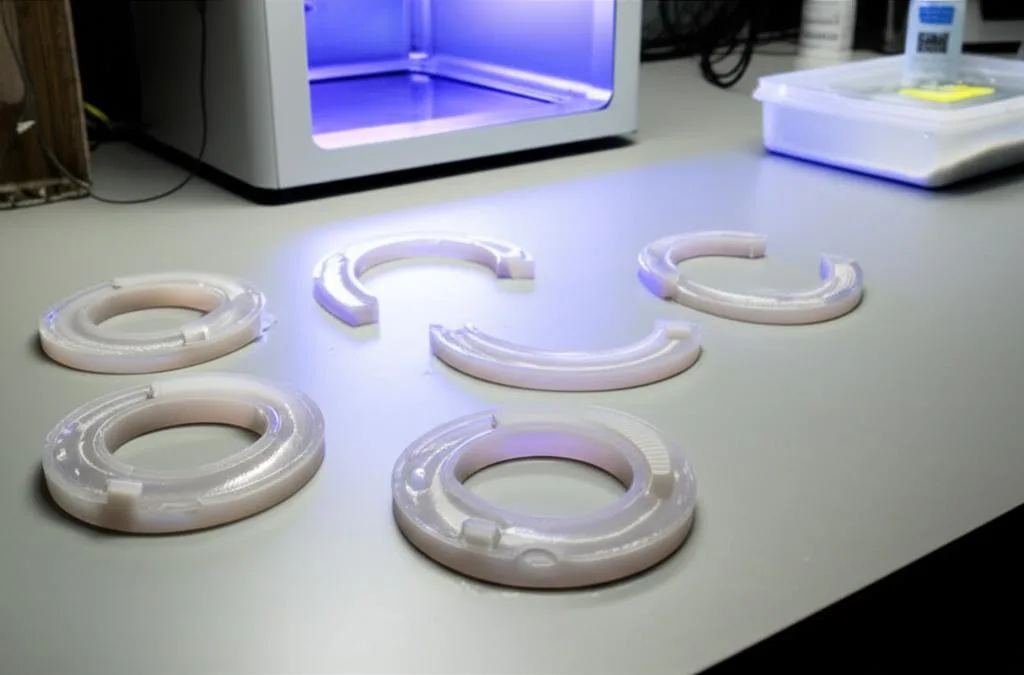
The Formlabs settings apply to its Form Cure units. Other curing boxes differ in light output and heat, so use them as a reference rather than an exact recipe. The data sheets show what post-curing is for:
- Elastic 50A V1, green → post-cured: 40A → 50A, elongation at break 100% → 160%, tensile strength 1.61 → 3.23 MPa, tear strength 8.9 → 19.1 kN/m.
- Flexible 80A V1, green → post-cured: 70A → 80A, elongation 100% → 120%, tensile strength 3.7 → 8.9 MPa, tear strength 11 → 24 kN/m.
An uncured flexible part is softer and weaker than the data sheet suggests. Formlabs’ cure guidance states that over-curing is acceptable unless a resin’s instructions say otherwise, and that thick, bulky parts need longer because they take longer to heat up. None of the sources above warn that extra curing makes these flexible resins brittle; follow the time your resin maker gives.
Troubleshooting flexible resin prints
| Symptom | Likely cause | Fix |
|---|---|---|
| First layer too thick or not sticking; printer reports uneven platform or low resin | Viscous resin stops the plate from reaching zero | Thin first pour spread with a spatula, warmer resin, longer bottom exposure |
| Gaps or missing sections in layers | Resin has not flowed back under the plate | Warm resin, slower and longer lift, wait of 3–5 s or more after retraction |
| Part shifted or bent sideways during printing | Soft supports deforming under peel force; long unbraced supports | Denser supports, bracing, no isolated supports over 20 mm, large sections near the plate |
| Small holes closed or separate parts fused | Features below the resin’s limits | Holes of at least 0.8 mm, at least 1 mm between parts |
| Part swollen or distorted after washing | Too long in solvent | Keep to the maker’s wash time; dry fully before curing |
| Surface still tacky after curing | Leftover resin, trapped solvent, or incomplete cure | Rewash briefly in clean solvent, dry fully (heat treat Rebound 55A), cure again to the full time |
When flexible resin isn’t the right choice
- Large or thick soft parts: high-viscosity resin gets harder to print as parts get bigger. Siraya advises contacting its support before printing Rebound 55A on printers with screens over 12 inches. A TPU filament print may be simpler; see our tips on printing TPU without jams.
- Long-term skin contact: Formlabs states that Flexible 80A V2 has not been tested for skin safety to ISO 10993. Check the specific certification of any resin before using it for wearables.
Uncured flexible resin carries the same handling risks as any other resin, and its wash solvent is equally hazardous. Wear gloves and eye protection as covered in our resin PPE checklist.
Frequently asked questions
What Shore hardness is flexible resin?
Flexible resins are rated on the Shore A scale. The ones covered here range from 50A to 83A: Formlabs sells 50A and 80A grades, and Siraya Tech sells 55A and 70A grades. Lower numbers are softer, but elongation and tear strength matter just as much for how a part behaves.
Can I print flexible resin on a budget LCD printer?
Yes, if the resin supports 405 nm LCD printers. Siraya Tech lists Rebound 55A as compatible with most 405 nm LCD and DLP printers with screens under 12 inches. Expect to warm the resin, slow the lift and add a wait after retraction because of the high viscosity.
Why is my flexible resin print still sticky?
Usually because uncured resin or absorbed solvent is left on or in the part, or it has not been fully post-cured. Rewash briefly in clean solvent, let it dry completely and cure it for the full recommended time. Formlabs notes that Flexible 50A can feel slightly sticky after washing, before curing.
Can I mix flexible resin with standard resin?
Some are designed for it: Siraya Tech says Tenacious can be mixed with other resins to increase their toughness. The result will not match either data sheet, so test exposure and properties on small prints first. Do not mix resins whose manufacturers give no guidance.