TPU jams when the soft filament buckles or wraps around the drive gear instead of moving into the hotend. That usually happens because it is pushed faster than the hotend can melt it, the extruder squeezes it too hard, the spool drags, or the filament is wet. The fixes, in order: dry the spool, slow down (Prusa gives 20 mm/s as a typical speed for flexible filaments and 30–40 mm/s as the maximum on its printers), loosen the extruder tension, start with retraction off, and make sure the spool unwinds freely.
Softer grades are harder to print. Bambu Lab recommends 85A or harder and does not support anything softer on its printers, while 95A TPU is the easiest place to start. This guide covers starting settings by hardness, a symptom table for jams, and what to change on direct-drive and Bowden machines. The values come from Prusa, Bambu Lab, NinjaTek and Bondtech documentation, linked at the end.
The consumer toolchanger 3D printer: the SnapSwap 4-toolhead system swaps heads in 5 seconds for true multi-color and multi-material printing, with smart calibration and auto filament loading.
- 4 toolheads · 5 s swap
- Up to 500 mm/s · 20,000 mm/s²
- 270 mm cube build volume
- Multi-color & multi-material

TPU jam checklist
- Dry the filament and feed it from a sealed dry box that lets the spool turn freely.
- Clean the nozzle with a cold pull, especially after abrasive or high-temperature filaments.
- Loosen the extruder idler or tension screw so the gears push the filament gently.
- Print slowly: around 20 mm/s for soft TPU, faster only with a grade and printer made for it.
- Turn retraction off, get a clean print, then add retraction back in small steps.
- Don’t rely on the filament sensor or automatic loading; load by hand if they misbehave.
Why TPU jams in the extruder
Rigid filament behaves like a rod: push one end and the other end moves. TPU behaves more like a noodle. Bondtech’s guide to printing NinjaFlex describes the most common failure: when the extruder feeds more material than the hotend can melt, the soft filament gets compressed and pushed against the walls of the filament path, which gives under-extrusion. Any unsupported space between the drive gears and the hotend gives that compressed filament room to bend, and Prusa lists filament tangling into the extruder gears among the typical flexible filament problems.
Three other things add to the push resistance until the extruder loses:
- Too much gear pressure. Soft filament deforms under the drive gears. Prusa warns that if the gears press too hard, the filament can get tangled in them.
- Feeding resistance from the spool. A spool that drags, or a long path through tubes, adds friction the extruder has to overcome.
- A dirty nozzle. Bambu Lab notes that residual fibres from carbon or glass fibre filaments raise resistance when printing TPU, and recommends several cold pulls first.
TPU starting settings by hardness
Shore hardness is the number on the spool: a higher number is stiffer and easier to feed. These are manufacturer starting points. Use the data sheet of your own filament where it exists.
| Filament | Nozzle | Bed | Speed | Fan | Source |
|---|---|---|---|---|---|
| NinjaFlex (85A) | 225–250 °C | Room temp to 50 °C | Top/bottom 10–20 mm/s; infill and shells 15–35 mm/s | On from layer 2 if available | NinjaTek |
| Cheetah (95A) | 225–250 °C | Room temp to 50 °C | Top/bottom 25–45 mm/s; infill and shells 50–80 mm/s | On from layer 2 if available | NinjaTek |
| Generic flexible filament on Prusa printers | 230–245 °C, depending on hardness and brand | 60–75 °C | Typically 20 mm/s; max 30–40 mm/s | Off | Prusa |
| Bambu Lab TPU 95A HF (high-speed grade) | 220–240 °C | 30–35 °C | Under 200 mm/s on Bambu Lab printers | On | Bambu Lab data sheet |
The fan advice genuinely differs between manufacturers. Prusa keeps cooling off and suggests raising the nozzle temperature by 5 °C to lower filament resistance, while NinjaTek and Bambu Lab run the fan. Bondtech takes the middle road: start with the fan off and increase it slowly only where the geometry needs it, because cooling too fast weakens layer bonding.
Diagnosing a TPU jam
| What you see | Likely cause | Fix |
|---|---|---|
| Filament coiled around the drive gear, extruder clicking | Feeding faster than the hotend melts, or a gap after the gears | Slow down; check the path from gear to hotend is fully constrained |
| Flattened or chewed filament above the hotend | Gear pressure too high | Loosen the idler or tension screw |
| Thin, gappy walls but no visible jam | Speed too high, spool dragging or a partly blocked nozzle | Lower speed, free the spool, do a cold pull |
| Bubbles, popping, stringing, weak layers | Wet filament | Dry the spool before printing (see below) |
| Jams right after printing carbon or glass fibre filament | Residue in the nozzle | Several cold pulls, or a new nozzle |
| Jams only on a Bowden printer, soon after travel moves | Frequent retractions pulling and pushing soft filament through the tube | Retract only on long travel moves, slow the deretraction, or turn retraction off |
| Heavy stringing between parts | Long travel moves, nozzle too hot | Print one object at a time; lower the temperature about 5 °C |
If the extruder is clicking with rigid filaments as well, the problem is not TPU-specific. Work through the extruder grinding and clicking guide first.
Direct drive vs Bowden for TPU
A direct-drive extruder sits on top of the hotend, so the soft filament only has a short distance to travel after the gears. A Bowden extruder pushes it through a long tube, and every millimetre of that tube is a place for it to compress, stall or bind. Prusa’s rule that the softer the filament, the harder it is to print applies twice over here: on a Bowden machine, a stiffer 95A grade at low speed is the realistic place to start.
- Constrained path. Bondtech notes that its extruder’s narrow filament path leaves no risk of the filament slipping past the drive gears, which is why it can even use longer retractions with NinjaFlex. When you choose or upgrade an extruder for TPU, look for a path that guides the filament right down to the hotend.
- Long paths need a bypass. Prusa notes that the Original Prusa XL has a long path from loading to nozzle and offers a printable flex filament bypass for it.
- Automatic material systems. Bambu Lab says only the AMS HT supports TPU, and only as a sealed enclosure feeding through a dedicated TPU outlet. The AMS, AMS lite and AMS 2 Pro are not compatible with TPU, except its stiffer “TPU for AMS” grade.
If you print flexibles often on a Bowden machine, a conversion is worth pricing up. The direct drive conversion guide covers what it involves.
Starting settings on a Bowden printer
Prusa’s slicer profiles for its Bowden MINI are the clearest published example of flexible settings for a tube-fed extruder, and they take a different line from the retraction-off advice for direct drive. Prusa’s direct-drive generic flex profile uses no retraction at all. The MINI’s base flex profile retracts further but far less often:
- Retraction: 4 mm at 40 mm/s, with the push back in slowed to 15 mm/s so the soft filament is not rammed down the tube. Prusa’s Generic FLEX profile for the MINI trims the length to 3 mm.
- Retract rarely: only for travel moves longer than 6 mm, with wipe and Z-lift switched off.
- Melt rate cap: a maximum volumetric speed of 1.35 mm³/s. With a 0.45 mm line at 0.2 mm layers that is roughly 15 mm/s (our arithmetic, not a Prusa figure), slower than the typical 20 mm/s quoted above.
- Temperature: 240-245 °C, inside the 230-245 °C range Prusa gives for flexible filaments generally.
If a Bowden machine still jams with retraction on, go back to zero and accept some stringing: a jam costs the print, a string costs a trim. Soft flex can also bond too strongly to a smooth or satin PEI sheet; Prusa recommends glue stick or Kapton tape as a separating layer there, while its textured powder-coated sheet needs none.
Extruder tension, speed and retraction
Tension. Prusa’s first rule for flexible filaments is to loosen the idler so the gears push only gently. Bondtech gives a concrete example for NinjaFlex on its extruder: back the tension thumbscrew off about four full turns. On other extruders, loosen in small steps until the filament feeds without being flattened, but still doesn’t slip.
Speed. Bondtech starts NinjaFlex at 20 mm/s for perimeters and infill, and only goes faster once everything else is tuned. High-flow grades such as Bambu TPU 95A HF are designed to run much faster on the printers they are profiled for; that data sheet value does not transfer to a generic Bowden machine.
Retraction. Prusa explains that lower retraction means a lower risk of clogging the nozzle or tangling the filament, and that turning it off completely is fine. Bondtech recommends tuning with retraction off, then slowly increasing it once everything else works, because a small amount can relieve hotend pressure and reduce stringing. With a well-constrained path it showed 5.5 mm at 35 mm/s working on its own extruder. Bambu Lab’s TPU 95A HF data sheet lists 0.8–1.4 mm at 20–40 mm/s, and for stringing it suggests adding just 0.2 mm at a time.
On Bambu Lab printers there is one more step: its TPU guide says to turn off flow dynamics calibration before printing TPU.
Drying TPU and feeding the spool
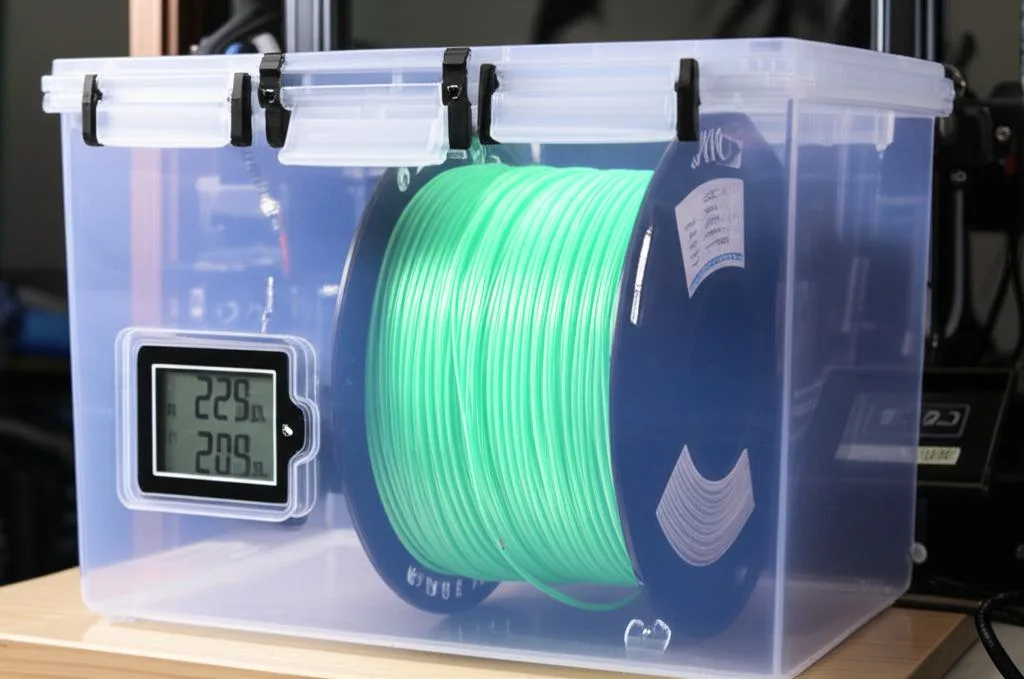
TPU picks up water quickly. In Bambu Lab’s tests TPU 95A HF reached a saturated water absorption of 1.08% at 25 °C and 55% RH, compared with 0.40% for its PETG HF. Moist TPU causes bubbles, stringing and weak layers. Bondtech’s tip for spotting it: very wet filament visibly bubbles out of the nozzle, and less wet filament hisses, crackles or pops as the water evaporates in the hot zone.
- Drying: Bambu Lab specifies 70 °C for 8 hours in a forced-air drying oven for TPU 95A HF. Check your own brand’s data sheet, and don’t use a kitchen or microwave oven, which Bambu Lab says can damage filament.
- Storage: sealed with desiccant below 20% RH, and dried again after long storage.
- Feeding: Bambu Lab recommends printing from a sealed dry box with a spool holder that rotates smoothly, using the box’s side outlet, and raising the box so the filament isn’t dragged or caught by the bed.
Nozzle choice and cleaning before TPU
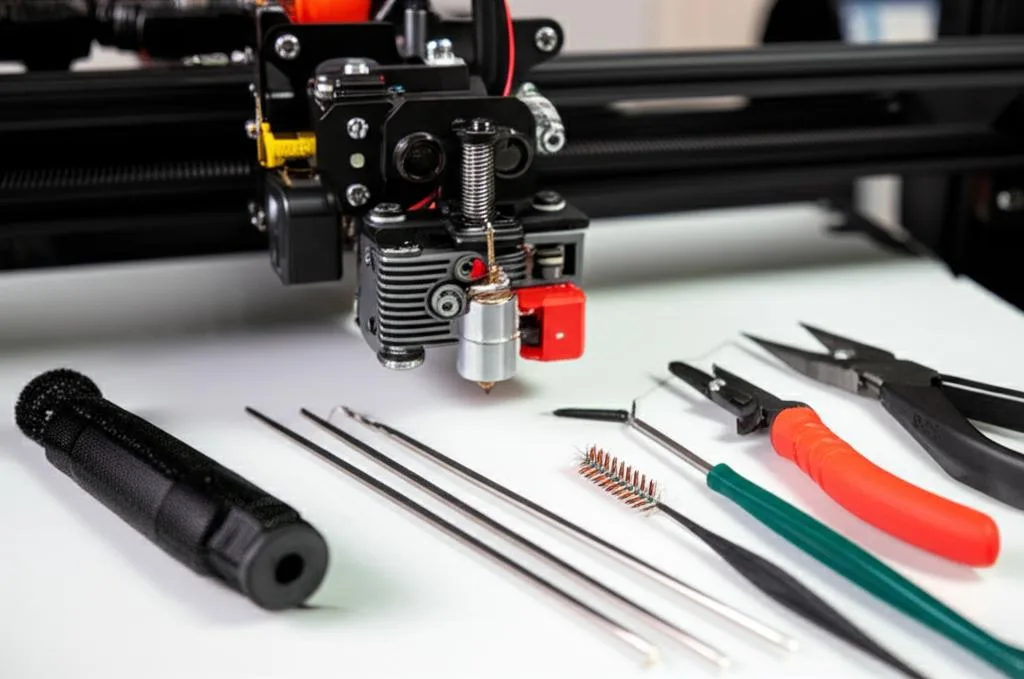
Both Prusa and Bambu Lab start with a clean nozzle: a brand-new one, or an old one cleaned with a cold pull. Leftover plastic from a previous material adds resistance, and soft filament has little push to overcome it.
Nozzle size matters as well. Bambu Lab does not recommend 0.2 mm nozzles for any TPU and rules out 0.4 mm nozzles for its 85A grade, which needs 0.6 or 0.8 mm. Those rules are specific to Bambu Lab hotends, but the pattern is worth noting on any printer: the softest grade is the one that needs the larger nozzle. If the hotend is already fully blocked, clear it first with the steps in what to do when your nozzle clogs.
Common mistakes with flexible filament
- Copying a PLA profile. PLA speeds and retraction are the fastest route to a gear wrapped in TPU.
- Tightening the extruder when it skips. With TPU, more pressure usually deforms the filament further.
- Starting with a very soft grade. Learn on 95A, then move to 85A once the printer is dialled in.
- Trusting the filament sensor. Prusa notes automatic filament change might not work properly with flexible filaments.
- Ignoring the spool. A tight spool holder or a box with no free rotation adds drag on every millimetre fed.
Still unsure whether TPU is the right material? Our TPU vs TPE comparison explains the difference between the flexible families.
Frequently asked questions
Can you print TPU on a Bowden printer?
Yes, but it is harder than on direct drive, and harder the softer the filament is. Use a stiffer grade such as 95A, print slowly, loosen the extruder tension and start with retraction off. Soft grades such as 85A are far more reliable on a direct-drive extruder with a constrained filament path.
Should retraction be off for TPU?
Start with it off. Prusa says lower retraction lowers the risk of clogs and tangling, and Bondtech recommends tuning with retraction disabled. Once prints are clean, add retraction back in small steps if stringing needs it.
Why does TPU wrap around my extruder gear?
The extruder is pushing more filament than the hotend can melt, so the soft filament compresses and escapes into any gap near the gears. Slow the print down, loosen the tension, clean the nozzle and check that the filament path below the gears has no open space.
Do I need to dry TPU before printing?
Yes, especially if the spool has been open for a while. TPU absorbs moisture readily, and wet filament causes bubbles, stringing and weak layers. Bambu Lab dries its TPU 95A HF at 70 °C for 8 hours; check the data sheet for your brand.