For high-detail miniatures, a resin printer reproduces finer detail than an FDM printer. Current consumer LCD (MSLA) resin printers list pixel sizes of roughly 14–25 microns and layer heights down to 0.01 mm. On an FDM printer the smallest horizontal detail is limited by the nozzle, usually 0.4 mm, or 0.2 mm on a machine set up for fine work. If faces, textures and thin details on small figures are the priority and you can give liquid resin a ventilated space of its own, choose resin.
Choose FDM if you mainly print terrain, props or functional parts, can accept some visible layer lines on figures, or have nowhere to handle resin, gloves and solvent safely. A 0.2 mm nozzle narrows the gap, at the cost of slow printing and more clogs. This guide compares both on detail, workflow, strength, safety and upkeep, using printer specifications and manufacturer documentation linked at the end.
The consumer toolchanger 3D printer: the SnapSwap 4-toolhead system swaps heads in 5 seconds for true multi-color and multi-material printing, with smart calibration and auto filament loading.
- 4 toolheads · 5 s swap
- Up to 500 mm/s · 20,000 mm/s²
- 270 mm cube build volume
- Multi-color & multi-material

Resin or FDM: the quick decision
- Choose resin if you print figures for painting or display, want sharp faces and fine textures, like to fill a build plate with several figures at once, and have a well-ventilated room where resin can live.
- Choose FDM if most of your prints are terrain, scenery, bases, storage or functional parts, if you want to avoid liquid chemicals at home, or if the printer has to share a living space.
- Choose FDM with a 0.2 mm nozzle if you want decent gaming miniatures without resin handling and accept visible layers up close, slower prints and more nozzle maintenance.
- Consider both if you print a lot of scenery as well as characters. FDM for large, simple parts and resin for figures plays to the strengths of each.
Detail: resin pixel size vs FDM nozzle size
Detail has two directions. Horizontal (XY) detail is what you see in a face, an engraved rune or a belt buckle. Vertical (Z) detail is set by layer height and shows as stepping on curved and sloped surfaces. The two technologies are limited by very different things.
| Factor | Resin (LCD / MSLA) | FDM |
|---|---|---|
| What limits XY detail | LCD pixel size | Nozzle diameter and extrusion width |
| Typical XY figure | 14 × 19 µm (Elegoo Saturn 4 Ultra 16K), 16.8 × 24.8 µm (Anycubic Photon Mono M7 Pro), 22 µm (Phrozen Sonic Mini 8K S) | 0.4 mm nozzle as standard; 0.2 mm nozzles for fine detail |
| Layer height range | 0.01–0.15 mm (Photon Mono M7 Pro), 0.01–0.30 mm (Sonic Mini 8K S); Chitubox calls 0.05 mm a typical value | Below 80% of the nozzle diameter (Prusa); with a 0.4 mm nozzle Prusa does not suggest going below 0.10 mm |
| Layer lines on figures | Fine steps at 0.05 mm or less; thinner layers reduce stepping further | Visible on curved surfaces, less so with a 0.2 mm nozzle and thin layers |
| Main trade-off | Liquid resin, washing, curing and safety equipment | Coarser detail; fine nozzles are slow and clog more easily |
Two cautions when reading these numbers. First, pixel size is not the smallest feature a printer can actually form. Formlabs points out that the minimum feature size can never be smaller than the light spot, and factors such as light refraction, contaminants and resin chemistry push it larger. Treat the XY figure as a ceiling, not a promise. Second, a bigger “K” number does not automatically mean smaller pixels: the 8K Phrozen spreads its pixels over a 7.1-inch screen, the 16K Elegoo over a 10-inch screen, so compare the micron values, not the marketing label.
On FDM, thinner layers do not rescue horizontal detail. Prusa’s documentation notes that layer height affects only vertical resolution: embossed text parallel to the bed looks the same whatever layer height you choose. For finer XY detail you need a smaller nozzle.
How far a 0.2 mm nozzle gets you on FDM
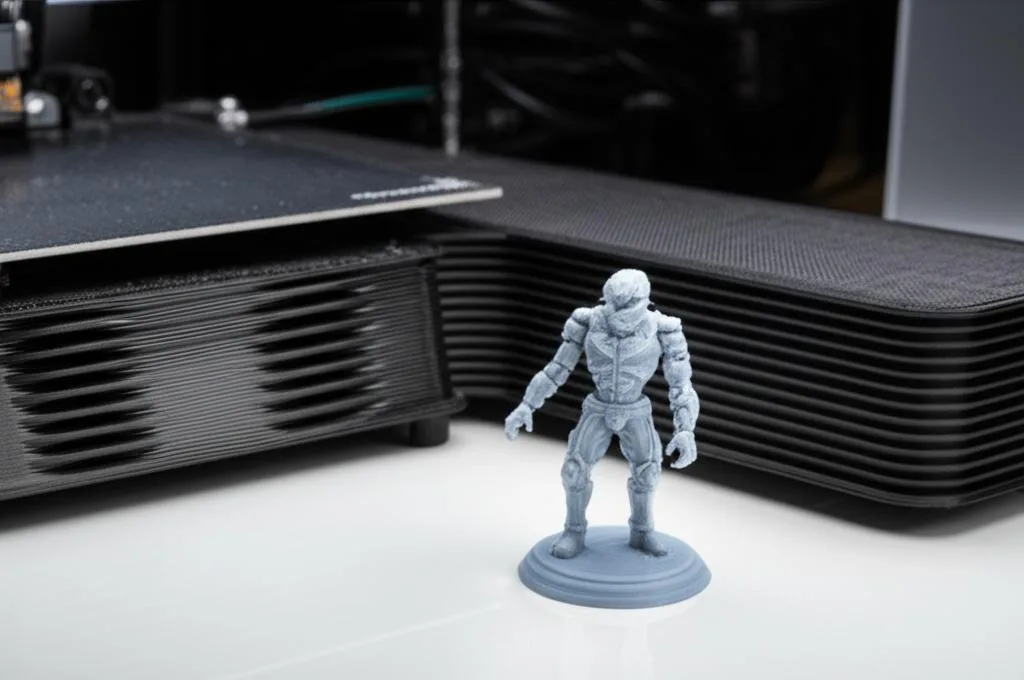
Bambu Lab’s wiki lists tabletop miniatures as a very common use for its 0.2 mm nozzle, and it is the realistic FDM option for figures. The same page spells out the costs:
- Speed: maximum volumetric speed is the limit. Bambu Lab gives about 2 mm³/s as a common value for compatible filaments and advises caution going higher, because forcing filament through the small opening can cause extruder skips and grinding.
- Clogs: small specks of dust can block the nozzle. Keep the extruder clean and filament stored dust-free.
- Materials: PLA, PETG, ABS and ASA work best. Avoid carbon fibre, glass fibre, glow-in-the-dark, sparkle and galaxy filaments, which contain particles that clog or wear it.
- Strength: very thin layer lines bond less well, so most prints are weaker than the same model printed with a 0.4 or 0.6 mm nozzle.
If you stay with FDM, the guide to eliminating visible layer lines covers the slicer settings and finishing steps that make the most difference on figures.
Workflow from file to finished miniature
The printing itself is automated on both machines. The difference is everything around it.
| Step | FDM | Resin |
|---|---|---|
| Preparation | Slice, load filament | Orient and support the model, shake and pour resin, put on gloves |
| After printing | Remove supports | Remove the part from the plate, wash in alcohol, dry, UV post-cure, remove supports |
| Cleanup | Minimal | Clean the plate and tools, wipe drips, deal with used solvent and contaminated wipes |
| Several figures at once | Print time grows with each extra part the nozzle has to trace | Each layer is exposed as one image, so a plate of figures takes about as long as the tallest one |
The resin post-processing steps are specific to each resin. As one example, Siraya Tech’s guide for its Fast resin calls for washing in 95% ethanol or IPA, drying until the part is completely non-sticky, then curing for 1–2 minutes under 395–405 nm UV light. Other resins use different times, so follow the manufacturer’s data rather than a generic recipe.
The batch advantage is also why resin printer speeds are quoted as height per hour, not parts per hour: Anycubic lists up to 130 mm/h for standard resin at 0.1 mm layers on the Photon Mono M7 Pro, while Phrozen lists a maximum of 80 mm/h for the Sonic Mini 8K S. Real print times at miniature layer heights are slower than these maximums.
Strength of resin and FDM miniatures
Standard model resins are stiff and hold detail well, but thin parts such as swords, spears and antennae can snap if a figure is dropped or handled roughly. Resin makers draw the line themselves: Siraya Tech describes its Fast resin as intended for model making and “not a tough/engineering resin”, and says it can be mixed with its Blu or Tenacious resins for more impact resistance. Tougher resins exist but can be fussier to print: Siraya Tech recommends printing its tough Blu resin above 25 °C because of its higher polymer content.
FDM figures are not automatically the tougher option: as noted above, prints from a 0.2 mm nozzle are weaker than prints from larger nozzles. For gaming pieces that get handled a lot, thicker weapons and supports in the model itself often matter more than the printer type.
Safety and workspace for resin at home
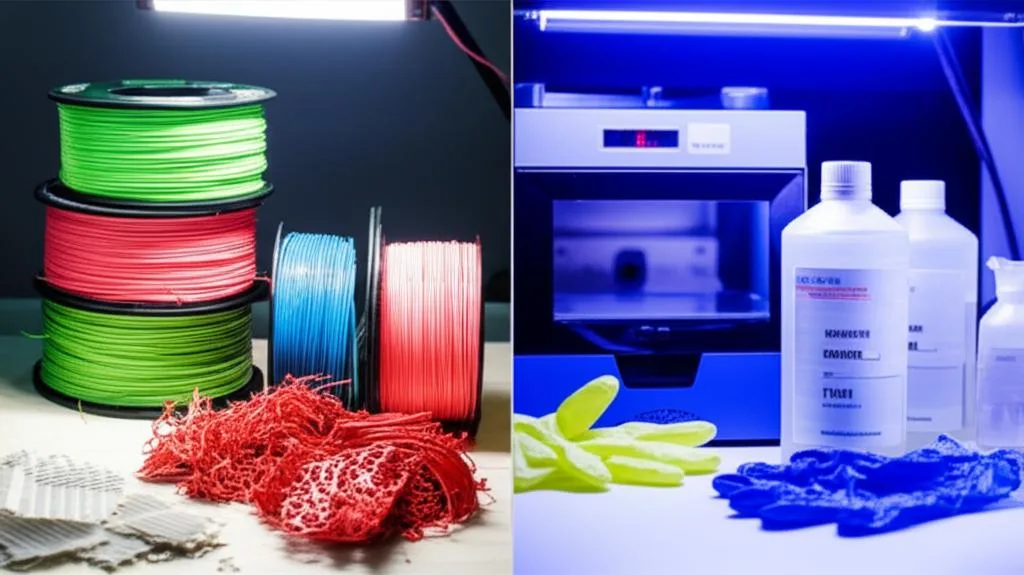
This is the part of the decision people underestimate. Prusa’s resin safety guidance for SLA printing sets out the basics:
- Always wear disposable gloves and eye protection. Some glove materials are partly dissolved by isopropanol or resin chemicals over time, so throw disposable gloves away after each use.
- Work in a well-ventilated room. A fume hood is best; for common resins Prusa considers open windows or a well-ventilated room enough.
- Don’t touch fresh prints with bare hands. Uncured prints showed cytotoxicity in Prusa’s testing, and resin can cause allergic skin reactions, especially on sensitive skin.
- Wash and post-cure according to the manufacturer before handling parts normally.
- Plan for mess: easy-to-clean surfaces, a disposable tray under the printer and paper towels within reach.
If that does not fit your home, it is a strong argument for FDM. If it does, work through the resin printing PPE checklist before your first print, and read up on safe resin handling and disposal. FDM is not free of emissions either; see ventilation and filtration for ABS fumes.
Maintenance and replacement parts
- Resin printers have wear parts in the light path. Anycubic’s wiki for the Photon Mono M7 Pro, for example, includes replacement guides for the release film (ACF), the LCD screen and the UV lamp module. You also keep buying alcohol for washing, gloves and wipes.
- FDM printers mostly need nozzles, occasional hotend work and bed care. Fine nozzles need more attention: Bambu Lab’s 0.2 mm nozzle is stainless steel, not abrasion resistant, and prone to clogs from dust.
Common mistakes when choosing
- Comparing “8K” and “16K” labels instead of microns. Screen size changes what the pixel count means. Check the XY figure in the specifications.
- Treating pixel size as the smallest printable detail. Real features come out larger, and exposure settings affect how sharp they are.
- Expecting ultra-thin FDM layers to add face detail. Layer height fixes stepping on curves, not horizontal detail. That needs a smaller nozzle.
- Budgeting only for the printer. A resin setup also needs gloves, eye protection, alcohol, a wash and cure routine, and ventilation.
- Buying a large-format resin printer for a few figures. Bigger vats hold more resin and make cleanup bigger. A compact machine suits most miniature printing; choose the technology type with the SLA vs DLP vs MSLA comparison.
- Forgetting post-processing time. Supports on resin figures leave marks that need cleanup; see resin support removal techniques for how to keep them small.
Frequently asked questions
Can an FDM printer print good tabletop miniatures?
Yes, for gaming use. With a 0.2 mm nozzle and thin layers, an FDM printer produces figures that look good at arm’s length, and Bambu Lab lists tabletop miniatures as a common use for that nozzle. Up close, layer lines and softer small details remain visible compared with resin, and prints are slower and more prone to clogs.
Is it safe to run a resin printer at home?
It can be, with precautions. Prusa’s guidance is to always wear disposable gloves and eye protection, work in a well-ventilated room, and avoid touching uncured prints with bare hands. If you cannot ventilate the room or keep resin away from living areas, FDM is the better choice.
Are resin miniatures more fragile than FDM miniatures?
Thin parts in standard model resin can snap when dropped. Tougher resins, or blends that a manufacturer documents (Siraya Tech, for example, says its Fast resin can be mixed with its Blu or Tenacious resins), improve impact resistance. FDM is not automatically tougher at miniature scale, because prints from a 0.2 mm nozzle are weaker than those from larger nozzles.
What layer height should I use for resin miniatures?
Chitubox describes 0.05 mm as a typical layer height, and it is a sensible start for gaming figures. Thinner layers reduce stepping on curved surfaces but increase print time and the number of layers that can fail, and each layer height needs its own exposure calibration.