
Car keychain 3D print files: Peugeot, Volvo, KIA, Ford, Renault
Seven free 3MF downloads with 60 two-colour car keychains: Peugeot, Volvo, KIA, Hyundai, Ford Mondeo and Renault. Print them on a single extruder with one colour change.
This collection is a set of free car-badge keychains for FDM printers: seven downloads on MakerWorld that add up to 60 designs, from Peugeot and Volvo model numbers to the KIA, Hyundai, Ford Mondeo and Renault logos. Every design is a flat, two-colour plate with a raised top layer and a built-in keyring hole, and each download is a ready-to-print 3MF with the print profile inside.
Most of them print on a single-extruder printer with one manual colour change, so no multi-material unit is needed. The settings below come from each model’s own page; the slicer steps come from Prusa, Bambu Lab and Cura documentation linked at the end. These are fan-made designs, not affiliated with or endorsed by Peugeot, Volvo, KIA, Hyundai, Ford or Renault; brand names are used only to say which model each keychain shows.
The consumer toolchanger 3D printer: the SnapSwap 4-toolhead system swaps heads in 5 seconds for true multi-color and multi-material printing, with smart calibration and auto filament loading.
- 4 toolheads · 5 s swap
- Up to 500 mm/s · 20,000 mm/s²
- 270 mm cube build volume
- Multi-color & multi-material

Which keychains are in the collection
- Peugeot 8 series: 108, 208, 308, 408, 508, 2008, 3008, 5008
- Peugeot classic and older models: 28 designs from the 104 to the RCZ
- Volvo models after 2000: 20 designs from the S60 to the ES90
- KIA logo
- Hyundai logo
- Ford Mondeo
- Renault logo
| Download | Designs | Layer height | Walls / infill | Filament listed | Colours |
|---|---|---|---|---|---|
| Peugeot 8 series | 8 | 0.2 mm | 2 / 15 % | ~35 g (whole set) | Black base, light number |
| Peugeot classic | 28 | 0.16 mm | 2 / 15 % | ~161 g (whole set) | Black base, white text; change at layer 25 |
| Volvo after 2000 | 20 | not listed | not listed | ~171 g (whole set) | Black base, white text; change at layer 20 |
| KIA | 1 | 0.2 mm | 2 / 15 % | ~9 g | Red and white |
| Hyundai | 1 | 0.2 mm | 2 / 15 % | ~12 g | Blue and white |
| Ford Mondeo | 1 (two glued parts) | 0.16 mm | 2 / 15 % | ~11 g | Blue and white |
| Renault | 1 | 0.2 mm | 2 / 15 % | ~8 g | Black and white |
Every model page lists a 0.4 mm nozzle and says the 3MF profile is already set up with these values. The filament figure for the three multi-design sets is for the whole file, so it works out to roughly 4 to 9 g per keychain (our arithmetic: weight divided by number of designs).
Peugeot 8 series keychains
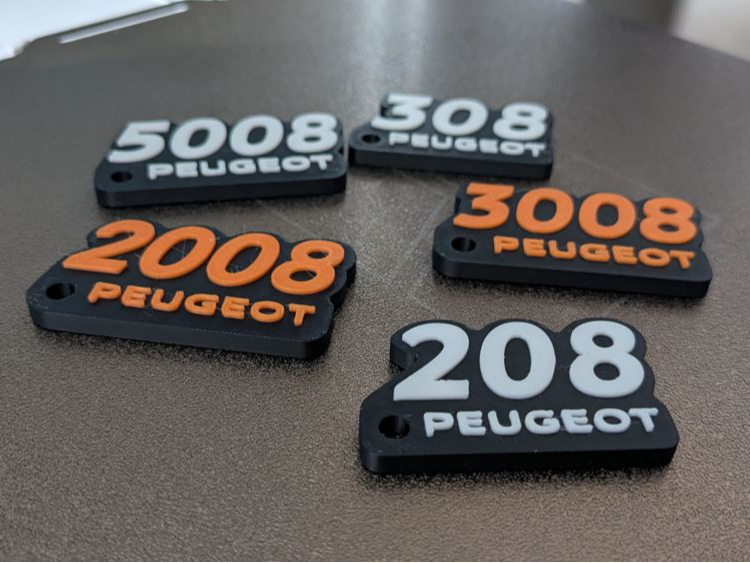
One file covers every Peugeot model that ends in 8: the 108, 208, 308, 408, 508, 2008, 3008 and 5008. Each keychain is a black plate with the model number and the PEUGEOT wordmark raised in a light colour, and a small loop hole in a lower corner. The photo shows that the number colour is up to you, since the same design appears in white and in orange.
Settings from the model page: 0.2 mm layers, 0.4 mm nozzle, 2 walls, 15 % infill, about 35 g for the whole set. The page does not list a colour-change layer, so find the first layer of the raised text in your slicer preview (see the colour change section below). This set and the classic Peugeot set below are fan-made designs, not affiliated with or endorsed by Peugeot.
Download Peugeot 8 series on MakerWorld
Peugeot classic and older models
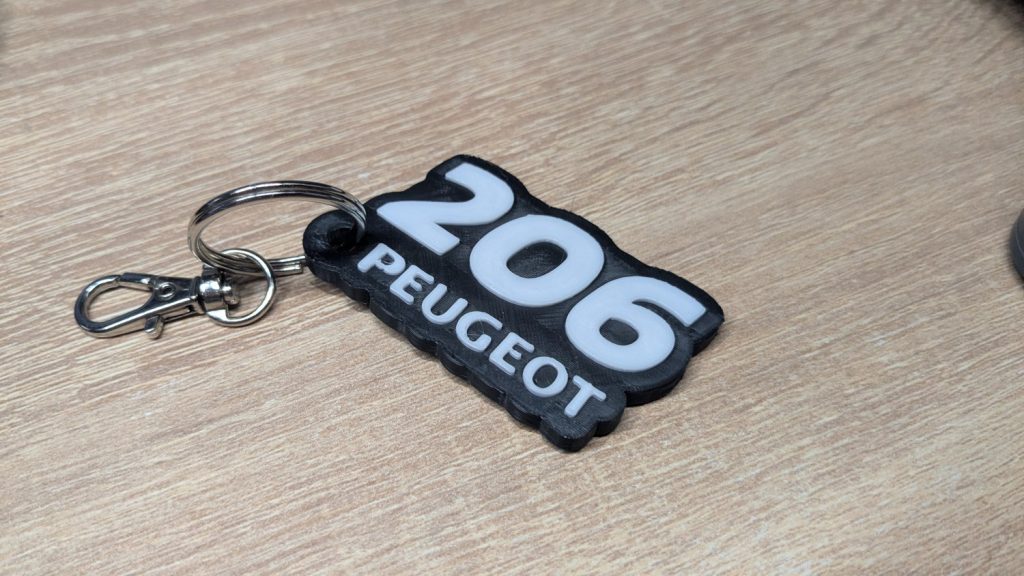
The bigger Peugeot set has 28 designs: the 104, 106, 107, 108, 204 to 207, 301, 304 to 307, 309, 404 to 407, 504, 505, 604, 605, 607, 806, 807, 1007, 4007 and the RCZ (the 108 is also in the 8 series file). The layout is the same as in the 8 series: black base, raised light number with the PEUGEOT wordmark, and a mounting hole on the left, level with the lettering.
Per the model page: 0.16 mm layers, 0.4 mm nozzle, 2 walls, 15 % infill, about 161 g for all 28, no supports or raft, and the colour change for the white text at layer 25. At 0.16 mm that is a base of about 4 mm (25 layers, our arithmetic). Fan-made designs, not affiliated with or endorsed by Peugeot.
Download Peugeot classic set on MakerWorld
Volvo models after 2000
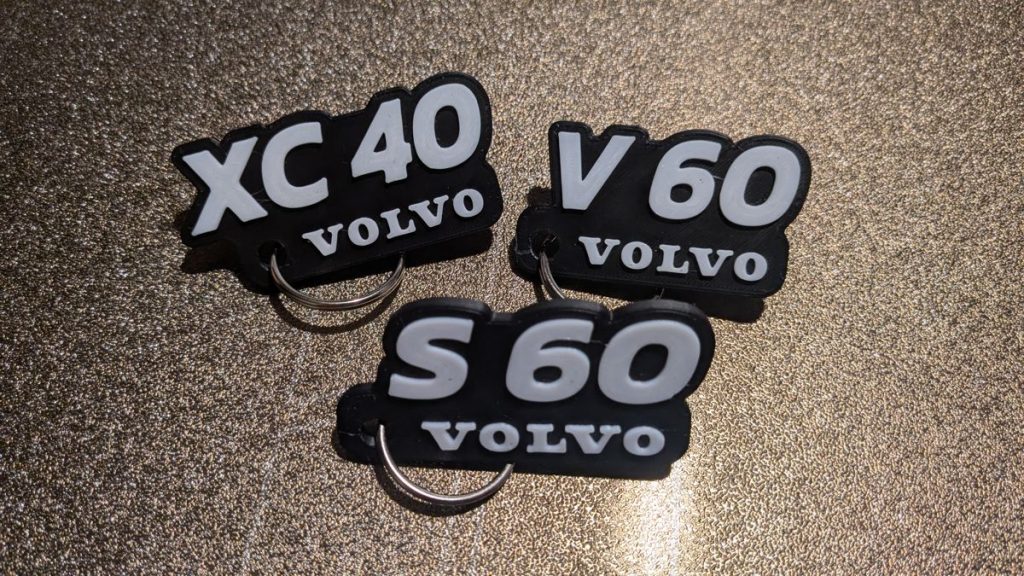
This set covers Volvo passenger cars built since 2000: S60, V70, XC70, S40, V50, XC90, C30, C70, XC60, V60, V40, S90, V90, XC40, EX40, C40, EX30, EX90, EM90 and ES90. Each keychain has a raised white model code over a black base, the VOLVO wordmark under it, and a mounting hole in the lower section.
The page lists a 0.4 mm nozzle and about 171 g for the whole set, with the colour change for the white text at layer 20. It does not state a layer height, wall count or infill, so rely on the profile inside the 3MF rather than on numbers from this page. It recommends active cooling and no supports. Fan-made designs, not affiliated with or endorsed by Volvo. The older cars are in a separate download, the Volvo classic series.
Download Volvo after-2000 set on MakerWorld
KIA logo keychain
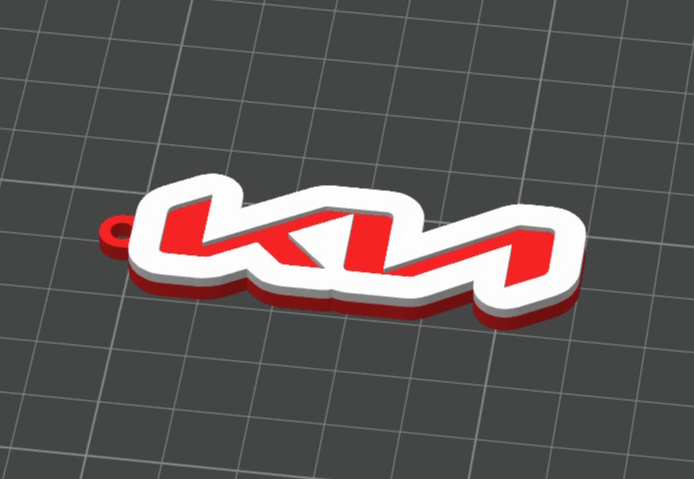
A single flat keychain in the shape of the KIA wordmark. The logo letters are red, a white border runs around them, and a small keyring hole sits at the left end. It is the lightest print in the collection at about 9 g.
Settings from the model page: 0.2 mm layers, 0.4 mm nozzle, 2 walls, 15 % infill. The page does not give a colour-change layer; in the slicer preview the red sits below and the white above, so the swap goes at the layer where the white starts. This is a fan-made design, not affiliated with or endorsed by KIA.
Download KIA keychain on MakerWorld
Hyundai logo keychain
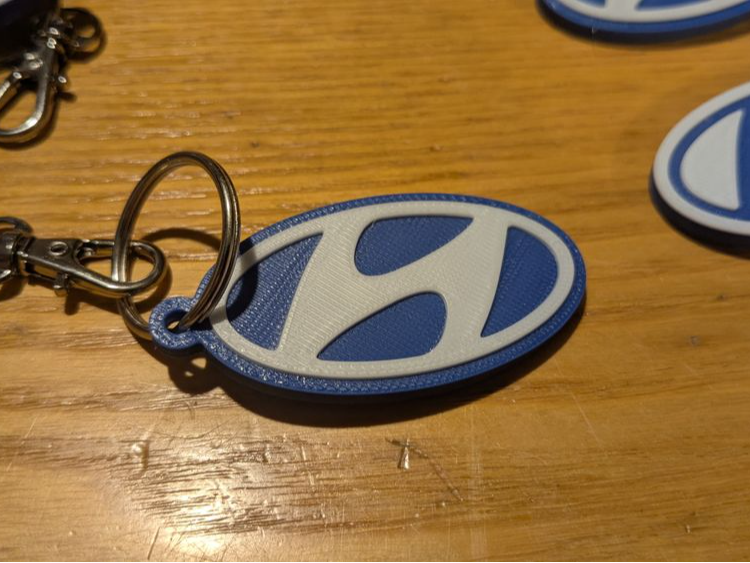
An oval keychain of roughly 6 x 3 cm with gently rounded edges, a blue background and a white embossed H slightly raised above the base. The hole is built into the edge, close to the ring.
Settings from the model page: 0.2 mm layers, 0.4 mm nozzle, 2 walls, 15 % infill, about 12 g. The photo shows it on a split ring and carabiner; the download itself is a 3MF, so plan on buying the ring separately. Fan-made design, not affiliated with or endorsed by Hyundai.
Download Hyundai keychain on MakerWorld
Ford Mondeo keychain
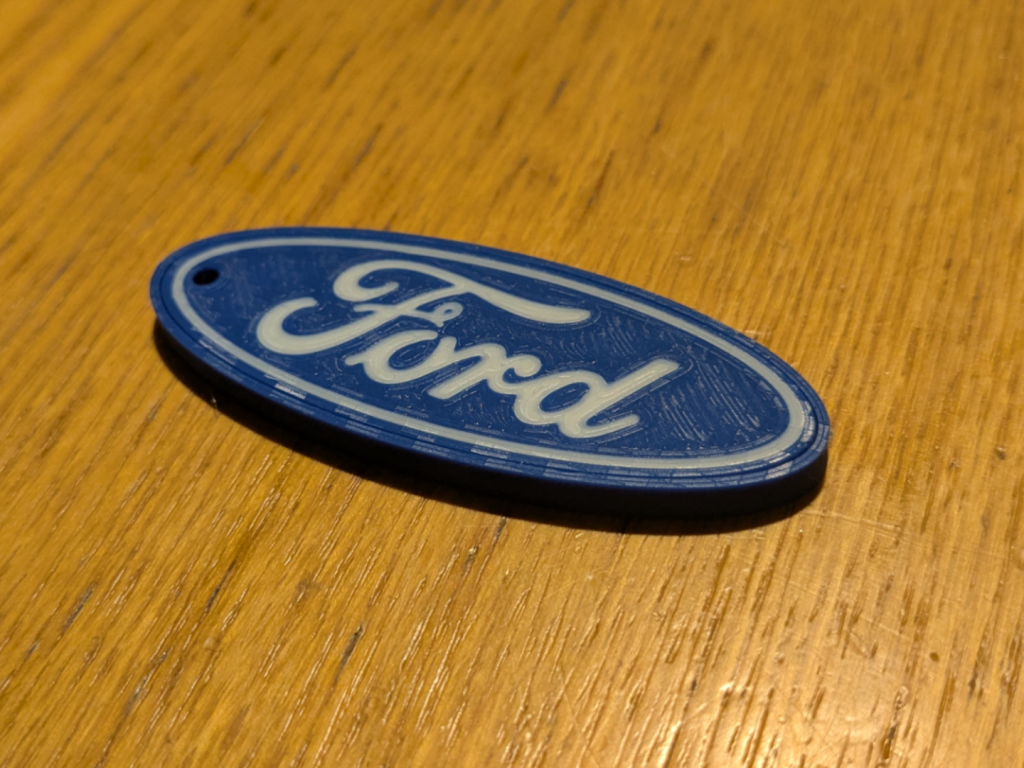
The Ford oval, built in layers so the script lettering and the white border stand out from the blue field. The model page describes it as double-sided, so the logo is visible from both faces, and it has a hole for a ring or lanyard.
This is the only model in the collection that needs assembly: it comes as two separate pieces that you glue together after printing. Settings: 0.16 mm layers, 0.4 mm nozzle, 2 walls, 15 % infill, about 11 g. For glue choice per material, see gluing 3D prints. Fan-made design, not affiliated with or endorsed by Ford.
Download Ford Mondeo keychain on MakerWorld
Renault logo keychain
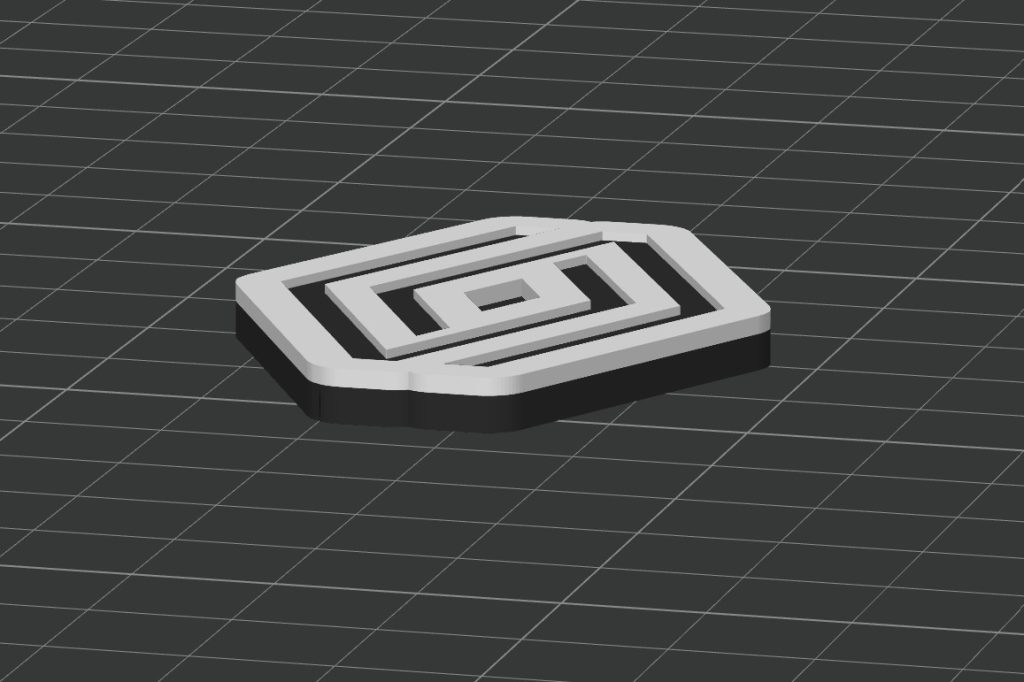
A geometric take on the Renault diamond: the stylised logo is black, framed by a thick white outline, with a hole at the top for a split ring or carabiner.
Settings from the model page: 0.2 mm layers, 0.4 mm nozzle, 2 walls, 15 % infill, about 8 g. The page does not name a colour-change layer, so use the one where the white starts in the preview. Fan-made design, not affiliated with or endorsed by Renault.
Download Renault keychain on MakerWorld
Two colours without a multi-material unit
Most of these keychains are built as a base colour with the second colour only in the top layers. That means one filament swap at a single layer is enough: print the base, pause, load the second colour, resume. It works when the second colour sits entirely above the first; it would not work for a model with two colours side by side in the same layer. The Peugeot classic and Volvo pages give the layer (25 and 20); for the others, scrub the layer slider in your slicer to the first layer that contains the top colour.
| Slicer | How to add the change | Notes from the documentation |
|---|---|---|
| PrusaSlicer | Slice, drag the vertical layer slider to the layer, then click the plus icon or right-click it and choose “Add color change” | Inserts an M600 command; use the same filament type for both colours; not available with sequential printing |
| Bambu Studio | After slicing, right-click the “+” on the layer bar and choose “Add Pause” | The printer stops before that layer and you resume it by hand; the “Change Filament” option works only with an AMS |
| Cura | Add the “Filament Change” post-processing script and enter the layer number from the preview | The change happens at the start of that layer; several layers can be listed with commas; an option uses the firmware’s own filament-change settings |
M600 depends on the firmware. Marlin’s documentation says the command needs the advanced pause feature enabled and an LCD controller, so on a printer without it a plain pause is the safer route. For a more automated route, an AMS, MMU or toolchanger does the same swap on its own; see the overview of multi-colour technologies.
First layer, keyring hole and filament
- First layer. The plates are flat and small, so the first layer decides how clean the underside and the hole look. Set the squish properly (see first-layer calibration) and clean the plate. If parts lift, see prints not sticking.
- Keyring hole. With 2 walls, the material around a small hole is thin, and a split ring pulls on it every time you take the keys out. Print the keychain flat, so the layers run around the loop rather than across it (see print orientation). If you want it sturdier, raise the wall count in the slicer; the model pages do not cover this.
- Filament. The larger sets call for PLA. If a keychain will sit in a hot car, PETG handles more heat; the PLA vs PETG comparison covers the trade-offs. Test PETG on one piece before a big batch, as the model pages are written for PLA.
- Nozzle. The listed profiles use 0.4 mm. The pages do not describe tests with larger nozzles, and thicker lines will soften small lettering.
Frequently asked questions
Do I need an AMS to print these car keychains?
No. The Peugeot classic and Volvo pages state that no AMS is required and give the layer for a single manual colour change (layer 25 and layer 20). The same approach works for the other models: add a colour change or pause in your slicer where the top colour starts, swap the filament and resume.
Can I print them in a single colour?
Yes, the file prints fine without a swap. The raised text or logo will then be the same colour as the base and hard to read, so the two-colour version is worth the extra pause.
Are these official brand products?
No. They are fan-made designs and are not affiliated with or endorsed by Peugeot, Volvo, KIA, Hyundai, Ford or Renault. Brand names and logos belong to their owners; if you plan to sell prints, check the brand’s trademark rules first, as we cannot give legal advice.
How much filament does one keychain use?
The single-logo models list about 8 to 12 g each. The Peugeot and Volvo sets list the weight for the whole file (35 g for 8 designs, 161 g for 28, 171 g for 20), which works out to roughly 4 to 9 g per keychain. Your slicer’s estimate for the plate you actually print is the number to trust.