
Symbol and seasonal keychains: four free 3MF models to print
Four free keychain models for FDM printers: a four-colour symbol, a Halloween pumpkin, a Roland Garros logo and a WordPress logo. Flat prints, no supports, free 3MF on MakerWorld.
This collection gathers four free keychain models for FDM printers: a four-colour Lakota-inspired symbol, a three-colour Halloween pumpkin, a Roland Garros logo keychain published in two versions, and a two-colour WordPress logo. Each one is a flat disc or near-disc that prints without supports, and each is a free 3MF on MakerWorld with the print profile inside. The files are hosted by MakerWorld, not on 3DX.info.
Three of the four need more than one colour, and the colour method differs: the pumpkin and the WordPress keychain are built around a filament change at a set layer, while the Lakota symbol needs a multi-material unit. The Roland Garros and WordPress designs are fan-made, not affiliated with or endorsed by Roland Garros or WordPress; the names and logos are used only to say what each keychain shows. All settings below come from each model’s own MakerWorld profile.
The consumer toolchanger 3D printer: the SnapSwap 4-toolhead system swaps heads in 5 seconds for true multi-color and multi-material printing, with smart calibration and auto filament loading.
- 4 toolheads · 5 s swap
- Up to 500 mm/s · 20,000 mm/s²
- 270 mm cube build volume
- Multi-color & multi-material

The four models at a glance
- Lakota symbol keychain: four colours, multi-material unit needed, about 55 g.
- Halloween pumpkin keychain: three colours, colour changes at layers 16 and 23, about 6 g.
- Roland Garros keychain: green, orange and white, two versions, about 33 g.
- WordPress logo keychain: two colours, one filament change at layer 20, about 7 g.
| Model | Layer height | Nozzle | Walls | Infill | Filament | Colour method (per model page) |
|---|---|---|---|---|---|---|
| Lakota symbol | 0.16 mm | 0.4 mm | 2 | 15 % | ~55 g | Multi-material unit (AMS or similar) |
| Halloween pumpkin | 0.16 mm | 0.4 mm | 2 | 15 % | ~6 g | AMS files, or pauses at layers 16 and 23 |
| Roland Garros | 0.2 mm | 0.4 mm | 2 | 40 % | ~33 g | Not stated on the page |
| WordPress logo | 0.16 mm | 0.4 mm | 2 | 15 % | ~7 g | One filament change at layer 20 |
Lakota symbol keychain
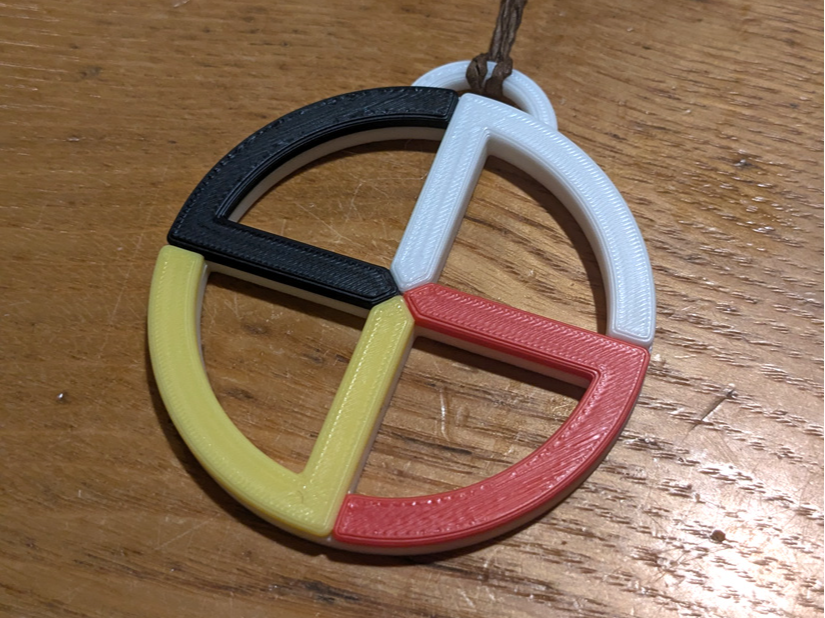
A circle divided into four sections, printed in black, white, red and yellow, with a hanging loop at the top. The model page describes it as Lakota-inspired and as designed for multicolour printing on an AMS or a similar multi-material system, so the four colours sit side by side with clean edges. The profile lists about 55 g of PLA, far more than the other three keychains here.
On the meaning: the Aktá Lakota Museum & Cultural Center, a Lakota cultural centre in South Dakota, describes the circle as the sacred outer boundary of the Earth, also called the Sacred Hoop, a continuous pattern of life and death. Its guide links each direction to a colour and says colour placement varies with individual tribal customs. So the quadrant order on this keychain is one arrangement, not a universal standard. We are not Lakota and do not speak for Lakota people; if the symbol matters to you beyond the look, read the museum’s page, and do not sell the print as Native-made.
Download Lakota keychain on MakerWorld
Halloween pumpkin keychain
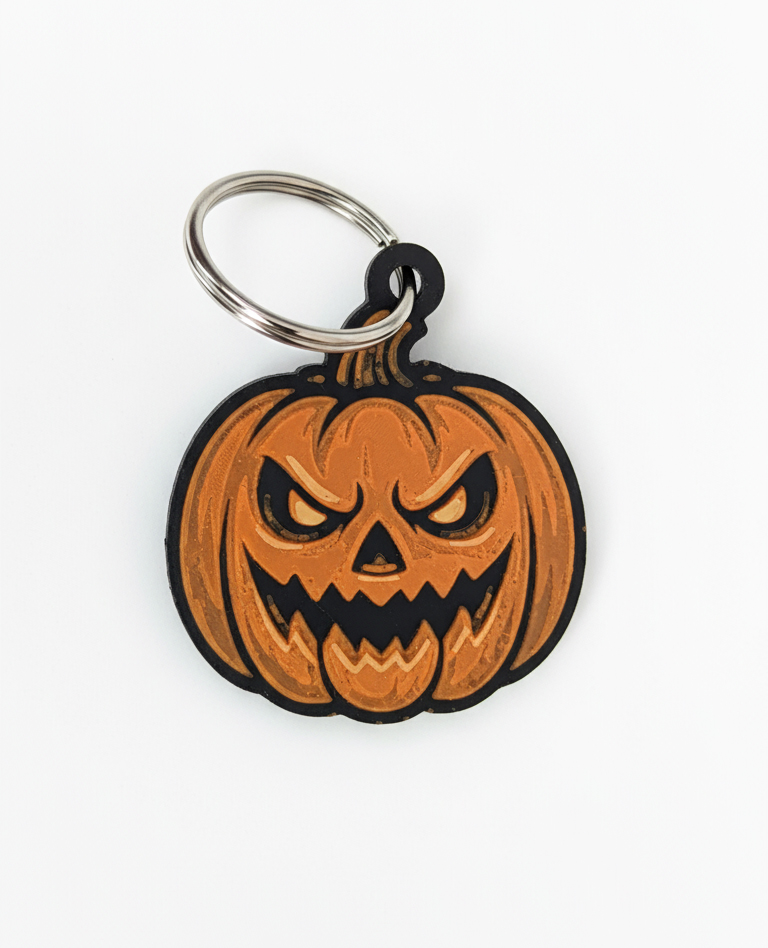
A pumpkin-shaped keychain with a scowling jack-o’-lantern face. The black base forms the outline and the dark gaps of the face, orange makes the pumpkin, and a pale yellow adds the highlights in the eyes and mouth. At about 6 g it is the lightest model in the collection, and the profile uses 0.16 mm layers for the whole print.
The colour plan from the model page: layers 1 to 15 black, filament change to orange at layer 16, change to yellow at layer 23. The download includes AMS-compatible files and non-AMS versions with pauses inserted at those layers, so a single-spool printer works too. If you change the layer height, those layer numbers no longer point at the same height; see the colour-change section below.
Download pumpkin keychain on MakerWorld
Roland Garros keychain (two versions)
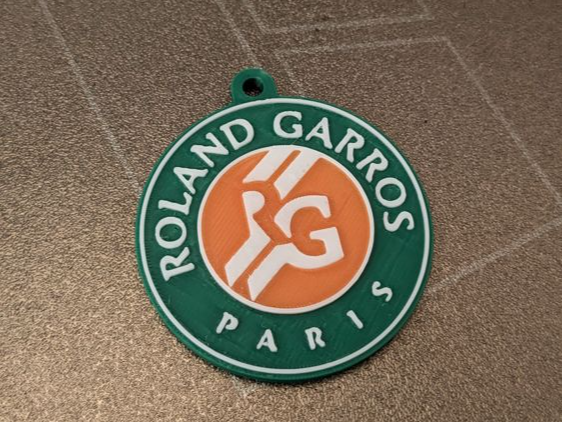
These are fan-made designs, not affiliated with or endorsed by Roland Garros; the name is used only to say which event the keychain shows. The keychain is a layered disc: a green outer ring with raised white lettering, an orange centre disc with a raised white monogram, and a small hole at the top for a keyring. The model is published in two versions; the model page does not spell out what differs, so check the MakerWorld page before choosing.
The profile uses 0.2 mm layers, a 0.4 mm nozzle, 2 walls and 40 % infill, with about 33 g of filament. The page does not give colour-change layers. Judging by the photos, white letters sit on green while the orange disc sits beside them at the same height, which a single layer-based filament change cannot produce; plan on a multi-material unit, and open the 3MF to see how the colours are assigned.
Download Roland Garros keychain on MakerWorld
WordPress logo keychain
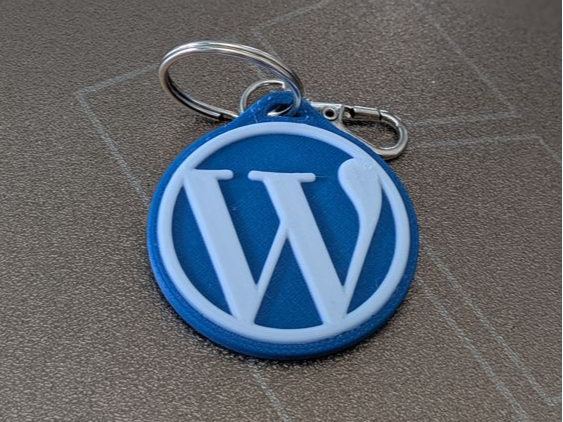
These are fan-made designs, not affiliated with or endorsed by WordPress; the name is used only to say which logo the keychain shows. It is a round blue disc with the raised white W monogram. The model page says it needs no AMS: a single filament change at layer 20 gives the two colours, and the page lists white and blue PLA.
Settings are 0.16 mm layers, 0.4 mm nozzle, 2 walls and 15 % infill, about 7 g of filament. That makes it the simplest model here to start with if you have never done a manual colour change.
Download WordPress keychain on MakerWorld
Changing colour at a layer without a multi-material unit
A colour change at a layer swaps the filament for the whole layer, so it suits designs where each colour occupies its own height band, like the pumpkin and WordPress keychains. It cannot put two colours side by side in the same layer; that is what the multi-material route is for (see multi-colour technologies and MMU and AMS setup). How to insert the change, per documentation:
- PrusaSlicer: slice, move the layer slider on the right of the preview to the target layer, then right-click the plus icon and choose “Add color change”. Prusa’s Knowledge Base says the printer pauses when it reads the M600 command in the G-code, so you swap the filament and continue. It advises filaments of the same type, and the change does not work with sequential printing.
- OrcaSlicer: its wiki says a pause G-code can be inserted in the G-code viewer, and describes a “manual filament change” option for printing where M600 or a pause triggers the swap. Menu names can differ between versions, so confirm in your build.
- Cura: the built-in “Filament Change” post-processing script takes the layer number from the Cura preview and, per its description, makes the change at the start of that layer. It accepts several layers separated by commas and writes an M600 command, so your firmware must handle M600.
- Bambu Studio: we could not confirm a pause-at-layer procedure in the Bambu Lab Wiki. Use the AMS-ready files where the model offers them, and check the wiki for your printer before relying on a manual pause.
Two practical points. First, layer numbers are tied to layer height: the pumpkin’s layers 16 and 23 and the WordPress layer 20 assume 0.16 mm. If you slice at another height, find the same height in the preview instead of reusing the number. Second, check the preview after inserting the change; slicers can count layers slightly differently, and Cura’s own description shows the change happening at the start of the layer you enter.
First layer, keyring hole and material
These keychains are flat, so the first layer is most of the print. A clean plate and a well-set Z-offset matter more than any other setting; see first layer calibration, and prints not sticking if a corner lifts.
Print them flat, as the profiles do. The layer lines then run around the hanging hole rather than across it, and the part needs no supports. The hole is the weak point of any keychain; if you scale a model down, the wall around the hole shrinks with it, so keep that wall at least a few perimeters wide. For more on how layer direction affects strength, see print orientation. The model pages list PLA; PLA vs PETG covers the trade-offs if you want something tougher.
Frequently asked questions
Do I need an AMS to print these keychains?
Not for all of them. The pumpkin ships with AMS files and with pause versions for single-spool printers, and the WordPress keychain needs one filament change at layer 20. The Lakota symbol is designed for an AMS or similar system. The Roland Garros page does not say, so open its 3MF to see how colours are assigned.
Which layer do I enter for the colour change?
Use the layer given on the model page, as shown in your slicer’s preview: layers 16 and 23 for the pumpkin, layer 20 for the WordPress logo. Slicers can count layers differently, so check the preview. If you change the layer height, look for the same height rather than the same layer number.
Why does the Lakota keychain use so much filament?
The model profile lists about 55 g, far more than the 6 to 7 g of the pumpkin and WordPress models. The page does not explain the difference. In multi-colour prints some of it can be purge or prime material, so check the estimate in your own slicer.
Are the files free, and where are they hosted?
Yes. Each model is a free 3MF on MakerWorld, and the download buttons open the MakerWorld page. The files are hosted there, not on 3DX.info, and the 3MF contains the print profile described above.