A stepper driver is the chip that turns your mainboard’s step and direction pulses into regulated current in the motor coils, so most “driver problems” come down to three settings and one component: the current it is told to deliver, the stepping mode, the microstep setting, and how well the chip is cooled. A noisy motor usually means the wrong mode or a resonance, skipped steps usually mean too little torque or a driver that shut itself off, and overheating usually means too much current with too little airflow.
On Trinamic (TMC) drivers you do not have to guess: the driver reports its own overtemperature and error flags. Klipper prints them as TMC reports error and Marlin shows them with M122. This guide gives a symptom table, the current formulas for the A4988 and the TMC2209, and the checks to run in order. Numbers come from the Klipper and Marlin documentation, the Allegro A4988 datasheet and the Pololu and BigTreeTech driver pages linked at the end.
The consumer toolchanger 3D printer: the SnapSwap 4-toolhead system swaps heads in 5 seconds for true multi-color and multi-material printing, with smart calibration and auto filament loading.
- 4 toolheads · 5 s swap
- Up to 500 mm/s · 20,000 mm/s²
- 270 mm cube build volume
- Multi-color & multi-material

Stepper driver problems at a glance
| Symptom | Most likely cause | First check |
|---|---|---|
| High-pitched whine or buzz at rest or low speed | Chopper noise (A4988-class drivers), spreadCycle, or microstepping too coarse | Mode and microsteps; driver type |
| Grinding or rattling when moving, motor not hot | Current too low for the load, or mechanical binding | Raise current in small steps; move the axis by hand |
| Skipped steps or layer shift after a long print | Driver or motor overheated and shut down | Driver flags (ot, otpw); cooling |
| Skipped steps only on fast moves | Torque falls with speed, stealthChop speed limit, high acceleration | Stepping mode; acceleration |
| Motor or driver too hot to touch | Current too high, no airflow, hot enclosure | Current formula; fan; heatsink |
| Motors dead or erratic after a power glitch | Driver reset, undervoltage, wiring | M122 or DUMP_TMC |
| Hot-plugged motor and a driver died | Connecting a motor while powered | Replace the driver; never repeat |
Before you touch anything
- Power off and unplug before seating, removing or swapping a driver, and before connecting or disconnecting a motor. Pololu states plainly that connecting or disconnecting a stepper motor while the driver is powered can destroy the driver.
- Check orientation. A driver plugged in backwards or shifted by one pin row can damage both the driver and the board; compare it with the silkscreen or the board’s manual.
- Swap test. With power off, swap the suspect driver with one from another axis. If the problem follows the driver, the driver or its settings are at fault; if it stays with the axis, look at the motor, cable and mechanics.
- Look for obvious damage such as scorched pins, loose heatsinks and cracked connectors, and check that the motor connector is fully seated.
Noisy stepper motors
A tonal whine is not always a fault. It is how a chopper-driven motor sounds, and the quietest option is a TMC driver in stealthChop, which Marlin’s documentation describes as driving the motor with PWM voltage instead of current, giving nearly inaudible stepping at low speeds. The cost is a lower speed limit. spreadCycle gives more torque and is slightly noisier. The A4988 datasheet describes mixed decay as reducing audible motor noise, but it is still a basic chopper.
- Pick one mode. In Klipper,
stealthchop_threshold: 999999enables stealthChop; leaving it unset keeps spreadCycle, the default. Klipper advises against switching modes while the motor is moving, and says stealthChop adds position lag, about 0.150 mm in its example of a 40 mmrotation_distanceand a 200-step motor. - Hybrid mode in Marlin.
HYBRID_THRESHOLDsets the speed at which the driver changes from stealthChop to spreadCycle;M913works when it is enabled. - Microsteps and interpolation. Klipper suggests 64 or 128 microsteps to reduce noise without interpolation, and
interpolate: Falsefor best positional accuracy with spreadCycle. Interpolation adds a small error (about 0.006 mm in its example at 16 microsteps). Check the max microstep setting of your driver: the A4988 stops at 1/16. - Mechanical noise. If the sound is a hum at certain speeds, it is probably resonance in the frame. Check mounts and pulleys, try stepper vibration dampers, and look at input shaping if you run Klipper.
Skipped steps and lost position
A stepper skips steps when the load exceeds the torque it can deliver. Torque depends on current, so too low a current is one cause. A driver that overheats and switches off is another. The belt, pulley, acceleration and obstruction side of layer shifts has its own guide, layer shifts, so this page only covers the driver side.
- Move each axis by hand with power off. Binding or tight spots point to the mechanics, see mechanical binding.
- Read the driver flags (see the diagnostics section). An overtemperature flag after a long print explains a shift that appears late in the job.
- Check the configured current against the motor. Klipper’s TMC page says to prefer the highest current that does not overheat the motor or driver, so raise it in small steps and stop when the motor or driver runs hot.
- If skips happen only at speed, review the stepping mode: stealthChop has a speed ceiling, as noted above.
Overheating drivers and thermal shutdown
The A4988 datasheet lists thermal shutdown at a typical 165 °C with 15 °C hysteresis. Heat, however, reaches your fingers long before that: Pololu warns that its A4988 board can get hot enough to burn you long before the chip overheats, and says the board is designed for about 1 A per coil without a heatsink or other cooling. Marlin’s TMC page likewise says higher currents need active cooling and a heatsink.
- Lower the current first. It is the cheapest fix, because heat in the driver rises with the current it delivers.
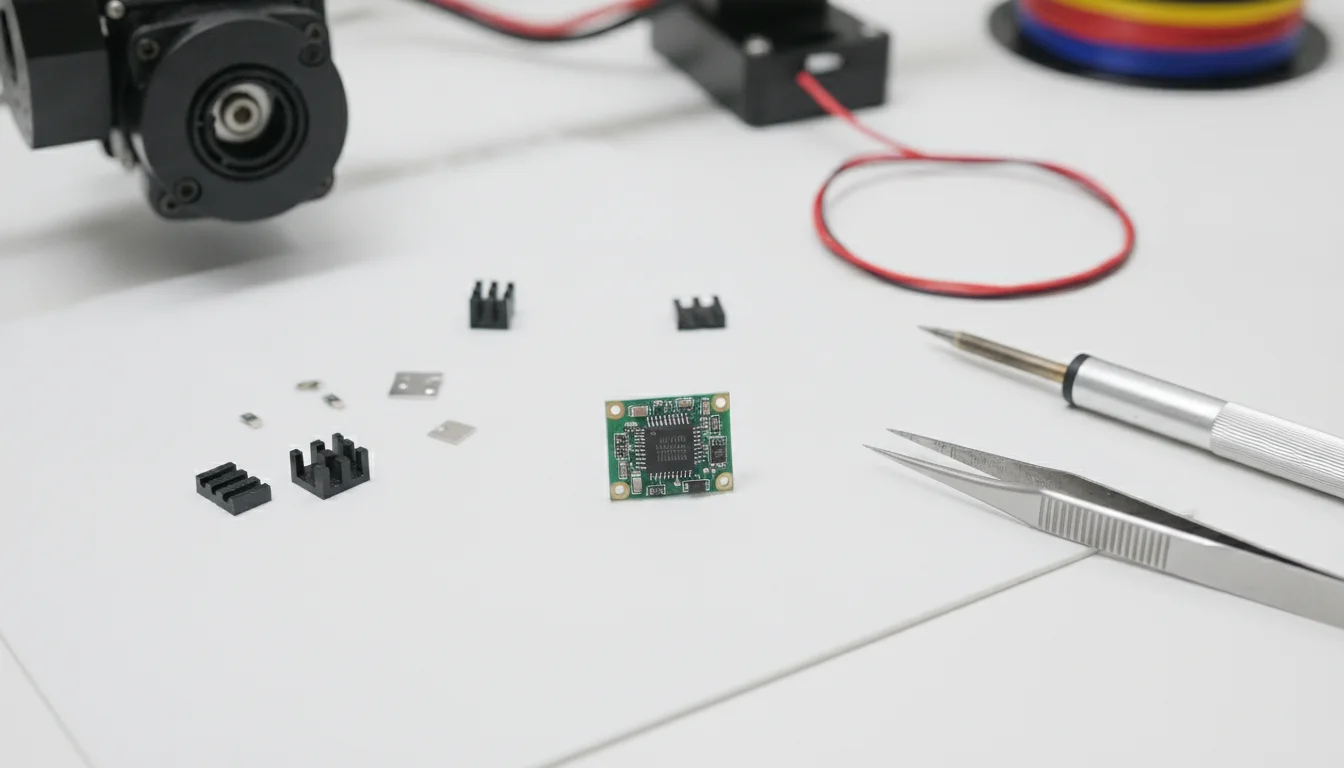
- Cool the driver. Fit a heatsink (adhesive thermal pad, not loose) and make sure the electronics fan runs and its air actually passes over the drivers.
- Watch the enclosure. A mainboard inside a closed, warm chamber loses its cooling margin. Vent the electronics bay or move it outside the enclosure.
- Check for a failing driver. If one driver runs hotter than its neighbours at the same current, swap it (power off) and see whether the heat follows.
- Never run it hot “to see”. If you cannot touch the heatsink, power down and find out why.
Setting the current correctly
Current is set differently depending on the driver. The formulas below are for the chips named; do not apply one chip’s formula to another. Always stay at or below the motor’s rated current and the driver’s limit.
| Driver | How current is set | Formula or command |
|---|---|---|
| A4988 | Trimmer; measure Vref | Imax = Vref ÷ (8 × RCS) (Allegro). Pololu boards: RCS is 0.068 ohm since 2017, 0.050 ohm on older green boards, so a 1 A limit is about 540 mV on the newer ones |
| TMC2209 standalone (BigTreeTech 110 mohm module) | Trimmer; measure Vref | IRMS = Vref ÷ √2 per BigTreeTech; Vref range 0.2 to 2.2 V |
| TMC2209 / TMC2208 on UART, Klipper | printer.cfg | run_current in amps RMS; sense_resistor default 0.110 ohm; SET_TMC_CURRENT STEPPER=stepper_x CURRENT=<amps> |
| Trinamic drivers, Marlin | Firmware | M906 X<mA> Y<mA> sets current in milliamps; M906 alone reports it |
As an arithmetic illustration only: with the BigTreeTech formula above, a 0.8 A RMS target means Vref of about 1.13 V (0.8 × √2). The sense resistor value belongs to your module, so take the formula from its own documentation. Pololu notes the A4988 reference voltage depends on the logic supply, and that measuring it in full-step mode reads only about 70% of the setting.
Adjusting a trimmer safely. Power off, turn the trimmer a small amount with an insulated screwdriver, power on, measure Vref against ground, power off again. Taking the reading is the only moment the board is live; keep your other hand away and never turn the trimmer while powered. It is slower, but a slipped screwdriver on a live board is how drivers die. Where your driver supports UART, setting current in firmware avoids trimmers altogether. Klipper also says not to configure hold_current for most printers.
Reading TMC diagnostics
Klipper’s TMC page lists what the error messages mean, and Marlin’s M122 prints the same family of flags.
| What you see | What it means | Action |
|---|---|---|
Klipper ot=1 | Overtemperature | Reduce current or improve cooling |
ShortToGND or ShortToSupply | Wiring short, or a stealthChop load-prediction problem | Check wiring; test with stealthChop disabled |
reset=1, CS_ACTUAL=0 or SE=0 | Driver reset mid-print, often voltage or wiring | Check supply voltage and connectors |
uv_cp=1 | Undervoltage | Check the power supply and motor supply wiring |
Marlin M122 shows otpw or ot | Overtemperature pre-warning or shutdown | Same as above |
Marlin M122 returns all 0x00000000 or 0xFFFFFFFF | Bad communication with the driver | Check UART/SPI wiring, Vm and Vio |
- Klipper:
DUMP_TMC STEPPER=stepper_xreads all driver registers; addREGISTER=<name>for one.INIT_TMC STEPPER=<name>re-initialises a driver whose power was cycled.SET_TMC_FIELDis for low-level debugging only; Klipper warns that run-time field changes can lead to undesired and potentially dangerous behaviour. - Marlin:
M122reports current settings and flags for all installed Trinamic drivers.TMC_DEBUGextends the report;M122 Ire-initialises the drivers (Marlin 2.0.6 and later). Marlin’s troubleshooting adds: for UART, check the RX pin is interrupt-capable and that the resistance between RX and TX is about 1 kilohm, and check 12 V or 24 V on Vm and 5 V or 3.3 V on Vio.
Common mistakes and next steps
- Copying a Vref value from a forum post written for a different driver module.
- Raising current to fix a mechanical problem, which converts it into a heat problem.
- Leaving stealthChop on for fast moves and then blaming the belts.
- Hot-swapping motors or drivers.
- Deciding to swap drivers without checking whether your board has them soldered on; see A4988 vs TMC2209 and mainboard choice.
Frequently asked questions
What is the right Vref for my stepper driver?
It depends on the driver chip, the sense resistor on your module and your motor’s rated current. For the A4988 use Vref = 8 × I × RCS; for a BigTreeTech TMC2209 module with 110 milliohm sense resistors, Vref is I(RMS) × √2. Check your module’s documentation and stay at or below the motor rating.
Why do my motors get hot even with correct current?
Klipper’s advice is to use the highest current that does not overheat the motor or driver, so a motor you cannot comfortably touch is a sign to lower the current or improve cooling. Also check that the current is not set above the motor’s rating, and that the motor itself is not working against binding or a tight belt.
Can I run a TMC2209 in standalone mode?
Yes, but standalone drivers cannot be configured in software, so you lose UART features such as setting current in firmware or reading diagnostics. Marlin’s documentation says drivers with UART or SPI control need extra wiring to communicate.
Does an overheated driver damage itself?
Trinamic drivers and the A4988 include thermal shutdown, which protects the chip but ends the move mid-print. That is why a late layer shift can be a heat problem rather than a belt problem.