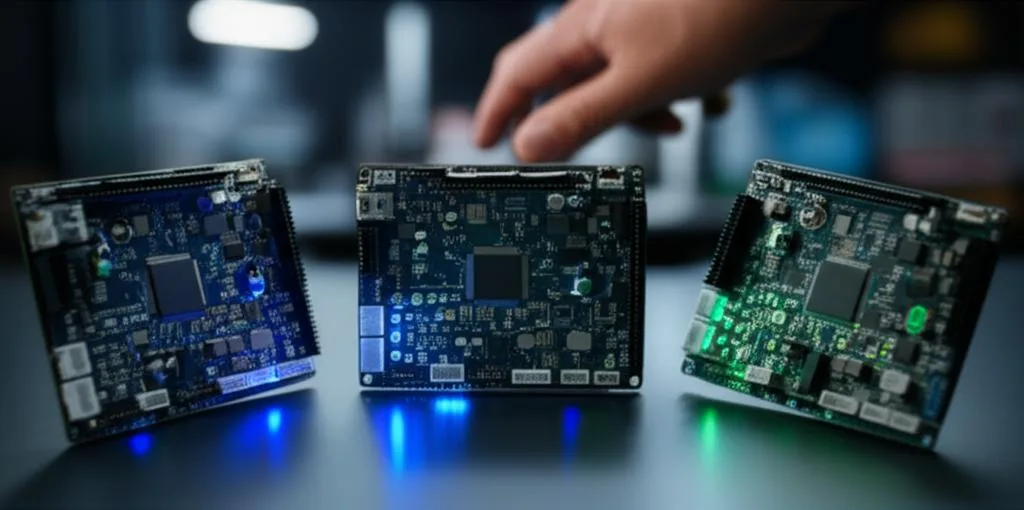
A 3D printer mainboard (control board) is the electronics module that holds the microcontroller running the firmware, the stepper motor drivers, the heater and fan outputs, and the connectors for endstops, thermistors, probe and display. To choose one, start from four questions: does it physically fit and have enough motor outputs for your printer, which firmware do you want to run (Marlin, Klipper or RepRapFirmware), do you want soldered-on or swappable stepper drivers, and does it match your power supply voltage and any plans for expansion.
In practice that usually leads to one of three routes. A drop-in board such as the BIGTREETECH SKR Mini E3 V3.0 replaces an Ender 3-style board with onboard TMC2209 drivers. A large socketed board such as the BIGTREETECH Octopus suits multi-motor machines like CoreXY printers with several Z motors. A Duet 3 board suits builders who want RepRapFirmware with its built-in web interface and CAN-FD expansion. If your real goal is Klipper, check first whether your current board is supported: many stock boards are, and then you only need a host computer. Specifications below come from BIGTREETECH, Duet3D and Klipper documentation linked at the end.
The consumer toolchanger 3D printer: the SnapSwap 4-toolhead system swaps heads in 5 seconds for true multi-color and multi-material printing, with smart calibration and auto filament loading.
- 4 toolheads · 5 s swap
- Up to 500 mm/s · 20,000 mm/s²
- 270 mm cube build volume
- Multi-color & multi-material

Mainboard choice in five decisions
- Count motors. X, Y, extruder and every Z motor that needs its own driver (independent Z motors for gantry leveling each need one).
- Pick the firmware. Marlin runs standalone; Klipper needs a Linux host; RepRapFirmware is Duet’s own firmware with a web interface.
- Choose drivers. Onboard drivers are simpler; sockets let you choose driver type per axis, including higher-current drivers.
- Match power. Check the board’s input voltage against your power supply, and fans and heaters against their rated voltage.
- Check fit and expansion. Mounting holes, enclosure space, display support, probe port, and CAN if you want a toolhead board later.
What to check before buying a control board
| Criterion | What to look for | Why it matters |
|---|---|---|
| Motor outputs | Number of drivers or driver sockets, and whether Z has a doubled connector | A printer with two or more independent Z motors needs a driver for each |
| Stepper drivers | Onboard (soldered) vs socketed; UART or SPI control; rated current | Sets noise, available current, sensorless homing options and repairability |
| Microcontroller | Chip family and whether example configs exist for your firmware | Klipper and Marlin both need a build for the exact chip; unsupported chips are a dead end |
| Firmware | Marlin, Klipper, RepRapFirmware support from the maker | Determines how you configure the printer and what documentation you rely on |
| Input voltage | 12 V, 24 V or wider ranges | Must match the power supply; fans and heaters must match too |
| Heater and fan outputs | Number of hotend heaters, PWM fan outputs, selectable fan voltage | Multi-extruder setups and extra cooling fans need spare outputs |
| Connectivity | USB, SD card, Wi-Fi/Ethernet, display connectors | Decides whether you need a host computer for network control |
| Expansion | CAN or CAN-FD port, spare I/O, probe and runout sensor headers | Toolhead boards and add-ons reduce wiring on complex machines |
| Size and mounting | Board dimensions and hole spacing | A drop-in board avoids printing a new electronics enclosure |
SKR Mini E3, Octopus, Duet 3 and stock boards compared
| Board | Microcontroller | Drivers | Connectivity and power | Firmware |
|---|---|---|---|---|
| BIGTREETECH SKR Mini E3 V3.0 | STM32G0B1 (ARM Cortex-M0+) | Onboard TMC2209 in UART mode; five motor connectors (X, Y, two Z, E) | Micro USB; DC 12/24 V input; 103.75 × 70.25 mm; made as an Ender 3 board replacement | Marlin 2.0 and Klipper |
| BIGTREETECH Octopus | STM32F446ZET6 at 180 MHz (some boards STM32F429) | 8 sockets, 9 motor outputs; TMC2209, TMC2226, TMC5160, A4988, DRV8825 in STEP/DIR, UART or SPI modes | USB-C, CAN (RJ11); 24 V recommended; 4 hotend heater outputs; 6 PWM + 2 always-on fans | Klipper and Marlin |
| Duet 3 Mini 5+ | ATSAME54P20A, 120 MHz Cortex-M4F | 5 × TMC2209, up to 2.0 A peak; 2 more via an expansion board | Wi-Fi or Ethernet version; CAN-FD; optional SBC mode | RepRapFirmware 3.2 and later (Ethernet v1.03 needs 3.5+); Klipper has an example config |
| Duet 3 Mainboard 6HC | ATSAME70Q20B, 300 MHz Cortex-M7 | 6 × TMC2160A, up to 6.3 A peak | Ethernet, 2 × CAN-FD; VIN 11–48 V (11–32 V before v1.02) | RepRapFirmware; Klipper has an example config |
| Creality v4.2.7 (stock) | STM32F103 | Onboard | Serial link to a host on USART1 | Marlin as shipped; Klipper example config available |
Two details in that table correct common claims. The Duet 3 6HC uses TMC2160A drivers, not TMC5160, and the Duet 3 boards use Microchip SAME54 and SAME70 chips. Duet3D builds its boards for RepRapFirmware, but Klipper’s own repository includes generic-duet3-mini.cfg and generic-duet3-6hc.cfg, so Klipper on a Duet is possible; you give up Duet Web Control and RepRapFirmware’s features when you do it.
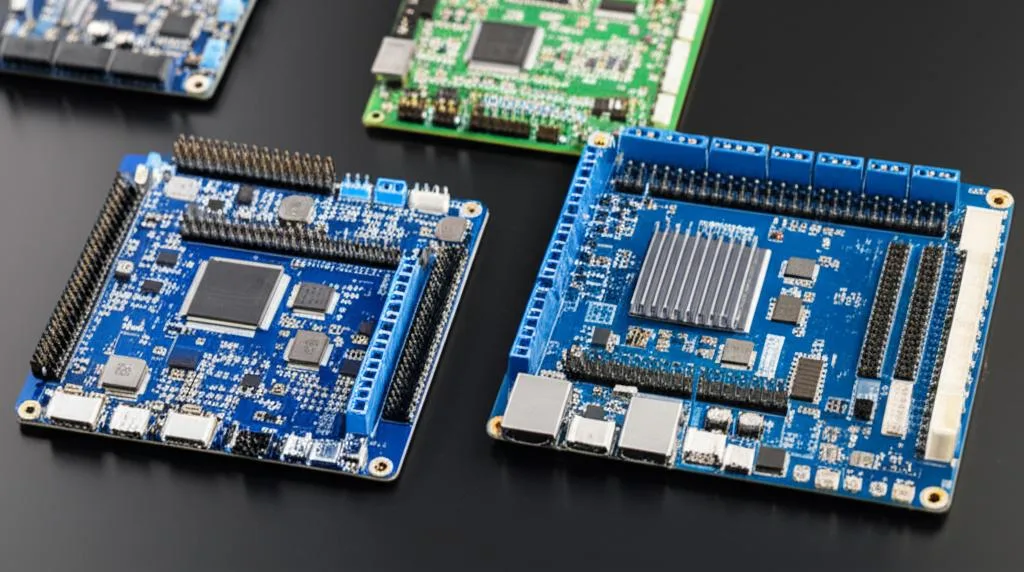
Firmware decides more than the chip
Marlin runs entirely on the board. You set options in Configuration.h, compile and flash, and the printer works standalone from its SD card or USB. Most aftermarket boards ship with Marlin support and example configurations; our guide to flashing Marlin covers the build and upload.
Klipper moves motion planning to a Linux host and turns the board into an I/O module, which is why even older boards perform well under it. Before buying a board for Klipper, open Klipper’s config directory: each generic- file lists the chip, bootloader and connection to select, and some carry warnings (the Octopus file warns not to use it on an Octopus Pro v1.1, where it could turn on a heater). Our Marlin to Klipper guide walks through the switch.
RepRapFirmware is the firmware Duet3D develops for its boards. Configuration lives in G-code files on the board’s SD card and is edited through Duet Web Control over Wi-Fi or Ethernet, so no separate host is needed. Duet 3 boards can also run in SBC mode with a Raspberry Pi attached.
Onboard or socketed stepper drivers
Onboard drivers, as on the SKR Mini E3 and Duet boards, make installation simpler and keep the board compact, but a failed driver means repairing or replacing the board. Sockets, as on the Octopus, let you mix driver types per axis and fit higher-current SPI drivers such as the TMC5160 for large motors; you usually buy the drivers separately and must set their mode and current in firmware. For the differences between driver models, see A4988 vs TMC2209, and for noise, skipped steps and overheating, stepper driver problems.
Power, voltage and expansion
Read the input voltage line before anything else. The SKR Mini E3 V3.0 accepts 12 or 24 V, BIGTREETECH recommends 24 V for the Octopus, and the Duet 3 6HC accepts 11–48 V from revision v1.02 (11–32 V on earlier boards). Moving a printer from 12 V to 24 V means every fan, heater cartridge and the bed must also be rated for 24 V, or be fed from a board output set to their voltage; the Octopus has selectable fan voltage rails for this. The Octopus documentation lists support for heated beds up to 300 W; a larger or mains-powered bed needs a separate relay setup, which is outside the board’s rating.
For expansion, CAN is the main modern option. The Octopus has a CAN port on an RJ11 connector, the Duet 3 Mini 5+ has a CAN-FD port for Duet expansion and tool boards, and the 6HC has two. A toolhead board on CAN puts the hotend heater, thermistor, fans and extruder motor on one small board at the toolhead, connected by a few wires instead of a large harness. Klipper supports several microcontrollers in one printer, which is how it drives such boards.
Common mainboard upgrade mistakes
- Using the wrong config file. Similar board names can have different pinouts; the Octopus vs Octopus Pro warning above is a real example. Match the exact board and revision.
- Guessing the bootloader offset. It differs between boards (for example 8KiB on the SKR Mini E3 V3.0 and 28KiB on Creality’s v4.2.7, per Klipper’s config headers). A wrong value gives a board that does not boot.
- Ignoring voltage. A 12 V fan on a 24 V output fails quickly; check every component when changing supply voltage.
- Forgetting drivers. Socketed boards may arrive without drivers; check the listing before your printer is in pieces.
- Swapping wires without labels. Photograph and label every connector on the old board. Connector types and pin order can differ, especially for thermistors, endstops and the probe; our BLTouch and CR Touch guide covers probe wiring.
- Skipping safety checks. After any board swap, confirm heaters, thermistors and thermal runaway protection work before leaving a print unattended.
Frequently asked questions
Do I need a new mainboard to run Klipper?
Often not. Klipper’s repository includes example configs for many stock boards, such as Creality’s v4.2.7, as well as aftermarket boards. If your board is listed, you only add a Linux host such as a Raspberry Pi. A new board makes sense when you need more drivers, quieter drivers or CAN expansion.
Can a Duet board run Klipper?
Yes, although Duet3D designs its boards for RepRapFirmware. Klipper provides example configs for the Duet 3 Mini 5+ and 6HC, with flashing notes in the file headers. Switching means giving up Duet Web Control and RepRapFirmware’s configuration model.
Do SKR boards come with stepper drivers?
It depends on the model. The SKR Mini E3 V3.0 has TMC2209 drivers built onto the board, while socketed boards such as the Octopus take plug-in driver modules that are often sold separately or in bundles. Check the listing before you order.
Is a 32-bit board upgrade worth it for an Ender 3?
It can be if your printer has an older board with noisy drivers, or you want features your current board cannot run. A drop-in board like the SKR Mini E3 V3.0 keeps the original wiring layout and screen support. If the printer already has a 32-bit board with silent drivers, the gain is small unless you need extra motor outputs.