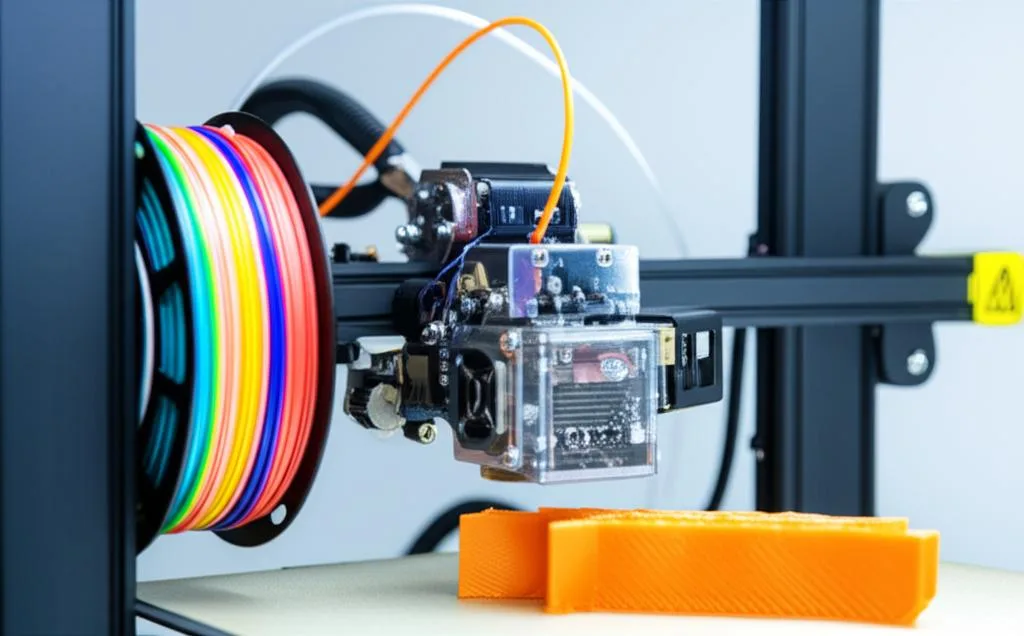
3D printing TPU printing offers incredible flexibility and durability, but tackling these elastic Materials and Filaments on a Bowden setup can be challenging. Unlike direct drive extruders, Bowden systems feature a longer filament path from the motor to the hot end. This increased friction and potential for filament compression make printing flexible materials like Thermoplastic Polyurethane (TPU) notoriously tricky.
Why Print with TPU?
TPU is prized for its exceptional flexibility, tear resistance, and shock absorption, making it ideal for parts like gaskets, phone cases, and flexible enclosures. Despite its benefits, many users find it daunting, particularly on Bowden printers.
Tips for Successful TPU Printing on Bowden
The key to successful 3D printing TPU printing with a Bowden setup lies in meticulous preparation and fine-tuning your slicer settings. Here are essential tips:
1. Minimize Retraction
- Retraction Distance: Drastically reduce it, ideally to 0.5mm-1.5mm. Excessive retraction causes flexible filament to bunch and jam.
- Retraction Speed: Keep it slow, around 10-20 mm/s, to prevent kinking.
2. Slow Down Print Speed
Patience is crucial. TPU needs time to melt and flow consistently. Printing too fast will lead to underextrusion or jams.
- Print Speed: Start with 15-25 mm/s.
- First Layer Speed: Even slower, around 10 mm/s, for optimal bed adhesion.
3. Optimize Temperatures
Consult your filament’s recommendations, but general ranges for TPU are:
- Nozzle Temperature: 220-240°C. Higher temps aid flow.
- Bed Temperature: 40-60°C.
4. Ensure Excellent Bed Adhesion
While TPU doesn’t warp much, a strong first layer is vital. A brim can be helpful. PEI, glass with gluestick, or painter’s tape are good surfaces.
5. Manage Cooling
TPU generally requires less cooling than rigid filaments. Over-cooling can reduce layer adhesion.
- Part Cooling Fan: Start with 0-20% and increase only for bridging or overhangs.
6. Dry Your Filament
TPU is hygroscopic. Damp Materials and Filament will result in stringing and poor quality. Always store it dry and consider pre-drying.
7. Check Your Extruder Setup
Ensure your extruder gears are clean and have a consistent grip. Slightly loosening the idler tension can prevent filament compression and jams.
Mastering 3D printing TPU printing on a Bowden system requires experimentation. While it demands more patience than printing with PLA or PETG, the unique properties of TPU make it well worth the effort for creating flexible and functional parts.
Frequently asked questions
Can I print TPU on a completely stock Bowden printer without any hardware modifications?
Yes, it is possible, but you will need to follow all the slicer adjustments covered in this article. The most critical settings are reducing retraction distance to 0.5-1.5mm, slowing print speed to 15-25 mm/s, and slightly loosening the extruder idler tension to prevent the filament from being compressed and jamming in the Bowden tube.
How do I know if my TPU filament is too wet, and what happens if I print without drying it?
As noted in the article, TPU is hygroscopic and must be kept dry. Signs of moisture include excessive stringing, popping sounds during extrusion, and a rough or bubbly surface finish on the print. If you print damp TPU, you will get poor quality results and reduced layer adhesion, so always store the filament in a dry box or pre-dry it before use.
Why does my TPU keep jamming inside the Bowden tube, and how can I fix it?
Jams usually occur because the flexible filament is compressed by the extruder gears, causing it to buckle inside the Bowden tube. The article recommends slightly loosening the idler tension on your extruder to reduce compression force. Additionally, keep retraction distance very low (0.5-1.5mm) and retraction speed slow (10-20 mm/s) to prevent the filament from kinking during retraction moves.