
In the realm of computer-aided design (CAD) and 3D modeling, the ability to create intricate and precise geometries is paramount. While many beginners start with basic extrusions and revolves, the true power to sculpt sophisticated models often lies in mastering a set of fundamental tools known as Boolean operations. These powerful commands allow designers to combine, subtract, or find common areas between solid bodies, transforming simple primitives into complex forms with remarkable efficiency and accuracy. Understanding and skillfully applying Boolean operations is a cornerstone of advanced CAD design techniques, enabling the creation of complex shapes that would be exceedingly difficult or time-consuming to achieve through other methods.
Understanding the core Boolean operations
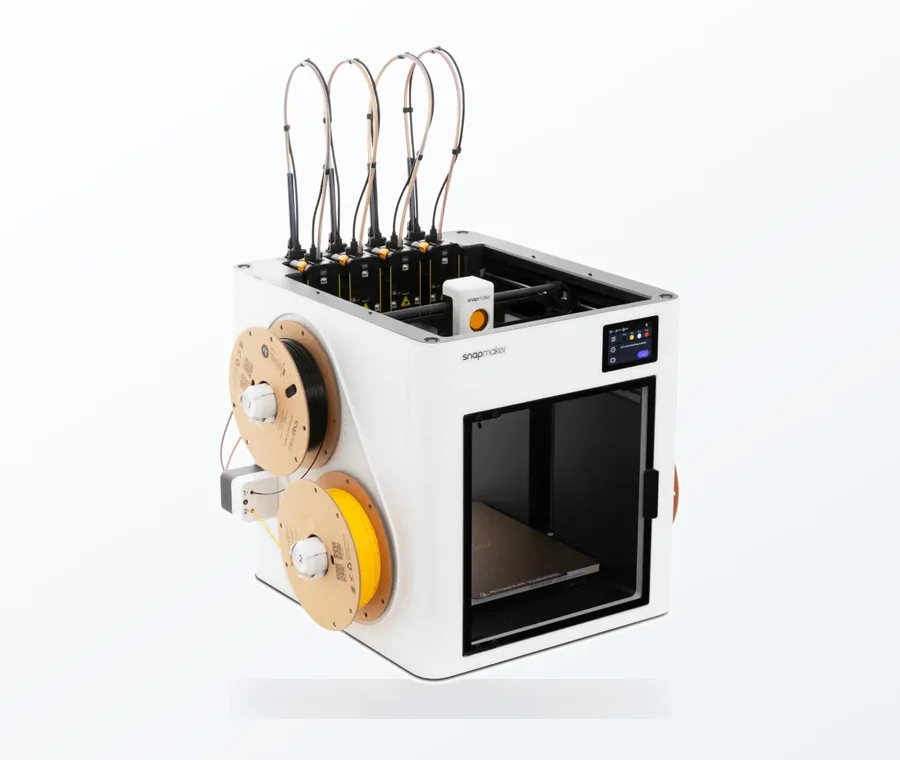
The consumer toolchanger 3D printer: the SnapSwap 4-toolhead system swaps heads in 5 seconds for true multi-color and multi-material printing, with smart calibration and auto filament loading.
- 4 toolheads · 5 s swap
- Up to 500 mm/s · 20,000 mm/s²
- 270 mm cube build volume
- Multi-color & multi-material
At their heart, Boolean operations are based on set theory, where solid objects are treated as sets of points in 3D space. By applying logical operations—union, subtract, and intersect—designers can manipulate these sets to derive new, more elaborate geometries. Each operation serves a distinct purpose, offering unique capabilities for model refinement and complexity management.
Union: Combining objects
The ‘union’ operation, often referred to as ‘add’ or ‘combine’ in various CAD packages, is used to merge two or more overlapping solid bodies into a single, unified entity. When you perform a union, the shared volume between the objects is eliminated, and the external surfaces of all contributing bodies form the new, consolidated shape. This operation is indispensable for assembling components, creating seamless transitions between parts, or consolidating multiple features into a singular, cohesive design.
- Application: Imagine designing a bracket that needs to integrate a cylindrical boss. Instead of trying to model the boss directly onto the bracket’s surface, you can create a separate cylinder and then use the union operation to merge it with the main bracket body. This approach ensures a clean, manifold solid with shared edges properly resolved.
- Benefits: Simplifies the model tree, reduces the number of individual parts, and ensures watertight geometry suitable for manufacturing processes like 3D printing or CNC machining.
Subtract: Removing material
The ‘subtract’ operation, also known as ‘difference’ or ‘cut,’ is arguably the most frequently used Boolean command. It allows you to remove material from a target body using another body (the tool body) as a cutting instrument. The volume of the tool body that overlaps with the target body is precisely removed, leaving behind the modified target object. This is essential for creating holes, slots, pockets, and other negative features.
- Application: To create a precise slot for a tab, you might model the tab’s negative space as a solid block and then subtract it from the main component. Similarly, drilling a hole through a part involves subtracting a cylindrical solid from the main body.
- Benefits: Offers unparalleled precision for feature creation, allowing for exact control over the shape and depth of removed material. It’s far more efficient than trying to manually trim or sculpt complex negative spaces.
Intersect: Finding common volumes
The ‘intersect’ operation identifies and retains only the overlapping volume shared by two or more solid bodies, discarding all non-overlapping portions. This operation is particularly useful for extracting specific regions from complex assemblies or for creating highly specialized geometries that are defined by the common space of multiple intersecting forms.
- Application: If you need to create a complex internal cavity that precisely matches the intersection of several components, or if you’re designing a custom fixture that needs to conform perfectly to the common region of two parts, intersect is the ideal tool. It can also be used for creating complex fillets or blends by intersecting a large fillet volume with the two objects it should join.
- Benefits: Excellent for generating intricate forms based on spatial relationships, prototyping complex joints, or analyzing the shared volume between components. It’s a powerful tool for 3D modeling tips for advanced users aiming for precise volumetric control.
Advanced Boolean applications and considerations
While the core operations are straightforward, their strategic combination and application unlock a vast array of CAD design techniques for tackling even the most challenging geometries.
Chaining operations for intricate designs
Many complex shapes are not the result of a single Boolean operation but rather a sequence of them. Designers often start with a base form, add features with union, carve out details with subtract, and refine specific areas with intersect. The order of these operations can significantly impact the final geometry and the robustness of the model.
- Example: Creating a custom enclosure might involve uniting several basic blocks, then subtracting a complex internal cavity for electronics, and finally intersecting the result with a decorative grille pattern to create ventilation holes.
- Consideration: Carefully plan the sequence of operations. A well-thought-out sequence can prevent errors and make the model easier to modify later.
Handling non-manifold geometry and zero-thickness issues
One of the common challenges with Boolean operations, especially when dealing with complex or poorly defined input geometry, is the generation of non-manifold edges or faces, or zero-thickness geometry. These issues can lead to failed operations, rendering errors, or problems in subsequent manufacturing steps.
- Non-manifold geometry: Occurs when an edge is shared by more than two faces (e.g., three or more surfaces meeting at a single edge). Many CAD systems struggle to process these ambiguous conditions.
- Zero-thickness geometry: Arises when two surfaces touch tangentially or overlap without creating a distinct volume. This can confuse the Boolean solver.
- Mitigation: Always ensure your input solids are watertight and free of self-intersections. Add small offsets or fillets to prevent perfectly tangential or co-planar surfaces where a Boolean operation is intended to create a distinct volume. Clean up source geometry before performing complex operations.
Leveraging construction geometry and parameters
For efficient design, Boolean operations are often combined with construction geometry (such as planes, axes, and sketch profiles) and parametric modeling principles. By defining the tool bodies parametrically, designers can easily adjust dimensions and relationships, allowing the Boolean operations to update automatically and propagate changes throughout the model.
- Benefits: Greatly enhances design flexibility and iteration speed. Changing a single parameter can ripple through a series of Boolean operations, dynamically updating the final complex shapes without manual re-modeling.
Best practices for efficient Boolean modeling
Mastering Boolean operations isn’t just about knowing what each command does; it’s about applying them intelligently and strategically to achieve optimal results.
- Simplify input geometry: Before performing a Boolean operation, ensure the participating solids are as clean and simple as possible. Remove unnecessary features, small faces, or highly detailed geometry that isn’t critical to the Boolean interaction. This can significantly improve performance and reduce the likelihood of errors.
- Work with robust solids: Always start with well-defined, watertight solid bodies. Surfaces and open meshes are generally not suitable for direct Boolean operations in most solid modeling CAD packages.
- Order of operations matters: The sequence in which you apply Boolean operations can affect both the outcome and the computational stability. Generally, it’s often better to perform larger, more global operations first, then refine with smaller, local ones. For example, subtract a large cavity before adding small holes.
- Isolate and test: For very complex operations, it can be beneficial to perform them on isolated parts of your model or on simplified versions to debug issues before applying them to the full assembly.
- Use construction bodies: Create separate, temporary solids specifically as ‘tool bodies’ for subtraction or intersection. These can be hidden or deleted after the operation, keeping your main model clean.
- Understand your software’s solver: Different CAD packages might have slightly different Boolean solvers with varying robustness and tolerance settings. Familiarize yourself with how your specific software handles these operations, including options for healing or error reporting.
- Plan for manufacturability: Consider how your Boolean operations will impact the manufacturability of your design. Sharp internal corners created by subtraction might require larger tool radii, and complex intersections could lead to difficult-to-machine geometries.
Advantages of integrating Boolean operations into your workflow

The strategic incorporation of Boolean operations offers a multitude of benefits that streamline the design process and enhance model quality.
- Speed and efficiency: Creating intricate cutouts or complex merged geometries through sketching and extrusion alone can be tedious and prone to error. Boolean operations provide a rapid way to achieve these results, significantly accelerating the design cycle. This contributes directly to efficient design practices.
- Precision and control: By defining tool bodies with exact dimensions and positions, Boolean operations ensure that material is added or removed with surgical precision, maintaining the integrity and accuracy of the overall model.
- Design flexibility: Boolean operations are inherently flexible. Since they operate on solid bodies, you can easily modify the input bodies (e.g., change the size of a cylinder used for subtraction) and re-run the operation to explore different design iterations without starting from scratch.
- Simplified model trees: Consolidating multiple features into a single solid using union can lead to a cleaner, more manageable feature tree, making the model easier to understand, navigate, and modify.
- Rapid prototyping and iteration: The speed and flexibility offered by Boolean operations make them ideal for rapid prototyping. Designers can quickly test different configurations and features, iterating on designs much faster than with manual modeling techniques.
Potential pitfalls and how to avoid them
While powerful, Boolean operations are not without their challenges. Awareness of common issues can help designers navigate potential roadblocks.
- Failed operations: The most common issue is a Boolean operation failing to complete. This is often due to poor input geometry (non-manifold, self-intersecting, open surfaces), zero-thickness conditions, or extreme tangencies.
- Topology errors: Even if an operation completes, it might leave behind small, sliver faces, degenerate edges, or other topological anomalies that can cause problems in downstream applications like meshing for simulation or CAM programming.
- Performance impact: Very complex Boolean operations involving highly detailed or numerous input bodies can be computationally intensive, leading to slow performance or even crashes, especially in less powerful systems.
- Loss of original features: Once a Boolean operation is performed, the original input bodies are often consumed or modified. While most modern CAD systems offer feature histories, understanding how to revert or modify previous operations is crucial.
To mitigate these issues, always validate your input geometry, work with robust solids, and consider simplifying complex operations into multiple, smaller steps. Utilize your CAD software’s analysis tools to check for errors like self-intersections or open edges before and after Boolean operations. Regular saving and creating checkpoints are also vital when undertaking complex modeling tasks.
Conclusion
Boolean operations—union, subtract, and intersect—are indispensable tools in the arsenal of any serious CAD designer. They provide a robust and efficient methodology for transforming basic geometric primitives into sophisticated complex shapes with precision and control. By understanding their fundamental principles, mastering their application through CAD design techniques, and adhering to best practices, designers can unlock new levels of productivity and creativity in their 3D modeling endeavors. These operations are not just commands; they are a gateway to truly efficient design, enabling the realization of intricate visions with clarity and ease. Continuous practice and exploration of their capabilities will undoubtedly elevate your 3D modeling tips and skills, allowing you to tackle virtually any design challenge with confidence.
Frequently asked questions
Why do my Boolean operations sometimes fail or create errors?
Failed Boolean operations are almost always caused by poor input geometry. Common culprits include non-manifold edges (where more than two faces meet at a single edge), zero-thickness conditions from perfectly tangential or co-planar surfaces, or open bodies that are not watertight solids. To avoid these, always start with clean, watertight solids, add small offsets or fillets to prevent exact tangencies, and use your CAD software’s analysis tools to check for self-intersections or open edges before performing the operation.
Can I undo or modify a Boolean operation after I’ve performed it?
Most modern CAD software maintains a feature history, so you can typically revert or modify a previous Boolean operation by editing the feature in the model tree. However, the original input bodies used in the operation are often consumed or modified, so you may need to recreate or re-reference them. It is a good practice to save checkpoints and consider using construction bodies as temporary tool bodies that can be hidden or deleted without affecting your main model.
What is the best order to apply multiple Boolean operations for a stable model?
Generally, you should perform larger, more global operations first, then refine with smaller, local ones. For example, subtract a large cavity before adding small holes or details. Chaining operations in a logical sequence—starting with a base form, adding features with union, carving out details with subtract, and refining with intersect—prevents errors and makes the model easier to modify later.