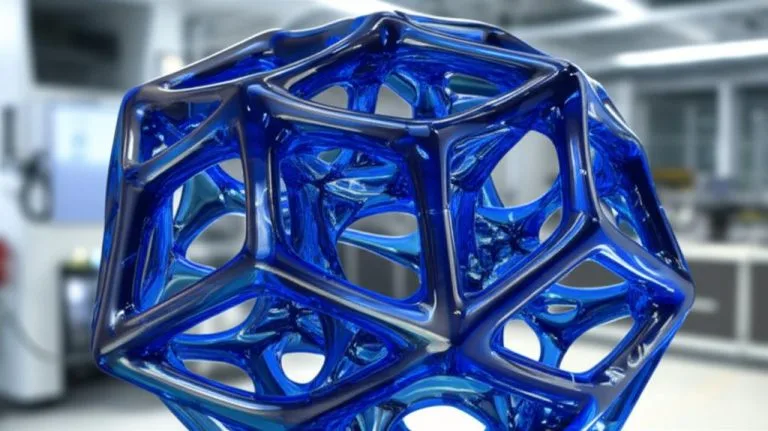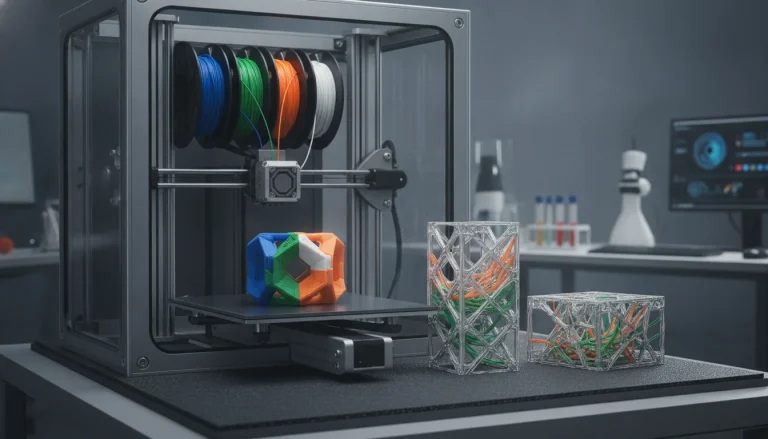
In the realm of advanced 3D printing, the choice of infill pattern plays a pivotal role in determining a print’s structural integrity, weight, and material consumption. For applications requiring lightweight yet robust structural components, two patterns frequently emerge as top contenders: honeycomb infill and cubic infill. Both offer distinct advantages and characteristics, making the selection a nuanced decision based on specific performance requirements and printing objectives. This article delves into an objective comparison of these two popular infill strategies, analyzing their inherent properties, typical use cases, and the critical factors that influence their effectiveness for creating high-performance, lightweight 3D prints.
Understanding honeycomb infill
The honeycomb infill pattern, a testament to nature’s engineering brilliance, utilizes a hexagonal grid structure. This design is globally recognized for its exceptional strength-to-weight ratio, a property extensively observed in natural structures like beehives and aerospace composites. In 3D printing, the interlocking hexagonal cells efficiently distribute forces across the entire structure, making components highly resistant to compressive forces, bending, and buckling. The geometry of the honeycomb infill allows for a balanced distribution of stress primarily along its cell walls, often leading to impressive rigidity with minimal material usage. This pattern is particularly effective when loads are predominantly axial or applied perpendicular to the plane of the hexagons.
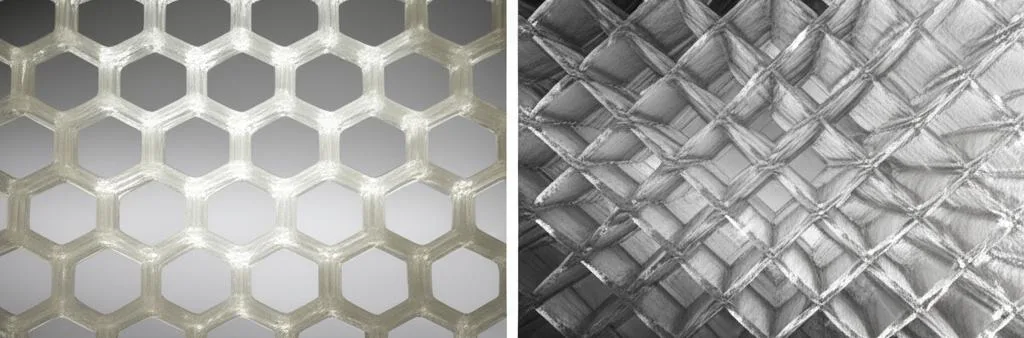
- Characteristics and geometry: Honeycomb infill consists of a series of interconnected hexagonal cells. These cells are typically generated layer by layer, with each layer forming a grid that supports the layers above. The walls of these hexagons are usually thin, maximizing internal volume while maintaining a robust framework. The repeating hexagonal unit is inherently stable and efficient in material distribution.
- Mechanical advantages: Its primary strength lies in its ability to resist compressive loads and bending moments. The cellular structure prevents localized buckling and effectively transfers stress across a broader area. This makes it an excellent choice for parts that need to be stiff and strong without adding excessive weight.
- Material efficiency: Due to its open, yet strong, structure, honeycomb infill can achieve significant strength with less filament compared to denser patterns. This translates directly into lighter 3D prints and reduced material costs, especially for larger components.
- Ideal applications: Components where weight reduction is paramount and the primary load direction is predictable, such as drone frames, aerospace components, lightweight jigs, and certain automotive parts. It excels in scenarios where forces are applied uniformly or axially, leveraging its anisotropic strength profile.
Exploring cubic infill
Cubic infill, in contrast, creates an internal structure composed of interlocking cubes or a stacking of square pyramids. This pattern is highly valued for its isotropic properties, meaning it provides consistent strength and rigidity in all three spatial directions (X, Y, and Z axes). Unlike patterns that might exhibit directional bias, cubic infill’s geometric regularity ensures that the component can withstand forces from multiple angles equally well. This makes it a highly versatile option for a wide array of structural applications where multi-directional stress, torsion, or unpredictable loading conditions are a concern, offering a more uniform mechanical response.
- Characteristics and geometry: The pattern forms a series of cubes or square pyramids that are stacked and interconnected throughout the print’s interior. Each layer builds upon the previous one, forming solid internal walls that crisscross and intersect, creating a dense, robust internal matrix. This volumetric filling ensures consistent support in all directions.
- Mechanical advantages: Cubic infill’s strength is its superior isotropic performance. It offers excellent resistance to shear forces, torsion, and complex multi-directional loads. This makes it highly reliable for parts that will experience dynamic or unpredictable stresses, providing a predictable and uniform mechanical response regardless of load orientation.
- Predictable performance: The uniform distribution of material and the consistent internal structure mean that parts printed with cubic infill tend to behave more predictably under various loading conditions, simplifying design and engineering analysis.
- Ideal applications: Parts subjected to complex, multi-directional stresses, such as functional prototypes, gears, jigs, fixtures, and end-use parts that need to perform reliably in various orientations or under dynamic loads. It is often chosen when the exact load path is unknown or highly variable.
Direct comparison: Honeycomb versus cubic infill
The consumer toolchanger 3D printer: the SnapSwap 4-toolhead system swaps heads in 5 seconds for true multi-color and multi-material printing, with smart calibration and auto filament loading.
- 4 toolheads · 5 s swap
- Up to 500 mm/s · 20,000 mm/s²
- 270 mm cube build volume
- Multi-color & multi-material

When evaluating honeycomb infill and cubic infill for lightweight structural components, several key factors come into play. Understanding these differences is crucial for making an informed decision tailored to specific project needs, balancing performance with efficiency.
Strength, rigidity, and directional properties
- Honeycomb infill: Excels significantly in compressive strength and resistance to bending, particularly when forces are aligned with the hexagonal cell structure. Its strength-to-weight ratio is often superior for axial loads. However, a key consideration is its anisotropic nature; its strength can vary significantly depending on the direction of the applied force. This means careful design and print orientation are required to leverage its strengths and mitigate potential weaknesses.
- Cubic infill: Offers exceptional isotropic strength, providing consistent resistance to forces from all directions (X, Y, and Z). This makes it inherently more reliable for parts experiencing complex, multi-directional, or unpredictable loads, as it maintains its rigidity and integrity uniformly. It tends to be more rigid overall in scenarios involving torsion or off-axis stresses.
Weight and material usage efficiency
- Honeycomb infill: Generally considered more material-efficient for achieving a specific level of axial strength, often leading to lighter prints. The open hexagonal structure requires less filament to fill the same volume compared to cubic infill, especially at lower infill densities, while still offering substantial support. This can be a significant advantage where weight reduction is a primary goal.
- Cubic infill: While also excellent for lightweight structural components, it typically uses slightly more material than honeycomb to achieve its superior isotropic strength. The denser, interconnected volumetric structure necessitates more filament. However, this increased material usage is a direct contributor to its multi-directional robustness and predictable performance, which can be a worthy trade-off depending on the application’s demands.
Print time and complexity of generation
- Honeycomb infill: Can sometimes result in faster print times at lower densities. The hexagonal pattern, while intricate, often involves less complex pathing per layer compared to the volumetric build-up of cubic infill, especially for large, open cells. Slicers can generate this pattern efficiently.
- Cubic infill: The generation of cubic infill involves more complex and often longer tool paths as it builds up its interconnected volumetric structure layer by layer. This can potentially lead to slightly longer print times, particularly at higher infill densities where more internal walls and intersections are being created. The extruder head travels more extensively within each layer.
Failure modes and structural integrity
- Honeycomb infill: When subjected to excessive stress, honeycomb structures typically fail by buckling of the cell walls or delamination between layers if adhesion is poor. Its anisotropic nature means failure can occur more readily if loads are applied in unsupported directions. However, its gradual failure under compression can sometimes offer a degree of energy absorption.
- Cubic infill: Due to its isotropic nature and robust internal connections, cubic infill tends to fail more uniformly. Failure might involve material yielding or fracture, but it’s less prone to directional buckling. Its dense internal matrix offers consistent resistance, making it more resilient to sudden, unpredictable loads.
Acoustic and thermal properties
- Honeycomb infill: The trapped air within the hexagonal cells can offer some insulation properties, both thermal and acoustic. This can be a minor benefit for certain enclosures or functional parts where these characteristics are desirable.
- Cubic infill: Similarly, the enclosed air pockets within cubic infill provide some insulation. However, due to its denser structure, it might conduct heat slightly more efficiently across the part than a less dense honeycomb, depending on the specific infill percentage.
Factors to consider when choosing between honeycomb and cubic infill
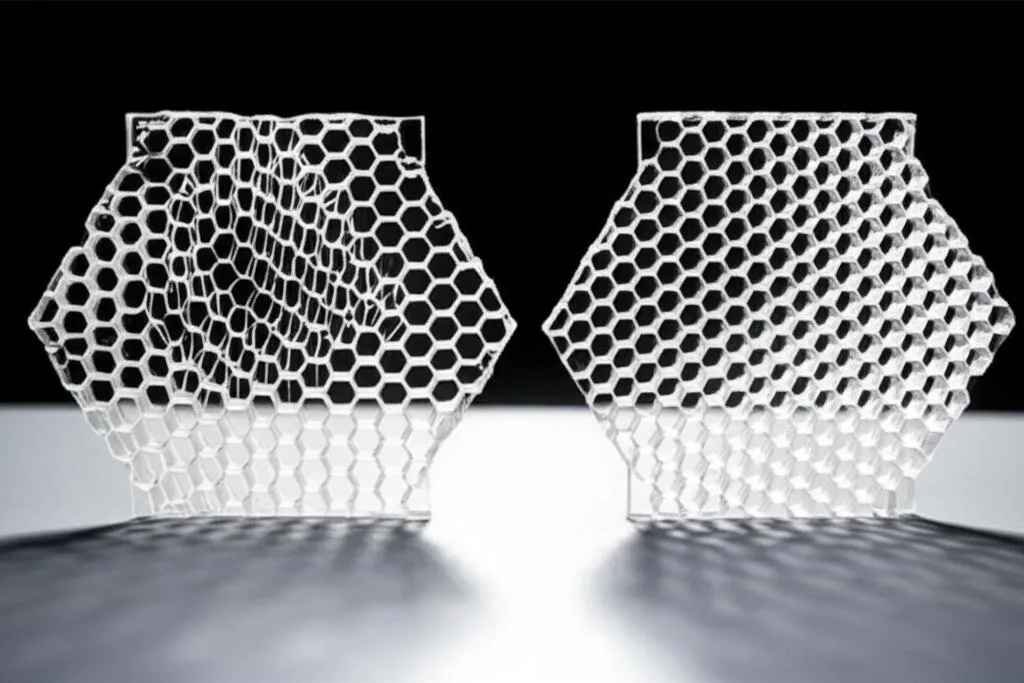
The optimal infill choice ultimately hinges on a thorough understanding of the component’s intended function, the specific load cases it will experience, and the environment in which it will operate. There is no one-size-fits-all answer, and a careful evaluation of trade-offs is essential.
- Primary load direction and stress profile:
- If the component will primarily experience forces along a single, predictable axis (e.g., direct compression, simple bending), honeycomb infill might be a more efficient choice due to its superior strength-to-weight ratio for axial loads.
- For parts subjected to complex, unpredictable, or multi-directional forces (e.g., twisting, shear, impact from various angles), cubic infill’s isotropic strength offers a significant advantage, ensuring consistent performance regardless of load orientation.
- Weight constraints and material cost:
- When absolute minimum weight is paramount and the load profile is well-defined and axial, honeycomb infill can often achieve the desired strength with less material, leading to lighter parts and reduced filament consumption.
- While cubic infill might use slightly more material for equivalent strength in its strongest direction, its uniform robustness can justify the extra material for critical structural components. Consider the overall cost-benefit of material savings versus performance reliability.
- Print duration and production scalability:
- For large-batch production or very large prints, even small differences in print time per part can accumulate significantly. Evaluate whether the slightly faster print times sometimes offered by honeycomb infill at lower densities outweigh the isotropic benefits of cubic.
- The complexity of infill generation by the slicer can also subtly affect print stability and success rates, though modern slicers handle both patterns very well.
- Post-processing requirements:
- Consider how the internal structure might affect any post-processing steps, such as sanding, drilling, or solvent smoothing. While primarily internal, the infill choice impacts the overall integrity and feel of the part during handling.
- Desired mechanical properties:
- If high energy absorption or a more gradual failure under compression is desired, the buckling characteristics of honeycomb might be beneficial.
- If uniform stiffness and predictable fracture behavior under complex loads are critical, cubic infill is generally preferred.
Conclusion
Both honeycomb infill and cubic infill represent advanced and highly effective strategies for creating lightweight structural components in 3D printing. Honeycomb infill offers exceptional strength-to-weight performance, particularly for unidirectional or axial loads, making it an ideal choice for applications where weight reduction is a primary driver and specific load paths are clearly defined. Cubic infill, conversely, provides unparalleled isotropic strength, ensuring consistent and predictable performance under complex, multi-directional stresses, making it a robust solution for versatile structural demands.
The decision between these two advanced infill patterns is not about one being inherently “better” than the other, but rather about a judicious alignment of the infill’s mechanical properties with the precise demands of the application. By carefully evaluating the anticipated load conditions, weight targets, material efficiency, and production considerations, engineers and designers can confidently select the infill pattern that best serves their project’s unique requirements, ultimately pushing the boundaries of what high-performance, lightweight 3D prints can achieve in various industries.
Frequently asked questions
Does honeycomb or cubic infill print faster at the same infill percentage?
Honeycomb infill can sometimes result in faster print times at lower densities because its hexagonal pattern often involves less complex tool pathing per layer compared to the volumetric build-up of cubic infill. However, the difference is typically small at moderate densities, and modern slicers handle both patterns efficiently.
Which infill pattern is safer for parts that might experience sudden impact or twisting forces?
Cubic infill is safer for unpredictable or multi-directional loads because its isotropic properties provide consistent strength and rigidity in all three axes, making it more resilient to torsion and off-axis stresses. Honeycomb infill can fail more readily if loads are applied in unsupported directions due to its anisotropic nature.
Can I use honeycomb infill for a part that will be drilled or tapped after printing?
Yes, but you should consider that honeycomb infill’s open hexagonal cells offer less internal material to hold threads compared to cubic infill’s denser matrix. For post-processing like drilling or tapping, cubic infill generally provides a more uniform internal structure that better supports these operations.