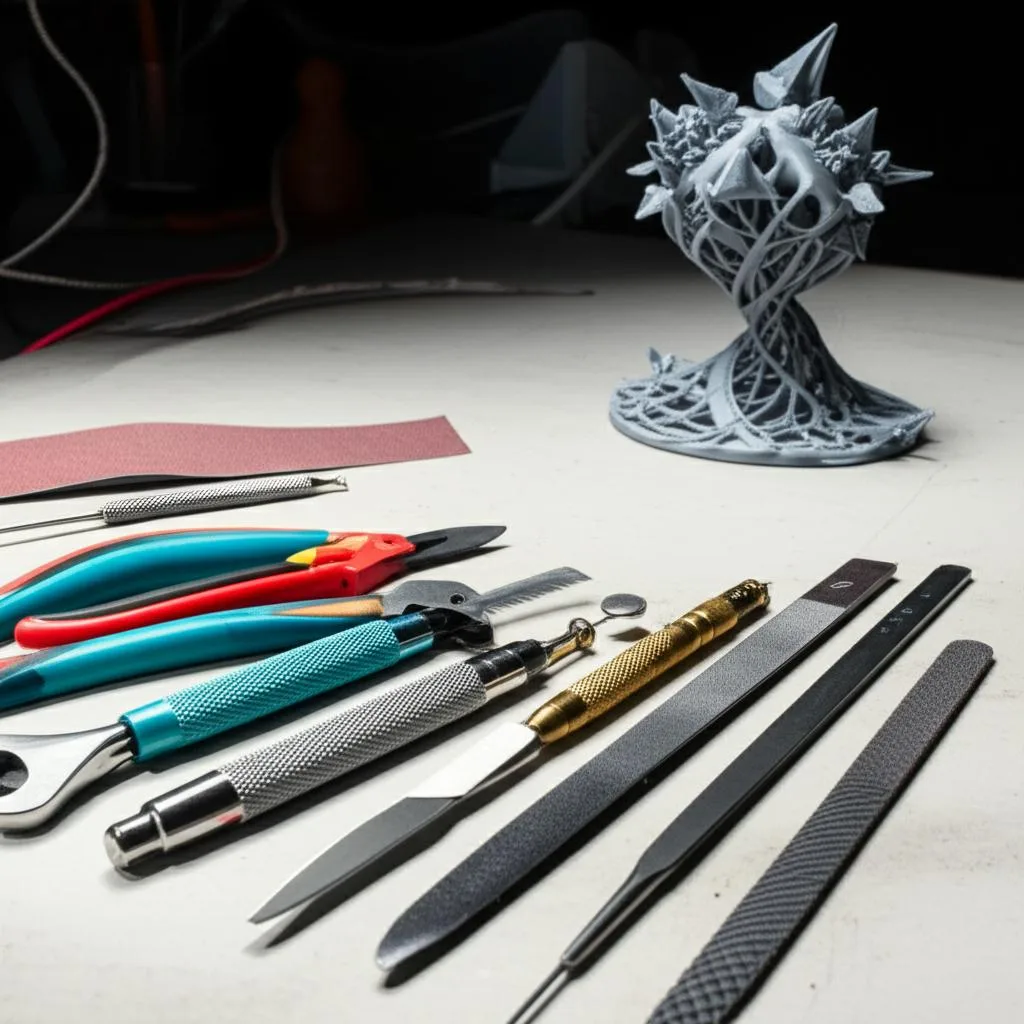
Bringing a 3D model from a digital concept to a tangible object is an incredibly rewarding process. However, the journey often doesn’t end when your 3D printer finishes its last layer. For many prints, particularly those with intricate details or requiring a smooth, professional finish, a crucial step known as post-processing is essential. This stage involves a series of tasks, from removing supports to sanding, deburring, and potentially painting or coating, all aimed at transforming a raw print into its final, desired state. The success of this transformation hinges significantly on having the right 3D print tools at your disposal.
Navigating the vast array of available 3D print tools can feel overwhelming, especially for those new to the world of additive manufacturing. This guide aims to demystify the options, providing an objective comparison of different tools and their associated cost structures and features. Our goal is not to dictate what you should buy, but rather to equip you with the knowledge to make informed decisions tailored to your specific needs, budget, and the types of prints you typically produce. By understanding the capabilities and trade-offs of various items within a comprehensive post-processing kit, you can assemble a collection of tools that will elevate your 3D printing results from good to exceptional.
Understanding the post-processing journey
Before diving into specific tools, it’s helpful to understand the typical sequence of post-processing steps. While not every print will require every step, most will go through at least some of these stages:
- Support Removal: The initial and often most critical step for prints that required support structures. These structures prevent overhangs from collapsing during printing but must be carefully removed without damaging the print itself.
- Cleaning: Removing any small remnants of support material, dust, or residual resin (for SLA/DLP prints).
- Deburring: Smoothing out sharp edges, burrs, or small imperfections left by support removal or the printing process.
- Sanding: Progressively smoothing the surface of the print, often using various grits of sandpaper, to eliminate layer lines and achieve a desired texture.
- Filling/Repairing: Addressing any small gaps, holes, or imperfections that sanding alone cannot fix, often using putties or specialized fillers.
- Finishing: Applying primers, paints, varnishes, or other coatings to achieve the final aesthetic and protective layer.
Each of these stages benefits from specific tools designed to optimize efficiency and quality. Let’s explore the essential categories of 3D print tools you might consider for your workshop.
Essential categories of 3D print tools
I. Support removal tools
Support removal is often the first and most delicate post-processing task. The right tools can make this process far less frustrating and significantly reduce the risk of damaging your print.
A. Basic manual tools for support removal
These are the workhorses of any post-processing kit, offering a cost-effective entry point with a hands-on approach. They require a steady hand and a degree of patience but provide excellent control.
- Hobby Knives/X-Acto Knives:
- Features: Extremely sharp, interchangeable blades (various shapes like straight, curved, chisel), precise cutting ability. Ideal for cutting away fine supports, trimming small imperfections, or separating parts.
- Cost Structure: Very affordable initial investment for a handle and a pack of blades (typically $5-$20 for a basic set). Replacement blades are also inexpensive, making it a low ongoing cost.
- Considerations: Blades dull quickly, especially on tougher filaments, requiring frequent replacement. Safety is paramount due to their extreme sharpness. Different blade shapes offer versatility for various tasks.
- Flush Cutters (Nippers):
- Features: Designed to cut wires or plastic flush with a surface, leaving minimal nubs. Excellent for snipping off larger support structures or rafts cleanly.
- Cost Structure: Entry-level cutters can be found for $5-$15. Higher quality, more durable options from reputable brands might range from $20-$50, offering better ergonomics and sharper, longer-lasting blades.
- Considerations: Look for comfortable grips and spring-loaded mechanisms for ease of use. The quality of the steel affects durability and how cleanly they cut. They are less suitable for very fine or intricate supports.
- Small Pliers (Needle-Nose/Bent-Nose):
- Features: Useful for gripping and twisting off stubborn supports, particularly in hard-to-reach areas. Can also be used to gently break away larger sections.
- Cost Structure: A basic set of small pliers is often included in general tool kits and can be purchased individually for $5-$25. Precision electronics pliers might be slightly more.
- Considerations: Ensure they have fine tips for precision. Avoid using excessive force, as pliers can easily mar or damage the print surface.
B. Specialized support removal tools
Once you move beyond basic manual methods, specialized tools offer enhanced precision and efficiency for specific support types or geometries.
- Deburring Tools:
- Features: Specifically designed to remove burrs and sharp edges left after cutting or machining. For 3D prints, they are invaluable for cleaning up the remnants of support material, particularly along edges and curved surfaces. They typically feature a swivel blade that follows contours.
- Cost Structure: A single deburring tool with a basic handle and a few blades can cost $15-$40. Kits with multiple blade types for different materials and geometries might range from $50-$100.
- Considerations: Different blade geometries (e.g., straight, hooked, countersink) are available for various tasks. The quality of the blade material (HSS, carbide) affects its longevity and effectiveness. These are excellent for thorough deburring after supports are removed.
- Precision Spatulas/Scrapers:
- Features: Thin, flexible, or rigid blades designed to slide under prints to remove them from build plates or to scrape away thin support layers.
- Cost Structure: Individual spatulas range from $5-$20. A set with various sizes and flexibility might be $20-$50.
- Considerations: Look for thin, durable metal blades that are flexible enough to get under prints without damaging the build surface but rigid enough to apply force. Plastic spatulas are also available for delicate surfaces.
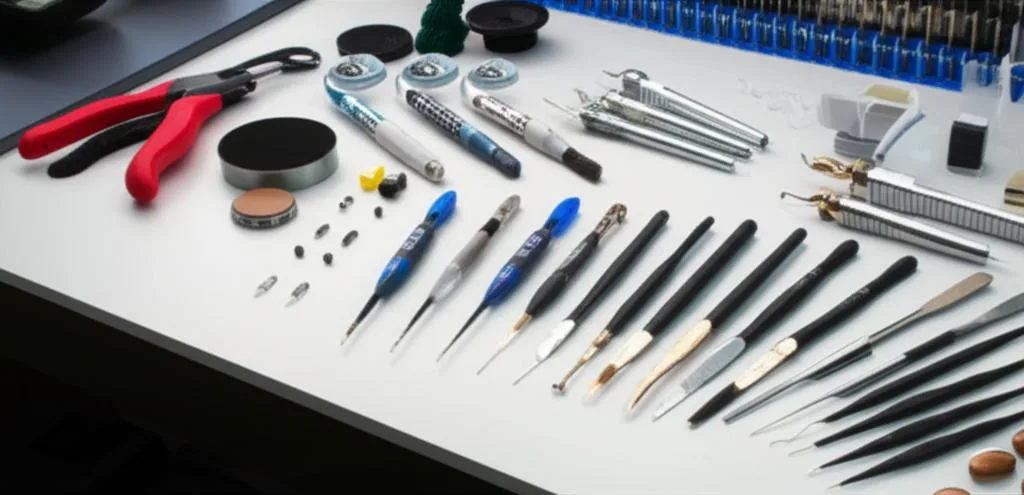
- Dental Picks/Sculpting Tools:
- Features: Fine-tipped metal tools with various angles and curves, originally for dental or sculpting work. Perfect for reaching into tiny crevices, scraping away small bits of plastic, or prying out intricate support remnants without damaging delicate features.
- Cost Structure: A set of dental picks or wax carving tools can range from $10-$40, offering a variety of shapes for different tasks.
- Considerations: Excellent for precision work. Be mindful of applying too much pressure, as the sharp tips can scratch or gouge the print.
C. Advanced or automated support removal solutions
For high-volume production, specialized materials, or complex geometries, more advanced solutions can significantly streamline the post-processing workflow, albeit with a higher initial investment.
- Water-Soluble Supports and Water Baths:
- Features: Using materials like PVA (for FDM) or specific resins (for SLA) that dissolve in water or a chemical solution. This eliminates manual support removal entirely, preserving fine details.
- Cost Structure: The primary cost is the soluble filament/resin, which is typically more expensive than standard materials. A heated ultrasonic cleaner or agitated wash station (for faster dissolution) can add $100-$500 to the setup.
- Considerations: Requires a dual-extruder printer for FDM or specific resin printers. PVA is hygroscopic and needs careful storage. The process is hands-off but takes time.
- Chemical Smoothing:
- Features: Using solvents (like acetone for ABS or specialized vapor smoothing solutions) to melt the outer layer of a print, effectively eliminating layer lines and creating a smooth, glossy finish.
- Cost Structure: Solvents are relatively inexpensive. A dedicated vapor smoothing station, offering controlled environments for consistent results and safety, can range from a few hundred to several thousand dollars.
- Considerations: Requires careful handling of chemicals, good ventilation, and understanding of material compatibility. Not all plastics react well to chemical smoothing.
- Dedicated Support Removal Machines (for SLA/DLP):
- Features: Automated wash and cure stations designed for resin prints. They use isopropyl alcohol (IPA) or other solvents to wash away uncured resin and then UV light to fully cure the print.
- Cost Structure: Entry-level wash and cure stations are often bundled with resin printers or cost $150-$500 individually. More advanced, larger-capacity units can be $500-$1500+.
- Considerations: Essential for resin printing workflows. Reduces manual handling of uncured resin, improving safety and consistency.
II. Cleanup and finishing tools
Once supports are gone, the focus shifts to refining the print’s surface, preparing it for its final application or aesthetic treatment.
A. Sanding and abrasives
Sanding is fundamental for removing layer lines, creating smooth surfaces, and preparing prints for painting. A variety of tools are available for this task.
- Sandpaper (Various Grits):
- Features: The most basic abrasive, available in a vast range of grits (from coarse ~80-120 for heavy material removal to ultra-fine ~2000+ for polishing). Can be used wet or dry.
- Cost Structure: Very inexpensive, a multi-grit pack can cost $5-$20. It’s a consumable, so ongoing costs depend on usage.
- Considerations: Essential for almost all post-processing. Start with lower grits to remove major imperfections and progressively move to higher grits for a smoother finish. Wet sanding (with water or mineral oil) can reduce dust and produce a finer finish.
- Sanding Sticks/Blocks:
- Features: Rigid or semi-rigid blocks with abrasive surfaces, or sticks with replaceable abrasive strips. Provide a flat, even surface for sanding, which is difficult to achieve with just fingers and sandpaper. Some are designed for intricate shapes.
- Cost Structure: Blocks can be purchased for $5-$20. Specialized sanding stick sets (like those for model making) might be $15-$40 for a variety of shapes and grits.
- Considerations: Great for maintaining flat surfaces and reaching into corners or small areas. Essential for achieving a truly smooth, even finish.
- Rotary Tools (e.g., Dremel) with Sanding Attachments:
- Features: Handheld power tools with high-speed rotating bits. Various attachments include sanding drums, grinding stones, polishing wheels, and wire brushes. Significantly speeds up material removal and can reach difficult areas.
- Cost Structure: A basic rotary tool kit can range from $30-$70. Higher-end models from reputable brands (like Dremel) can be $80-$200+, offering more power, variable speed control, and a wider range of accessories. Consumable sanding bands/discs are an ongoing cost.
- Considerations: Requires a light touch, as too much pressure or speed can melt plastic or remove too much material quickly. Excellent for rough sanding, shaping, and precise detail work with the right attachments.
B. Deburring tools
Beyond the deburring tools used for support removal, dedicated tools are crucial for refining edges and holes.
- Dedicated Deburring Tools (Handheld):
- Features: As mentioned previously, these tools with swivel blades are exceptionally effective for removing burrs from edges and holes, providing a clean, smooth transition.
- Cost Structure: A good quality tool with a few interchangeable blades costs $15-$40. Specialized sets for different materials or angles may increase the price.
- Considerations: Indispensable for creating a professional finish, especially on parts that will be handled frequently or require precise fitment. They excel where sandpaper might round off an edge too much.
- Files (Needle Files, Standard Files):
- Features: Metal files with various profiles (flat, round, half-round, square, triangular) and tooth patterns. Needle files are particularly useful for intricate work and small details.
- Cost Structure: A set of needle files can be purchased for $10-$30. Larger, standard files are also in a similar price range.
- Considerations: Excellent for shaping, removing larger burrs, and achieving flat surfaces or precise angles that sanding might struggle with. They offer more aggressive material removal than sandpaper but less than rotary tools.
C. Scraping and planing tools
For larger prints or stubborn imperfections, more robust scraping tools can be beneficial.
- Plastic Scrapers/Putty Knives:
- Features: Wider, often flexible tools used for removing large rafts, cleaning build plates, or applying fillers. Plastic versions are less likely to scratch print surfaces or build plates.
- Cost Structure: Very inexpensive, often $2-$10 each.
- Considerations: Useful for initial rough cleanup and applying compounds.
- Chisels (Small, Sharp):
- Features: For very specific tasks like removing deeply embedded supports or planing down large, uneven surfaces on robust prints. Requires careful handling.
- Cost Structure: Individual small chisels can be $10-$30.
- Considerations: Use with extreme caution. Not for general post-processing, but can be useful for heavy-duty material removal where precision is still required.
D. Adhesives and fillers
For repairing minor print defects, joining multi-part prints, or achieving a perfectly smooth surface before painting.
- Plastic Putty/Body Filler:
- Features: Used to fill gaps, layer lines, or small holes, creating a smooth surface that can then be sanded and painted.
- Cost Structure: Tubes or tubs range from $10-$30, depending on brand and volume.
- Considerations: Requires curing time and often multiple applications. Look for products specifically designed for plastics or model making for best adhesion and sandability.
- Cyanoacrylate (CA) Glue / Super Glue:
- Features: Fast-acting adhesive for joining parts or quickly filling very small cracks.
- Cost Structure: Small bottles are inexpensive ($3-$10).
- Considerations: Can be brittle. Accelerators can speed up curing. Use sparingly and with good ventilation.
- Epoxy Resin:
- Features: Stronger and more flexible than CA glue, ideal for structural joins or creating a durable coating.
- Cost Structure: Kits range from $15-$40, depending on volume and type.
- Considerations: Requires mixing and has a longer cure time. Offers superior strength and gap-filling capabilities.
III. Precision and detail tools
For those intricate models or when striving for absolute perfection, these tools provide the necessary control and magnification.
- Precision Knives and Scalpels:
- Features: Even finer than hobby knives, with extremely thin, sharp blades (often surgical grade). Essential for removing tiny filaments, cleaning out small holes, or detailing delicate features.
- Cost Structure: A handle and a pack of blades can be $10-$30. Blades are consumables.
- Considerations: Unparalleled precision. Exercise extreme caution due to sharpness.
- Tweezers and Forceps:
- Features: Fine-tipped tools for grasping and manipulating small parts, picking off tiny support remnants, or placing delicate components. Available in various tip shapes (straight, angled, curved).
- Cost Structure: A basic set can be $5-$20. High-quality, anti-static precision tweezers might be $20-$50.
- Considerations: Indispensable for handling small details without leaving fingerprints or causing damage.
- Magnification Tools (Magnifying Lamps/Visors):
- Features: Provide illuminated magnification, allowing you to see fine details and imperfections that are invisible to the naked eye. Essential for precise work and reducing eye strain.
- Cost Structure: Magnifying lamps range from $20-$100+. Magnifying visors (worn like glasses) are $15-$50.
- Considerations: A significant quality-of-life improvement for detailed work. Different magnification levels are available.
IV. Safety and workspace essentials
No discussion of 3D print tools would be complete without emphasizing safety and an organized workspace. These are not just accessories; they are fundamental to a productive and healthy post-processing environment.
A. Personal protective equipment (PPE)
Protecting yourself from dust, fumes, and sharp objects is crucial.
- Safety Glasses:
- Features: Protect your eyes from flying debris during support removal, sanding, or cutting.
- Cost Structure: Very inexpensive, often $5-$15.
- Considerations: Non-negotiable. Always wear them when working with tools.
- Gloves (Nitrile/Cut-Resistant):
- Features: Nitrile gloves protect hands from resins, solvents, and keep prints free of fingerprints. Cut-resistant gloves offer an extra layer of protection when using sharp blades.
- Cost Structure: Nitrile gloves are inexpensive (box of 100 for $10-$20). Cut-resistant gloves are $15-$30 a pair.
- Considerations: Essential for resin printing and highly recommended for general post-processing.
- Respirators/Masks:
- Features: Protect against fine dust particles generated during sanding or fumes from solvents/resins. Look for N95 or P100 masks with appropriate filters.
- Cost Structure: Disposable N95 masks are a few dollars each. Reusable respirators with replaceable cartridges are $30-$100+, plus ongoing filter costs.
- Considerations: Crucial for health, especially if working with resin, ABS, or doing extensive sanding in an enclosed space. Good ventilation is also key.
B. Workspace protection and cleanliness
Maintaining an organized and clean workspace enhances both safety and efficiency.
- Self-Healing Cutting Mat:
- Features: Protects your work surface from knife blades and provides a stable, non-slip area.
- Cost Structure: Depending on size, $10-$50.
- Considerations: Extends the life of your blades and protects your workbench.
- Dust Collection/Vacuum:
- Features: Essential for managing dust generated during sanding, which can be harmful to inhale and messy.
- Cost Structure: Small shop vacs are $50-$150. Dedicated dust extractors can be more.
- Considerations: A clean workspace is a safe workspace. Consider an air purifier for very fine dust.
C. Storage and organization
Keeping your post-processing kit organized saves time and prevents lost tools.
- Toolboxes/Organizers:
- Features: Compartmentalized storage for various tools, blades, and consumables.
- Cost Structure: From simple plastic organizers ($10-$30) to multi-drawer toolboxes ($50-$200+).
- Considerations:1 A well-organized kit means you spend less time searching and more time creating.
Cost structures and feature considerations for your post-processing kit
The cost of assembling your ideal 3D print tools kit can vary wildly, from a few dollars for basic essentials to hundreds or even thousands for a professional setup. Understanding the different tiers can help you allocate your budget effectively.
Budget-friendly entry-level kits
For beginners or those with occasional printing needs, a basic kit can get you started without breaking the bank.
- What to Expect: These kits typically include a hobby knife, a few spare blades, a basic flush cutter, a small set of sandpaper, and perhaps a plastic scraper. You might find these bundled as a generic “3D printer tool kit” online.
- Cost Structure: Often in the $20-$50 range. The tools are generally functional but may lack the durability, ergonomic design, or precision of higher-end options.
- Features: Basic functionality for primary support removal and light cleanup. Good for learning the ropes and understanding which tools you use most frequently.
- Limitations: Tools may dull quickly, handles might be less comfortable for extended use, and precision might be limited. You’ll likely need to upgrade or supplement these as your skills and printing volume increase.
- Decision Point: Ideal for hobbyists just starting out or those with a very limited budget who print infrequently. It allows you to gain experience before investing heavily.
Mid-range comprehensive kits
As your printing journey evolves, a mid-range kit offers a significant upgrade in quality, versatility, and efficiency.
- What to Expect: This tier often involves purchasing individual, higher-quality tools or specialized sets. It might include a good quality hobby knife with multiple blade types, durable flush cutters, a set of precision files, a deburring tool, a variety of sanding sticks/blocks, and perhaps some basic PPE like safety glasses and gloves.
- Cost Structure: Expect to spend $100-$300 building out a solid mid-range kit. This investment often translates to better tool materials, improved ergonomics, and greater longevity.
- Features: Enhanced precision, more comfortable to use for longer periods, and better durability. These tools are often capable of tackling a wider range of post-processing challenges and achieving a higher quality finish.
- Value Proposition: This is often the sweet spot for many serious hobbyists and small-scale producers. The balance between cost and performance is excellent, offering tools that will last and perform reliably for years.
- Decision Point: Suitable for users who print regularly, value quality and efficiency, and want to achieve consistently good results without committing to professional-grade expenses.
Professional or specialized setups
For those engaged in professional work, high-volume production, or working with highly specific materials, a professional setup prioritizes efficiency, precision, and specialized capabilities.
- What to Expect: This level includes top-tier manual tools, potentially a rotary tool with a wide array of attachments, a dedicated deburring tool set, high-quality sanding and polishing equipment, advanced PPE (like a good respirator), and possibly automated solutions like wash/cure stations for resin prints or even vapor smoothing equipment.
- Cost Structure: The investment can range from $500 to several thousand dollars, especially if including automated machines. This reflects the superior material quality, engineering, and specialized functionality.
- Features: Uncompromising precision, industrial-grade durability, and specialized functions designed for specific materials or high throughput. These tools are built for continuous use and consistent, high-quality output.
- Long-term Costs: While initial investment is high, the tools often have a longer lifespan and may require fewer consumables (due to durability) or offer greater efficiency, leading to cost savings over time in labor or material waste.
- Decision Point: Best for businesses, professional model makers, or advanced users who demand the highest quality and efficiency, and where time savings or specific finishes justify the significant investment.
Factors influencing cost and choice
When evaluating different 3D print tools and assembling your post-processing kit, several factors beyond the initial price tag come into play:
- Material Quality and Durability: Cheaper tools often use lower-grade steel or plastics that wear out quickly. Higher-quality tools, while more expensive upfront, can last significantly longer and maintain their sharpness or functionality, reducing replacement costs over time.
- Brand Reputation: Established brands often command a higher price but typically offer better quality control, customer support, and reliability. However, excellent value can sometimes be found from lesser-known brands.
- Ergonomics and Comfort: For tasks that involve repetitive motions or extended periods of work, ergonomically designed tools can reduce fatigue and improve precision. This is a significant factor for serious hobbyists and professionals.
- Included Accessories and Versatility: Some kits offer a wide array of interchangeable blades, bits, or attachments, increasing the versatility of a single tool. Consider if these accessories are genuinely useful for your needs.
- Manual vs. Powered Solutions: Manual tools are almost always cheaper initially but require more time and effort. Powered tools (like rotary tools or automated wash stations) offer speed and consistency but come with a higher price tag and potentially higher operating costs (electricity, consumables, maintenance).
- Consumables: Don’t forget the ongoing cost of replacement blades, sandpaper, polishing compounds, solvents, and other consumables. These can add up over time and should be factored into the overall cost of ownership.
Making your decision
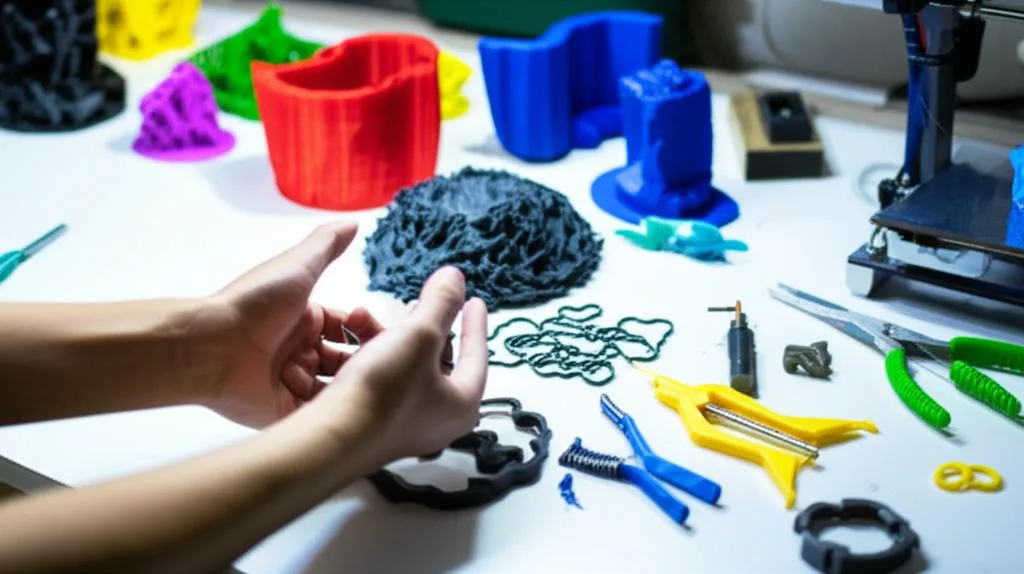
As you can see, the world of 3D print tools for post-processing is rich with options, catering to every budget and skill level. There isn’t a single “best” post-processing kit; rather, the ideal collection of tools is one that aligns perfectly with your specific requirements. To make an informed decision, consider the following:
- Your Printing Volume and Frequency: If you print occasionally, a budget-friendly manual kit might suffice. For daily printing, investing in more durable and efficient tools will save you time and frustration in the long run.
- Types of Materials You Use: Some materials (e.g., tough resins, carbon fiber composites) might require more robust tools than standard PLA or ABS. Water-soluble supports dictate a different approach than break-away supports.
- Desired Finish Quality: If you’re aiming for presentation-grade models or functional parts requiring tight tolerances, precision tools and extensive sanding/deburring capabilities will be paramount. For quick prototypes, basic cleanup might be enough.
- Your Budget: Be realistic about what you can afford, but also consider the long-term value. A slightly more expensive tool that lasts for years and performs consistently can be a better investment than a cheap alternative that needs frequent replacement.
- Your Skill Level and Time Commitment: Some tools require more practice to master. Automated solutions reduce the skill barrier but increase initial costs.
By objectively comparing the features and cost structures presented, you can carefully curate a post-processing kit that empowers you to achieve the best possible results from your 3D prints, transforming them from raw objects into polished, professional-grade creations. Take your time, research specific products, and build a toolkit that truly serves your unique journey in 3D printing.
Frequently asked questions
Can I use a rotary tool for removing supports instead of manual tools?
Yes, but it requires a light touch. Rotary tools with sanding drums or grinding bits can rapidly remove support remnants, but too much pressure or speed will melt the plastic or gouge the print surface. They are best used for rough material removal after the main supports have been snipped away with flush cutters, not for delicate initial support removal.
Do I need a dedicated deburring tool, or can I just use sandpaper to clean up edges?
A dedicated deburring tool is worth the investment if you frequently clean up edges and holes. Sandpaper tends to round off sharp corners unintentionally, whereas a deburring tool with a swivel blade removes the burr cleanly while preserving the original edge geometry. This is especially important for parts that must fit together precisely.
What is the most important safety item to buy first for post-processing?
Safety glasses are the non-negotiable first purchase, as they protect your eyes from flying plastic chips during support removal and from fine dust during sanding. For resin printing or heavy sanding of materials like ABS, a respirator with organic vapor cartridges (for fumes) or P100 filters (for dust) becomes equally critical. A self-healing cutting mat is also highly recommended to protect your work surface and extend blade life.