In the rapidly evolving world of additive manufacturing, the journey from a conceptual design to a physical 3D print often involves multiple software tools. Traditionally, this process has been fragmented, requiring designers to export their CAD models into intermediate file formats before importing them into a slicer. This multi-step approach, while functional, can introduce inefficiencies, potential data loss, and compatibility headaches. The growing trend towards CAD to slicer integration aims to smooth out these rough edges, promising a more streamlined and automated 3D printing workflow.
The imperative for seamless integration

The conventional 3D printing workflow typically involves designing a model in CAD software, exporting it (often as an STL or OBJ file), and then importing that file into a separate slicing application. While widely adopted, this method carries several inherent challenges:
- Data integrity issues: Exporting to mesh-based formats like STL can sometimes lead to faceted models, loss of design intent, or even non-manifold geometry, requiring time-consuming repairs in the slicer.
- Version control complexities: Iterative design changes in CAD necessitate repeated exports and imports, making it difficult to track modifications and ensure the latest version is always being sliced.
- Time consumption: Manual export and import steps, especially for complex assemblies or frequent design revisions, add significant overhead to the overall design-to-print cycle.
- Limited automation: The disconnected nature of the tools hinders true design to print automation, preventing a seamless flow of data and instructions.
Direct integration seeks to address these pain points by creating a more cohesive ecosystem where CAD and slicing software communicate more effectively, if not directly.
Approaches to CAD to slicer integration
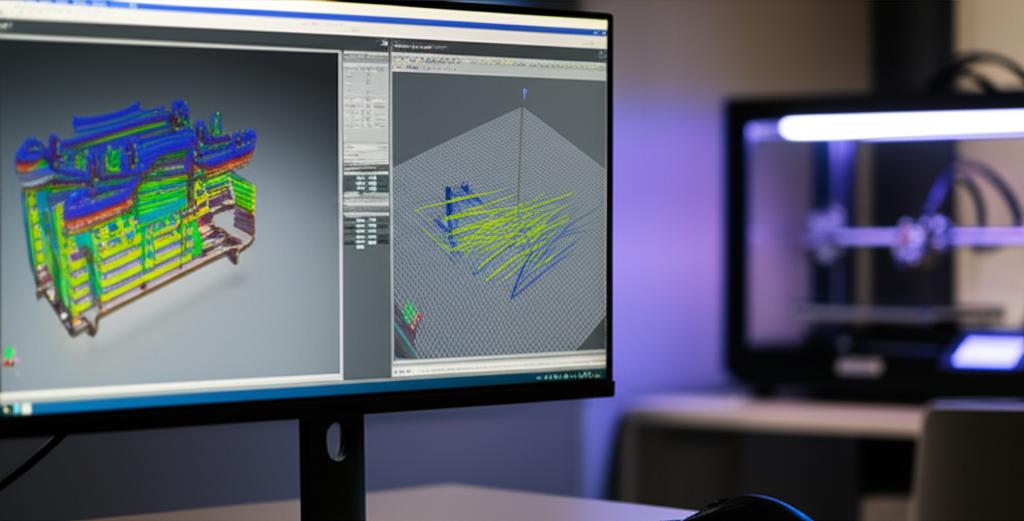
There are several ways in which software developers are tackling the challenge of CAD to slicer integration, each with its own advantages and considerations:
1. Direct export functionalities and plugins
Many modern CAD packages are beginning to include direct export options specifically tailored for 3D printing. This often takes the form of built-in features or dedicated plugins that allow users to send their models directly to a chosen slicer, or even perform basic slicing operations within the CAD environment itself. These integrations aim to preserve more design data, such as material properties or assembly relationships, than traditional mesh formats.
2. Advanced intermediate file formats
While STL has been the industry standard for decades, newer file formats like 3MF (3D Manufacturing Format) and AMF (Additive Manufacturing File Format) offer significant improvements. These formats are designed to carry more information than just geometry, including color, texture, material properties, and support structures. While not a direct software-to-software integration, adopting these richer formats vastly improves file compatibility and data transfer efficiency between disparate applications.
3. Cloud-based platforms and ecosystems
A growing number of cloud-based platforms are emerging that aim to unify the entire 3D printing workflow. These platforms can host CAD models, provide online slicing capabilities, manage print queues, and even connect directly to 3D printers. They act as a central hub, facilitating seamless transitions between design, preparation, and production stages, often leveraging APIs for integration with various CAD and slicer software.
Key features to evaluate in integrated solutions
When considering different integration solutions, several features stand out as crucial for optimizing the design to print automation process:
- Data integrity and fidelity: The ability to transfer models without losing critical design details, ensuring accurate representation in the sliced output.
- Bi-directional communication: Some advanced integrations allow for feedback loops, where slicing parameters or potential print issues can be communicated back to the CAD environment for design adjustments.
- Automation capabilities: Features such as automatic model repair, optimal orientation suggestions, and support generation directly from the CAD software can significantly speed up preparation.
- Material and printer profiles: The ability to apply specific material settings and printer parameters directly from the CAD environment or through an integrated plugin.
- User experience: An intuitive interface that minimizes the learning curve and makes the integrated workflow feel natural and efficient.
- Support for multiple technologies: Compatibility with various 3D printing technologies (FDM, SLA, SLS, etc.) and a range of popular slicers.
Understanding cost structures and feature sets
The cost implications of adopting integrated CAD to slicer integration solutions vary widely, often correlating with the depth of integration, feature richness, and the underlying software ecosystems. It's important for users to objectively assess their needs against the different models available.
1. Free and open-source solutions
Many open-source CAD software packages offer basic export functionalities, and open-source slicers like PrusaSlicer or Cura are free to use. While these provide a baseline for the 3D printing workflow, direct export or advanced integration features might be limited or require manual workarounds. The primary 'cost' here might be the time invested in learning and configuring various tools to work together, and reliance on community support rather than dedicated customer service.
2. Proprietary software with built-in integration
Leading commercial CAD software providers are increasingly integrating advanced slicing and preparation tools directly into their suites. These often come as part of a larger software license, typically offered through annual or perpetual subscriptions. The cost covers not only the CAD functionality but also the seamless transition to print preparation, often including advanced features like topology optimization, automatic support generation, and detailed print simulations. These solutions aim to provide a comprehensive, all-in-one environment, reducing the need for multiple external applications. The investment here reflects the breadth of features, dedicated support, and continuous development.
3. Third-party plugins and connectors
For users who prefer to stick with their existing CAD and slicer software, third-party plugins or connectors offer a bridge. These can range from free community-developed tools to commercial add-ons that come with a one-time purchase fee or a subscription model. These plugins specifically enhance file compatibility and facilitate direct export, often providing an improved interface for sending models from CAD to a specific slicer. The cost is typically lower than a full software suite but focuses on a specific integration need, requiring users to manage licenses for both the CAD software and the plugin.
4. Cloud-based platforms with tiered pricing
Cloud-based solutions often employ a tiered pricing model, with free tiers offering basic functionality and paid subscriptions unlocking advanced features, increased storage, or higher processing power for slicing and simulation. These platforms excel in facilitating design to print automation across various devices and teams. Costs can be usage-based or fixed monthly/annually, providing flexibility but requiring careful monitoring of usage for larger operations. The value proposition here includes accessibility, collaboration features, and often the latest software updates without manual installation.
5. Hidden costs and considerations
Beyond direct monetary costs, users should consider factors such as the learning curve associated with new integrated workflows, potential hardware upgrades required to run more demanding software, and the cost of training for teams. The long-term value often lies in the time saved, reduction in errors, and improved print success rates, which can indirectly lead to significant savings and increased productivity.
Making an informed decision
Choosing the right CAD to slicer integration strategy requires a careful evaluation of individual needs, existing software investments, and budget constraints. There is no universally 'better' or 'cheaper' option; rather, the optimal choice depends on the specific demands of a user's 3D printing workflow. By understanding the distinct features and cost structures of free, proprietary, plugin-based, and cloud-based solutions, users can make an informed decision that best supports their journey from design to print.