PETG (Polyethylene Terephthalate Glycol) has rapidly become a favorite among 3D printing enthusiasts and professionals alike, thanks to its impressive blend of strength, flexibility, and good temperature resistance. It offers a significant step up from PLA in terms of durability and functional application, often serving as a bridge between PLA and ABS. However, working with PETG can be a double-edged sword; while it boasts excellent mechanical properties, it also presents unique challenges, most notably stringing and adhesion issues. Mastering PETG settings is crucial for unlocking its full potential, ensuring strong PETG prints with robust layer adhesion and impeccable print quality.
Understanding PETG: A balancing act
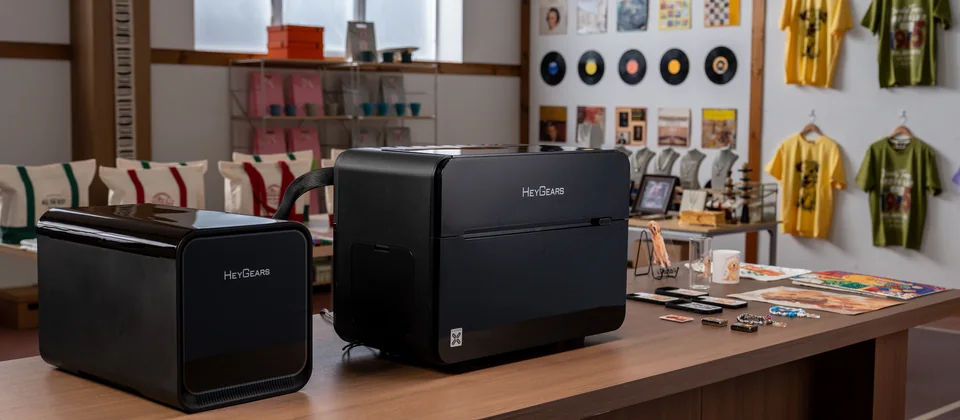
The world’s first desktop full-color 3D & UV printer. Back the Kickstarter campaign with a refundable $50 deposit for VIP pricing.
Before diving into specific PETG settings, it’s essential to understand what makes this filament tick. PETG is inherently hygroscopic, meaning it readily absorbs moisture from the air. This moisture can lead to a host of problems during printing, including bubbling, poor layer adhesion, and exacerbated stringing. Always store your PETG in a dry environment and consider drying it before use, especially if you’re experiencing persistent issues.
Extruder temperature: The core of melting
The extruder temperature is arguably the most critical setting for PETG. Too low, and you’ll face poor layer adhesion and potential clogging. Too high, and you’ll battle excessive stringing, oozing, and potentially brittle prints. PETG generally requires higher temperatures than PLA but slightly lower than ABS.
- Recommended range: 220°C to 250°C.
- For strength: Start around 235°C-245°C. Higher temperatures generally promote better layer fusion, leading to stronger prints. However, push it too high, and you’ll increase stringing and thermal degradation.
- For reduced stringing: If stringing is rampant, try lowering the temperature in 5°C increments. Be mindful not to go too low, as this will compromise layer adhesion.
- Temperature tower: A temperature tower is an excellent calibration print to find the optimal extruder temperature for your specific PETG brand and printer.
Bed temperature and adhesion: Sticking it right
Achieving good bed adhesion is vital for PETG to prevent warping and ensure the first layer sticks firmly. PETG adheres very well, sometimes too well, to certain surfaces, which can make removal difficult and even damage your print surface.
- Recommended range: 70°C to 90°C.
- For strong adhesion: A bed temperature of 80°C-85°C is a good starting point. This helps keep the print warm, reducing internal stresses that lead to warping.
- Print surface considerations:
- PEI sheets: Excellent for PETG. Often, a thin layer of glue stick or hairspray is recommended as a release agent to prevent PETG from bonding too strongly to the PEI.
- Glass: Also works well with a release agent like glue stick or painter’s tape.
- BuildTak/Magnetic sheets: Can work, but always test with a small print first to ensure easy removal without damage.
- First layer calibration: Ensure your Z-offset is perfectly tuned. A slightly higher Z-offset than for PLA can help prevent the first layer from squishing too much and bonding excessively to the bed.
Retraction settings: The stringing nemesis
Stringing is PETG’s most notorious characteristic. Properly tuned retraction settings are your primary weapon against it.
- Retraction distance: This determines how far the filament is pulled back into the nozzle.
- Retraction speed: How fast the filament is retracted.
- Wipe/Combing: Enable these features in your slicer. Wipe moves the nozzle slightly after extrusion stops, cleaning any remaining plastic. Combing keeps the nozzle within printed areas during travel, reducing travel moves over open air where stringing typically occurs.
- Minimum travel for retraction: Set this to a low value (e.g., 1mm) to ensure retraction happens even on short travel moves.
Cooling fan: A double-edged sword
Unlike PLA, PETG generally requires less cooling. Excessive cooling can lead to poor layer adhesion and a more brittle print because it prevents the layers from properly fusing together. However, some cooling is necessary for bridging and overhangs.
- Initial layers: Keep the cooling fan off for the first 1-3 layers to maximize bed adhesion and layer fusion.
- General printing: 0% to 50% fan speed is typically ideal. Start at 20-30% and adjust as needed.
- Overhangs and bridges: Increase fan speed (up to 70-100%) only for these specific features, then reduce it for solid infill and perimeters.
- Print quality: If you notice saggy overhangs, slightly increase cooling. If layers are delaminating, reduce it.
Print speed: Finding the sweet spot
Print speed impacts both print quality and layer adhesion. Printing too fast can lead to poor extrusion, reduced layer adhesion, and more pronounced stringing. Printing too slow can increase oozing time.
- Recommended range: 30mm/s to 60mm/s.
- For strong PETG prints: Slower speeds (30-45mm/s) often result in better layer adhesion and overall print quality, allowing the plastic more time to melt and bond.
- First layer speed: Significantly reduce the first layer speed (15-25mm/s) to ensure optimal bed adhesion.
- Travel speed: Increase travel speed (100-150mm/s) to minimize the time the nozzle spends moving between parts, reducing opportunities for stringing.
First layer calibration: The foundation of success
A perfect first layer is paramount for any print, especially with PETG. It directly impacts bed adhesion and the overall success of the print.
- Z-offset: As mentioned, a slightly higher Z-offset than for PLA is often beneficial. Aim for a slightly less squished first layer to prevent elephant’s foot and make removal easier.
- Bed leveling: Ensure your print bed is perfectly level. Auto-bed leveling (ABL) helps, but manual calibration is still important.
- Clean surface: A clean print surface is non-negotiable. Fingerprints and dust can ruin adhesion.
Flow and extrusion multiplier: Precision is key
Over-extrusion can lead to blobs, bumps, and increased stringing, while under-extrusion results in gaps and weak layers. Calibrating your flow rate is crucial for optimal print quality.
- Calibration cube: Print a single-wall cube without top/bottom layers and measure the wall thickness. Adjust your flow rate (or extrusion multiplier) until the measured thickness matches your nozzle diameter.
- Typical range: PETG often prints well with a flow rate between 95% and 100%. Some users find slightly under-extruding (95-98%) helps reduce stringing and surface artifacts.
Infill and perimeter settings: Building robust parts
These settings directly influence the strength and durability of your PETG prints.
- Perimeters/Wall count: Increasing the number of perimeters (e.g., 3-5 walls) significantly enhances the strength of your part, especially for functional components.
- Infill density: For strong PETG prints, an infill density of 20-40% is often sufficient, providing a good balance between strength and material usage. For parts requiring extreme strength, higher infill densities (e.g., 60%+) or specific infill patterns like cubic or gyroid are recommended.
- Infill pattern: Gyroid and Cubic are excellent choices for isotropic strength. Rectilinear is faster but less strong in all directions.
Troubleshooting common PETG issues
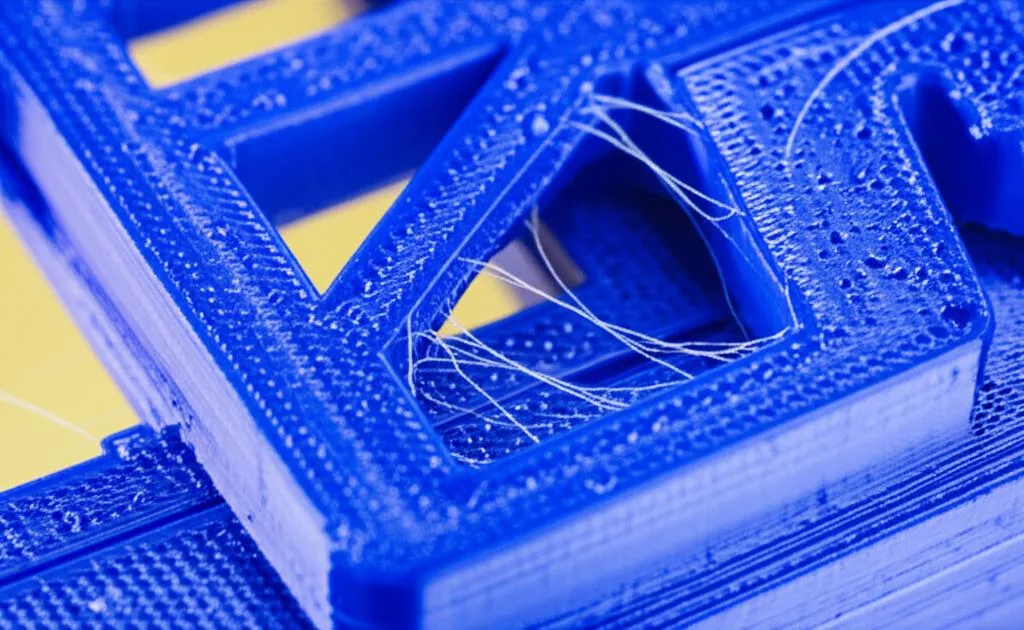
Even with optimized PETG settings, you might encounter specific challenges. Here’s a quick guide to common issues:
Persistent stringing
- Dry your filament: This is often the root cause.
- Retraction tune: Fine-tune retraction distance and speed.
- Lower temperature: Gradually reduce extruder temperature.
- Increase travel speed: Faster moves mean less time for oozing.
- Enable wipe/combing: Utilize these slicer features.
Poor layer adhesion
- Increase extruder temperature: Ensure proper melting and fusion.
- Reduce cooling: Turn off or significantly lower fan speed.
- Print slower: Allow more time for layers to bond.
- Check flow rate: Ensure you’re not under-extruding.
Warping and bed adhesion failures
- Increase bed temperature: Ensure the part stays warm.
- Clean print surface: Remove any contaminants.
- Use an adhesive/release agent: Glue stick or hairspray.
- Optimize Z-offset: Ensure a good first layer squish without over-adhesion.
- Enclosure: For very large prints, an enclosure can help maintain a stable ambient temperature, reducing warping.
Conclusion
Mastering PETG settings is an iterative process that requires patience and experimentation. By systematically adjusting extruder and bed temperatures, fine-tuning retraction, managing cooling, and optimizing print speeds, you can overcome PETG’s notorious challenges. The reward is a versatile material capable of producing strong PETG prints with excellent layer adhesion and superior print quality, perfect for a wide range of functional and durable applications. Remember to approach each setting adjustment methodically, testing the changes to truly unlock the full potential of this fantastic filament.
Frequently asked questions
Why is my PETG sticking too hard to the print bed and how do I remove it safely?
PETG can bond aggressively to surfaces like PEI and glass, sometimes pulling off chunks of the build surface. The article recommends using a release agent such as glue stick or hairspray on PEI sheets or glass to prevent over-adhesion. For removal, letting the bed cool completely often helps the print release naturally; if it is still stuck, flexing the bed or using a thin spatula at the edge can work, but avoid prying forcefully on a hot bed.
Should I use an enclosure for printing PETG?
An enclosure is not strictly required for PETG, but the article notes it can help for very large prints by maintaining a stable ambient temperature and reducing warping. Unlike ABS, PETG does not need a heated chamber, and an enclosure can actually trap too much heat if your cooling fan is set below 50%, potentially worsening stringing and oozing.
What is the fastest way to fix persistent PETG stringing without re-calibrating everything?
The article lists drying your filament as the first step, since PETG is hygroscopic and moisture directly causes stringing. If the filament is already dry, the fastest single adjustment is to lower your extruder temperature in 5°C increments from your current setting, as high temperatures exacerbate oozing. Also ensure travel speed is set to 100-150mm/s and that wipe or combing features are enabled in your slicer.