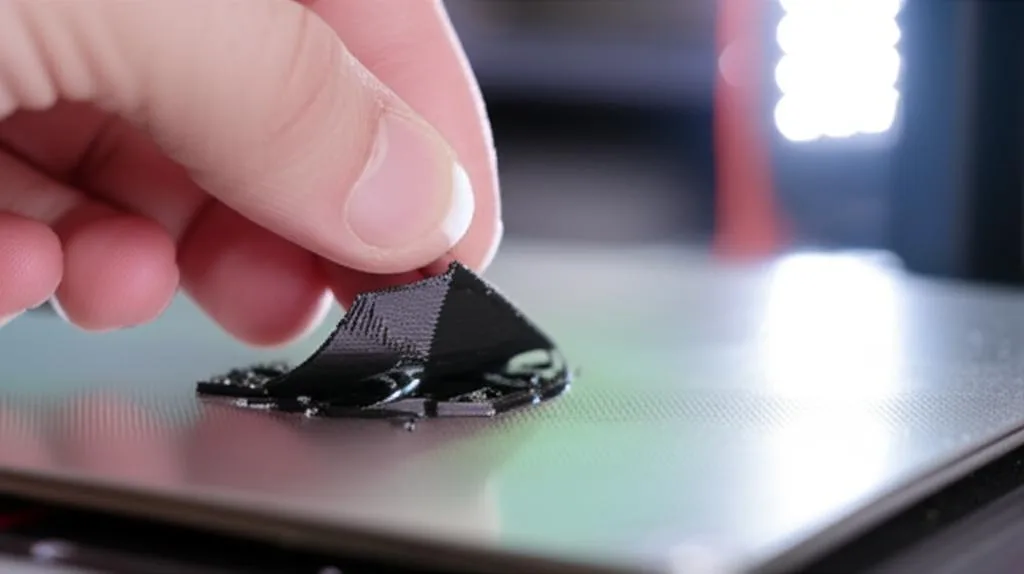
Few things are as frustrating in 3D printing as watching your meticulously prepared model fail to adhere to the build plate. The dreaded “spaghetti monster” or a print detaching mid-way can turn excitement into exasperation. Magnetic build plates, while offering unparalleled convenience with their flexible, removable surfaces, are not immune to these adhesion woes. In fact, their very nature introduces a unique set of considerations. This comprehensive guide delves deep into the common culprits behind print adhesion problems on magnetic build plates, offering expert troubleshooting steps to get your prints sticking reliably every time.
Understanding the magnetic build plate and the science of adhesion
The world’s first desktop full-color 3D & UV printer. Back the Kickstarter campaign with a refundable $50 deposit for VIP pricing.
A magnetic build plate system typically consists of two main components: a flexible steel sheet with a print surface (like PEI, textured PEI, or PC) and a magnetic base that adheres to your printer’s heated bed. This design allows for easy removal of prints by simply flexing the sheet, a significant upgrade from scraping prints off glass or taped beds. However, for a print to succeed, the first layer must bond effectively to this surface. This initial bond is governed by a delicate interplay of factors, including surface cleanliness, temperature, mechanical calibration, and even the properties of the filament itself. Achieving optimal adhesion is less about brute force and more about understanding these underlying principles and systematically addressing potential issues.
Why first layer adhesion is paramount
The first layer is the foundation of your entire 3D print. If it doesn’t adhere properly, subsequent layers will struggle to build upon it, leading to warping, shifting, or complete print failure. A strong first layer ensures dimensional accuracy, prevents corner lift, and provides the necessary stability for the rest of the object to form correctly. Ignoring first layer issues is akin to building a house on a shaky foundation – it’s destined to crumble.
Common culprits: troubleshooting print adhesion on your magnetic build plate
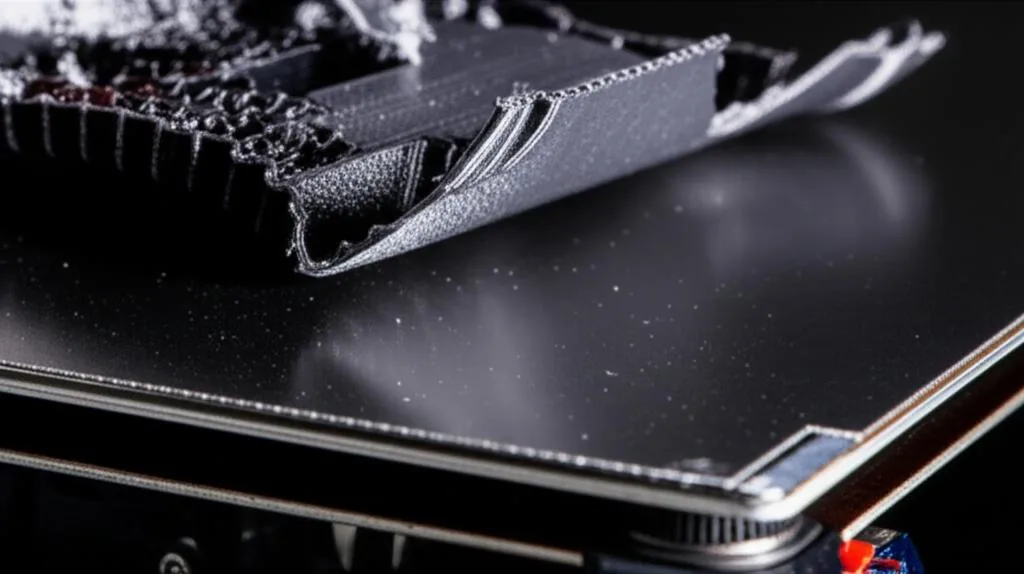
When prints refuse to stick, the problem is rarely singular. It’s often a combination of factors. Approaching troubleshooting systematically is key. Let’s break down the most common issues and their solutions.
1. The build surface itself: cleanliness and maintenance
This is arguably the most common and overlooked cause of print adhesion problems. Even the slightest residue can act as a barrier between your print and the build surface.
- Fingerprints and oils: Your skin naturally produces oils. Every time you touch the build plate, you transfer these oils, creating microscopic patches where plastic cannot bond.
- Dust and debris: Tiny particles can accumulate on the surface, preventing full contact.
- Residue from previous prints: Leftover plastic particles or adhesive aids (like glue stick) can degrade the surface’s natural adhesion properties over time.
Cleaning protocols for various magnetic surfaces
The best cleaning method often depends on the type of print surface your magnetic sheet features. Common types include smooth PEI, textured PEI, and PC.
- Isopropyl Alcohol (IPA): A go-to for many. IPA (70% to 99%) effectively removes oils and many plastic residues. For smooth PEI, wipe down with IPA between prints. For textured PEI, IPA is also effective, but ensure you clean thoroughly to get into the texture. For PC surfaces, IPA can sometimes be too aggressive for frequent use; check your manufacturer’s recommendations.
- Soap and water: For a deeper clean, especially when IPA isn’t cutting it or if there’s significant grease buildup, dish soap and warm water work wonders. Ensure the build plate is completely rinsed of soap residue and thoroughly dried before reattaching it to the magnetic base and heating. This method is particularly effective for textured PEI, as it helps dislodge particles from the peaks and valleys.
- Acetone (use with extreme caution): Acetone can revitalize a smooth PEI sheet by dissolving a microscopic layer, exposing fresh PEI. However, it can damage textured PEI and PC surfaces. Never use acetone on textured PEI or PC unless explicitly stated by the manufacturer, and always test on an inconspicuous area first. Use sparingly and only when other methods fail.
Pro Tip: Always clean your build plate when it’s cool. Cleaning a hot plate can cause rapid evaporation of cleaning agents, potentially leaving behind residue.
Wear and tear: when to consider replacement
Even with meticulous cleaning, build surfaces have a finite lifespan. Scratches, gouges, or areas where the surface material has worn down will inevitably lead to adhesion issues. If you consistently experience problems in the same spot despite thorough cleaning and calibration, it might be time for a new flexible print surface. Different surface types offer varying durability; for instance, smooth PEI can be quite resilient but is susceptible to scratching, while textured PEI can withstand more abuse but might lose its ‘grip’ over time in high-wear areas. Considering the relatively low cost of replacement sheets compared to failed prints, it’s often a worthwhile investment.
2. Bed leveling: the foundation of success
Incorrect bed leveling or Z-offset calibration is perhaps the second most common cause of first layer adhesion failure. The distance between the nozzle and the build plate must be precise.
- Nozzle too high: The filament is deposited in thin, stringy lines that don’t squish into the bed. It looks like it’s being “drawn” rather than “pressed.” The lines won’t connect, and the print will easily detach.
- Nozzle too low: The nozzle scrapes the build plate, potentially damaging it and the nozzle. The filament will be spread too thin, sometimes translucent, or even blocked from extruding entirely. This can also lead to “elephant’s foot” where the first layer squishes out excessively.
Achieving perfect first layer squish
The goal is to achieve a “perfect squish” where the filament is slightly flattened against the build plate, creating a good contact patch without being spread too thin or too thick.
- Manual Bed Leveling: For printers without ABL, the classic paper test is essential. Move the nozzle to several points (usually 4-5) across the bed and adjust the bed height until there’s slight resistance when pulling a piece of standard printer paper between the nozzle and the bed. Repeat this process several times until all points are consistently leveled.
- Automatic Bed Leveling (ABL): While ABL systems (like BLTouch, CRTouch, inductive probes) automate the measurement, they still require proper Z-offset calibration. The ABL probe measures the bed’s topology, but you still need to tell the printer the exact distance from the nozzle tip to the bed after the probe triggers. This is typically done through a “Z-offset” setting in your printer’s firmware.
- Live Z-adjustment: Many printers allow for live Z-offset adjustments during the first layer of a print. This is invaluable for fine-tuning. Start a print and carefully observe the first layer. Adjust the Z-offset in tiny increments (e.g., 0.02mm) until you see that ideal squish. The lines should be well-formed, adhere firmly, and show no gaps or excessive spreading.
3. Temperature settings: the thermal dance
Temperature plays a critical role in print adhesion. Both the build plate temperature and the nozzle temperature need to be optimized for your specific filament.
- Build plate temperature: The heated bed helps the plastic remain pliable and stick to the surface. Different filaments require different bed temperatures.
- PLA: Typically 50-65°C. Too hot, and it can become too soft, leading to “elephant’s foot” or difficult removal. Too cold, and it won’t stick.
- PETG: Usually 70-85°C. PETG is known for strong layer adhesion but can be tricky on the first layer. Ensure a good heat soak.
- ABS: Requires higher temperatures, often 90-110°C, and benefits greatly from an enclosure to prevent warping due to rapid cooling.
- Nozzle temperature: While primarily for melting the filament, a slightly higher nozzle temperature for the first layer (e.g., +5°C) can sometimes improve flow and adhesion, allowing the plastic to bond better before cooling.
- Heat soak time: Especially for larger beds or materials requiring higher temperatures, allow your build plate sufficient time to reach and stabilize its target temperature. The center might heat up faster than the edges, so a few extra minutes after reaching the target can ensure uniform temperature distribution.
- Ambient conditions: Drafts can rapidly cool your print, leading to warping and detachment, especially with materials like ABS and PETG. Consider an enclosure if you frequently print with these materials or live in a drafty environment.
4. Slicer settings: fine-tuning for adhesion
Your slicer software offers a wealth of settings that directly impact first layer adhesion. Don’t overlook these critical adjustments.
- First layer height and width: A slightly thicker first layer (e.g., 0.25mm or 0.3mm for a 0.4mm nozzle) can be more forgiving and provide better surface contact than a very thin layer. Some slicers allow for a wider first layer extrusion width, which can also improve adhesion.
- First layer speed: Printing the first layer slower gives the plastic more time to bond with the build plate. A common recommendation is to print the first layer at 10-25mm/s.
- Initial fan speed: For most filaments (especially PLA and ABS), it’s best to keep the cooling fan off for the first few layers (e.g., 3-5 layers). Rapid cooling on the first layer can cause warping and prevent proper adhesion. PETG can sometimes benefit from a very low fan speed (10-20%) on later layers, but usually, none for the first layer.
- Brims, skirts, and rafts: These adhesion aids are generated by your slicer:
- Skirt: A line printed around the object, but not touching it. Useful for priming the nozzle and checking flow, but offers no direct adhesion benefit.
- Brim: One or more single-layer lines printed directly around the base of your part, expanding its footprint. Excellent for preventing warping and improving adhesion for parts with small footprints or sharp corners.
- Raft: A multi-layer sacrificial base printed underneath your part. Useful for very difficult materials, extremely small parts, or when printing on a severely uneven bed (though fixing the bed is always preferable). Rafts consume more material and can leave a rougher surface finish on the bottom of your print.
- Flow rate/extrusion multiplier: A slightly increased flow rate (e.g., 105-110%) for the first layer can help ensure enough material is laid down for a strong bond, compensating for minor inconsistencies.
5. Filament issues: the material matters
The quality and condition of your filament can significantly impact adhesion.
- Moisture in filament: Hydroscopic filaments (like PETG, Nylon, ABS) absorb moisture from the air. Moist filament can cause popping sounds during extrusion, inconsistent flow, and poor layer adhesion, including the first layer. Drying your filament in a dedicated dryer or a food dehydrator can resolve this.
- Old or degraded filament: Over time, filament can degrade due to UV exposure or simply age, leading to brittle plastic and poor printing characteristics.
- Filament type suitability: Not all filaments adhere equally well to all magnetic build plate surfaces. For example, some textured PEI sheets excel with PLA and PETG but might struggle with very flexible filaments without additional adhesive. Smooth PEI is generally versatile. Always check manufacturer recommendations for your specific build plate and filament combination.
6. Mechanical issues: beyond the surface
While less common for adhesion problems specifically, underlying mechanical issues can exacerbate or mimic adhesion failures.
- Wobbly bed/gantry: If your print bed or the gantry (the assembly that moves the print head) has excessive play, it can lead to inconsistent nozzle-to-bed distance during printing, causing adhesion problems. Check for loose bolts, worn wheels, or bent components.
- Loose belts or rollers: While more typically associated with ghosting or layer shifting, loose motion components can sometimes cause slight inconsistencies in the print head’s path, indirectly affecting first layer squish.
- Z-axis binding: If your Z-axis lead screws or linear rails are binding, the print head might not move smoothly and precisely in the Z direction, leading to an inconsistent first layer height.
Advanced adhesion aids (and when to use them)
Sometimes, even after optimizing all the above, certain challenging prints or materials might still benefit from an extra boost. These aids are typically used on top of a clean, well-leveled magnetic build plate.
- Glue stick (PVA-based): A popular and versatile option. A thin, even layer of washable glue stick can significantly improve adhesion for PLA, ABS, and PETG. It also acts as a release agent for PETG, preventing it from bonding too strongly to PEI, which can damage the surface. Easy to clean with warm water.
- Hairspray: An affordable and effective option, particularly for ABS. A light, even mist of unscented, extra-hold hairspray provides a tacky surface. Be careful to spray away from the printer’s moving parts to avoid overspray. Cleans up with IPA or warm water.
- Specialized adhesion liquids/sprays (e.g., Magigoo, 3DLac): These products are formulated specifically for 3D printing and can offer superior adhesion for difficult materials or large prints. They often come with specific application and cleaning instructions. While generally more expensive per application than glue stick or hairspray, they can be highly effective and convenient.
- ABS slurry (ABS juice): Made by dissolving ABS filament in acetone, this creates a strong adhesive for ABS prints. However, it’s messy, involves solvents, and is generally only recommended for dedicated ABS printing setups. It can also bond extremely strongly, making print removal difficult.
When considering these aids, weigh their benefits against potential drawbacks like cleanup effort, cost, and the risk of damaging your build plate if used improperly. For instance, while hairspray is cheap, consistent overspray can gum up linear rails and lead screws over time, requiring additional maintenance. Glue sticks are generally safer and easier to manage for most users.
When all else fails: considering replacement
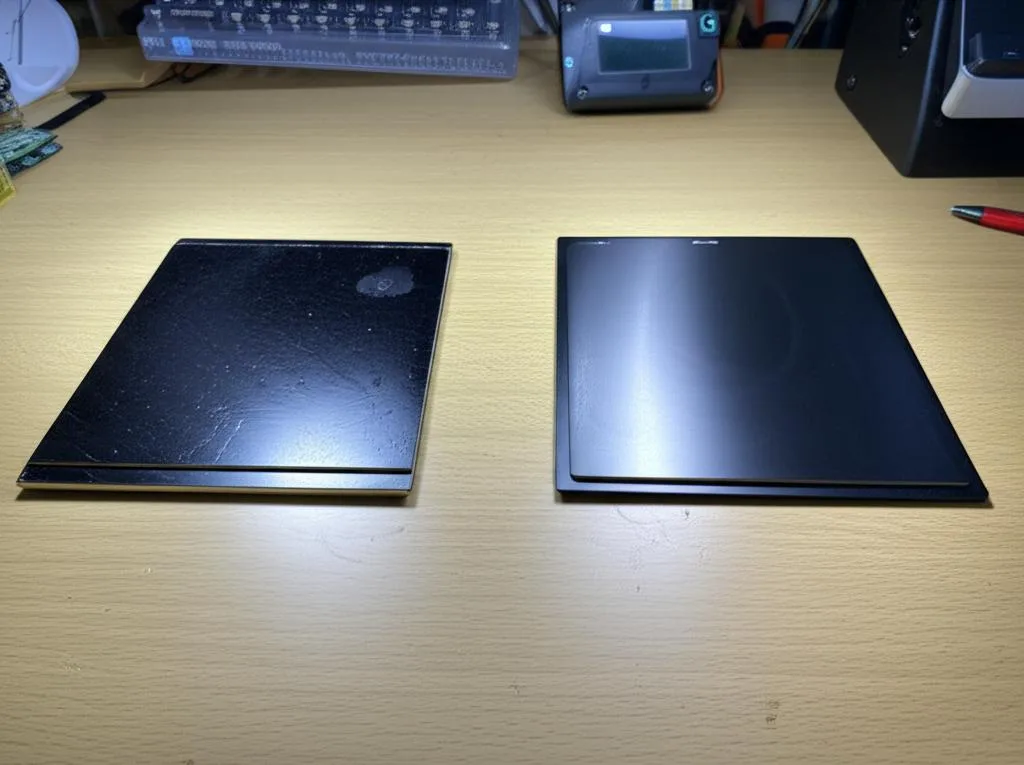
If you’ve systematically worked through all troubleshooting steps and still face persistent adhesion problems, your magnetic build plate surface might be at the end of its functional life. Signs of irreversible damage include:
- Deep scratches or gouges that cannot be filled by the first layer.
- Worn-out texture on textured PEI, resulting in a smooth, non-adhering patch.
- Permanent discoloration or degradation from aggressive cleaning agents or overheated plastic.
- Loss of magnetic strength in the base, causing the flexible sheet to lift during printing (less common, but possible).
When replacing, you have options. Smooth PEI offers excellent all-around adhesion for most common filaments and a smooth bottom surface finish. Textured PEI provides a unique matte finish and often better adhesion for PETG without needing a release agent. PC (polycarbonate) surfaces are known for good adhesion with ABS and other engineering filaments. Each type has its own characteristics, durability, and cost profile. Researching these options based on your primary printing materials and desired surface finish will help you make an informed decision for your next build surface.
Conclusion
Tackling print adhesion problems on a magnetic build plate can feel like a daunting task, but with a systematic approach, it’s entirely manageable. Remember that success in 3D printing often boils down to attention to detail and patience. Start with the basics: ensure your build plate is impeccably clean, your bed is perfectly leveled, and your temperatures are optimized for your filament. Then, move on to fine-tuning slicer settings and considering adhesion aids if necessary. By methodically checking each potential culprit, you’ll not only resolve your current adhesion issues but also gain a deeper understanding of your 3D printer, paving the way for consistent, high-quality prints.
Frequently asked questions
Can I use glue stick or hairspray on a textured PEI magnetic plate, or will it ruin the surface?
Yes, you can safely use a PVA-based glue stick or unscented extra-hold hairspray on textured PEI. In fact, glue stick is recommended as a release agent for PETG on smooth PEI to prevent bonding too strongly, and it works similarly on textured surfaces. Cleanup with warm water and soap is straightforward, and these aids do not damage the texture if applied in thin, even layers and cleaned between uses.
My printer has automatic bed leveling. Why do I still need to set a Z-offset?
Automatic bed leveling (ABL) measures the topology of your build plate, but it cannot know the exact distance from the nozzle tip to the bed surface at the trigger point. The Z-offset setting tells the printer that specific gap, so the nozzle stops at the correct height. Without a properly calibrated Z-offset, your first layer will still be too high (stringy) or too low (scraping), regardless of ABL.
How often should I replace the flexible steel sheet on my magnetic build plate?
There is no fixed schedule, but replace it when you see deep scratches, gouges, or worn-down texture in specific areas that cause consistent adhesion failures despite thorough cleaning and calibration. A worn sheet is a common cause of spot-specific adhesion issues. Replacement sheets are relatively inexpensive compared to multiple failed prints, making replacement a practical fix.