In the intricate world of Fused Deposition Modeling (FDM) 3D printing, achieving a flawless surface finish is often the holy grail for enthusiasts and professionals alike. Among the various factors influencing print aesthetics, the Z-seam stands out as a particularly stubborn challenge. This seemingly minor imperfection, a vertical line or series of dots tracing the start and end points of each layer’s perimeter, can significantly detract from an otherwise perfect print. Understanding and mastering Z-seam placement is crucial for anyone aiming to elevate their 3D print quality.
This guide delves into the nature of the Z-seam, exploring its origins and, more importantly, offering a comprehensive array of strategic approaches and slicer settings to effectively hide seams or minimize visible seams. We’ll compare different methodologies, providing the insights you need to make informed decisions and achieve superior print aesthetics.
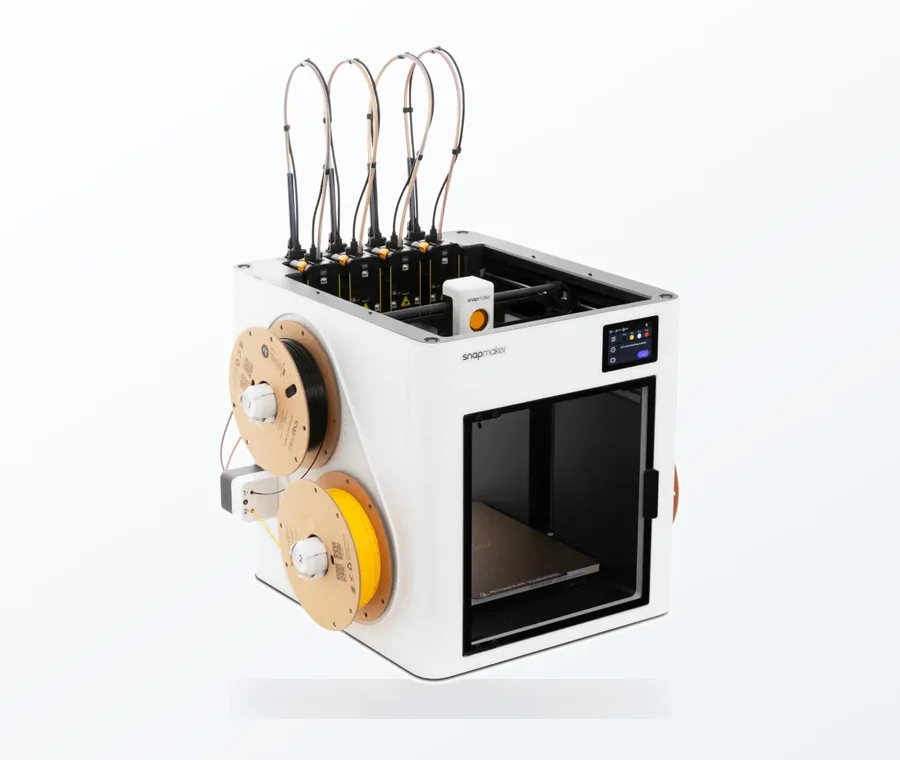
The consumer toolchanger 3D printer: the SnapSwap 4-toolhead system swaps heads in 5 seconds for true multi-color and multi-material printing, with smart calibration and auto filament loading.
- 4 toolheads · 5 s swap
- Up to 500 mm/s · 20,000 mm/s²
- 270 mm cube build volume
- Multi-color & multi-material
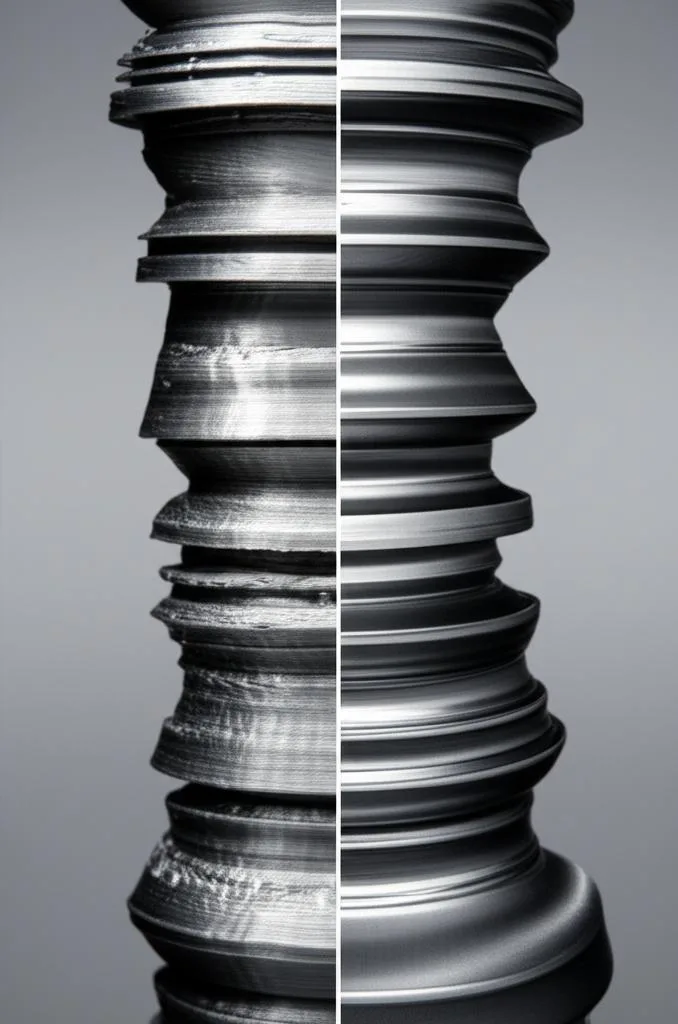
At its core, the Z-seam is a necessary byproduct of how FDM printers operate. As the print head lays down each layer, it must complete a full perimeter before moving upwards to the next. The Z-seam marks the exact point where the printer starts and stops extruding plastic for that specific perimeter. Even with perfectly calibrated machines, a slight bulge or divot can occur at this transition point due to factors like plastic pressure, retraction, and nozzle travel. This creates a vertical line that, while often subtle, becomes more pronounced on smooth, curved surfaces or when using transparent and glossy filaments.
While some printers and advanced firmware features attempt to mitigate the Z-seam through pressure advance or linear advance, eliminating it entirely is virtually impossible. The goal, therefore, shifts from eradication to strategic management: either making the seam so inconspicuous it’s barely noticeable or placing it in a location where it’s intentionally hidden from view.
General Principles for Minimizing Visible Seams

Before diving into specific slicer settings, it’s beneficial to grasp some overarching principles that contribute to better Z-seam management:
- Calibration is King: A well-calibrated printer with optimized retraction, flow, and temperature settings will inherently produce less prominent Z-seams, regardless of placement strategy.
- Material Matters: Some filaments, like silk or highly reflective ones, tend to accentuate the Z-seam, making careful placement even more critical. Matte or textured filaments can be more forgiving.
- Design for Manufacturability: Incorporating design features that naturally break up or conceal vertical lines can be a powerful preemptive strategy.
- Patience and Experimentation: There’s no one-size-fits-all solution. Each print, filament, and printer combination may require a unique approach.
Strategic Slicer Settings for Z-Seam Placement
Modern slicer software offers a robust suite of tools to control Z-seam placement. Each setting presents a different approach, with its own advantages and considerations depending on the geometry of your print and your desired outcome.
1. Random Seam Placement
How it works: Instead of aligning the seam in a single vertical line, this setting instructs the slicer to place the start/end point of each perimeter randomly across the print’s surface. This effectively breaks up the continuous vertical line into a series of scattered dots or blemishes.
- Advantages: On highly organic or complex geometries with no obvious corners or flat faces, random placement can make individual seam points less noticeable than a single, long line. It avoids creating a visually distracting seam on a smooth, uninterrupted surface.
- Considerations: While it eliminates the prominent vertical line, it replaces it with numerous small imperfections scattered across the print. For parts requiring pristine surface quality or for simpler geometries, this can lead to a ‘poxed’ appearance that is often less desirable than a well-hidden single seam. It doesn’t truly “hide” the seam but rather disperses it.
- Best for: Organic shapes, highly detailed models where a continuous seam would be more jarring, or prints where surface texture is already varied.
2. Aligned Seam Placement (User-Defined/Sharpest Corner)
This category encompasses strategies that aim to place the seam in a deliberate, consistent location.
Aligned (Specific Point/Location)
How it works: Many slicers allow you to specify a fixed X/Y coordinate or a quadrant (e.g., “rear”) where the seam should be placed for every layer. This creates a single, continuous vertical seam.
- Advantages: Gives the user direct control over where the seam appears. It’s excellent for prints where one side will always be less visible (e.g., the back of a figurine, the bottom of an enclosure). It allows for intentional concealment.
- Considerations: Requires careful consideration of the print’s orientation on the build plate. If the chosen side becomes visible, the seam can be very prominent.
- Best for: Functional parts, prototypes, or aesthetic prints where a specific orientation can consistently hide the seam.
Sharpest Corner Seam Placement
How it works: This intelligent setting directs the slicer to place the Z-seam at the sharpest convex corner of each layer’s perimeter. The logic here is that the abrupt change in direction at a sharp corner naturally camouflages the start/end point of the extrusion.
- Advantages: Often highly effective at hiding seams on geometric objects with distinct corners (e.g., cubes, boxes, architectural models). The visual interruption of the corner helps to blend the seam into the geometry. It’s an automated way to achieve a well-hidden seam without manual intervention.
- Considerations: Less effective on organic or rounded shapes that lack sharp corners. On such geometries, the slicer might choose an arbitrary point, potentially leading to a visible seam.
- Best for: Geometric models, parts with distinct edges, and objects where a clean, sharp aesthetic is desired.
Rear Seam Placement
How it works: A common default or option, this setting simply places the seam at the back of the print relative to the build plate’s orientation. It’s a simplified version of aligned placement.
- Advantages: Easy to use and often effective for prints that have a clear ‘front’ and ‘back’ or are designed to be viewed from one primary angle.
- Considerations: If the ‘rear’ of the print becomes visible or if the print is rotated, the seam will be exposed.
- Best for: Similar to aligned placement, suitable for objects with a defined viewing angle.
3. User-Defined/Manual Seam Placement (Seam Painting)
How it works: Advanced slicers like PrusaSlicer and Orca Slicer offer a “seam painting” tool. This allows the user to manually paint directly onto the 3D model in the slicer, precisely dictating where the Z-seam should be placed on specific sections of the print. This offers unparalleled control.
- Advantages: The ultimate in control. You can strategically place seams in highly inconspicuous areas, within internal features, or along specific edges that are naturally less visible. This is particularly powerful for complex models where automated settings might struggle.
- Considerations: Time-consuming for very large or intricate prints, as it requires manual input for each section. It demands a good understanding of the print’s geometry and how it will be viewed.
- Best for: High-detail aesthetic prints, complex models with varying geometries, and situations where perfection is paramount.
4. Outer Wall Wipe Distance
How it works: This setting instructs the nozzle to continue moving for a very small distance after completing the outer perimeter, effectively “wiping” any excess plastic back into the print before lifting or retracting. This helps to reduce the small blob that can form at the seam.
- Advantages: Can significantly reduce the visible bump or divot at the seam point, leading to a smoother transition.
- Considerations: Too much wipe distance can create gaps or under-extrusion at the start of the next perimeter, potentially making the seam worse or creating new defects. Requires careful tuning.
- Best for: Fine-tuning seam quality after placement strategy has been chosen.
5. Retraction Settings
How it works: Optimized retraction settings (distance and speed) are critical for preventing stringing and blobs, which can exacerbate the Z-seam. Proper retraction pulls molten filament back into the nozzle just before a travel move, relieving pressure.
- Advantages: Reduces material ooze at the seam point, resulting in a cleaner start and stop.
- Considerations: Incorrect retraction can lead to under-extrusion at the start of new lines, creating gaps or weak points. Too much retraction can cause clogs or heat creep.
- Best for: Fundamental print quality, indirectly improving Z-seam appearance.
6. Coasting
How it works: Similar to wipe, coasting stops extrusion slightly before the end of a perimeter, allowing the remaining pressure in the nozzle to push out the last bit of plastic. This aims to prevent over-extrusion at the seam by using up residual pressure.
- Advantages: Can effectively eliminate blobs and over-extrusion at the seam, leading to a cleaner finish.
- Considerations: If the coasting distance is too long, it can lead to under-extrusion or gaps at the seam. Requires careful calibration for each filament.
- Best for: Preventing over-extrusion related seam issues, especially with flexible or high-flow materials.
7. Temperature and Flow Calibration
How it works: Printing at the optimal temperature for your filament ensures consistent melt flow, while accurate flow calibration (extrusion multiplier) prevents over or under-extrusion. These fundamental settings directly impact how cleanly the printer can start and stop perimeters.
- Advantages: Reduces general surface defects, including those that contribute to Z-seam visibility. Prevents blobs (over-extrusion) or gaps (under-extrusion) at the seam.
- Considerations: Requires thorough calibration for each new filament. Sub-optimal settings will make any seam placement strategy less effective.
- Best for: Foundational print quality, essential for any effective Z-seam strategy.
8. Layer Height Impact
How it works: While not a direct seam placement setting, layer height can influence the visual prominence of the Z-seam. Thicker layers (larger layer height) tend to have more noticeable seams because each start/stop point is larger. Finer layers (smaller layer height) can make the individual seam points less pronounced.
- Advantages: Finer layer heights can naturally diminish the visual impact of the seam.
- Considerations: Finer layers increase print time significantly. The benefit might not outweigh the increased print duration for all models.
- Best for: High-detail aesthetic prints where print time is less of a concern than surface finish.
Design Considerations for Z-Seam Management

Beyond slicer settings, thoughtful model design can proactively address Z-seam visibility:
- Incorporate Features: Design elements like sharp edges, grooves, text, or decorative patterns can serve as natural hiding spots for the Z-seam.
- Break Up Surfaces: Avoid large, perfectly smooth, flat, or curved surfaces if possible, as these tend to highlight any imperfections, including seams.
- Concealed Areas: If a part has an obvious ‘back’ or ‘bottom’ surface that won’t be seen, design the model to allow for seam placement in these areas.
- Multi-Part Assemblies: For complex objects, consider breaking them into multiple parts that can be printed with seams facing inward or in less visible locations, then assembled.
Choosing the Right Strategy: A Comparative Approach
The optimal strategy for Z-seam placement isn’t universal; it depends heavily on the specific print, its geometry, and its intended use. Here’s a comparative overview to help guide your decision-making:
- For Highly Geometric Parts (e.g., boxes, enclosures, architectural models):
- Sharpest Corner: Often the most effective automated solution. The seam naturally blends into the geometry.
- Aligned (User-Defined): If you have a specific, less visible corner or edge, manual alignment can provide precise control.
- Seam Painting: For complex geometric models with varying features, painting allows you to distribute seams across multiple corners or internal features, optimizing concealment.
- For Organic/Curved Shapes (e.g., figurines, sculptures, smooth vessels):
- Random: Can be a viable option to break up a single prominent seam into less noticeable dots, especially if the surface is already textured or busy.
- Aligned (User-Defined/Rear): If the object has a clear ‘back’ or underside, aligning the seam there is often the best approach.
- Seam Painting: Crucial for high-aesthetic organic prints. Allows you to place seams along natural contours, under arms, or in areas of high detail that naturally obscure the seam. This is often the superior method for truly hiding seams on such models.
- For Functional Parts Where Aesthetics Are Secondary:
- Aligned (User-Defined/Rear): Simplest and most efficient way to ensure the seam is out of the primary line of sight.
- Sharpest Corner: If the part has suitable geometry, this is an easy set-and-forget option.
- For Transparent or Glossy Filaments:
- These materials highlight imperfections. Prioritize Seam Painting for precise, intentional concealment.
- Combine with meticulous calibration of Wipe, Coasting, Retraction, Temperature, and Flow to minimize any physical manifestation of the seam.
- Consider finer layer heights to reduce the overall size of the seam point.
Remember that fine-tuning settings like outer wall wipe distance, retraction, and coasting should always accompany your chosen placement strategy. These settings act as modifiers, enhancing the effectiveness of your primary seam hiding method.
Conclusion
The Z-seam, while an inherent characteristic of FDM 3D printing, is far from an insurmountable obstacle to achieving high-quality prints. By understanding the mechanisms behind its formation and strategically employing the diverse range of tools available in modern slicers, you can significantly hide seams and minimize visible seams on your prints. Whether you opt for the automated efficiency of sharpest corner placement, the dispersed effect of random seams, or the surgical precision of seam painting, each approach offers a pathway to improved 3D print quality and superior print aesthetics. The key lies in thoughtful consideration of your model’s geometry and a willingness to experiment and calibrate, transforming a potential flaw into a testament to your mastery of the craft.
Frequently asked questions
Does seam painting work on any slicer, or is it limited to specific software?
Seam painting is a feature found in advanced slicers like PrusaSlicer and Orca Slicer, as covered in the article. It is not available in all slicers, so you will need to check if your software supports it before relying on that method for manual seam placement.
If I use random seam placement on a smooth, curved vase, will it look better or worse than a single aligned seam?
Random placement breaks the continuous vertical line into scattered dots, which can be less distracting on organic shapes with varied surface detail. However, on a smooth, curved vase, random placement often creates a “poxed” appearance that many find worse than a single, well-hidden aligned seam placed at the rear or bottom.
Can I combine the outer wall wipe distance setting with the sharpest corner placement, or are they conflicting strategies?
They are complementary, not conflicting. Sharpest corner placement chooses the seam location, while outer wall wipe distance fine-tunes the seam’s physical appearance by reducing the blob at that point. The article recommends using wipe, coasting, and retraction settings alongside your chosen placement strategy to enhance the final result.