One of the most persistent frustrations in the world of 3D printing often isn’t the printing itself, but the tedious and sometimes destructive act of support removal. While supports are indispensable for creating complex geometries and bridging significant overhangs, they frequently leave behind unsightly scars, require extensive post-processing, and can even damage the printed part. The quest for clean prints, minimal effort, and pristine surface finishes is a universal one, driving innovations in slicer software and printing strategies. This guide delves into two of the most impactful advancements in this area: tree supports and meticulously configured support interface settings. By understanding and mastering these techniques, you can transform a dreaded chore into a streamlined step, paving the way for truly hassle-free support removal and superior print quality.
When considering 3D printing supports, it’s easy to focus solely on the material they consume. However, the true “cost” of supports extends far beyond a few grams of filament. An objective analysis reveals several critical factors that contribute to the overall expenditure, both tangible and intangible, associated with support structures. Understanding these elements is crucial for making informed decisions about your printing strategy and for appreciating the value of optimized support solutions.
Material expenditure and print time
- Material Usage: Traditional support structures, such as rectilinear or grid patterns, often fill substantial volumes beneath overhangs. This directly translates to more filament consumed, which, over many prints, can accumulate into a significant material cost.
- Print Time Impact: Generating and printing dense support structures adds considerable time to the overall print job. More material to extrude, more travel moves for the print head, and often slower print speeds for supported layers all contribute to extended print durations. This increased print time can delay project completion and tie up your printer, effectively reducing its throughput.
Post-processing labor and tools
- Labor Intensive: The most significant hidden cost often lies in the post-processing phase. Removing traditional supports can be a painstaking process, requiring significant manual labor. This includes carefully prying, snapping, cutting, and sanding away support remnants. For intricate models, this can consume hours, adding a substantial labor cost to each part.
- Tooling Requirements: Effective support removal often necessitates a specific toolkit, including pliers, flush cutters, deburring tools, scalpels, and various grades of sandpaper or files. Investing in and maintaining these tools, along with the time spent using them, contributes to the overall operational cost.
- Risk of Damage: Aggressive or improper support removal techniques can easily mar the surface of your print, leading to gouges, scratches, or even broken features. Such damage can render a print unusable, necessitating a costly reprint and further material waste.
Surface finish and aesthetic impact
- Surface Scarring: Even with careful removal, traditional supports frequently leave behind a rough texture or small blemishes on the supported surfaces. This “scarring” compromises the aesthetic quality of the print, especially for models where visual appeal is paramount. Achieving a truly smooth finish on supported areas often requires extensive sanding and finishing work, adding more labor and material costs (e.g., fillers, paints).
- Reduced Value: For professional applications or parts intended for sale, a poor surface finish due to support marks can significantly reduce the perceived value and quality of the final product.
By objectively comparing the features and outcomes of different support strategies, particularly traditional versus tree supports, we can see how optimizing support settings can lead to substantial savings in material, time, and post-processing effort, ultimately contributing to more efficient and higher-quality 3D printing workflows.
A primer on 3D printing support structures
Before diving deep into the intricacies of tree supports and interface settings, it’s beneficial to understand the landscape of 3D printing support structures. Supports are essentially temporary scaffolds that prevent overhanging or unsupported parts of a model from collapsing during printing. Without them, gravity would cause freshly extruded plastic to droop, leading to failed prints or severely compromised quality.
Traditional support types: the workhorses of early 3D printing
For a long time, traditional support structures were the standard. These include patterns like:
- Rectilinear/Grid Supports: These create a dense grid-like structure beneath overhangs. They are very stable and provide robust support for large, flat overhangs. However, they consume a lot of material, are often difficult to remove, and tend to leave significant marks on the printed surface due to their extensive contact area.
- Line/Zigzag Supports: Similar to rectilinear but often less dense, these supports consist of parallel lines or zigzag patterns. They use less material than grid supports but can still be challenging to remove and may not offer the same level of stability for complex geometries.
- Concentric Supports: These follow the contour of the overhang, creating concentric rings. While potentially offering a slightly cleaner interface than grid, they still suffer from high material usage and removal difficulties.
The common thread among these traditional types is their direct, often extensive contact with the model, which, while providing excellent support, makes their removal a painstaking process and frequently compromises the surface finish. This extensive contact also means more material usage and longer print times.
The rise of tree supports: a paradigm shift
The limitations of traditional supports spurred innovation, leading to the development of more intelligent, material-efficient, and user-friendly support structures. Among these, tree supports have emerged as a game-changer. Inspired by the organic branching patterns found in nature, these supports aim to provide stability with minimal contact, fundamentally altering the calculus of support removal and post-processing.
Demystifying tree supports: an in-depth look
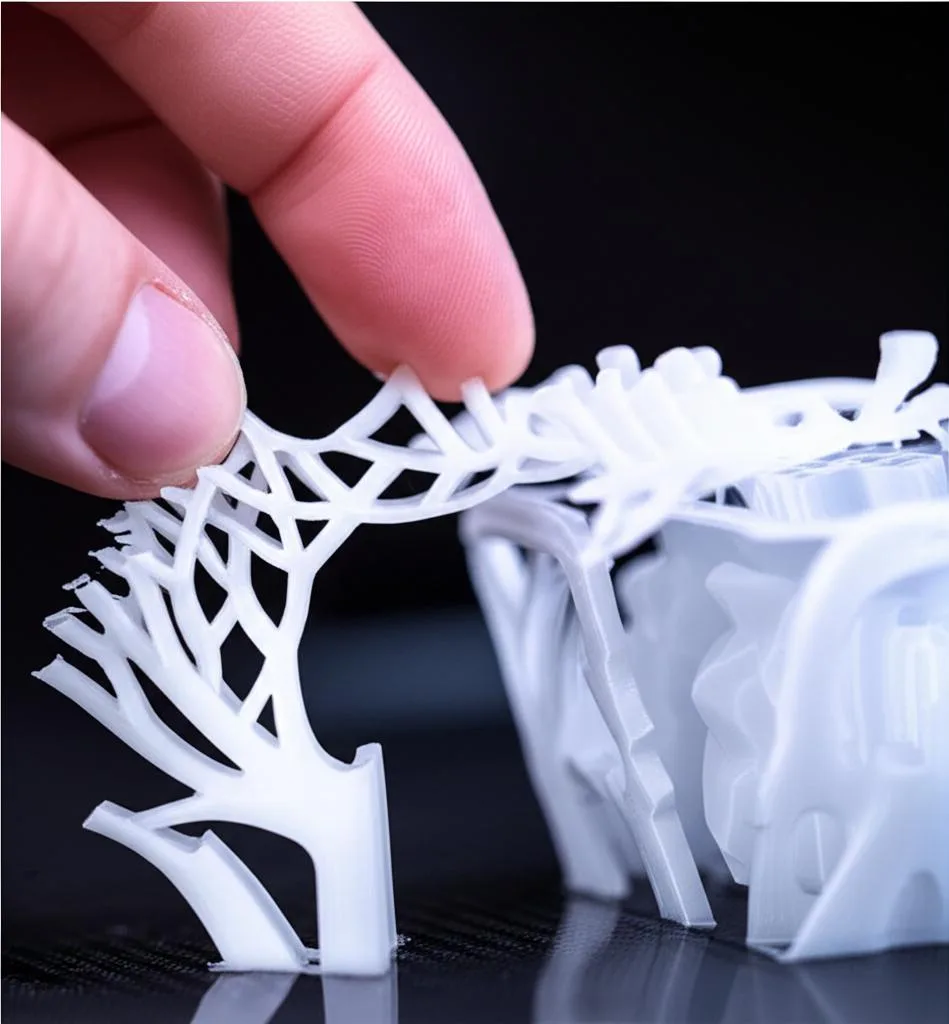
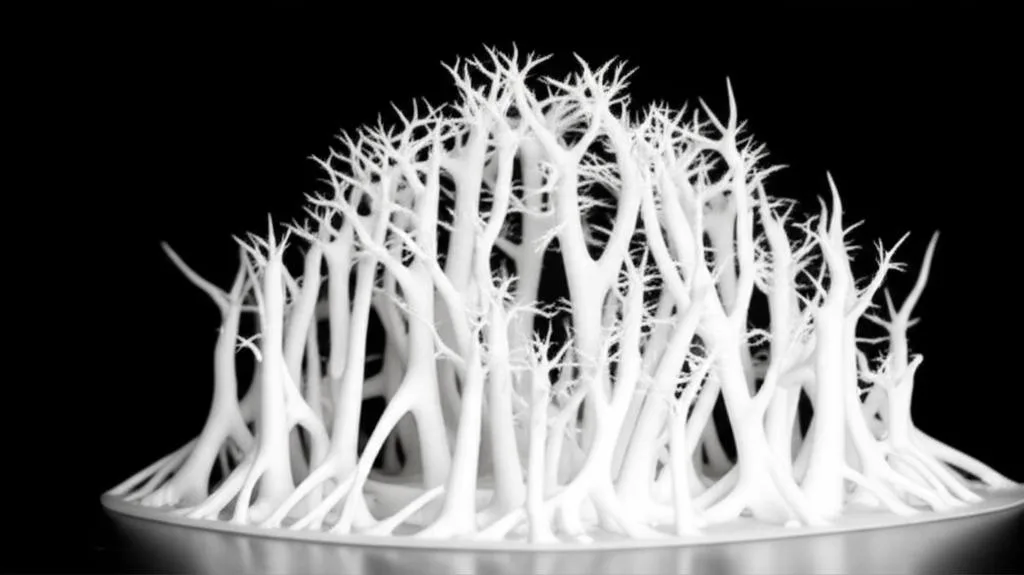
Tree supports represent a significant leap forward in 3D printing support technology. Unlike the often blocky and uniform nature of traditional supports, tree supports emulate the organic growth of a tree, branching out from a central trunk (or multiple trunks) to reach only the necessary contact points on the model. This design philosophy is geared towards efficiency, ease of removal, and superior surface finish.
What are tree supports?
At their core, tree supports are a type of generative support structure characterized by their branching, tree-like appearance. They start from a wider base on the build plate, then narrow and branch upwards, reaching out with delicate “fingers” to touch the model only where support is absolutely essential. This architectural design minimizes the overall volume of support material while still providing adequate structural integrity for overhanging features.
How they work: minimal contact, maximum efficiency
The effectiveness of tree supports stems from several key principles:
- Targeted Support: Instead of creating a solid mass under an entire overhang, tree supports identify specific points or small areas on the model that require support. This precision reduces unnecessary contact.
- Optimized Pathfinding: Slicer algorithms calculate the most efficient path for the branches to grow, often using fewer, longer branches rather than many short, dense ones. This minimizes material usage and print head travel.
- Reduced Contact Area: The “fingers” or tips of the branches are designed to have a very small contact area with the model. This is crucial for easy detachment and minimal scarring.
- Structural Stability: Despite their slender appearance, tree supports are engineered to be structurally sound. The branching design distributes weight effectively, and the base provides a stable foundation on the build plate.
Key advantages of tree supports
The benefits of adopting tree supports are manifold, directly addressing the “costs” associated with traditional support methods:
- Material Efficiency: By supporting only critical points and utilizing a hollow or sparse internal structure, tree supports consume significantly less filament. This translates directly to lower material costs over time.
- Easier Removal: The minimal contact points and often thinner branches make tree supports much easier to detach from the printed model. They tend to snap away cleanly, often with just finger pressure, drastically reducing the labor involved in post-processing.
- Reduced Surface Scarring: With fewer and smaller contact points, the likelihood of marring the model’s surface is greatly diminished. This results in cleaner prints that require less sanding or finishing work, preserving aesthetic quality.
- Faster Printing (in some cases): While the branching paths can sometimes add travel moves, the overall reduction in material volume can lead to faster print times compared to very dense traditional supports, especially for models with complex, sparse overhangs.
- Improved Aesthetics: The organic nature of tree supports can sometimes even look more appealing during the printing process compared to a blocky, utilitarian support structure.
Potential limitations and considerations
While tree supports are highly advantageous, they are not a panacea for all support challenges:
- Stability for Heavy Overhangs: For extremely large, heavy, or very flat overhangs, traditional, more robust supports might sometimes offer greater stability, especially if the tree support branches are too thin or sparse.
- Slicer Implementation Variation: The quality and configurability of tree supports can vary significantly between different slicer software. Some implementations are more mature and offer finer control than others.
- Computational Overhead: Generating complex tree support structures can sometimes take slightly longer for the slicer to process compared to simpler traditional supports.
- Bridging Limitations: While excellent for point supports, tree supports might not always be ideal for supporting long, thin bridges where continuous, linear support might be more effective.
When to opt for tree supports
Tree supports shine in specific scenarios:
- Complex Geometries: Models with intricate details, organic shapes, or numerous small overhangs are perfect candidates.
- Aesthetic Parts: When surface quality and minimal post-processing are paramount, such as for figurines, prototypes, or display pieces.
- Large Models with Sparse Overhangs: Where traditional supports would consume vast amounts of material, tree supports offer a lean alternative.
- Flexible Filaments: Tree supports can sometimes be easier to remove from flexible materials compared to solid, sticky traditional supports.
By understanding both their strengths and limitations, you can judiciously choose when to deploy tree supports, ensuring optimal results for your 3D printing projects.
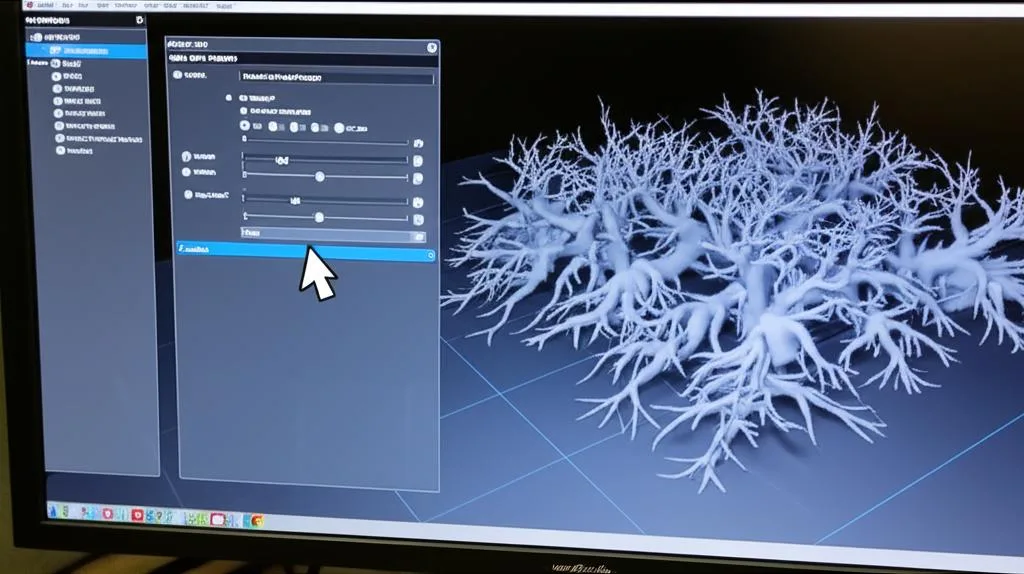
To truly master tree supports and achieve that coveted hassle-free support removal, it’s essential to delve into the specific settings available in your slicer software. While names may vary slightly between applications like Cura, PrusaSlicer, or SuperSlicer, the underlying principles and their impact on your print remain consistent. Fine-tuning these parameters allows you to tailor supports precisely to your model and desired outcome.
Support placement: controlling the foundation
- Touching Build Plate: This setting ensures that all tree support structures originate directly from the print bed. It’s generally preferred for stability, as it provides a solid foundation. It also means less material is wasted on supports that start mid-air, only to fall over. Choose this when possible, especially for taller prints.
- Everywhere: When selected, the slicer can generate supports not only from the build plate but also from the model itself. This is crucial for supporting internal overhangs or features that are entirely enclosed within the model’s geometry. While necessary for some complex parts, it typically increases the difficulty of support removal and the risk of surface scarring on the model.
Branch parameters: shaping the tree
These settings dictate the physical characteristics of the tree support branches:
- Branch Angle (or Support Angle): This controls how steeply the branches can grow outwards from the trunk. A shallower angle allows the branches to spread out more, potentially supporting wider overhangs from a single trunk but also increasing the footprint. A steeper angle keeps the supports more vertical and compact. Experimentation is key to balancing stability and minimal contact.
- Branch Diameter/Thickness (or Support Branch Diameter): This setting defines the width of the individual branches. Thicker branches offer more stability and are less prone to breaking during printing or removal, but they consume more material. Thinner branches are more material-efficient and easier to remove but might be less stable for heavy overhangs.
- Branch Density/Count (or Support Branch Distance/Density): This indirectly controls how many branches are generated and how closely spaced they are. A higher density means more support points, which can improve support quality but also increases material usage and removal effort. A lower density saves material but might compromise the support for intricate details.
- Branch Diameter Angle: Some slicers allow you to control how quickly branches taper. A larger angle means branches thin out faster, potentially reducing material.
- Minimum Branch Length: Prevents the generation of tiny, unstable branches.
- Support Z-Height: This isn’t just for traditional supports; it dictates how high the tree branches can reach before needing to make contact or merge.
Support infill and pattern: internal structure
While tree supports are often sparse, some slicers allow you to define an internal infill pattern or density for the branches themselves. This can impact their strength and material usage. Typically, tree supports use a low-density infill or are mostly hollow by design to maximize material efficiency.
Connecting structures: merging branches
Settings related to how branches merge or connect to each other can influence the overall rigidity of the support structure. For instance, some slicers allow for a smoother transition between merged branches, which can enhance stability.
Overhang angle (or Support Overhang Angle):
This critical setting defines the maximum angle at which your model can print without supports. Any surface with an angle steeper than this threshold (relative to the vertical) will trigger support generation. A higher angle (e.g., 60-70 degrees) means fewer supports are generated, potentially sacrificing some surface quality for ease of removal. A lower angle (e.g., 45 degrees, which is often the default) ensures more comprehensive support but increases support material and removal effort. Adjust this based on your printer’s bridging capabilities and the desired finish.
Mastering these tree support settings requires a degree of experimentation. What works perfectly for one model or material might not be ideal for another. Start with recommended defaults from your slicer and then make incremental adjustments, observing the impact on both print quality and ease of support removal. This iterative approach will gradually build your expertise in achieving consistently clean prints.
The critical role of support interface settings
While tree supports address the overall structure and material efficiency, the true secret to effortless support removal and a pristine surface finish lies in meticulously configuring the support interface settings. The interface is the crucial boundary, often just one or a few layers thick, where the support structure directly meets your printed model. This is where the magic (or the misery) of support removal happens.
Understanding the interface: the crucial boundary
Imagine the interface as a controlled separation layer. Its purpose is twofold: to provide sufficient support for the overlying model layers to print correctly, and simultaneously, to create a weak enough bond that the support can be easily detached without damaging the print. Balancing these two, often conflicting, objectives is the art of interface configuration.
The paramount setting: Z-distance (support Z-gap)
Without a doubt, the Z-distance is the single most critical support setting for FDM (Fused Deposition Modeling) 3D printing. It defines the vertical gap between the very top layer of your support structure and the very bottom layer of the supported part of your model. This tiny air gap is what allows for separation.
- How it functions: When the print head extrudes filament for the first layer of the model above a support, it’s essentially “bridging” across this Z-distance. The plastic doesn’t fully adhere to the support below, allowing for easy separation.
- Impact of too small a Z-distance: If the Z-distance is too small (e.g., 0.1mm or less, or even zero), the model’s first layer will fuse too strongly with the support. This leads to supports that are incredibly difficult to remove, often requiring aggressive force that can damage the print or leave deep scars.
- Impact of too large a Z-distance: Conversely, if the Z-distance is too large (e.g., 0.3mm or more for standard layer heights), the filament bridging the gap will sag excessively. This results in a very rough, stringy, or droopy surface on the bottom of your supported features, compromising print quality.
- Finding the sweet spot: The ideal Z-distance is typically a multiple of your layer height. For a 0.2mm layer height, a Z-distance of 0.2mm or 0.24mm (1 or 1.2 times the layer height) is a common starting point. For 0.15mm layer height, try 0.15mm or 0.18mm. The goal is to find the largest Z-distance that still yields an acceptable surface finish on the underside of your model. This setting is highly dependent on your specific filament, nozzle size, layer height, and printer’s bridging capabilities. Extensive testing is often required.
Interface pattern: dictating the contact texture
This setting determines the infill pattern of the layers directly contacting your model. Different patterns offer varying levels of support and ease of removal:
- Grid/Rectilinear: Provides robust support but can lead to a more “checkerboard” texture on the model’s surface and might be harder to remove due to interconnected lines.
- Lines/Zigzag: Offers good support with less material than a grid, often easier to remove as the lines are not fully interconnected in all directions. It leaves a linear texture.
- Concentric: Follows the contour of the supported area, potentially providing a cleaner edge but can be difficult to remove if adhesion is too strong.
- Gaps/Sparse: Some slicers offer patterns with intentional gaps or very low density, further reducing contact and facilitating removal.
Interface thickness/layers: building a solid cap
This setting determines how many solid or semi-solid layers are printed directly beneath the model. A thicker interface (e.g., 2-3 layers) provides a more stable base for the model to print on, potentially improving the surface finish. However, it also means more material to remove and potentially stronger adhesion. A single, thin interface layer might be easier to remove but could result in a rougher supported surface.
Interface density: controlling the contact area
Expressed as a percentage, interface density controls how much material is printed within the interface layers. A higher density (e.g., 80-100%) creates a more solid surface for the model to print on, leading to a smoother finish but stronger adhesion. A lower density (e.g., 50-70%) means less contact, easier removal, but potentially a rougher surface. For tree supports, the interface density is often a critical factor in managing both support and removability.
Support roof and support floor: specialized interface layers
- Support Roof: These are solid layers printed on top of the regular support infill, directly beneath the Z-distance gap. A support roof creates a flat, consistent surface for the model to bridge upon, significantly improving the quality of the supported surface. It’s highly recommended for aesthetic prints.
- Support Floor: These are solid layers printed at the bottom of the support structure, where it meets the build plate. While less common for ease of removal (as it’s at the base), a support floor can enhance the adhesion of the support structure to the build plate, preventing tall or slender supports from detaching during printing.
X/Y distance (horizontal expansion): preventing side adhesion
While Z-distance manages vertical separation, X/Y distance controls the horizontal gap between the support structure and any vertical walls of your model. A small X/Y distance can cause the support to fuse to the side of your print, making removal difficult. Increasing this distance slightly (e.g., 0.2mm-0.4mm) can prevent this lateral adhesion, making supports easier to snap off cleanly from vertical surfaces.
Print speed for supports: subtle but impactful
Printing the support interface layers at a slightly slower speed can improve adhesion and consistency, leading to a better surface for the model to print on. However, printing the support body at a higher speed can save time without impacting the critical interface.
Mastering support interface settings is an iterative process. It involves understanding your printer’s capabilities, the properties of your filament, and the specific geometry of your model. By systematically adjusting these parameters and performing test prints, you can dial in the perfect balance between robust support and effortless, clean removal, significantly reducing your post-processing workload and elevating your print quality.
Advanced strategies for immaculate prints and streamlined post-processing
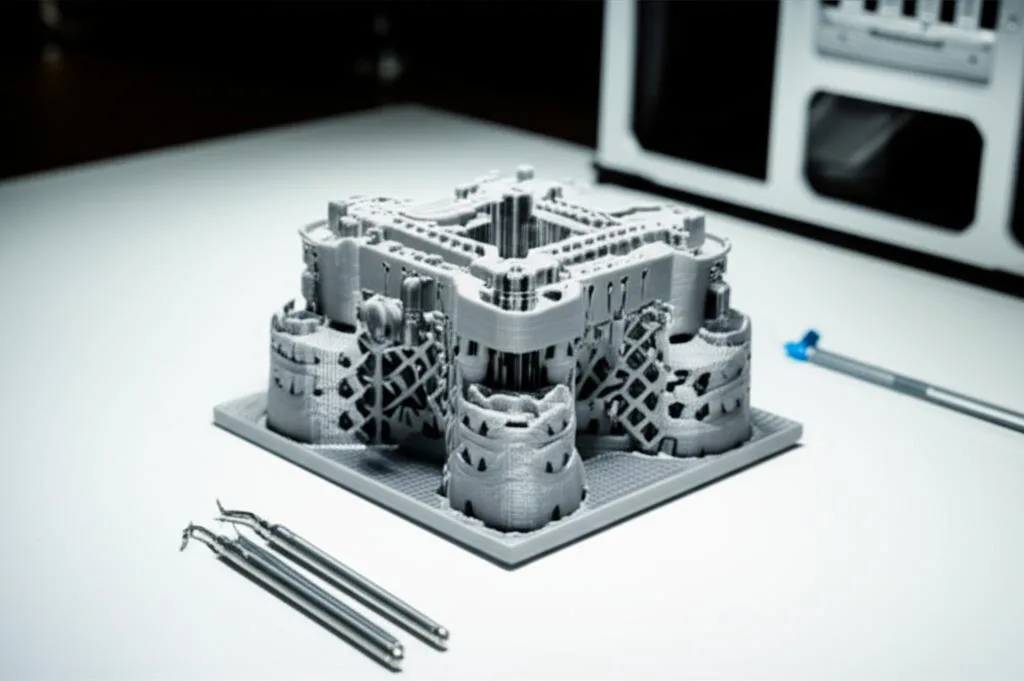
Achieving truly clean prints with minimal post-processing goes beyond simply enabling tree supports and tweaking interface settings. It involves a holistic approach that considers model orientation, material properties, and even environmental factors. By integrating these advanced strategies, you can further refine your 3D printing workflow and consistently produce high-quality results.
Model orientation: the first line of defense
The single most impactful decision you can make to reduce support needs and simplify removal is intelligent model orientation. Before even touching support settings, consider:
- Minimize Overhangs: Orient your model so that the largest or steepest overhangs are either facing the build plate (if they can be printed without support) or are minimized.
- Place Supports on Non-Critical Surfaces: If supports are unavoidable, try to orient the model so they are generated on surfaces that are less visible or less critical to the model’s aesthetic or function. For instance, place supports on the back or bottom of a figurine.
- Utilize Self-Supporting Angles: FDM printers can typically print overhangs up to 45-60 degrees without support, depending on cooling and filament. Orient parts to take advantage of these self-supporting angles wherever possible.
- Break Down Complex Models: For extremely complex parts, consider splitting them into smaller, more manageable components that can be printed with fewer or easier-to-remove supports, then assembled later.
Material-specific considerations
Different filaments behave uniquely when it comes to support adhesion and removal:
- PLA (Polylactic Acid): Generally the easiest material for support removal. Its relatively brittle nature means supports tend to snap off cleanly. Good cooling helps prevent fusion.
- PETG (Polyethylene Terephthalate Glycol): Notoriously “sticky.” PETG loves to bond, which can make support removal a nightmare if settings aren’t dialed in. A larger Z-distance (e.g., 0.24mm for 0.2mm layer height) and generous X/Y distance are often crucial. Using an interface material (like PLA for PETG) in dual extrusion setups can also work wonders.
- ABS (Acrylonitrile Butadiene Styrene): Can be challenging, especially with warping. Soluble supports (like HIPS for ABS) are ideal. Otherwise, similar to PETG, requires careful Z-distance and X/Y settings.
- Flexible Filaments (TPU/TPE): These are very difficult to support traditionally as they often fuse and are hard to cut cleanly. Tree supports with minimal contact and a generous Z-distance are highly recommended. Water-soluble supports are also excellent here.
Temperature and cooling: fine-tuning for easier release
- Printing Temperature: Printing the support interface layers at a slightly lower temperature (if your filament allows without clogging) can reduce adhesion to the model, making removal easier.
- Cooling: Increased cooling for supported layers, particularly the interface, helps the plastic solidify faster, reducing the chance of it fusing to the support below. Ensure your part cooling fan is effective. For materials like ABS, which are sensitive to cooling, this needs to be balanced to prevent warping.
Adhesion settings for support stability
While we often focus on model adhesion, ensuring your support structures stay firmly attached to the build plate is equally important, especially for tall tree supports:
- Support Brim/Raft: Adding a brim or raft specifically to your support structures can significantly improve their adhesion to the build plate, preventing them from detaching mid-print, especially for slender tree supports.
- Build Plate Adhesion: Ensure your build plate is clean and properly prepared (e.g., glue stick, hairspray, PEI sheet) to give both your model and its supports a solid foundation.
Print quality vs. support quality: balancing resolution and removability
Sometimes, printing the support structure itself at a slightly lower quality (e.g., thicker layers, faster speed, lower infill) can save time and material without compromising the support’s function, provided the interface layers are still printed with precision. This can further reduce the overall “cost” of supports.
By thoughtfully applying these advanced strategies in conjunction with optimized tree supports and interface settings, you can elevate your 3D printing game. The goal is to minimize the need for supports, and when they are necessary, to configure them in a way that makes their removal as effortless and damage-free as possible, leading to consistently clean and professional-looking prints.
Troubleshooting common support removal challenges
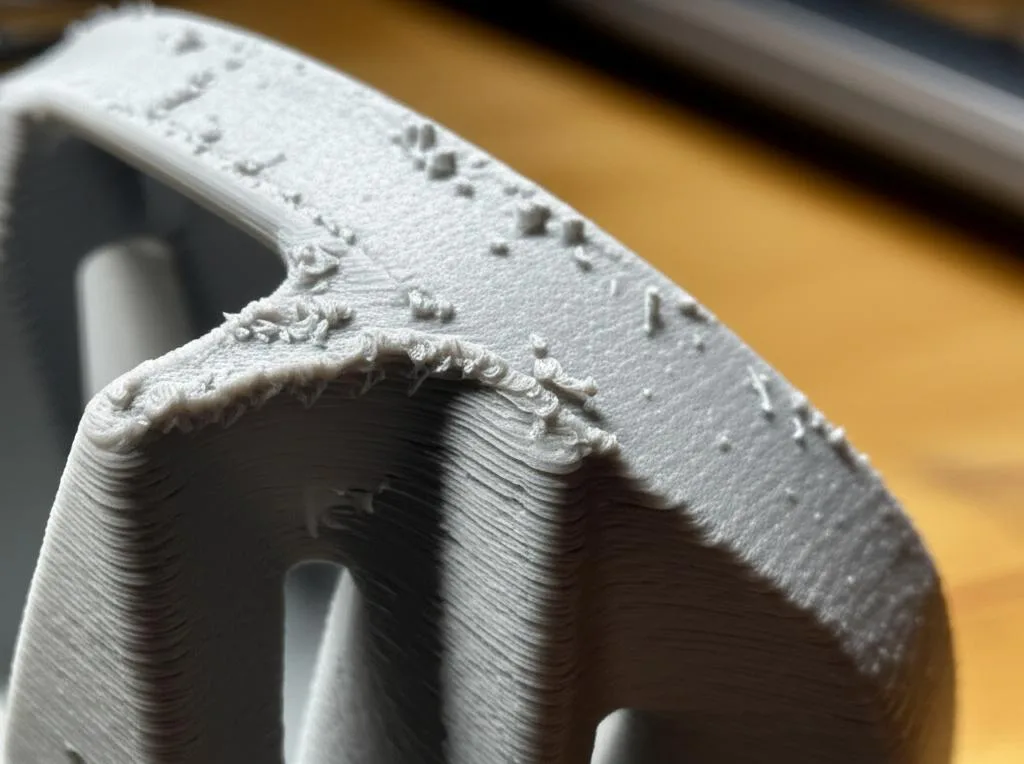
Even with the most meticulously dialed-in tree supports and interface settings, challenges can arise. Identifying the root cause of common support removal issues is crucial for effective troubleshooting and continuous improvement of your 3D printing process. Here, we’ll explore frequent problems and their corresponding solutions.
Supports fused to the model: the sticky situation
This is arguably the most common and frustrating issue, leading to difficult removal and surface damage.
- Diagnosis: Supports are extremely difficult to detach, often requiring excessive force, and leave significant chunks or deep scars on the model’s surface.
- Root Causes:
- Z-distance too small: The most frequent culprit. The model’s first layer is too close to the support, causing strong fusion.
- X/Y distance too small: Supports are adhering to the vertical sides of the model.
- Insufficient cooling: Filament isn’t solidifying fast enough, leading to stickiness.
- Over-extrusion: Too much plastic is being laid down, bridging the Z-gap more effectively and increasing contact.
- Material stickiness: Some filaments (like PETG) are inherently more adhesive.
- Interface density too high: Too much contact area at the interface.
- Solutions:
- Increase Z-distance: Incrementally increase the Z-distance (e.g., by 0.04mm-0.08mm) until supports detach easily.
- Increase X/Y distance: Add 0.1mm-0.2mm to the horizontal separation.
- Boost part cooling: Ensure fans are at 100% for supported layers, if appropriate for the material.
- Calibrate E-steps and flow: Address any over-extrusion issues.
- Lower print temperature: Slightly reduce nozzle temperature for the interface layers or the entire print if possible.
- Reduce interface density: Lower the percentage of infill for the interface layers.
- Consider soluble supports: For very challenging materials or intricate parts, water-soluble (PVA) or dissolvable (HIPS) supports offer the cleanest solution with dual extrusion.
Supports too weak or collapsing: structural instability
This issue leads to failed prints or poorly supported overhangs, resulting in droopy or stringy surfaces.
- Diagnosis: Supports fall over mid-print, fail to adequately hold up overhangs, or break during printing or initial removal.
- Root Causes:
- Insufficient branch diameter/density (for tree supports): Branches are too thin or too sparse to provide adequate support.
- Poor build plate adhesion: The support structure itself detaches from the bed.
- Too steep branch angle: Branches are too vertical and lack lateral stability.
- Model orientation: The model is oriented in a way that puts excessive stress on supports.
- Print speed too high: Rapid movements can dislodge supports.
- Solutions:
- Increase branch diameter/density: Make tree support branches thicker or more numerous.
- Improve build plate adhesion: Use a brim for supports, clean the build plate, apply adhesive (glue stick, hairspray).
- Adjust branch angle: Allow branches to spread out more for better stability.
- Re-orient the model: Find an orientation that requires less strenuous support.
- Reduce print speed for supports: Especially the initial layers and critical interface sections.
- Increase support infill: For traditional supports, increase infill density.
Unsightly surface scarring: the tell-tale marks
Even if supports remove easily, they might leave a rough or marked texture on the model’s surface.
- Diagnosis: The bottom surfaces of supported areas are rough, textured, or show distinct marks where supports were attached.
- Root Causes:
- Z-distance too large: Leads to excessive sagging of the first supported layers.
- Interface density too low: Not enough material for a smooth bridging surface.
- Poor cooling for supported layers: Plastic sags before solidifying.
- Interface pattern: Some patterns (e.g., sparse grid) are more prone to leaving marks.
- Solutions:
- Reduce Z-distance: Incrementally decrease it until the surface quality improves without compromising removability.
- Increase interface density: Provide a more solid base for the model.
- Enable/increase support roof: This creates a solid cap on the support, drastically improving surface finish.
- Optimize cooling: Ensure adequate part cooling.
- Experiment with interface patterns: Some patterns might yield smoother results for specific geometries.
Difficulty removing small support pieces: the stubborn remnants
Sometimes, the main support structure comes off, but tiny fragments remain lodged in intricate details.
- Diagnosis: Small bits of support material are stuck in crevices, holes, or fine features.
- Root Causes:
- Intricate model geometry: Supports get into hard-to-reach areas.
- Insufficient X/Y distance: Supports are too close to small features.
- Over-extrusion: Fills small gaps with excess material.
- Solutions:
- Use fine-tipped tools: Precision tweezers, dental picks, or small deburring tools can help.
- Increase X/Y distance: Give more clearance around small features.
- Re-orient the model: Try to minimize supports in highly detailed or inaccessible areas.
- Heat gun/Hair dryer: Gently heating the area can sometimes soften the support enough to peel it away, but be cautious not to deform the model.
- Consider soluble supports: The ultimate solution for intricate details, as they simply dissolve away.
By systematically addressing these common issues, you can refine your support settings and techniques, leading to more reliable prints and significantly less frustration during post-processing.
Exploring slicer implementations: a comparative overview of features
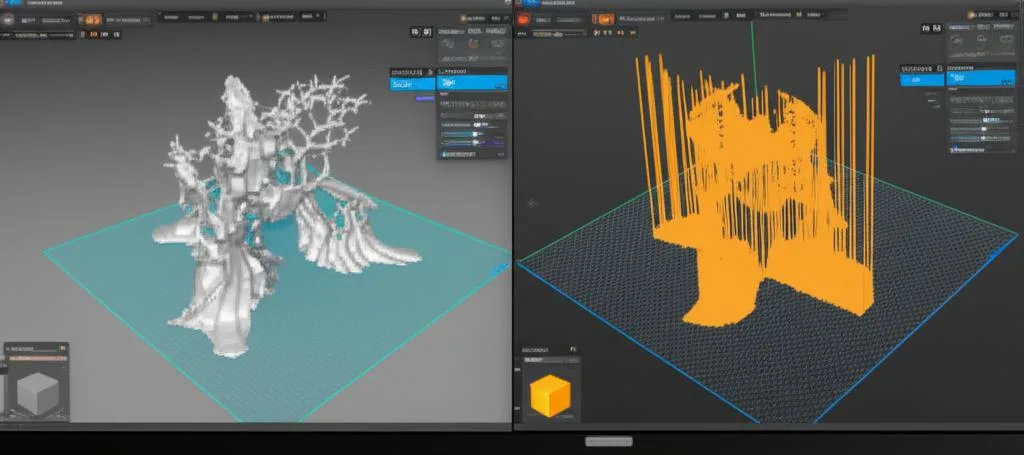
The landscape of 3D printing slicer software offers diverse approaches to support generation and control. While the fundamental principles of tree supports and interface settings remain consistent, their implementation, feature sets, and user experience can vary significantly. Understanding these differences allows users to choose the right tool for their specific needs and leverage the unique strengths of each platform without endorsing one as unilaterally “better” or “cheaper.”
Cura: pioneering tree supports and extensive control
Ultimaker Cura has been a frontrunner in popularizing and refining tree supports. Its implementation is widely regarded as robust and highly configurable.
- Tree Support Features: Cura’s tree support system is mature, offering a wide array of settings to fine-tune branch angles, diameters, density, and even the type of contact points (conical, flat). It provides options for “tree support brim” and “tree support branch distance” for granular control over the structure.
- Interface Control: Cura offers comprehensive interface settings, including “Support Z-distance,” “Support X/Y distance,” “Support Roof,” “Support Floor,” “Support Interface Pattern,” and “Support Interface Density.” These allow for precise management of the contact between support and model, crucial for clean removal.
- User Experience: Cura provides both basic and advanced settings, making it accessible for beginners while offering deep customization for experienced users. Its visual representation of tree supports is generally clear.
- Material Profiles: Cura’s extensive material profiles often include optimized support settings as a starting point, reducing initial setup time.
PrusaSlicer and SuperSlicer: organic supports and paint-on functionality
PrusaSlicer, and its community-driven derivative SuperSlicer, offer a distinct approach, particularly with their “organic supports” (their version of tree supports) and intuitive paint-on tools.
- Organic Support Features: PrusaSlicer’s organic supports are known for their efficiency and ease of removal. They often generate smoother, more natural-looking branches. While perhaps not as granular in raw “branch diameter” settings as Cura, they focus on overall density and contact area.
- Paint-on Supports: A standout feature is the ability to “paint on” or “paint off” supports directly onto the model in the 3D view. This provides unparalleled control over exactly where supports are generated, allowing users to avoid critical aesthetic surfaces or focus support on specific problem areas. This feature significantly reduces wasted support material and post-processing.
- Interface Control: PrusaSlicer provides key interface settings such as “Top contact Z distance,” “Bottom contact Z distance,” “Top contact pattern,” “Top contact density,” and “Interface layers.” These are comparable to Cura’s offerings, allowing for fine-tuning of the support-model boundary.
- Adaptive Layers: Both slicers leverage adaptive layer height, which can be beneficial for optimizing support structures and print quality simultaneously.
Simplify3D: manual control and customizability
Simplify3D, while not featuring an automated “tree support” system in the same vein as Cura or PrusaSlicer, excels in manual support placement and extensive customization.
- Manual Support Placement: Simplify3D allows users to manually add and remove support structures with great precision. This can be advantageous for highly specific or problematic areas where automated solutions might over-support.
- Customizable Support Pillars: Users can define the size, density, and angle of individual support pillars, providing a high degree of control over the support structure’s strength and removability.
- Process Settings: Simplify3D’s unique “process settings” allow for different print settings (including support settings) to be applied to different parts of a model or different models on the build plate, offering flexibility.
- Interface Control: It offers robust settings for support infill, top solid layers (interface), and gap distances, similar to other slicers, ensuring control over the contact surface.
Other slicers: Evolving options
Other slicers like SuperSlicer (as mentioned, an enhanced PrusaSlicer fork) often build upon existing features, adding even more granular control and experimental options for supports. Klipper-based setups, while not a slicer, often integrate well with these slicers to optimize print speeds and potentially support quality through advanced motion control.
When evaluating these solutions, it’s important to consider your specific needs: do you prioritize highly automated, intelligent support generation (Cura, PrusaSlicer), or do you prefer granular, manual control over every support element (Simplify3D)? Each slicer presents a unique feature set that can influence the overall “cost” in terms of time spent configuring, material used, and the effort required for post-processing. By understanding these differences, users can select the software that best aligns with their workflow and objectives for achieving clean, hassle-free 3D prints.
Conclusion
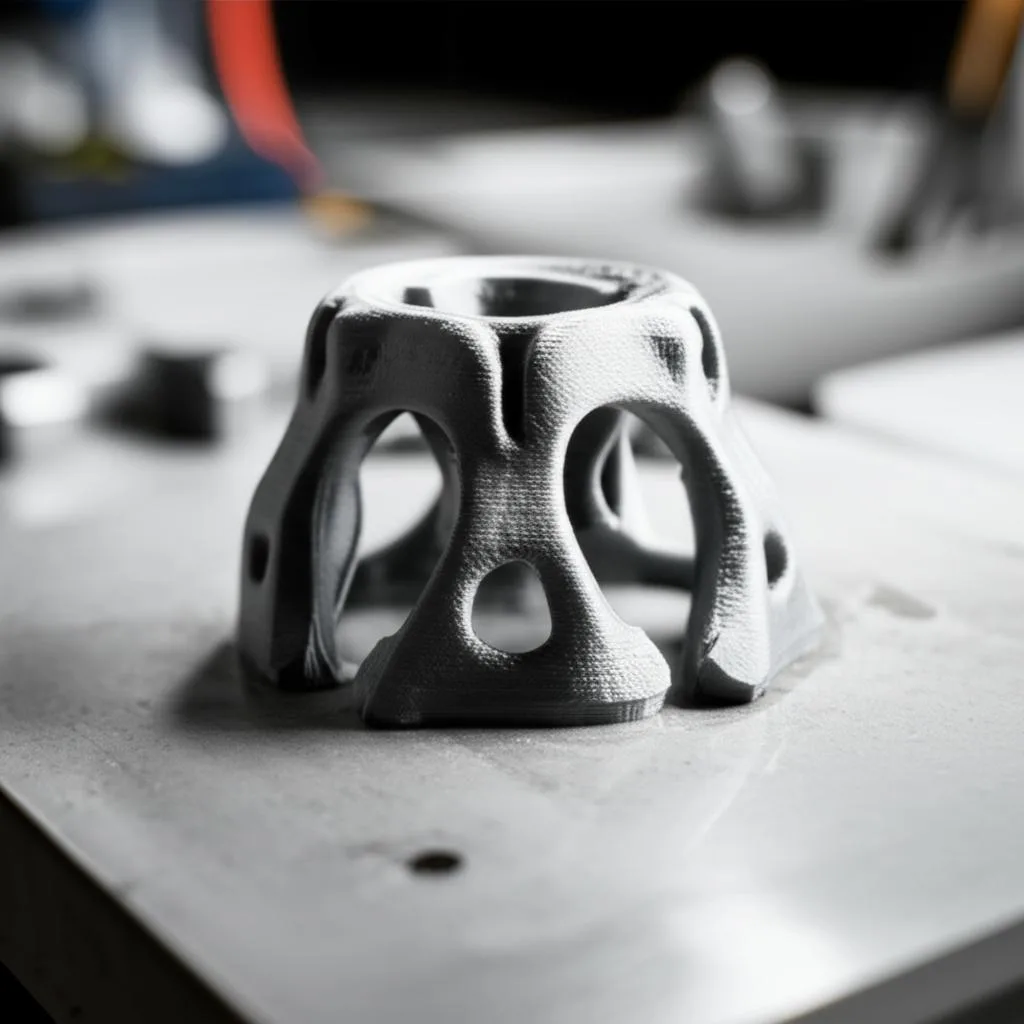
The journey to hassle-free support removal in 3D printing is a continuous learning curve, but one that is significantly smoothed by mastering tree supports and meticulously configured interface settings. We’ve explored how these innovations not only reduce material consumption and print time but, more importantly, drastically cut down on post-processing labor and the dreaded surface scarring that can plague an otherwise perfect print.
Tree supports, with their organic, minimal-contact design, offer a powerful alternative to traditional, often wasteful, support structures. By delving into slicer settings such as branch angles, diameters, and densities, you gain the ability to tailor these supports precisely to your model’s unique geometry. Furthermore, the support interface, particularly the critical Z-distance, stands as the linchpin for achieving that delicate balance between robust support during printing and effortless detachment afterwards. Fine-tuning interface patterns, thickness, and density empowers you to dictate the exact nature of the contact between your model and its temporary scaffold.
Beyond specific settings, adopting advanced strategies like intelligent model orientation, understanding material-specific behaviors, and optimizing printing temperatures and cooling further refines your approach. Even when challenges arise, a systematic troubleshooting methodology can help diagnose and resolve common issues, transforming frustration into actionable solutions.
Ultimately, the choice of slicer and its specific implementation of these features offers varying degrees of control and automation. Whether you prefer the extensive configurability of Cura, the intuitive paint-on supports of PrusaSlicer, or the precise manual control of Simplify3D, the underlying principles of smart support generation remain universally applicable.
The path to immaculate, post-processing-friendly 3D prints lies in continuous experimentation and a deep understanding of these powerful tools. Embrace the iterative process, make incremental adjustments, and observe the results. With patience and practice, you will unlock the full potential of your 3D printer, transforming the once-dreaded task of support removal into a seamless and satisfying final step in bringing your digital designs to life.
Frequently asked questions
Does using tree supports with a Z-distance of zero ever work well?
No. A Z-distance of zero causes the model’s first layer to fuse directly to the support, making removal extremely difficult and often damaging the print surface. The Z-distance must be a positive value, typically 1 to 1.2 times your layer height (e.g., 0.2mm for a 0.2mm layer height), to create the small air gap that allows clean separation.
Can I use tree supports with PETG filament, or will it always be too sticky?
Yes, you can use tree supports with PETG, but it requires more aggressive settings than PLA. Increase the Z-distance to at least 0.24mm for a 0.2mm layer height and increase the X/Y distance by 0.1-0.2mm to prevent lateral adhesion. Even with these adjustments, PETG is inherently stickier, so test a small area first before committing to a full print.
What is the fastest way to remove small tree support remnants stuck in tight crevices?
For stubborn fragments lodged in intricate details, first try gently heating the area with a heat gun or hair dryer to soften the plastic, then pick the remnants out with precision tweezers or a dental pick. If this is a recurring problem, increase the X/Y distance in your slicer by 0.1-0.2mm to give more clearance around small features, or consider switching to water-soluble supports (PVA) for models with very fine details.