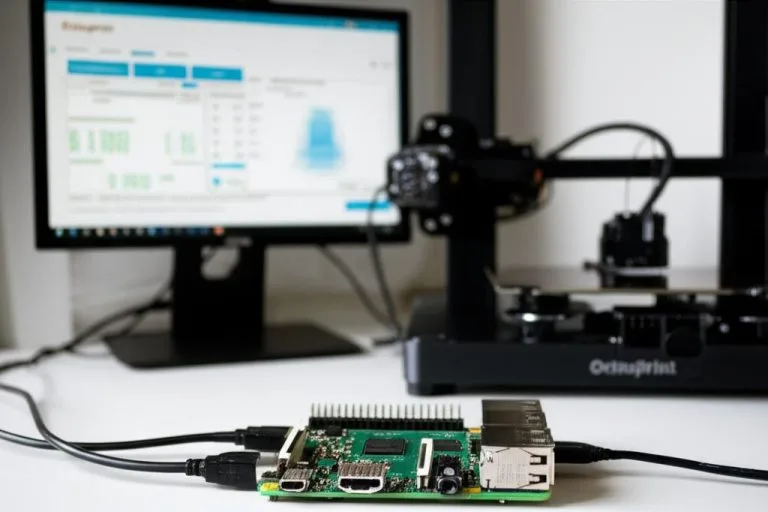
Klipper has revolutionized 3D printing with its high-performance firmware, offloading complex calculations to a more powerful host like a Raspberry Pi. This setup, typically managed through web interfaces like Mainsail or Fluidd, offers incredible flexibility and control. However, accessing your Klipper-powered 3D printer remotely – whether from another room, your office, or a different city – introduces a layer of complexity. While the core Klipper software, Mainsail, and Fluidd are open-source and free, the methods for achieving secure and reliable remote access come with varying cost structures, features, and levels of technical challenge. This guide aims to objectively compare these different remote access solutions, providing you with the facts and analysis needed to make an informed decision tailored to your specific needs.
Understanding the need for Klipper remote access
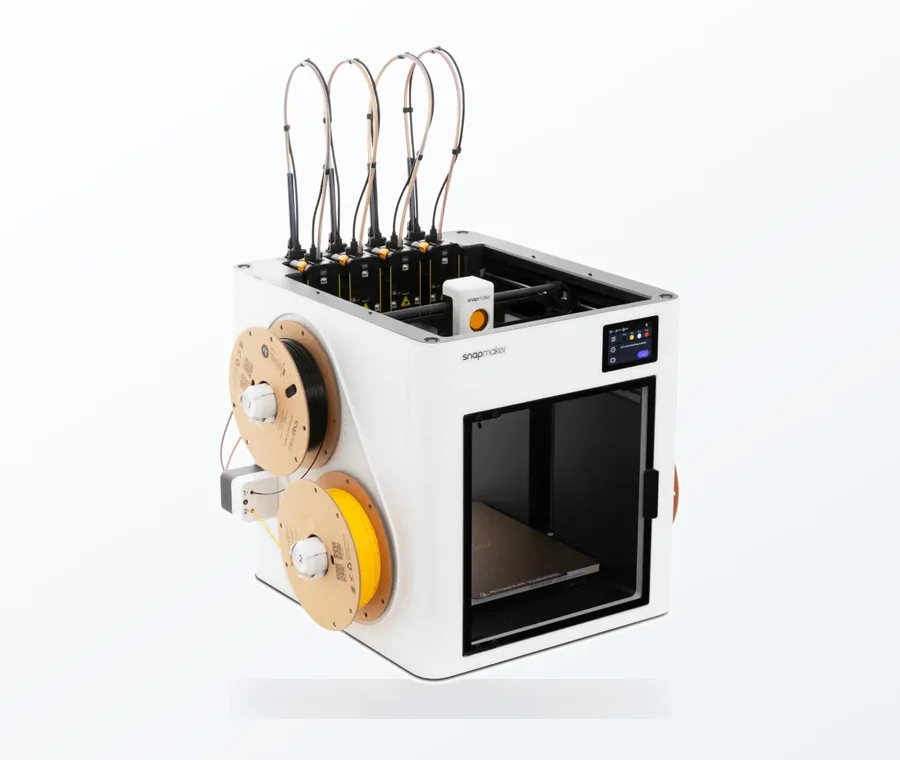
The consumer toolchanger 3D printer: the SnapSwap 4-toolhead system swaps heads in 5 seconds for true multi-color and multi-material printing, with smart calibration and auto filament loading.
- 4 toolheads · 5 s swap
- Up to 500 mm/s · 20,000 mm/s²
- 270 mm cube build volume
- Multi-color & multi-material
The allure of remote access to your Klipper setup is undeniable. Imagine starting a print job before you even get home, monitoring its progress from your smartphone, or quickly adjusting parameters without being physically present at your printer. For many Klipper users, this capability isn’t just a luxury; it’s a critical component of an efficient and convenient 3D printing workflow. Mainsail and Fluidd provide intuitive dashboards, but without proper remote access, their full potential remains confined to your local network.
The primary motivations for seeking remote access often include:
- Convenience: Control your printer from anywhere with an internet connection.
- Monitoring: Keep an eye on print progress, especially for long or critical jobs, often with webcam integration.
- Troubleshooting: Diagnose and potentially resolve minor issues without needing to be physically next to the machine.
- Multi-printer management: For those with several Klipper printers, remote access centralizes control.
Key considerations for choosing a remote access solution
Before diving into specific solutions, it’s crucial to understand the factors that will influence your choice. Each method presents a unique balance of these elements:
- Security: How well does the solution protect your network and data from unauthorized access? This is paramount, as exposing your home network can have serious implications.
- Ease of setup and maintenance: How much technical expertise is required to get it running and keep it operational? Some solutions are plug-and-play, while others demand a deep dive into networking concepts.
- Cost structure: What are the initial hardware investments, ongoing subscription fees, or hidden costs like domain names or increased electricity consumption?
- Performance and reliability: How responsive will your remote connection be? Will it handle webcam streams smoothly, and is it prone to connection issues or network errors?
- Features: Beyond basic access, does the solution offer additional benefits like dedicated mobile apps, multi-device support, or advanced network configurations?
- Privacy: Does the solution route your data through third-party servers, and if so, what are their privacy policies?
Comparative analysis of Klipper remote access solutions
1. Local network access (the baseline)
Before exploring remote options, it’s important to establish the baseline: accessing Mainsail or Fluidd only when your device is connected to the same local network as your Klipper host (e.g., your home Wi-Fi). This is typically achieved by simply typing the IP address of your Raspberry Pi (or other host) into a web browser.
- Features: Extremely simple to set up, no external dependencies, high speed within the local network, inherently secure as it doesn’t expose your network to the internet.
- Cost structure: Absolutely free, requiring no additional hardware or software beyond your existing Klipper setup.
- Pros: Unbeatable simplicity and local security. Zero cost.
- Cons: No access outside your local network. Not a remote access solution in itself, but a crucial point of comparison.
2. Direct port forwarding (caution advised)
Port forwarding involves configuring your router to direct incoming internet traffic on a specific port directly to your Klipper host’s IP address and port (typically 80 for HTTP). This makes your Klipper interface directly accessible from anywhere on the internet by typing your public IP address followed by the port number.
- Features: Direct access from any internet-connected device. Relatively straightforward to set up for those familiar with router settings.
- Cost structure: Typically free, leveraging your existing internet service and router.
- Pros: No extra hardware or software. Simple concept.
- Cons:
- Major Security Risk: This is generally considered the least secure method. It exposes your Klipper host and potentially your entire home network to the internet, making it vulnerable to scanning bots and malicious actors. Without robust security measures like strong, unique passwords, multi-factor authentication, and keeping all software (including Klipper, Mainsail/Fluidd, and the underlying operating system) meticulously updated, your printer and network could be compromised.
- Dynamic IP Addresses: Most home internet connections use dynamic IP addresses that change periodically, meaning your remote access URL will frequently break unless you use a Dynamic DNS (DDNS) service, which adds another layer of setup and potential cost (some DDNS services are free, others are paid).
- No Encryption: Unless you implement HTTPS (which is complex with direct port forwarding and often requires a reverse proxy anyway), your connection is unencrypted, meaning sensitive data (like your login credentials or webcam feed) can be intercepted by anyone monitoring network traffic.
- Firewall Issues: Corporate, school, or public Wi-Fi networks often block non-standard ports, preventing access to your Klipper interface.
- Recommendation: Due to the significant security risks and potential for connection issues, direct port forwarding for Klipper (or any home device) is generally discouraged unless you fully understand the implications and have robust, layered security measures in place.
3. Self-hosted VPN (Virtual Private Network)
A self-hosted VPN solution involves setting up a VPN server on a device within your home network (often the same Raspberry Pi running Klipper, or a dedicated router/device). When you want to access Klipper remotely, you connect your client device (laptop, phone) to your home VPN server. This creates a secure, encrypted tunnel, making your remote device appear as if it’s physically on your home network.
- Common solutions: OpenVPN, WireGuard, PiVPN (a script to easily set up OpenVPN or WireGuard on a Raspberry Pi).
- Features:
- High Security: All traffic is encrypted, and your Klipper instance remains hidden from the public internet. Only authenticated VPN clients can access your home network resources.
- Full Network Access: Once connected, you can access any device on your home network, not just your Klipper host.
- Bypasses Firewalls: Since your device appears to be on the local network, it typically bypasses most external network restrictions.
- Cost structure:
- Initial Hardware: If your Klipper host isn’t powerful enough or you prefer separation, a dedicated low-power device like another Raspberry Pi (approx. $35-$70) might be needed. This is a one-time investment.
- Electricity: Minimal ongoing electricity cost for the VPN server device, typically a few dollars per year for a Raspberry Pi.
- Time/Expertise: Significant investment in time and technical knowledge for setup, configuration, and maintenance. This includes researching VPN protocols, understanding Linux commands, configuring firewall rules on your router for VPN port forwarding, and managing client certificates/keys.
- DDNS: Likely requires a DDNS service if you have a dynamic public IP, which can be free (e.g., DuckDNS) or paid.
- Pros: Excellent security and privacy. Complete control over your data. Highly flexible for accessing all network resources.
- Cons: Steeper learning curve and more complex initial setup. Requires ongoing management of server software and client configurations. Potential for slight performance overhead due to encryption/decryption, especially on less powerful hardware.
- Recommendation: For users prioritizing security and privacy, who are comfortable with a moderate to high level of technical configuration, a self-hosted VPN is an excellent choice, offering robust protection for your network.
4. Reverse proxy with SSL/TLS (e.g., Nginx with Let’s Encrypt)
A reverse proxy acts as an intermediary for requests from clients seeking resources from servers. In this context, it sits in front of your Klipper host. When a remote user tries to access your Klipper interface, their request goes to the reverse proxy first, which then forwards it to Mainsail or Fluidd. Crucially, a reverse proxy can handle SSL/TLS encryption (HTTPS), allowing for secure, encrypted communication over the internet and presenting a more professional access point.
- Common solutions: Nginx, Apache, Caddy. Let’s Encrypt for free SSL certificates.
- Features:
- High Security with HTTPS: Encrypts all traffic between your browser and the proxy, protecting your data from eavesdropping. This is the same level of encryption used by secure websites.
- Professional URL: Allows you to use a custom domain name (e.g.,
klipper.yourdomain.com) instead of an IP address, which is easier to remember and looks more professional. - Centralized Access: Can be configured to serve multiple web interfaces or services (e.g., Klipper, OctoPrint, home automation dashboards) from a single public IP and domain, all under HTTPS.
- Rate Limiting and Basic Firewalling: Can offer some protection against brute-force attacks and unwanted traffic, enhancing overall security.
- Cost structure:
- Domain Name: An annual cost for domain registration (typically $10-$20 per year), which is essential for this method.
- SSL Certificates: Free with services like Let’s Encrypt, but require automated renewal configuration.
- Hardware: Can run on the same Raspberry Pi as Klipper, but a dedicated low-power device might be preferred for performance, especially with multiple services or heavy webcam streaming, or for security separation.
- Time/Expertise: Requires a good understanding of web servers (like Nginx configuration files), networking concepts (DNS records, port forwarding for the proxy), and SSL certificate management (including automated renewal scripts). The initial setup can be challenging and time-consuming.
- DDNS: Essential if you have a dynamic public IP, pointing your domain name to your ever-changing home IP address.
- Pros: Excellent security, user-friendly and memorable URLs, ability to host multiple services securely, robust and scalable.
- Cons: Significant technical complexity for initial setup and ongoing maintenance. Requires an annual domain registration fee.
- Recommendation: Ideal for users who want a professional, secure, and flexible solution, are comfortable with advanced networking and server configuration, and don’t mind a small annual cost for a domain name.
5. Commercial VPN services or dedicated remote access platforms
This category encompasses solutions that leverage third-party services to simplify remote access, often by abstracting away the complex networking configurations. These can broadly be split into two approaches:
- Commercial VPN Services: While primarily designed for client-side privacy and security when browsing the internet, some advanced VPN services offer features like dedicated IP addresses or specific port forwarding capabilities. More commonly, if you have a device on your home network connected to a commercial VPN, you might be able to access it from other devices also connected to the same VPN. This approach is less direct for Klipper remote access and often involves more creative, sometimes unsupported, configurations.
- Dedicated Remote Access Platforms: These are services specifically designed to facilitate remote access to devices behind firewalls, often without requiring complex router configurations. While more common for general IoT or remote desktop scenarios, some services might be adaptable or emerging for 3D printing (e.g., OctoPrint Anywhere/Obico for OctoPrint, though direct Klipper equivalents are less prevalent). These typically work by having a small agent running on your Klipper host that connects to the cloud service, which then brokers the connection to your remote client.
- Features:
- Ease of Setup: Often the simplest to set up, requiring minimal technical knowledge beyond installing an agent or client software.
- Bypasses Network Restrictions: Designed to work even behind strict firewalls, making them reliable for access from corporate networks or public Wi-Fi where direct connections might be blocked.
- Security: Connections are usually encrypted and routed through the service provider’s secure infrastructure.
- Dedicated Apps: Many come with user-friendly mobile and desktop applications, enhancing the user experience.
- Cost structure:
- Subscription Fees: This is the primary cost, typically monthly or annually. Prices can vary widely depending on features, bandwidth, number of devices, and service provider. Free tiers might exist but often come with limitations on features or usage.
- No Additional Hardware: Generally requires no additional hardware beyond your Klipper host, as the heavy lifting is handled by the cloud service.
- Pros: Extremely easy to set up and use, making it ideal for non-technical users. High reliability across different network environments. Often includes features like persistent connections and push notifications.
- Cons: Ongoing subscription costs, which can add up over time. Relies on a third-party service, meaning your data passes through their servers (raising privacy considerations and requiring trust in the provider’s security practices). Performance can be dependent on the service provider’s infrastructure and your internet speed. Less control over the underlying network configuration compared to self-hosted solutions.
- Recommendation: A strong option for users who prioritize ease of use and reliability over technical control and who are willing to pay a recurring fee. Always review the service’s privacy policy and security practices carefully before committing.
Factors influencing your decision
Given the diverse range of solutions, your final choice will hinge on a few critical factors:
- Your technical comfort level: Are you comfortable with Linux command lines, router settings, and DNS configurations, or do you prefer a more “set it and forget it” approach?
- Budget: Are you looking for a completely free solution, or are you willing to pay a small annual fee or a recurring subscription for convenience and features?
- Security requirements: How sensitive is your home network, and how much risk are you willing to tolerate? For most users, high security should be a top priority.
- Desired features: Do you need just basic access, or do you want a custom domain, multi-printer management, robust webcam streaming, and dedicated mobile apps?
- Internet Service Provider (ISP) limitations: Does your ISP provide a static or dynamic IP address? Do they block specific ports? These can heavily influence the viability of certain solutions and might necessitate a DDNS service.
Conclusion
Achieving remote access to your Klipper-powered 3D printer via Mainsail or Fluidd is a highly desirable capability, but there’s no one-size-fits-all solution. From the inherent security of local network access to the convenience of commercial platforms, each method presents a distinct set of features, cost structures, and complexities. Direct port forwarding, while seemingly simple, carries significant security risks that generally outweigh its benefits for most home users. Self-hosted VPNs and reverse proxies offer robust, secure, and flexible solutions for those with the technical acumen, while commercial services provide unparalleled ease of use at a recurring cost.
By carefully weighing your technical skills, budget constraints, security priorities, and feature requirements against the detailed analysis provided, you can confidently select the Klipper remote access solution that best empowers your 3D printing journey. Remember, the goal is not just to gain access, but to do so securely and reliably, ensuring peace of mind while you monitor and control your printer from afar.
Frequently asked questions
Can I use a free DDNS service with a self-hosted VPN to avoid paying for a static IP?
Yes. Most home internet connections use dynamic IP addresses that change periodically. A free Dynamic DNS service like DuckDNS can assign a fixed hostname to your changing public IP, which you can then use to connect to your self-hosted VPN server from outside your home network. This keeps the solution free apart from your existing hardware and electricity costs.
If I set up a reverse proxy with HTTPS, do I still need to forward ports on my router?
Yes. A reverse proxy like Nginx runs on a device inside your home network; for internet traffic to reach it, you must configure your router to forward incoming traffic on ports 80 and 443 to the proxy’s local IP address. The proxy then forwards the decrypted HTTPS traffic to your Klipper host, but the initial port forwarding is still required.
Will a commercial remote access platform work if my ISP blocks common web ports?
Generally, yes. Dedicated remote access platforms work by having a small agent on your Klipper host initiate an outbound connection to the cloud service, rather than relying on incoming port forwarding. This means they can bypass ISP port blocks, corporate firewalls, and strict public Wi-Fi networks, making them the most reliable option for accessing your printer from restrictive network environments.