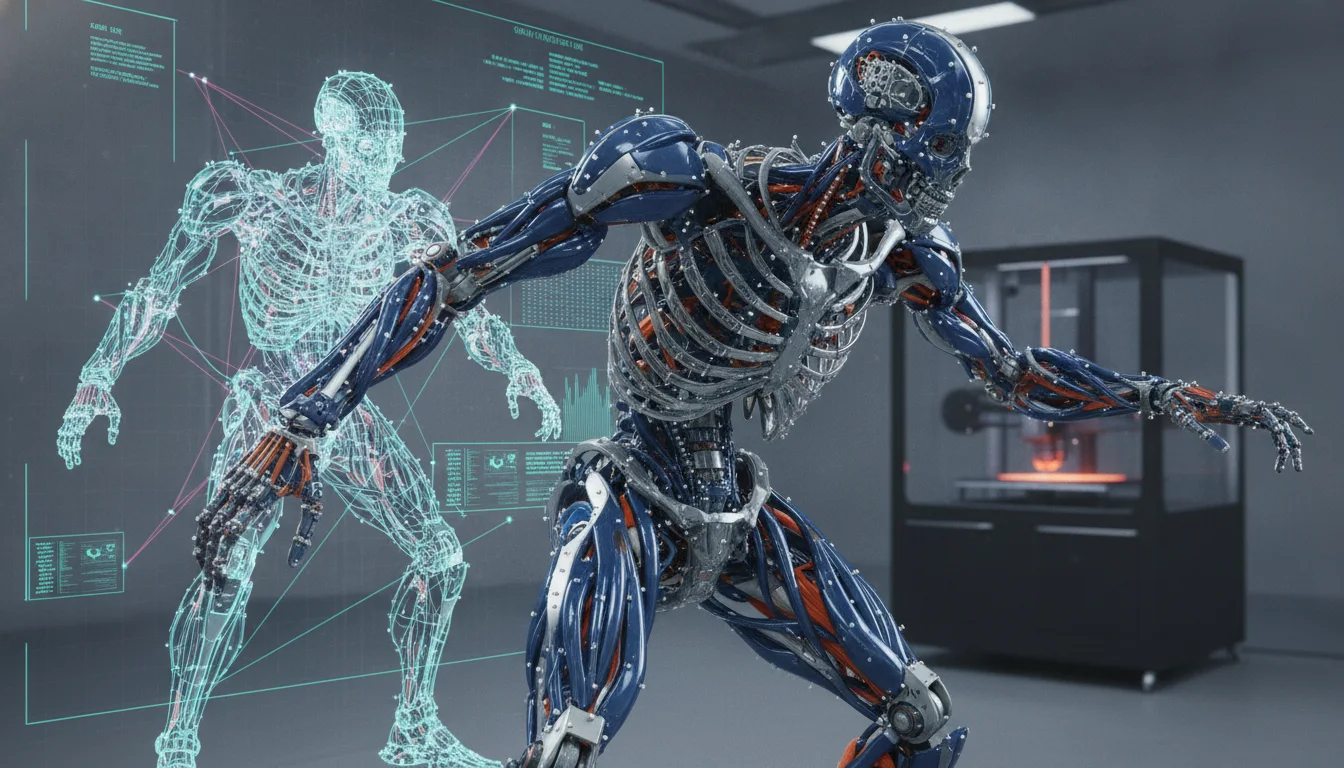
In the dynamic world of 3D animation, a character is only as good as its rig. While basic rigging gets a character moving, it’s advanced character rigging that truly breathes life into digital performers, enabling nuanced expressions, believable deformations, and robust animation control. This guide delves into the intricate techniques required to build production-ready rigs, focusing on the sophisticated solutions that address complex deformations and empower animators with unparalleled control. We’ll explore various approaches, weighing their features, complexities, and the inherent ‘cost’ in terms of development time, required expertise, and impact on the overall production pipeline.
The foundation of advanced rigging: Beyond the basics
At its core, advanced character rigging transcends simple joint hierarchies and skin weighting. It’s about engineering a digital puppet that can withstand the rigours of a demanding animation production, delivering consistent, high-quality results. The goal is to create a system that is not only flexible and intuitive for animators but also robust, performant, and scalable. Achieving this requires a deep understanding of anatomy, kinematics, and the technical artistry of 3D software.
The journey into advanced rigging often begins when standard skinning proves insufficient for maintaining volume, creating believable muscle movement, or achieving specific stylistic deformations. It also becomes critical when animators require sophisticated controls that allow for rapid iteration and precise manipulation without fighting the rig. The choices made at this stage significantly influence a project’s efficiency and final aesthetic quality.
Key techniques and their inherent trade-offs
Building a truly production-ready rig involves a mosaic of techniques, each with its own set of advantages and disadvantages. Understanding these allows technical artists to make informed decisions tailored to specific project requirements.
IK/FK switching and blending
One of the cornerstones of flexible character animation is the ability to seamlessly transition between Inverse Kinematics (IK) and Forward Kinematics (FK). IK allows animators to position an end effector (like a hand or foot) and have the joints automatically calculate their rotations, ideal for precise placement or interaction with props. FK, on the other hand, involves rotating each joint individually, offering more direct control over arcs and secondary motion.
- Features: IK/FK switching provides animators with the best of both worlds, enabling fluid workflows. Blending allows for a gradual transition between these modes, preventing jarring snaps.
- Comparison of implementations: Simple IK/FK setups can be achieved with basic constraints and driven keys, offering quick implementation. More advanced solutions often involve custom nodes, matrix operations, or dedicated rigging frameworks that ensure robust snapping, matching, and minimal ‘popping’ during transitions.
- Cost/Features analysis: While simpler setups are faster to implement, they might lack robustness or seamlessness, potentially leading to animator frustration and lost time during production. Highly sophisticated IK/FK systems, though demanding more development time and technical expertise upfront, significantly enhance animator efficiency and rig reliability, ultimately reducing the ‘cost’ of animation production and troubleshooting down the line.
Deformation rigs: Beyond basic skinning
Achieving believable character deformation is arguably the most challenging aspect of advanced character rigging. Standard skinning, while a good starting point, rarely suffices for the subtle nuances of human or creature anatomy.
Blend shapes (morph targets)
Blend shapes are pre-sculpted target poses that can be blended together to create complex deformations. They are particularly effective for facial expressions and corrective shapes.
- Features: Offer unparalleled precision for specific poses and expressions. Excellent for non-linear deformations that joints struggle with.
- Comparison: Blend shapes can be sculpted directly onto the base mesh or created as corrective shapes driven by joint angles.
- Cost/Features analysis: The ‘cost’ here is primarily in artist time for meticulous sculpting. A large library of blend shapes can also lead to a substantial data footprint, impacting file size and memory usage. While powerful, managing a vast number of blend shapes can become cumbersome, often referred to as ‘blend shape hell,’ if not organized within a smart driving system.
Lattice deformers
Lattices provide a cage around a character’s geometry, allowing for broad, volumetric deformations by manipulating the cage’s control points.
- Features: Useful for general shape adjustments, secondary motion, and adding subtle squash and stretch.
- Comparison: Can range from a single, simple lattice to multiple nested lattices for more localized control.
- Cost/Features analysis: Relatively straightforward to set up, making them a ‘cost-effective’ solution for general deformation. However, they can be less precise than blend shapes and, if overly dense, can impact real-time performance due to their computational overhead.
Muscle systems and tension maps
For the pinnacle of organic deformation, especially for realistic creatures or highly detailed characters, muscle systems and tension maps come into play.
- Features: Mimic the natural bulging, sliding, and jiggling of muscles and skin, reacting dynamically to skeletal movement. Tension maps can drive subtle skin wrinkles and compression/stretching.
- Comparison: Can involve dedicated muscle simulation plugins (e.g., Ziva VFX, Maya’s nCloth for basic soft body) or custom setups using driven utility nodes and texture maps to simulate muscle flex and skin tension.
- Cost/Features analysis: These are among the most computationally intensive and complex rigging solutions. The ‘cost’ is significant in terms of development time, required technical expertise (often involving coding or advanced nodal setups), and computational resources during animation playback and rendering. However, they deliver a level of realism and dynamic response that is unmatched by other methods.
Corrective sculpting and shape drivers
Often, even with advanced skinning, undesirable deformations occur (e.g., ‘candy wrapper’ elbows, knee collapse). Corrective shapes are designed to fix these issues.
- Features: Automatically correct problematic deformations, ensuring consistent volume and appealing silhouettes.
- Comparison: Can be manually sculpted blend shapes triggered by joint angles or more procedurally driven by distance, rotation, or custom utility nodes.
- Cost/Features analysis: Manually sculpting and setting up hundreds of corrective blend shapes is incredibly time-consuming, representing a significant artist ‘cost’. Procedural drivers can automate this to some extent, reducing manual effort but increasing the technical complexity of the rig setup. The investment, however, is crucial for high-quality, production-grade characters.
Facial rigging techniques
Facial rigging is a specialized art form aimed at capturing the vast range of human emotion and speech. The choice of technique heavily influences the expressiveness and animatability of a character.
Joint-based facial rigs
Utilize a network of small joints to deform facial features, often integrated with the main body rig.
- Features: Good for broad, simple movements and often preferred for real-time applications (e.g., games) due to performance efficiency. Can integrate well with motion capture data.
- Comparison: Simple joint chains for basic movements vs. more intricate bone structures for lips, eyelids, and brows.
- Cost/Features analysis: Relatively straightforward to set up compared to blend shapes, but can be less precise for subtle expressions. Managing a large number of joints can become complex, and achieving nuanced deformations often requires extensive skin weighting and corrective setups, adding to development time.
Blend shape-based facial rigs
Rely on a library of pre-sculpted expressions and phonemes that are blended together.
- Features: Offers unparalleled precision and control over specific expressions and mouth shapes, widely used in high-end film and cinematic animation.
- Comparison: Direct blend shapes for each expression vs. a more modular system where smaller blend shapes (e.g., individual muscle contractions) are combined and driven by higher-level controls.
- Cost/Features analysis: The primary ‘cost’ is the immense amount of sculpting time required to create a comprehensive library of shapes. This can lead to very large file sizes. While incredibly expressive, managing the blending of many shapes can be challenging for animators without a robust control system.
Hybrid facial rigs
Combine the strengths of both joint-based and blend shape-based approaches.
- Features: Often considered the most robust and flexible solution, using joints for broad movements and blend shapes for precise, subtle details and corrective adjustments.
- Comparison: Different ratios of joint vs. blend shape influence, tailored to the character’s needs and desired level of realism.
- Cost/Features analysis: While offering the best balance of control and realism, hybrid rigs are also the most complex and time-consuming to build, demanding high levels of expertise in both techniques. The initial development ‘cost’ is higher, but the resulting animatability and quality can justify the investment for high-profile projects.
Advanced control mechanisms and pipeline integration
Beyond deformation, a production-ready rig needs intelligent controls and seamless integration into the animation pipeline.
Space switching
Allows animators to dynamically change the parent space of a control, providing immense flexibility.
- Features: For example, a character’s hand control can follow the body, the world, or a prop it’s holding. This prevents ‘sliding’ or ‘popping’ when a character moves relative to an object or changes its interaction.
- Cost/Features analysis: Adds complexity to the rig’s underlying structure, requiring careful planning and implementation of constraints or matrix operations. However, the ‘cost’ of setup is often outweighed by the significant boost in animator workflow efficiency and reduction in animation cleanup time.
Layered rigs and modularity
Breaking down a rig into distinct, manageable components.
- Features: A base skeleton layer, a deformation layer, a control layer, etc. This modularity allows different artists to work on parts of the rig, or for specific layers to be updated without affecting the entire system.
- Cost/Features analysis: While increasing the initial setup time and requiring a disciplined approach to organization, layered and modular rigs drastically improve maintainability, scalability, and collaboration in a production environment. This reduces long-term ‘costs’ associated with rig updates, bug fixes, and integration into complex pipelines.
Performance optimization (proxy rigs, LODs)
Complex rigs with many deformers and controls can become slow, hindering animator productivity.
- Features: Proxy rigs are lightweight versions of the character geometry, often simple cages, used for animation playback. Levels of Detail (LODs) allow the rig to switch to simpler geometry or fewer deformers based on distance from the camera or scene complexity.
- Cost/Features analysis: Requires additional setup time to create and integrate these optimized versions. However, the ‘cost’ is minimal compared to the significant benefits in animation speed and responsiveness, which directly translates to increased animator productivity and reduced project timelines.
Rigging frameworks and procedural rigging
Tools and systems designed to automate and standardize the rigging process.
- Features: Examples include commercial frameworks like Autodesk’s ART (Animation Rigging Toolkit), open-source solutions like mGear, or custom in-house systems developed by larger studios. These frameworks often provide pre-built modules for common body parts, automated setup tools, and robust control generation.
- Cost/Features analysis: There’s a significant initial investment in learning or developing such a framework. However, the long-term benefits are immense: immense savings in time, consistency across multiple characters, reduced manual errors, and easier maintenance. For studios producing many characters, the ‘cost’ of developing or adopting a framework is easily offset by the gains in efficiency and quality.
- Proprietary Software (e.g., Autodesk Maya, 3ds Max): These are industry standards, offering robust, production-proven rigging tools, extensive plugin ecosystems, and dedicated support. While they come with significant licensing fees, they often provide highly optimized, out-of-the-box solutions for complex tasks, potentially reducing custom development time. The ‘cost’ is upfront financial investment for potentially faster, more reliable results.
- Open-Source Software (e.g., Blender): Blender has rapidly evolved into a powerful rigging platform, offering advanced features for free. It boasts a strong, active community and is highly customizable with Python scripting. The ‘cost’ here is not direct licensing fees, but it may require a greater investment in custom scripting, integrating community-developed tools, or a steeper learning curve for certain advanced features. The ‘cost’ shifts to development time and specialized technical expertise to achieve comparable results to proprietary solutions.
- Custom In-house Tools/Pipelines: Large studios often develop their own proprietary rigging tools and pipelines. This involves a massive upfront ‘cost’ in development and maintenance by technical artists and software engineers. However, it offers unparalleled control, optimization, and seamless integration tailored precisely to the studio’s unique needs, yielding maximum efficiency for high-volume, high-quality productions.
- Third-Party Plugins: Specialized plugins can extend the capabilities of any software, offering solutions for specific challenges like advanced deformation or muscle simulation. They come with a purchase ‘cost’ and introduce external dependencies, but can save immense development time compared to building similar functionality from scratch.
- Project Scope and Budget: A short film with one hero character might justify a highly bespoke, complex rig, whereas a video game with hundreds of NPCs requires more automated, performance-optimized, and scalable solutions. Budget extends beyond monetary costs to include available time, human resources, and the skill set of the rigging and animation teams.
- Desired Visual Fidelity: The level of realism required directly influences the complexity of deformation rigs. Hyper-realistic characters demand muscle systems and extensive corrective shapes, while stylized characters might achieve their look with simpler, more efficient methods.
- Target Platform: Rigs for real-time game engines have strict performance budgets, often favoring joint-based deformation and fewer blend shapes. Film and cinematic productions have more leeway for computational intensity, allowing for advanced muscle systems and detailed facial rigging techniques.
- Team Expertise: The chosen rigging solutions must be manageable by the team. Implementing highly technical systems without the necessary expertise can lead to significant delays and frustration.
Production pipeline integration and strategic choices
The true measure of an advanced rig is not just its technical sophistication but how effectively it integrates into a broader production pipeline. This involves careful consideration of scalability, performance, and cross-software compatibility.
Scalability and maintainability
A rig must be designed to evolve. Characters often undergo design changes, or animators request new features. A well-designed advanced rig is modular and easily updated without breaking existing animation. A poorly designed, monolithic rig can become a massive liability, incurring significant ‘cost’ in terms of time and resources for every modification.
Performance considerations
The balance between visual fidelity and real-time performance is a constant tug-of-war. Highly complex deformation rigs, especially those involving simulations or many blend shapes, can severely impact scene playback speed. Technical artists must strategically choose techniques that deliver the desired visual quality without crippling animator workstations. This often means implementing performance-enhancing features like proxy rigs or optimizing node networks, which adds to the initial rigging ‘cost’ but pays dividends in animator productivity.
Cross-software compatibility
In many studios, different software packages are used for modeling, rigging, animation, and rendering. Ensuring a rig can be reliably exported and imported between these applications (e.g., via FBX, Alembic, or USD) is crucial. Advanced rigging features, especially custom nodes or complex expressions, may not transfer seamlessly. The ‘cost’ here can be in developing custom export/import scripts or simplifying rigging solutions to ensure compatibility, potentially limiting certain advanced features.
Software ecosystems and toolsets
The choice of 3D software profoundly impacts the available rigging features and the ‘cost’ of development.
Making informed decisions: The balancing act
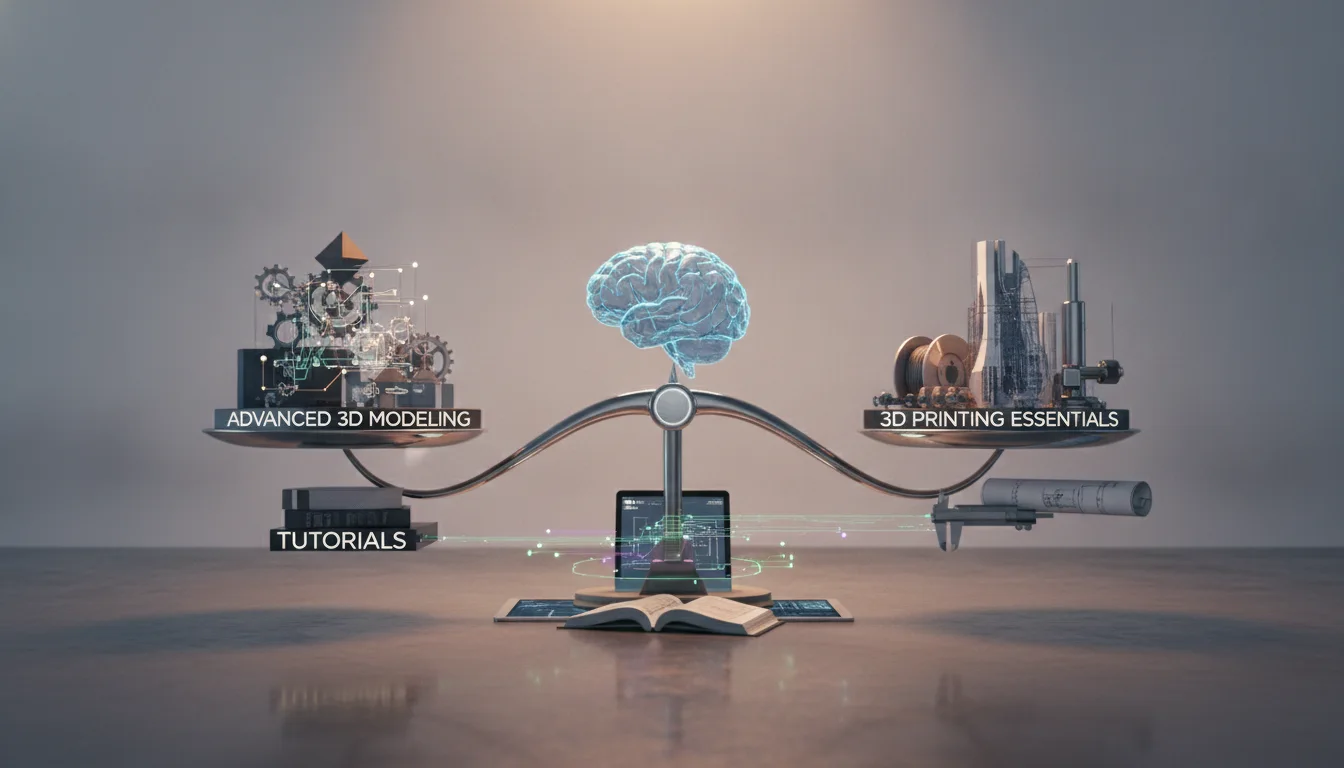
There is no universally “better” or “cheaper” advanced rigging solution; the optimal choice is always contextual. The decision-making process for advanced character rigging must weigh several critical factors:
Ultimately, advanced character rigging is a continuous balancing act between visual quality, technical complexity, performance, and efficiency. Each technique and approach presents a unique set of features and implications for production ‘cost’—be it in terms of development time, computational resources, or required skill. By understanding these trade-offs, technical artists can architect rigs that not only meet the immediate needs of a project but also stand the test of a demanding production pipeline.
Conclusion
Advanced character rigging is a testament to the blend of technical prowess and artistic sensibility required in 3D animation. It’s about engineering a system that empowers animators to tell compelling stories through believable character performance. From the intricate dance of IK FK switching to the organic realism of deformation rigs and the nuanced expressiveness of facial rigging techniques, every decision impacts the final animated output and the efficiency of the production pipeline animation.
As the industry continues to push the boundaries of realism and interactive experiences, the field of advanced character rigging will undoubtedly evolve. For those looking to master this craft, a deep understanding of these complex techniques, coupled with a strategic approach to balancing features against their inherent ‘costs’ and complexities, is paramount. The journey is challenging, but the reward is the ability to bring truly production-ready, captivating characters to life.
Frequently asked questions
What is the most common mistake when setting up corrective blend shapes for elbows or knees?
The most common mistake is sculpting the corrective shape on the deformed mesh at the extreme pose without verifying that the shape’s vertex offsets blend smoothly back to zero as the joint returns to a neutral angle. This causes the correction to “pop” on or off during animation. A better approach is to use a driven key or a utility node that ramps the shape’s weight gradually based on the joint’s rotation angle.
Can I use a hybrid facial rig for real-time game characters, or is it only for film?
Yes, hybrid facial rigs are used in games, but you must keep the blend shape count low and the joint hierarchy simple to stay within the platform’s performance budget. Typically, a game-ready hybrid rig uses joints for broad cheek and brow motion and a small set of carefully sculpted blend shapes for critical expressions like lip-sync phonemes and eye squints. Film hybrids can afford hundreds of shapes and simulation-driven joints, which would be too slow for real-time playback.
Does space switching work when exporting a rig to a game engine like Unreal or Unity?
Space switching logic built with native constraints or matrix nodes in Maya or Blender does not transfer directly through FBX or Alembic exports. To replicate space switching in a game engine, you must implement the parent-space logic manually in the engine’s animation blueprint or state machine. Alternatively, you can bake the animation with the space switch active before export, which locks the control’s world-space position but removes the interactive flexibility for the animator.