In the intricate world of 3D printing, achieving perfect bed adhesion is often the cornerstone of a successful print. Without a solid connection between the initial layers of your model and the print bed, you risk frustrating failures such as warping, lifting, or complete detachment. To combat these common challenges, two primary adhesion helper structures have emerged as go-to solutions: the 3D print brim and the 3D print raft. While both aim to improve the bond, they achieve this through distinct mechanisms, each with its own set of characteristics, advantages, and cost implications. This comprehensive comparison will delve into the nuances of each, providing an objective analysis to help you discern which option aligns best with your specific printing requirements and operational considerations.
Understanding the fundamentals of bed adhesion
A retro-styled turntable and add-on speaker system with concrete and wood enclosure options. Currently running on Kickstarter.
Bed adhesion is paramount in FDM (Fused Deposition Modeling) 3D printing because the entire print relies on the stability of its first few layers. If these layers do not adhere securely to the print bed, the print is likely to fail. Common issues stemming from poor adhesion include:
- Warping: This occurs when the plastic cools unevenly, causing internal stresses that pull the edges or corners of the print upwards, detaching them from the bed. Materials like ABS and Nylon are particularly susceptible due to their higher shrinkage rates.
- Lifting: Similar to warping, but often refers to the entire print detaching or shifting during the process.
- Elephant’s foot: An undesirable effect where the first few layers of a print bulge outwards, resembling an elephant’s foot. While not strictly an adhesion failure, it’s related to the initial interaction with the bed and can be mitigated by some adhesion helpers.
Effective bed adhesion is influenced by several factors, including bed temperature, ambient temperature, bed material, print material, and proper bed leveling. When these factors alone aren’t sufficient, adhesion helpers like a 3D print brim or a 3D print raft become invaluable tools in your 3D printing arsenal.
The 3D print brim
What is a brim?
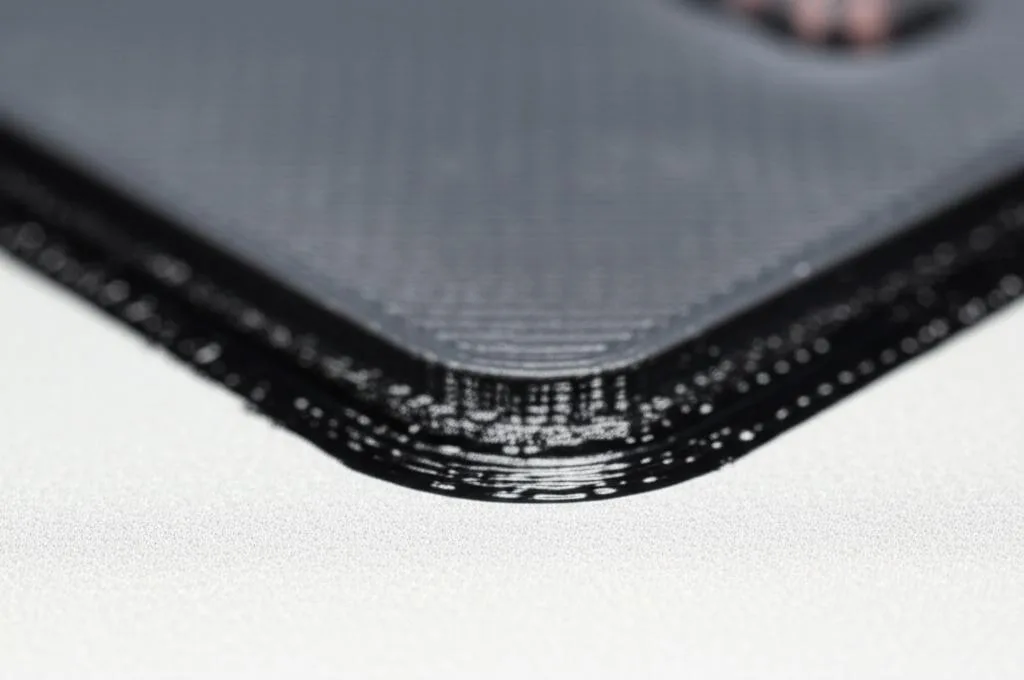
A 3D print brim is essentially a single-layer, flat, horizontal extension that is printed around the base of your model, directly on the print bed. It’s not connected to the model’s structure above the first layer but rather expands the surface area of the initial layer that makes contact with the print bed. Think of it as a flat skirt that is directly attached to the perimeter of your print’s base.
Features and characteristics
- Increased surface area: By extending outwards, the brim significantly increases the total contact area of the first layer with the print bed, distributing the adhesion forces over a larger region.
- Stress distribution: This larger contact area helps to dissipate the thermal stresses that cause warping, particularly at sharp corners or edges of the print.
- Easy removal: Brims are typically designed to be thin and easily detachable from the main print after completion, often by hand or with a hobby knife.
- Minimal material usage: Compared to other adhesion aids, a brim consumes a relatively small amount of filament, making it an efficient choice.
- Direct bed contact: The print’s first layer still makes direct contact with the print bed, preserving the original bottom surface quality of the model.
When to use a brim
A 3D print brim is particularly well-suited for specific scenarios:
- Tall, slender objects: Models with a high aspect ratio (tall and narrow) tend to be unstable and prone to tipping or warping at the base. A brim provides a wider, more stable foundation.
- Objects with small footprints: Prints that have minimal contact area with the print bed can benefit greatly from a brim to enhance their initial adhesion.
- Materials prone to warping: When working with filaments known for significant thermal contraction, such as ABS, Nylon, or even certain PETG formulations, a brim can be a crucial countermeasure against corner lifting.
- When a smooth bottom surface is desired: Since the print’s actual first layer is laid directly on the print bed, the bottom surface retains the texture of your bed (e.g., smooth glass, textured PEI).
- For parts that need to stand upright during printing: If a part’s orientation for optimal layer lines or strength requires it to stand on a small base, a brim can provide the necessary stability.
Advantages of using a brim
- Cost-effective: The additional material and print time required for a brim are minimal, making it an economical choice for improving adhesion.
- Effective against warping: Brims excel at preventing the corners and edges of prints from lifting off the bed, a common failure point.
- Maintains original bottom surface quality: As the print makes direct contact with the bed, the final product’s bottom surface will reflect the quality and texture of your build plate.
- Relatively quick to print: Adding a brim typically only extends print time by a few minutes, depending on its width and number of lines.
Disadvantages of using a brim
- Requires post-processing: The brim must be carefully removed from the print after completion, which adds a step to the finishing process.
- Can leave marks: Depending on the filament, printer calibration, and removal technique, a brim can sometimes leave slight rough edges or marks on the perimeter of the print’s base.
- Less effective for extremely uneven beds: While it helps adhesion, a brim won’t compensate for a severely unlevel print bed; the print’s base will still follow the contours of the bed.
- No internal support: A brim only addresses external adhesion and stability; it does not provide any support for internal overhangs or complex geometries.
Cost implications of brim
From a cost perspective, a 3D print brim is generally a low-impact adhesion helper. The material cost is negligible, often just a few grams of filament. The time cost is also minimal, adding only a small amount to the overall print time for its few perimeter lines. The primary “cost” comes in the form of post-processing labor, requiring a few moments to carefully trim or snap off the brim, and potentially a small investment in a hobby knife or deburring tool if you don’t already own one.
The 3D print raft
What is a raft?
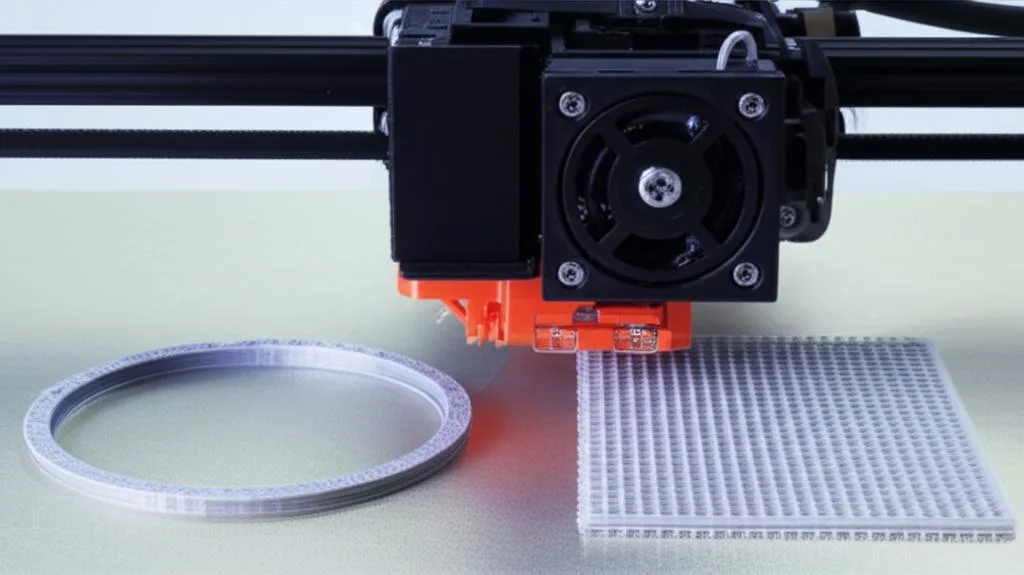
A 3D print raft is a sacrificial, multi-layer base that is printed directly on the print bed, and the actual 3D model is then printed on top of this raft. It effectively creates a new, flat, and highly adhesive surface for your print, completely isolating the model from the irregularities or adhesion challenges of the build plate itself. It’s like building a small, temporary platform for your print.
Features and characteristics
- Creates a new printing surface: The raft provides a perfectly flat and uniform base for your print, regardless of minor imperfections on the actual print bed.
- Complete isolation: The print is entirely separated from the print bed by the raft, which can be beneficial when dealing with extremely problematic bed surfaces or materials.
- Significant material usage: Rafts typically consist of several layers, making them more material-intensive than brims.
- Often easier to remove from the bed: The entire raft-and-print assembly can sometimes be easier to peel off a stubborn print bed than a print directly adhering to it.
- Lifts the print off the bed: By adding a buffer layer, the raft elevates the print slightly above the bed, which can help mitigate “elephant’s foot” by ensuring the first layer is printed with less compression.
When to use a raft
A 3D print raft is often considered when other adhesion methods fall short, or for very specific print conditions:
- Extremely poor bed adhesion: If you consistently struggle with the first layer sticking, even after optimizing other settings, a raft can provide a robust solution.
- Heavily warped or uneven print beds: A raft can compensate for minor inconsistencies or slight warping in your print bed, as its initial layers will conform to the bed, and subsequent raft layers will create a flat surface.
- Materials that struggle with first layer adhesion: Some exotic or engineering filaments are notoriously difficult to get to stick. A raft can provide a more forgiving base.
- Small, intricate parts where bed contact is minimal: For models with very delicate or minimal contact points, a raft offers a much larger, stable base.
- When a pristine bottom surface is not critical: If the bottom surface quality is less important than print success (e.g., internal components, functional prototypes), a raft is a viable option.
- To prevent “elephant’s foot”: By printing the model on the raft, the first layer of the actual model starts higher and with potentially less squish, reducing the likelihood of this phenomenon.
Advantages of using a raft
- Superior adhesion: Rafts provide arguably the strongest bed adhesion among common helper structures, making them highly reliable for challenging prints.
- Compensates for uneven beds: Its multi-layer nature allows it to effectively level out minor imperfections of the print bed, providing a truly flat surface for your model.
- Can help prevent “elephant’s foot”: By acting as a buffer, the raft can ensure the first layer of your actual print is cleaner and more dimensionally accurate.
- Easier print removal: Sometimes, the entire raft-and-print assembly is easier to detach from the print bed, especially if your print bed has very strong adhesion properties.
- Provides a buffer for minor print height calibration issues: If your Z-offset isn’t perfectly dialed in, the raft can absorb some of that variance, allowing the actual print to start more consistently.
Disadvantages of using a raft
- Higher material consumption: A raft uses significantly more filament than a brim, directly impacting material costs.
- Longer print times: Printing multiple layers for the raft adds considerable time to the overall print duration, especially for larger models.
- Bottom surface quality degradation: The bottom surface of your print will take on the texture of the top layer of the raft, which is typically rougher than a print directly on a smooth bed. This can be undesirable for aesthetic or functional parts.
- Can be difficult to separate the print from the raft: While the raft helps with bed removal, separating the actual print from the raft can sometimes be tricky and may require careful prying or cutting, potentially damaging the print.
- Potential for reduced print quality: The interface between the raft and the first layer of the print can sometimes be inconsistent, leading to a slightly less smooth or accurate initial layer compared to printing directly on the bed.
Cost implications of raft
The cost implications of using a 3D print raft are more substantial than those of a brim. Material cost is higher due to the volume of filament used for the multi-layer base. This can add up, particularly for large or frequent prints. Time cost is also a significant factor, as printing a raft can add tens of minutes, or even hours, to a print job. This increased print time translates to higher energy consumption and reduced printer throughput. Post-processing can also be more labor-intensive, as separating the print from the raft can be a delicate operation that requires more time and care than simply trimming a brim.
Brim versus raft: a comparative analysis
To summarize, let’s directly compare these two adhesion helper structures across key dimensions:
Adhesion effectiveness
- 3D print brim: Excellent for preventing edge warping and improving adhesion for prints with small footprints on a relatively flat bed. It enhances the existing bed adhesion.
- 3D print raft: Offers superior, more robust adhesion, especially for challenging materials or uneven beds. It creates a new, ideal adhesion surface.
Material consumption
- 3D print brim: Very low. Typically a few grams of filament.
- 3D print raft: High. Can consume a significant amount of filament, depending on the raft’s size and layer count.
Print time
- 3D print brim: Minimal increase. Usually adds only a few minutes to the total print time.
- 3D print raft: Significant increase. Can add a substantial amount of time due to printing multiple additional layers.
Surface finish
- 3D print brim: Preserves the original bottom surface quality of the print, matching the texture of the print bed. Requires careful removal to avoid marks on the side.
- 3D print raft: The bottom surface of the print will have the texture of the raft’s top layer, which is typically rougher or more porous.
Post-processing
- 3D print brim: Relatively simple. Involves trimming or snapping off the thin brim from the print’s perimeter.
- 3D print raft: Can be more involved. Requires careful separation of the print from the raft, which can sometimes be stubborn or leave residual material.
Bed condition tolerance
- 3D print brim: Effective on well-calibrated, flat beds. It won’t compensate for significant bed unevenness.
- 3D print raft: Highly effective at compensating for minor bed unevenness or surface imperfections by creating its own flat base.
Cost implications summary
When evaluating the cost implications, it’s crucial to consider both direct and indirect factors. A 3D print brim represents a low-cost solution, with minimal added material and print time. Its primary “cost” is the minor post-processing effort. Conversely, a 3D print raft carries higher direct costs due to increased material consumption and longer print times, which also translate into higher energy usage. Indirectly, the extended print times mean your printer is occupied for longer, potentially delaying other projects. The post-processing for a raft can also be more time-consuming and may require more finesse to avoid damaging the final part, effectively adding to labor costs. Therefore, the choice between them often involves a trade-off between guaranteed adhesion (raft) and economic efficiency (brim).
Factors influencing your choice
The decision between using a 3D print brim and a 3D print raft is rarely black and white. It hinges on a multitude of factors specific to your print job and printer setup:
- Type of material: Highly warp-prone materials like ABS or Nylon often benefit from the increased adhesion of a raft, especially for larger prints. For PLA or PETG, a brim is often sufficient.
- Geometry of the part: Models with small footprints, sharp corners, or tall, slender profiles are prime candidates for a brim. Intricate parts with minimal bed contact might lean towards a raft for absolute stability.
- Condition of your print bed: If your print bed is perfectly level and has excellent intrinsic adhesion, a brim or even no adhesion helper might suffice. For beds with known imperfections or poor inherent adhesion, a raft can be a lifesaver.
- Desired bottom surface quality: If a smooth, pristine bottom surface is critical for aesthetics or function, a brim is generally preferred as it allows direct contact with the bed. If a slightly textured bottom is acceptable or can be post-processed away, a raft is an option.
- Time and material budget: For quick prototypes or when filament conservation is key, a brim is the more economical choice. If print success outweighs material and time costs, a raft might be justified.
- Printer calibration: A well-calibrated printer with an accurately set Z-offset might only need a brim, or no helper at all. A printer that consistently struggles with first-layer squish or leveling might find more consistent success with a raft.
Hybrid approaches and advanced considerations
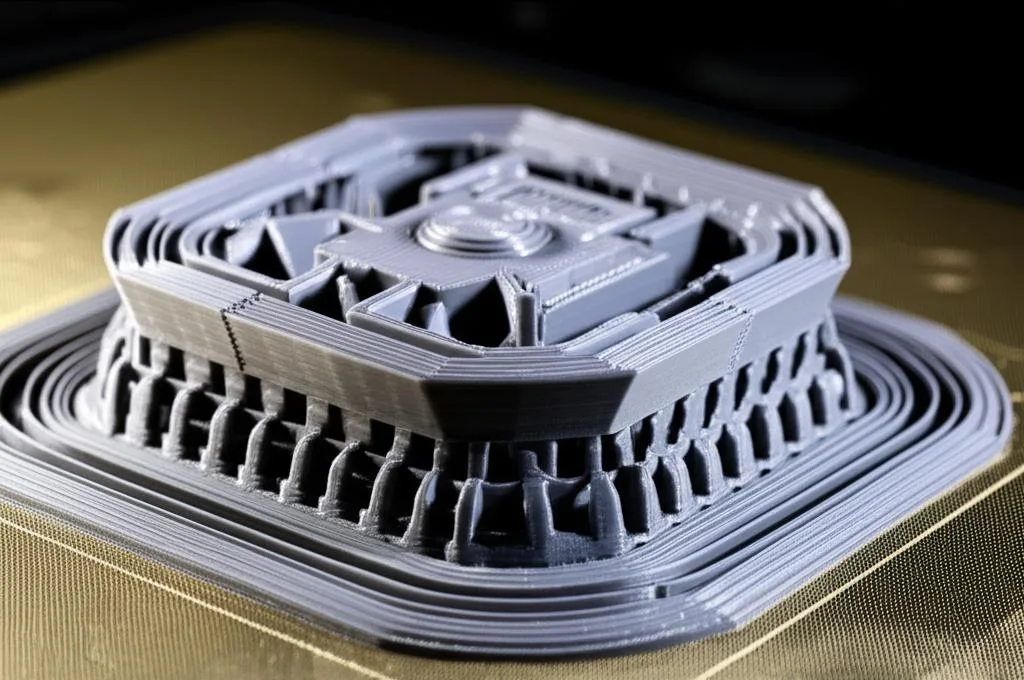
Sometimes, neither a standalone 3D print brim nor a 3D print raft is the perfect solution, or they may be used in conjunction with other techniques. For instance, some slicers allow for a “brimmed raft” where a brim is added around the raft for even more expansive adhesion, though this is rare. More commonly, these adhesion helpers are combined with other strategies:
- Adhesive agents: Using glue stick, hairspray, or specialized adhesion liquids on the print bed can significantly boost the effectiveness of both brims and rafts.
- Enclosures: For materials like ABS, an enclosed print chamber helps maintain a stable, warm environment, reducing thermal gradients and warping, thereby potentially making a brim sufficient where a raft might otherwise be needed.
- Proper bed leveling and temperature: Regardless of the adhesion helper chosen, ensuring your print bed is perfectly level and at the optimal temperature for your filament is fundamental. These are foundational steps that no helper structure can fully replace.
- Custom adhesion layers: Some advanced users might design custom, intricate first layers within their CAD software to maximize surface area without relying on automatic brim or raft generation.
Ultimately, the choice between a 3D print brim and a 3D print raft is a strategic one, influenced by a nuanced understanding of your specific printing challenges and desired outcomes. Both serve as invaluable adhesion helper structures, but their application depends on balancing print reliability, material consumption, print time, and the quality of the final product’s surface. By carefully considering the factors discussed, you can make an informed decision that optimizes your 3D printing workflow and consistently yields successful prints.
Frequently asked questions
Does a brim or raft use more filament, and by how much?
A raft uses significantly more filament than a brim. A brim is typically just a few single-layer perimeter lines, adding only a few grams of material. A raft consists of multiple solid layers, so it can consume tens of grams of filament and add hours to print time, making it a much costlier option.
Can I reuse a print bed after using a raft, or does it leave residue?
Yes, you can reuse the bed. A raft is designed to be peeled off the print bed as a single assembly, often easier than removing a print directly. However, depending on your bed surface and the material used, the raft may leave behind a thin film or residue that requires cleaning with isopropyl alcohol or a gentle scrub before your next print.
Which option is better for preventing elephant’s foot?
A raft is generally better for preventing elephant’s foot. Because the print starts on top of the raft rather than directly on the bed, the first layer of the model experiences less compression and squish, reducing the bulging effect. A brim does not isolate the print from the bed, so it offers no direct benefit against elephant’s foot.