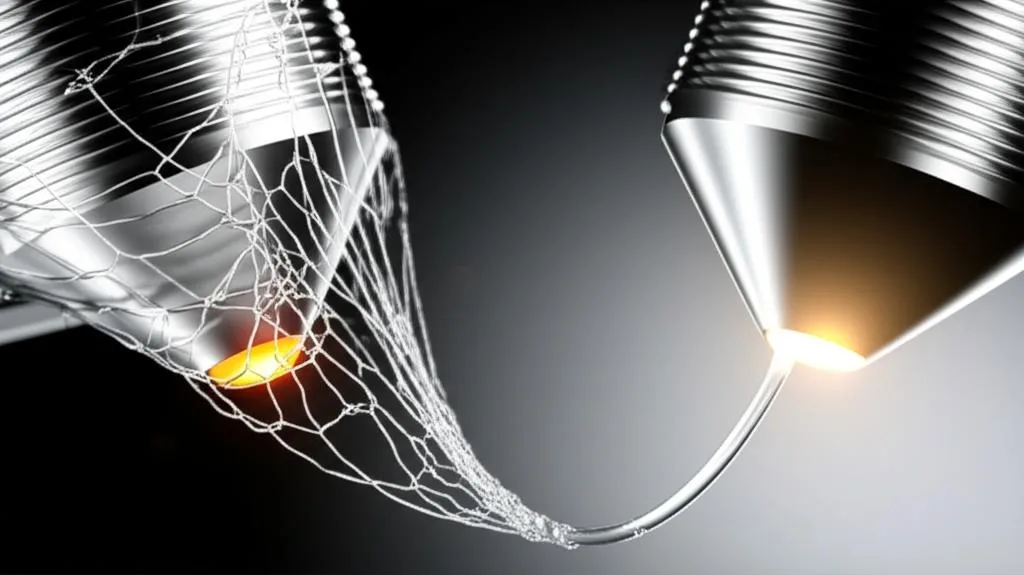
Stringing, often described as “hairy prints” or oozing, is a pervasive challenge in FDM 3D printing that can quickly turn an otherwise perfect model into a frustrating mess. These fine, unwanted plastic threads stretch across gaps where the print head has traveled, leaving behind a web-like artifact that detracts from surface finish and overall print quality. While a multitude of factors can contribute to this issue, from retraction settings to humidity, one stands out as fundamentally critical: nozzle temperature. Mastering the precise print temperature for your chosen filament isn’t merely about achieving strong layer adhesion; it’s a nuanced balancing act that directly influences the material’s flow characteristics and, consequently, your ability to prevent or effectively cure stringing.
The science behind stringing: viscosity and melt flow
To truly conquer stringing, it’s helpful to understand the underlying physics. When filament is heated in the hotend, it transitions from a solid state to a molten, viscous fluid. The degree of this fluidity, or viscosity, is profoundly dependent on the nozzle temperature. Think of different liquids: water is very low viscosity, honey is higher, and tar is extremely high. Plastics behave similarly when heated.
A plastic’s viscosity dictates how easily it flows under pressure and, crucially, how readily it will continue to drip or string when that pressure is removed. High temperatures decrease viscosity, making the plastic thinner and more prone to flow out of the nozzle even during non-extruding movements. This phenomenon is often exacerbated by residual pressure within the melt zone – the section of the hotend where the filament is fully molten. When the extruder stops pushing filament, this residual pressure, combined with the low viscosity, can force plastic out, creating those unwanted strings. This tendency is also related to the material’s Melt Flow Index (MFI), a measure of how easily a thermoplastic flows under specific conditions. While you don’t directly control MFI, understanding that different filaments have different inherent flow characteristics at certain temperatures is key.
How nozzle temperature directly influences stringing
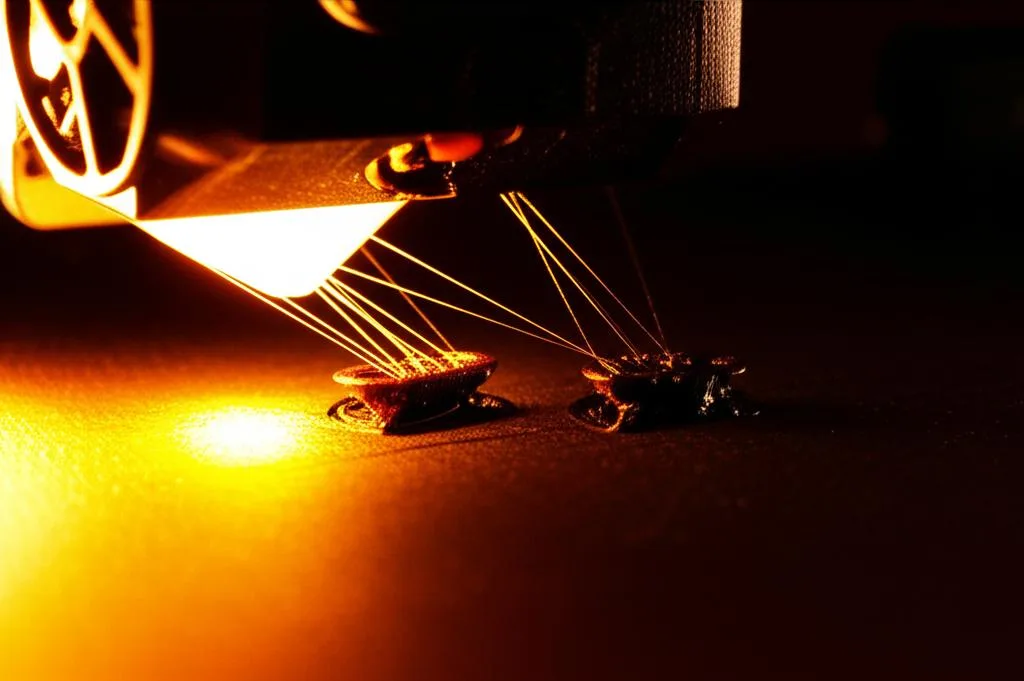
Temperature too high: the classic cause of oozing
An overly high nozzle temperature is the most frequent culprit behind severe stringing. When the plastic is heated beyond its optimal range, it becomes excessively fluid. This hyper-fluid state means:
- Reduced Viscosity: The molten plastic offers less resistance to flow. Even the slightest internal pressure or gravity can cause it to ooze out of the nozzle opening during travel moves.
- Ineffective Retraction: Retraction mechanisms are designed to pull the filament back slightly, relieving pressure in the melt zone. However, if the plastic is too runny, retraction becomes less effective. The “string” of molten plastic might simply stretch rather than break cleanly from the nozzle, or residual material will continue to drip.
- Increased Heat Creep Potential: While not a direct cause of stringing, excessive heat can sometimes creep up the hotend, softening the filament prematurely above the melt zone. This can lead to inconsistent extrusion, blockages, and overall flow issues that indirectly contribute to stringing as the printer struggles to maintain consistent pressure.
The visual evidence of stringing from high temperatures is typically fine, wispy strands that look like spiderwebs, or sometimes thicker, more pronounced strings depending on the filament and severity.
Temperature too low: an indirect contributor to stringing
While less common as a direct cause, a nozzle temperature that is too low can also lead to stringing or, more accurately, exacerbate it by causing other print quality issues. If the temperature is insufficient:
- Inconsistent Melting and Flow: The filament may not melt uniformly or quickly enough, leading to intermittent extrusion. This can manifest as blobs or uneven lines that string as the nozzle moves.
- Poor Layer Adhesion: The plastic won’t bond properly, leading to weak parts. In an attempt to compensate for poor adhesion, some users might increase flow, which can then lead to over-extrusion and more oozing.
- Increased Need for Aggressive Retraction: To prevent stringing from stiffer, less consistently flowing material, retraction settings might be pushed to extremes. Overly aggressive retraction can lead to issues like filament grinding, clogs, or even creating vacuum bubbles that result in inconsistent extrusion later.
Therefore, while lowering the temperature is often the first instinct for stringing, dropping it too far can introduce a new set of problems that indirectly contribute to or mask the stringing issue.
Filament-specific considerations for optimal print temperature
The “perfect” nozzle temperature is highly dependent on the type and even brand of filament you are using. Each material has a distinct thermal profile that dictates its optimal melting and flow characteristics.
- PLA (Polylactic Acid): Generally prints at the lower end of the spectrum, typically between 180°C and 220°C. PLA becomes quite fluid at relatively low temperatures, making it particularly susceptible to stringing if the temperature is set too high. Its lower thermal conductivity compared to some other plastics means it melts and solidifies relatively quickly, which can be an advantage if the temperature is correctly dialed in.
- PETG (Polyethylene Terephthalate Glycol): Notorious for its stringy nature. It requires higher temperatures than PLA, usually ranging from 220°C to 250°C. PETG’s inherent stickiness when molten makes it prone to dragging and forming strings. Precise temperature control, often leaning towards the lower end of its recommended range, combined with carefully tuned retraction, is paramount for successful PETG prints.
- ABS (Acrylonitrile Butadiene Styrene): Demands even higher temperatures, commonly 230°C to 260°C, and often benefits from an enclosed print environment to prevent warping. While it can string, ABS typically exhibits thicker strings or blobs rather than the fine wisps seen with PLA or PETG. Its higher glass transition temperature means it remains stiffer for longer, but once molten, it flows readily.
- Flexible Filaments (e.g., TPU, TPE): These materials present unique challenges. They are inherently elastic, which can make retraction difficult as the filament stretches rather than retracts cleanly. They often require specific, usually lower, print temperatures (e.g., 200°C to 230°C for many TPUs) combined with very slow print speeds and minimal, carefully tuned retraction settings. Too high a temperature will lead to severe stringing, while too low can cause clogs due to their flexibility.
Always consult the filament manufacturer’s recommended print temperature range as a starting point. This range is a crucial guide, but fine-tuning for your specific printer and environment is almost always necessary.
Troubleshooting stringing: the indispensable temperature tower
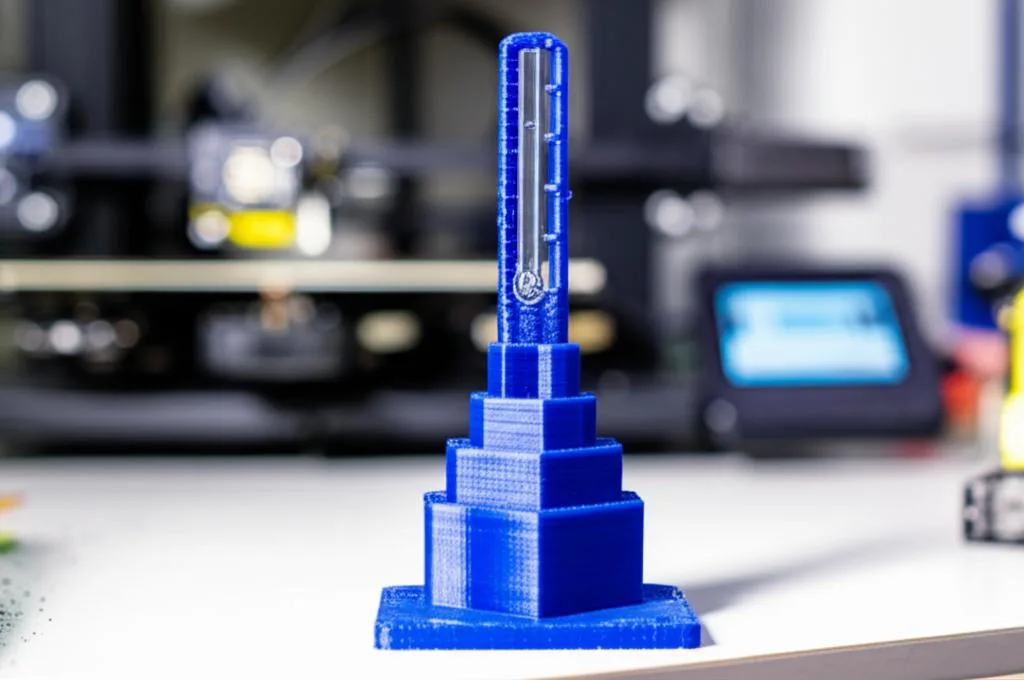
Guessing the optimal nozzle temperature is a recipe for frustration. The most efficient and scientific method for dialing in this critical setting and combating stringing is by printing a temperature tower. This specialized test print is designed to print different sections of a model at varying temperatures, allowing for a direct, visual comparison of print quality, particularly concerning stringing and bridging performance.
Executing a temperature tower test:
- Select a suitable temperature tower model: Numerous designs are available on platforms like Thingiverse or Printables. Look for models that include features prone to stringing, such as small gaps, pointed cones, or bridging elements.
- Prepare your slicer: Import the model into your slicer software (e.g., Cura, PrusaSlicer, Simplify3D). The key is to implement post-processing scripts or manual G-code insertions that change the print temperature at specific layer heights. For instance, if your tower has five distinct sections, you might start at the higher end of your filament’s recommended range (e.g., 235°C for PETG) and decrease the temperature by 5°C for each subsequent section.
- Initiate the print and observe: Carefully monitor the printing process. Pay close attention to how the plastic flows and behaves at each temperature segment.
- Analyze and interpret results: Once the print is complete, thoroughly examine each section. Identify the segment with the least amount of stringing, the cleanest bridges, and the best overall surface finish and layer adhesion. This temperature range is your sweet spot for that particular filament and printer. It’s not uncommon to find that the “best” temperature is slightly lower than the manufacturer’s mid-range recommendation for stringing-prone materials.
The temperature tower provides objective, tangible data, eliminating guesswork and empowering you to make data-driven decisions in your troubleshooting efforts. It’s an essential calibration for every new spool of filament, especially if you switch brands or material types.
Interacting settings: beyond nozzle temperature
While nozzle temperature is paramount, it doesn’t operate in a vacuum. It interacts with several other print settings, and optimizing these alongside temperature is crucial for a truly string-free print. Think of them as a symphony where each instrument plays a vital role.
- Retraction Distance and Speed: These are the most direct partners to temperature in combating oozing.
- Retraction Distance: How far the filament is pulled back into the hotend. Too little, and plastic will still ooze. Too much, and you risk heat creep, clogs, or grinding the filament. The ideal distance varies greatly between Bowden and direct drive setups.
- Retraction Speed: How quickly the filament is pulled back. Too slow, and plastic might still ooze. Too fast, and you risk breaking the filament or causing air gaps.
Adjusting these settings after finding your optimal temperature is often the next step in troubleshooting.
- Print Speed: This setting has a complex relationship with temperature.
- Faster Speeds: Can sometimes reduce stringing because the nozzle spends less time dwelling in one spot, giving less opportunity for plastic to ooze. However, if the temperature is too low for the speed, you might get under-extrusion.
- Slower Speeds: Can exacerbate stringing if the temperature is too high, as the plastic has more time to drip. For flexible filaments, very slow speeds are often necessary to prevent stringing and extrusion issues.
- Cooling (Part Cooling Fan): The part cooling fan solidifies the extruded plastic more quickly. While its primary role is for overhangs and bridging, better cooling can indirectly help reduce stringing by stiffening the plastic faster after it leaves the nozzle. This gives the molten plastic less time to stretch into wisps during travel moves. Ensure your cooling fan is working effectively, especially for PLA and PETG.
- Travel Speed: Increasing the speed at which the nozzle moves between non-printing areas can significantly reduce stringing. A faster travel speed means less time for the molten plastic to ooze out of the nozzle opening.
- Wipe Distance: Some slicers offer a “wipe” setting, where the nozzle performs a small, non-extruding movement at the end of a line before retraction. This can help “wipe” off any residual plastic from the nozzle tip, further preventing stringing.
When adjusting these settings, adopt a systematic approach: change one variable at a time and re-test. This allows you to isolate the impact of each adjustment on your stringing problem.
When nozzle temperature isn’t the whole story
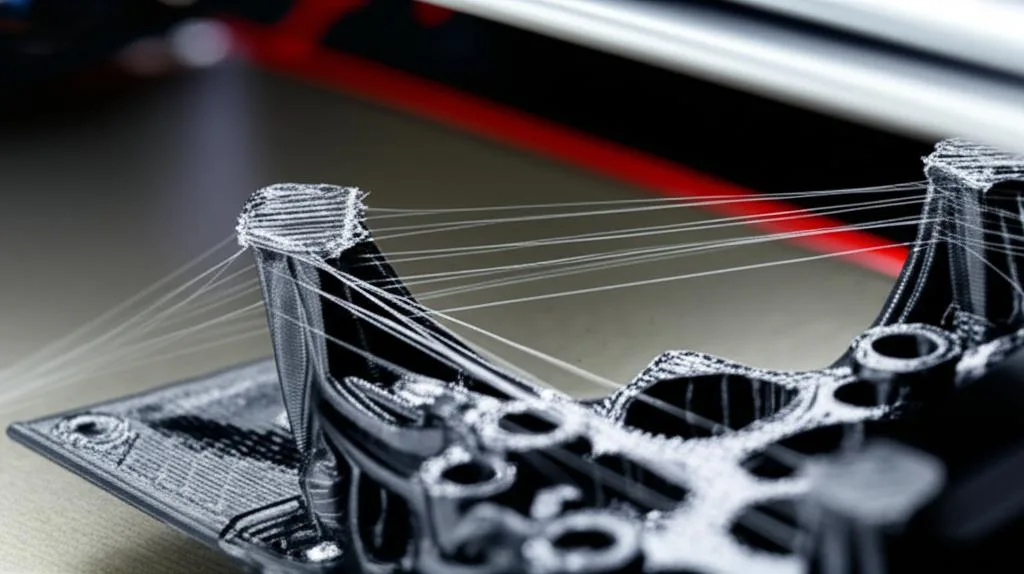
Despite the critical role of nozzle temperature, it’s essential to recognize that stringing can be a multi-faceted issue. If you’ve meticulously calibrated your print temperature and optimized retraction using a temperature tower, yet persistent stringing remains, it’s time to broaden your troubleshooting scope:
- Wet Filament: This is a massive contributor to stringing, especially with hygroscopic materials like PETG, Nylon, and even some PLAs. Moisture absorbed from the air turns into steam when heated, creating bubbles that lead to inconsistent extrusion, popping sounds, and severe stringing or blobs. Drying your filament in a dedicated dryer or oven is often the cure.
- Worn or Damaged Nozzle: An old, worn, or partially clogged nozzle can have an inconsistent opening or internal geometry. This leads to unpredictable extrusion, uneven pressure, and an increased propensity for stringing. A simple nozzle replacement can sometimes work wonders.
- Hotend Assembly Issues:
- Gap between Nozzle and Heat Break/PTFE Tube: In Bowden setups, a gap between the PTFE tube and the nozzle can create a void where molten plastic accumulates, leading to pressure inconsistencies and oozing.
- Heat Creep: If the hotend cooling fan isn’t effective, heat can migrate too far up the hotend, softening the filament prematurely and causing partial clogs or inconsistent flow.
- Extruder Calibration (E-steps): While not a direct cause of stringing, an improperly calibrated extruder can lead to over-extrusion, which presents similarly to stringing caused by too high a temperature. Ensuring your E-steps are correct is fundamental.
- Z-Hop/Z-Lift: If Z-hop is enabled, the nozzle lifts slightly during travel moves. While this can prevent the nozzle from scraping the print, it can also create more opportunity for plastic to string if not perfectly tuned with retraction.
- Firmware Settings: Advanced settings like “Pressure Advance” or “Linear Advance” in firmware (e.g., Marlin, Klipper) can significantly improve extrusion consistency and reduce stringing by anticipating pressure buildup.
Approach these additional factors systematically. After exhausting temperature and retraction adjustments, consider these other potential issues in your comprehensive troubleshooting checklist.
Conclusion: empowering your prints through precision
The quest for perfectly string-free 3D prints is a hallmark of an experienced maker. While the phenomenon of stringing can be frustrating, understanding its primary drivers, particularly the nuanced role of nozzle temperature, is the first step towards mastery. By delving into the science of filament viscosity and systematically experimenting with your print temperature – most effectively through the use of a temperature tower – you gain invaluable insight into how your specific printer and material combination behave.
Remember, there is no universal “best” temperature; it’s a dynamic variable that demands attention for each new material. By embracing a methodical approach to troubleshooting, adjusting not only temperature but also its interacting settings like retraction and cooling, you empower yourself to conquer oozing and achieve the clean, high-quality prints that truly showcase your craftsmanship. Happy printing, and may your prints be forever string-free!
Frequently asked questions
Can I just lower the temperature to fix stringing without running a temperature tower?
Lowering the temperature is often the correct first step, but guessing blindly can backfire. Dropping it too far causes inconsistent melting, poor layer adhesion, and may force you to use overly aggressive retraction settings that cause clogs or filament grinding. A temperature tower gives you objective data on which exact temperature eliminates strings while maintaining strength.
Does wet filament cause stringing that temperature adjustments can’t fix?
Yes. Moisture absorbed by hygroscopic filaments like PETG and Nylon turns to steam inside the hotend, creating bubbles, popping sounds, and severe stringing that no temperature change will cure. If your temperature tower and retraction tuning produce no improvement, dry the filament in a dedicated dryer or oven before making any other adjustments.
Should I increase travel speed or enable Z-hop to help with stringing?
Increasing travel speed reduces the time the nozzle can ooze during non-printing moves, which often helps. Z-hop lifts the nozzle off the print during travel, but it can actually make stringing worse because the dangling filament has more distance to stretch into a string. Try faster travel moves first, and only enable Z-hop if the nozzle is scraping your print surface.