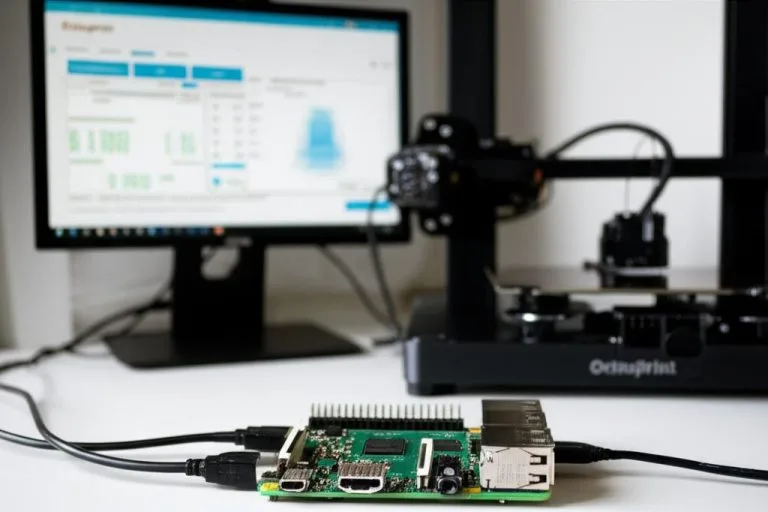
The allure of 3D printing is undeniable, transforming digital designs into tangible objects with remarkable ease. However, this fascinating technology isn’t without its pitfalls. The dreaded “print failure” — be it a spaghetti monster, layer shift, or nozzle clog — can quickly turn excitement into frustration, wasting precious time and expensive materials. For many 3D printer enthusiasts and professionals, particularly those running longer prints or managing multiple machines, manually overseeing every job simply isn’t feasible. This is where OctoPrint, a powerful open-source web interface for 3D printers, coupled with intelligent plugins, steps in to offer a much-needed solution: automated print failure detection and remote monitoring.
The high cost of unchecked 3D print failures
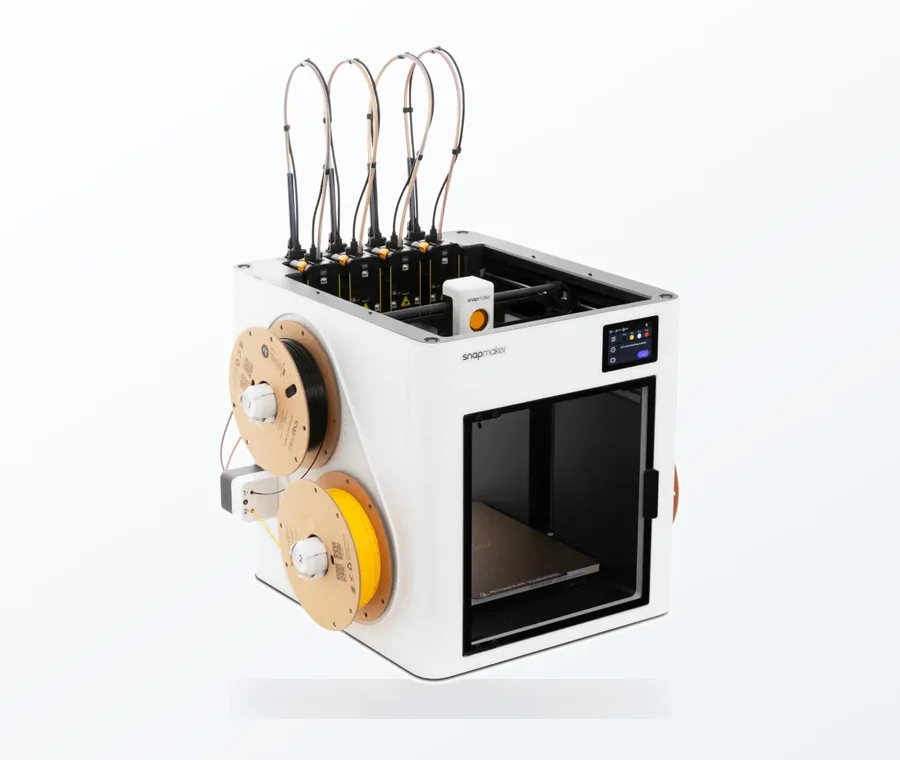
The consumer toolchanger 3D printer: the SnapSwap 4-toolhead system swaps heads in 5 seconds for true multi-color and multi-material printing, with smart calibration and auto filament loading.
- 4 toolheads · 5 s swap
- Up to 500 mm/s · 20,000 mm/s²
- 270 mm cube build volume
- Multi-color & multi-material
Leaving a 3D printer unattended, especially during lengthy prints, is a gamble. The consequences of an undetected failure can be significant, extending far beyond a ruined print:
- Material waste: A print gone awry can consume hundreds of grams of filament, translating directly into monetary loss.
- Time loss: Hours, or even days, of printing time can be utterly wasted, delaying projects and consuming valuable machine uptime.
- Machine wear and tear: Continuous printing of failed layers can lead to excessive extruder stress, nozzle damage, or even impact components if the print head collides with a warped mess.
- Potential hazards: While rare with modern printers, extreme failures can, in worst-case scenarios, pose fire risks if heating elements malfunction or short circuits occur due to tangled filament.
- Frustration and inefficiency: The mental toll of discovering a major failure after hours of anticipation can be considerable, impacting overall productivity and enjoyment of the hobby.
Automated detection and remote monitoring aim to mitigate these risks, providing peace of mind and allowing users to intervene promptly, often saving prints or at least minimizing the damage.
OctoPrint: Your command center for 3D printing
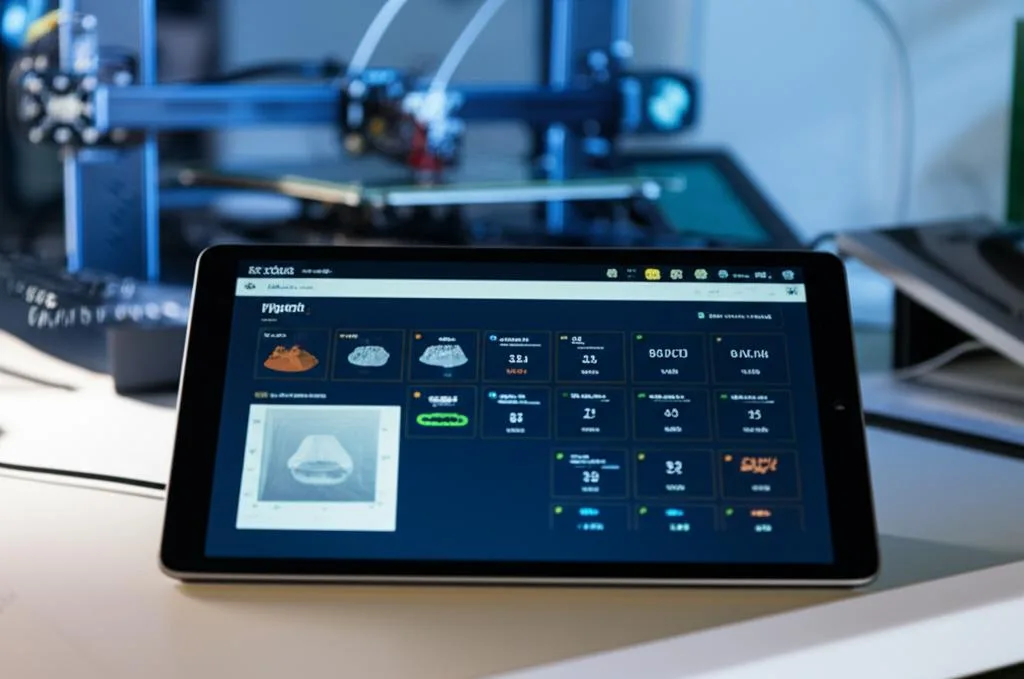
At its core, OctoPrint transforms a standard 3D printer into a network-connected device, accessible and controllable from virtually anywhere via a web browser. Running on a small, dedicated computer like a Raspberry Pi, OctoPrint offers a robust platform for managing print jobs, monitoring printer status, and even controlling its movements. Its true power, however, lies in its extensive plugin ecosystem. These community-developed add-ons extend OctoPrint’s functionality dramatically, turning it into an indispensable tool for advanced 3D printing workflows. Among the most sought-after plugins are those designed for enhancing remote monitoring and, crucially, for the automated detection of print failures.
Demystifying automated print failure detection
Automated print failure detection typically relies on two primary approaches: AI-powered visual analysis and simpler event-based notifications.
How AI-powered systems work
AI-powered systems, such as those utilizing machine learning, represent the cutting edge of print failure detection. These solutions typically require a webcam pointed at the print bed. The AI continuously analyzes the live video feed, looking for anomalies that indicate a print failure. This can include:
- Spaghetti detection: Recognizing when filament is being extruded into thin air or forming a tangled mess instead of adhering to the print.
- Layer shift detection: Identifying when layers are no longer aligning correctly.
- Detached print detection: Noticing if the print has come loose from the build plate.
When a potential failure is detected, the system can automatically pause the print, send notifications, or even stop the print entirely, often saving the printer from further damage and reducing material waste.
The role of simple notification systems
While not strictly “detection” in the AI sense, notification-centric plugins are vital components of any remote monitoring setup. These plugins react to specific events or thresholds within OctoPrint, such as:
- Print started/finished
- Printer paused/stopped
- Temperature warnings (e.g., thermal runaway detected by the printer’s firmware)
- Filament runout (if a sensor is installed and integrated with OctoPrint)
By sending alerts to your phone or computer, these systems ensure you’re always in the loop, even if you still need to manually check the webcam feed to confirm the issue.
Key OctoPrint plugins for failure detection and remote monitoring: A comparative analysis
When it comes to enhancing your OctoPrint setup for smarter, more reliable 3D printing, several plugins stand out. Their features and cost structures vary, offering options for different needs and budgets.
The Spaghetti Detective (TSD): AI at your service
The Spaghetti Detective is arguably the most well-known and sophisticated AI-powered print failure detection plugin for OctoPrint. It leverages cloud-based AI to analyze your printer’s webcam feed in real-time, specifically looking for the tell-tale signs of a spaghetti-like failure. When it detects an issue, it can automatically pause your print and send you notifications.
Features and functionality
- AI-powered detection: Continuously monitors your print via webcam for common failures like spaghetti, layer shifts, and detached prints.
- Automatic print pausing: Can be configured to automatically pause the print upon detection of a failure, preventing further waste.
- Smart notifications: Sends alerts via email, push notifications to a dedicated app, or Telegram, often including a snapshot of the detected issue.
- Remote access: Provides a secure tunnel to access your OctoPrint interface from anywhere, without complex network configurations like port forwarding.
- Time-lapse features: Offers advanced time-lapse capabilities, including AI-edited time-lapses that only capture successful layers.
- Multi-printer support: Manage and monitor multiple OctoPrint instances from a single TSD account.
Cost structure and subscription tiers
The Spaghetti Detective operates on a freemium model, offering different tiers to cater to various user needs:
- Free tier: Typically includes basic AI detection for one printer, with a limited number of “AI hours” per month (e.g., 10 hours). This allows users to test the service and is suitable for occasional printing or short jobs. Notifications and remote access might have limitations.
- Paid tiers (e.g., Pro, Premium): These subscriptions unlock additional AI hours, support for multiple printers, enhanced notification options, full remote access capabilities, and priority support. The pricing usually scales with the number of printers and the amount of AI monitoring time required. Costs are typically billed monthly or annually, offering discounts for longer commitments.
Advantages and considerations
- Advantages: High accuracy in detecting common failures, highly automated, provides secure remote access, user-friendly setup, reduces material waste significantly.
- Considerations: Requires an internet connection for AI analysis, involves sending webcam footage to a cloud service (privacy considerations), subscription cost can add up for heavy users or multiple printers, reliance on a third-party service.
Notification-centric plugins: Keeping you informed
For those who prefer a more hands-on approach or a completely free solution, several plugins excel at sending notifications based on OctoPrint events. These don’t offer AI detection but are crucial for remote monitoring.
OctoPrint-Telegram, OctoPrint-Pushbullet, OctoPrint-Discord
These plugins integrate OctoPrint with popular messaging services, allowing you to receive real-time updates directly to your smartphone or computer. They are generally free to use, requiring only a setup of a bot or API key for the respective service.
- Features: Send text messages, print progress percentages, snapshots from your webcam, and even short video clips (depending on the service and plugin capabilities). They can be configured to send notifications at print start, progress milestones, completion, or error events.
- Ease of setup: Relatively straightforward, involving creating a bot/account with the messaging service and configuring the plugin with the necessary API tokens.
- Cost: Free (beyond the cost of your internet connection).
- Limitations: No automated print failure detection; relies on manual visual checks or other plugins to identify issues. You are effectively the “AI” here, interpreting the images/messages.
OctoPrint-EmailNotifier
A classic and reliable method, this plugin sends email notifications for various print events. It’s less immediate than messaging apps but offers a universal, widely accessible notification channel.
- Features: Configurable email alerts for print status changes, often with webcam snapshots.
- Ease of setup: Requires SMTP server details (can be a free Gmail account’s SMTP, for example).
- Cost: Free.
- Limitations: Email can have delivery delays; similar to other notification plugins, it lacks intelligent failure detection.
Remote access and control plugins: Beyond notifications
While TSD offers integrated remote access, if you opt for a notification-only setup, you’ll still want a way to view your printer’s webcam and potentially control it remotely. These plugins facilitate that, complementing your notification system.
OctoPrint-WebcamStreamer / OctoPrint-RemoteControl (and similar)
These plugins help manage and optimize your webcam stream, and some provide basic remote control functionalities. For truly remote access without TSD, you might need to configure a VPN or secure port forwarding on your home network, which requires more technical expertise and carries inherent security risks if not done properly.
- Features: Provide live webcam feeds accessible via a web browser, often with adjustable quality and framerate. Some offer basic print control (pause, cancel) through a remote interface.
- Ease of setup: Webcam setup within OctoPrint is generally straightforward. Remote access without TSD often requires advanced network configuration.
- Cost: Free for the plugins themselves; potential costs for VPN services or dedicated hardware.
- Limitations: Do not offer failure detection; remote access without TSD or a VPN can expose your network to security vulnerabilities.
Building a comprehensive remote monitoring ecosystem
Combining various plugins and strategies can create a robust monitoring system tailored to your specific needs. The key is to understand how different components work together.
Integrating detection with notifications
An ideal setup often involves a detection mechanism (like TSD’s AI) paired with immediate notification channels. TSD itself provides notifications, but you could also use a separate notification plugin to trigger alerts for other events (e.g., filament runout detected by a sensor, then notified via Telegram). For a purely manual detection system, you’d rely on remote webcam access (via TSD’s tunnel, a VPN, or port forwarding) and a notification plugin to alert you to significant events, prompting you to check the live feed.
Considerations for setup and security
When setting up remote monitoring, especially if you’re not using a service like TSD that handles secure tunneling, security is paramount:
- Network configuration: Understand your router’s settings. If you choose port forwarding, ensure strong, unique passwords for OctoPrint and your router. Consider using a VPN for secure remote access.
- Camera placement: Position your webcam to get a clear, unobstructed view of the entire print bed. Good lighting is also crucial for effective visual monitoring, especially for AI systems.
- OctoPrint security: Always use strong passwords for your OctoPrint instance. Keep OctoPrint and its plugins updated to patch any known vulnerabilities.
- Privacy: Be mindful that a webcam pointed at your printer might also capture parts of your home environment. If using cloud-based AI, understand their data retention and privacy policies.
Evaluating your options: Features versus cost

Choosing the right approach for automated print failure detection and remote monitoring boils down to balancing your budget, technical comfort level, and the criticality of your prints. There’s no single “best” solution, but rather a spectrum of options each with distinct advantages.
- For maximum automation and convenience (e.g., The Spaghetti Detective): This path offers the highest degree of hands-off monitoring, with AI actively looking for problems. It’s ideal for users running frequent, long, or critical prints who prioritize time savings and material conservation. The trade-off is a recurring subscription cost and reliance on a cloud service. It requires minimal technical setup for remote access.
- For budget-conscious users with some technical acumen (e.g., notification plugins + manual remote viewing via VPN/port forwarding): This approach minimizes direct costs, leveraging free messaging services and OctoPrint’s inherent capabilities. It requires more active engagement from the user to interpret webcam feeds and potentially more technical skill for secure remote network access. It’s suitable for hobbyists with less critical prints or those who enjoy a more DIY approach to their setup.
- For a hybrid approach: You might use a free tier of TSD for basic AI detection on your most critical printer, while relying on notification plugins for other machines or for general print status updates. This allows you to leverage AI for high-risk scenarios while keeping overall costs down.
Consider your average print length, the value of the materials you use, and how often you need to be away from your printer. Evaluate the peace of mind offered by automated detection against the recurring costs or the effort involved in a self-managed system.
In conclusion, automating print failure detection and enhancing remote monitoring capabilities with OctoPrint plugins is a game-changer for 3D printing. Whether you opt for the sophisticated AI-driven analysis of The Spaghetti Detective or assemble a robust system using free notification plugins and secure remote access methods, the goal remains the same: to minimize waste, save time, and ensure a smoother, more reliable 3D printing experience. By understanding the features and cost structures of the available solutions, you can make an informed decision that best suits your individual workflow and preferences, empowering you to print with greater confidence and efficiency.
Frequently asked questions
Does The Spaghetti Detective work with any webcam, or do I need a specific model?
TSD works with any webcam that OctoPrint itself supports, including common USB webcams like Logitech C270/C920 and Raspberry Pi Camera modules. The key requirement is a clear, unobstructed view of the entire print bed with good lighting, as the AI analyzes the video feed for anomalies like spaghetti failures or layer shifts.
Can I use The Spaghetti Detective’s AI detection without sending video to the cloud?
No, the free and paid tiers of TSD require an internet connection because the AI analysis is performed on cloud servers, not locally on your Raspberry Pi. If you need offline AI detection, you would need to look into alternative local solutions, as the article describes TSD as relying on cloud-based AI to process the webcam feed.
What happens if my internet goes down while TSD is monitoring a print?
If your internet connection drops, TSD’s AI detection stops working because it cannot send video to the cloud for analysis. However, OctoPrint itself continues running the print job normally, and you can still access the printer locally on your home network. You will not receive failure alerts until the connection is restored.