Embarking on the journey of 3D printing can be incredibly rewarding, but before you can hold your creations in your hands, there’s a crucial first step: design. For many, the idea of designing a 3D model seems daunting, but with the right guidance, 3D printing design for beginners is more accessible than ever.
Why 3D Design Matters for Printing
Successful 3D prints aren’t just about having a great printer; they heavily rely on a well-designed 3D model. A poorly designed model can lead to print failures, wasted filament, and endless frustration. Understanding basic design principles tailored for additive manufacturing ensures your creations are not only visually appealing but also structurally sound and printable.
Getting Started with 3D Modeling Software
The first hurdle for many newcomers is choosing the right 3D modeling software. Thankfully, there are many beginner-friendly options:
- TinkerCAD: A web-based, incredibly intuitive tool perfect for absolute beginners, using simple geometric shapes to build complex models.
- Fusion 360: A more powerful, professional-grade software with a generous free personal license. It has a steeper learning curve but offers immense capabilities for complex designs and engineering.
- SketchUp Free: Another web-based tool known for its user-friendly interface, great for architectural designs and simple objects.
Start with a tool that feels comfortable and gradually explore more advanced options as your skills grow. Online tutorials and communities are invaluable resources.
Essential Design Principles for Printability
As you delve into 3D Modeling, keep these fundamental principles in mind for optimal print results:
- Wall Thickness: Ensure your model’s walls are thick enough to be printed successfully (typically at least 1-2mm, depending on the printer and material). Thin walls can break or not print at all.
- Overhangs & Supports: When a part of your model extends outward without anything underneath it (an overhang), it often requires support structures during printing. Design with minimal overhangs where possible to reduce material waste and post-processing.
- Manifold Meshes: Your 3D model must be “water-tight” – meaning it has no holes, internal self-intersections, or inverted normals. Non-manifold meshes often cause slicing errors.
- File Formats: Most 3D printers use STL or OBJ files. Ensure your software can export to these common formats.
Your First Design Project
Don’t be afraid to start small. A simple key chain, a custom phone stand, or a small figurine can be excellent first projects. Focus on mastering the basics of your chosen 3D modeling software and understanding how your design choices impact the final print. Experiment with different shapes, sizes, and features. The learning curve for 3D printing design for beginners might seem steep initially, but persistence and practice are key.
From Design to Print
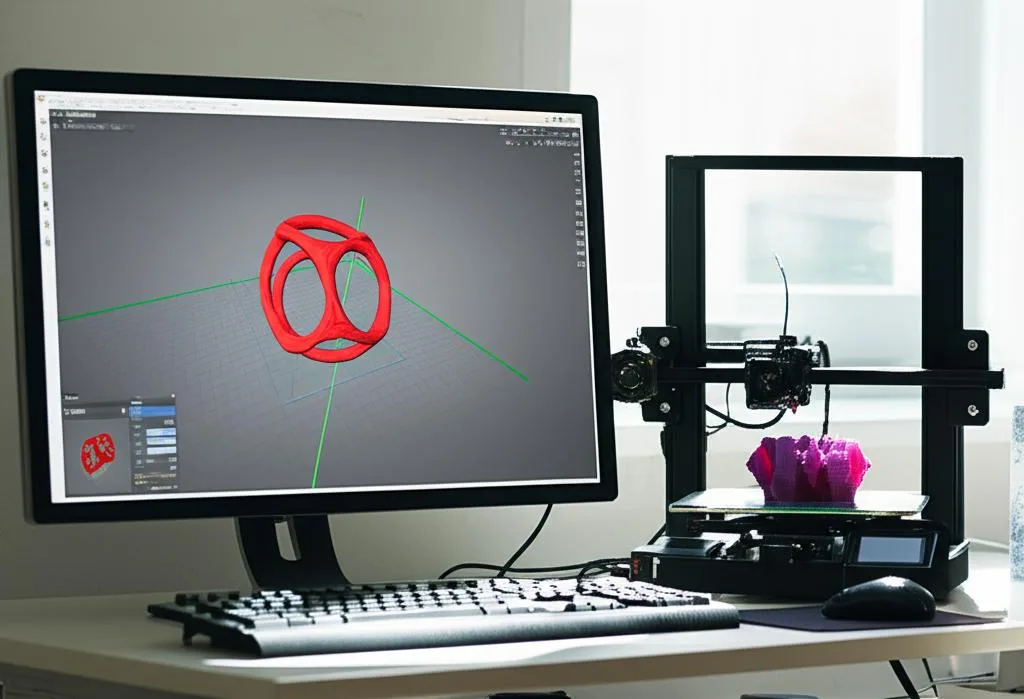
Once your design is complete, it needs to be processed by a “slicer” software (like Cura or PrusaSlicer). The slicer converts your 3D model into G-code, a set of instructions your 3D printer understands. This is where you set print parameters like layer height, infill, and support generation. Understanding how these settings interact with your design is crucial for successful prints.
Mastering 3D design for printing is an iterative process. Each failed print is a lesson, and each successful print is a step forward. Embrace the challenges, keep experimenting, and enjoy bringing your digital ideas into the physical world!
Frequently asked questions
Do I need to buy expensive software to start designing for 3D printing?
No. TinkerCAD and SketchUp Free are both web-based and free, and are specifically aimed at beginners working with simple shapes. Fusion 360 is more powerful for complex or engineering-grade designs, but it also offers a free personal license, so you can get through your entire first key chain, phone stand, or figurine project without spending anything.
Why did my model fail to slice even though it looked fine in my design software?
The most common cause is a non-manifold mesh: your model isn’t fully “water-tight,” meaning it has holes, internal self-intersections, or inverted normals somewhere in the geometry. Slicers like Cura or PrusaSlicer expect a clean, sealed mesh to generate G-code, so this kind of error typically shows up at the slicing stage rather than in your modeling software. Checking wall thickness and mesh integrity before exporting to STL or OBJ is the best way to catch this early.
How do I avoid needing tons of support material on my prints?
Support structures are triggered by overhangs — parts of your model that extend outward with nothing underneath them during printing. Designing with minimal overhangs from the start reduces both material waste and the post-processing work needed to remove supports afterward. This is a design-stage decision, so it’s worth considering overhang angles while you’re still modeling rather than fixing it later in the slicer.