WordPress Logo Keychain
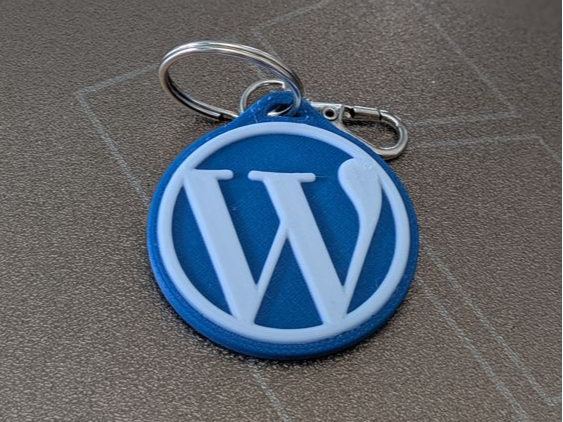
This stylish and minimalistic WordPress logo keychain is the perfect accessory for web developers, bloggers, designers, and all enthusiasts of the world’s most popular CMS. 3D printed in two colors, it features a crisp, high-contrast…
Files are hosted by the publisher — 3DX does not serve them directly. The link opens the model page in a new tab.
About this model
This stylish and minimalistic WordPress logo keychain is the perfect accessory for web developers, bloggers, designers, and all enthusiasts of the world’s most popular CMS. 3D printed in two colors, it features a crisp, high-contrast finish and clean design.
Features:
- Design – circular keychain with the iconic WordPress “W” symbol on a bold blue background.
- Two-color print – no AMS required; a simple filament change at layer 20 is all it takes.
- Material – printed in PLA (white and blue), lightweight, durable, and pleasant to the touch.
- Compact size – fits easily in your pocket or tech pouch.
Perfect as a small gift for WordPress enthusiasts or a custom touch to showcase your favorite platform.
Print settings
These are the settings the model was actually printed and tested with — the profile in the 3MF is already set up this way, so you can send it straight to the printer.
- Layer height: 0.16 mm
- Nozzle: 0.4 mm
- Walls: 2
- Infill: 15 %
- Filament: ~7 g
Files
The model is free on MakerWorld and ships as a ready-to-print 3MF with the print profile inside — no slicer setup needed. Hit the download button above; the file is hosted there, not on 3DX.